Thank you! Sounds like you're navigating with keyboard? You should get this visual clue:
This is from Chrome on Mac.
When I get some more time, I'll continue working on this, creating a better a11y-experience!
Yes, I'm actually navigating with keyboard. Not able to make it look as shown in your screenshot. Input element css are not binding and the sliders sit below the table. Functionality seems to work fine.
Sorry, dont know much about Storybook - check the generated CSS/markup and see if you can spot the differences - or if some JavaScript fails in the console.


Thank you! Sounds like you're navigating with keyboard? You should get this visual clue:
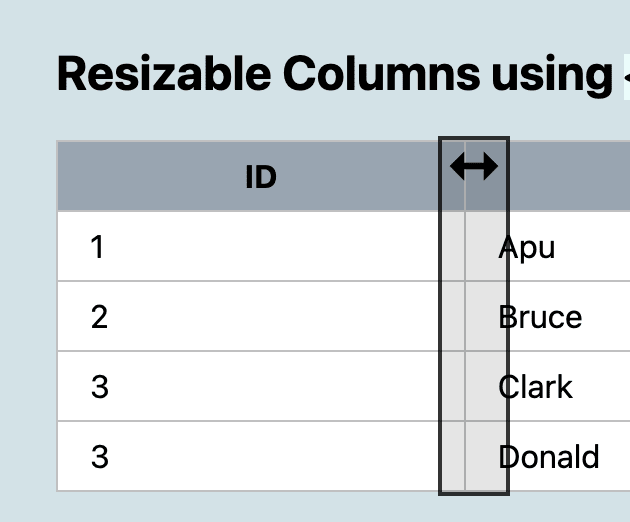
This is from Chrome on Mac.
When I get some more time, I'll continue working on this, creating a better a11y-experience!
Yes, I'm actually navigating with keyboard. Not able to make it look as shown in your screenshot. Input element css are not binding and the sliders sit below the table. Functionality seems to work fine.
That is weird. Are you using the Codepen-example - in Chrome for Windows?
I'm using a Mac. I implemented the code in my storybook.
OK, but does the Codepen example work for you, in Chrome?
Yes. It works fine within Codepen.
Sorry, dont know much about Storybook - check the generated CSS/markup and see if you can spot the differences - or if some JavaScript fails in the console.
Sure, I definitely don’t see the js errors in console. Its only the css that's missing. Thanks.