

I completed this exercise for the GitHub Foundations learning path. All the exercises are done in real repositories, so you quickly build skill in version control. I hope this inspires others to begin their GitHub Learn journey.
 firstcontributions
/
first-contributions
firstcontributions
/
first-contributions
🚀✨ Help beginners to contribute to open source projects



Read this in other languages.












































































First Contributions
This project aims to simplify and guide the way beginners make their first contribution. If you are looking to make your first contribution, follow the steps below.
If you're not comfortable with command line, here are tutorials using GUI tools.
If you don't have git on your machine, install it.
Fork this repository
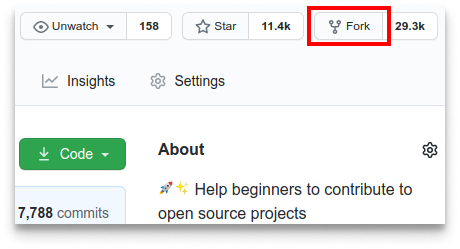
Fork this repository by clicking on the fork button on the top of this page. This will create a copy of this repository in your account.
Clone the repository
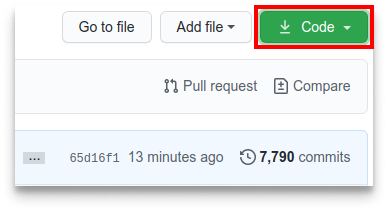
Now clone the forked repository to your machine. Go to your GitHub account, open the forked repository, click on the code button, then on SSH tab and then click the copy url to clipboard icon.
Open a terminal and run the following git command:
git clone "url you just copied"
where "url you just copied" (without the…


Top comments (0)