

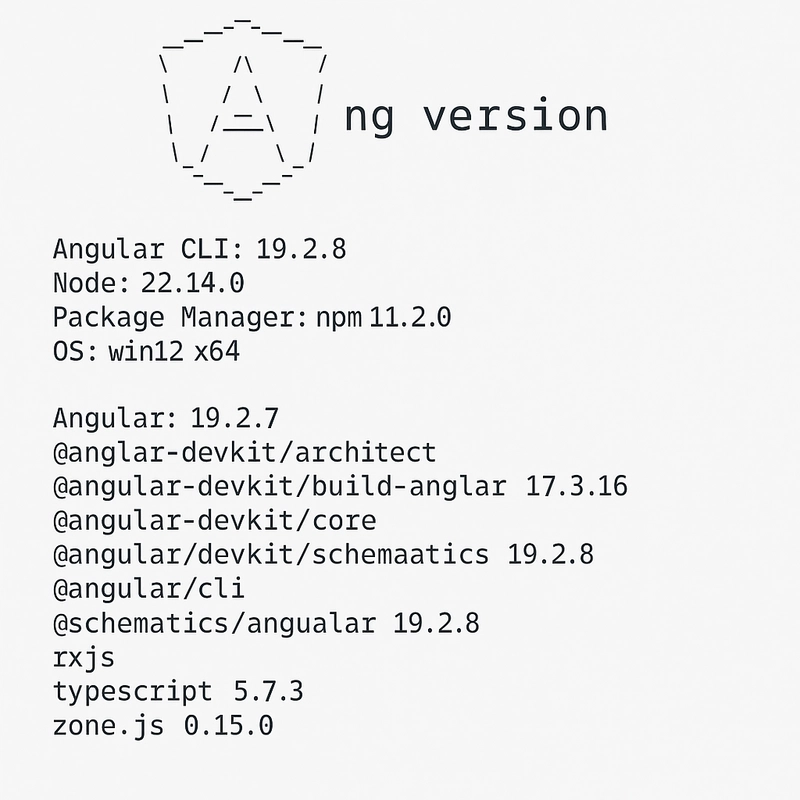
Angular CLI: Understanding ng version Output (Angular 19.2)
The ng version command is one of the first diagnostics any Angular developer should run. It reveals detailed information about the Angular framework version, CLI tools, and the Node/npm environment installed locally.
Here’s a breakdown of a sample output and what each section means for you as a developer:
Angular CLI: 19.2.8
Node: 22.14.0
Package Manager: npm 11.2.0
OS: win32 x64

Angular: 19.2.7
... common, compiler, compiler-cli, core, forms
... platform-browser, platform-browser-dynamic, router

Package                         Version
---------------------------------------------------------
@angular-devkit/architect       0.1902.8
@angular-devkit/build-angular   17.3.16
@angular-devkit/core            19.2.8
@angular-devkit/schematics      19.2.8
@angular/cli                    19.2.8
@schematics/angular             19.2.8
rxjs                            7.8.2
typescript                      5.7.3
zone.js                         0.15.0
CLI Header Block
Angular CLI: 19.2.8
The version of the Angular CLI (Command Line Interface) globally installed or running in the local workspace. It defines what commands are available (
ng generate,ng build, etc.) and aligns with the core Angular framework.
Node: 22.14.0
The Node.js runtime version used. Angular 19 supports Node 18 and above. Newer versions improve performance, compatibility with npm, and ECMAScript features.
Package Manager: npm 11.2.0
This tells you which package manager is being used and its version. Angular supports
npm,yarn, orpnpm. npm 11 is the latest and works well with modern dependency trees and workspaces.
OS: win32 x64
Your operating system and architecture (in this case, 64-bit Windows).
Angular Core Packages
Angular: 19.2.7
The version of the main Angular packages in your project.
Following that, these core packages are grouped:
... common, compiler, compiler-cli, core, forms
... platform-browser, platform-browser-dynamic, router
| Package | Purpose |
|---|---|
@angular/core |
Core framework functionality |
@angular/common |
Common directives like NgIf, NgFor, pipes, etc. |
@angular/forms |
Template-driven and reactive forms support |
@angular/compiler |
Compiles HTML templates into JS |
@angular/platform-browser |
Browser rendering setup |
@angular/router |
Routing module for SPA navigation |
@angular/compiler-cli |
Required for AoT (Ahead-of-Time) compilation |
@angular/platform-browser-dynamic |
Used during development for JIT compilation |
Tooling Packages
@angular-devkit/*
The DevKit is Angular’s underlying build and project configuration infrastructure:
| Package | Role |
|---|---|
@angular-devkit/architect |
Defines how projects are built/tested |
@angular-devkit/build-angular |
Implements the build process (Webpack/Vite bridge) |
@angular-devkit/core |
Utilities shared across the devkit packages |
@angular-devkit/schematics |
Enables code generation via ng generate
|
@angular/cli
This package provides the core command-line interface functionality.
@schematics/angular
Contains schematics (code blueprints) for Angular CLI like components, services, pipes.
Runtime & Compiler Tools
rxjs: 7.8.2
Reactive Extensions for JavaScript. Angular relies heavily on RxJS for reactive forms, HTTP calls, and event handling.
typescript: 5.7.3
The version of TypeScript used to compile your code. Angular 19 supports up to TypeScript 5.7.
zone.js: 0.15.0
Angular uses
zone.jsfor change detection. It patches async APIs likesetTimeout,Promise, andDOM events.
Summary Table
| Category | Tool | Purpose |
|---|---|---|
| Angular Framework | @angular/core |
App logic + DI |
| Compiler | @angular/compiler-cli |
AoT, Ivy, SSR |
| CLI Tools | @angular/cli |
Project scaffolding |
| Build Tools | build-angular |
Webpack/Vite builder |
| Reactive Streams | rxjs |
Observables, Streams |
| Language Support | typescript |
Type-safe JS |
| Zone Handling | zone.js |
Auto change detection |


Top comments (0)