title: [Golang][GCP] Things to note and potential pitfalls when using Golang to control Firebase Database on Cloud Function
published: false
date: 2024-04-09 00:00:00 UTC
tags:
canonical_url: https://www.evanlin.com/til-golang-firebase-cf/
---
# Preface:
This article will quickly go through how to apply for a GCP Services Account Credential, how to use this data in Cloud Function, and finally how to use Golang to control Firebase Database in Cloud Function, as well as potential pitfalls.
## Applying for Services Account Credential to allow Cloud Function to connect to Google services
The teaching of this part can actually refer to another article of mine. [[Learning Document] How to use Golang to access Google Cloud services on Heroku](https://www.evanlin.com/til-heroku-gcp-key/), but I will quickly go through it here.
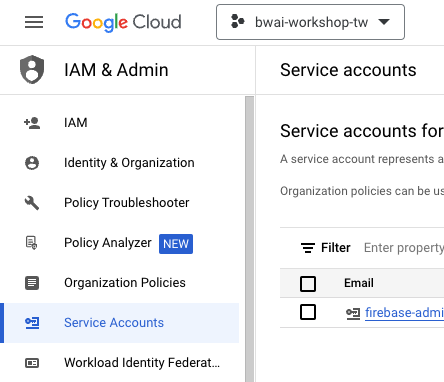
- Enter Google Cloud Console, go to IAM & Admin and select Create Services Account
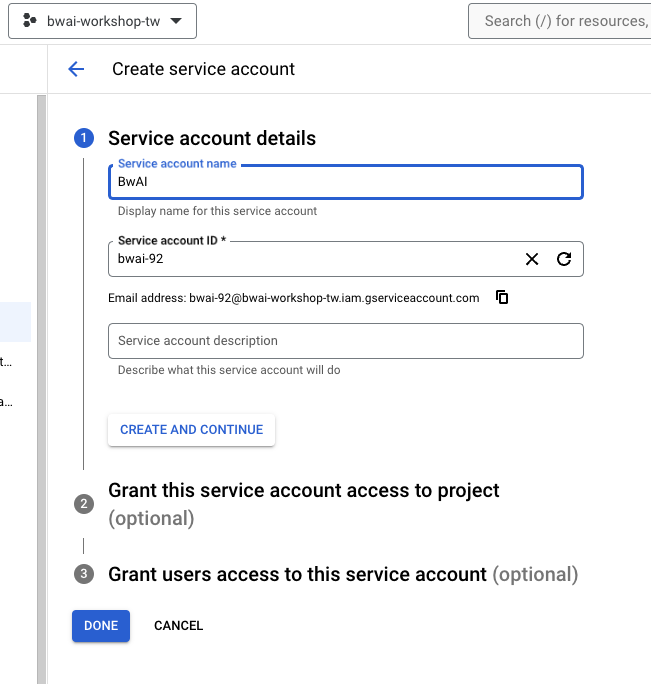
- Services Account Name is up to you, pay attention to (the project above and Firebase **project name must be consistent**)
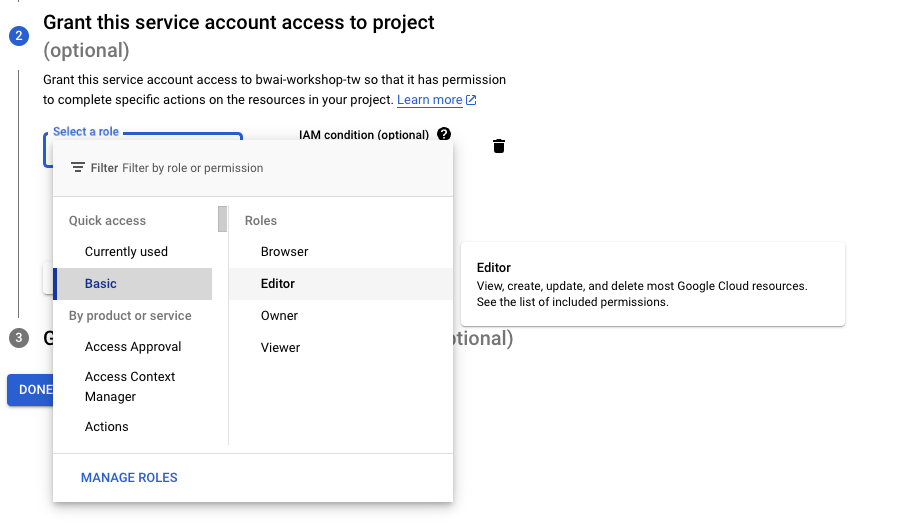
- Grant this service account access to project. When setting the identity, it is recommended to use Editor first (it's a larger role, use with caution)
- “Grant users access to this service account” does not need special settings
- Press “Manage Keys” to prepare to download Credential
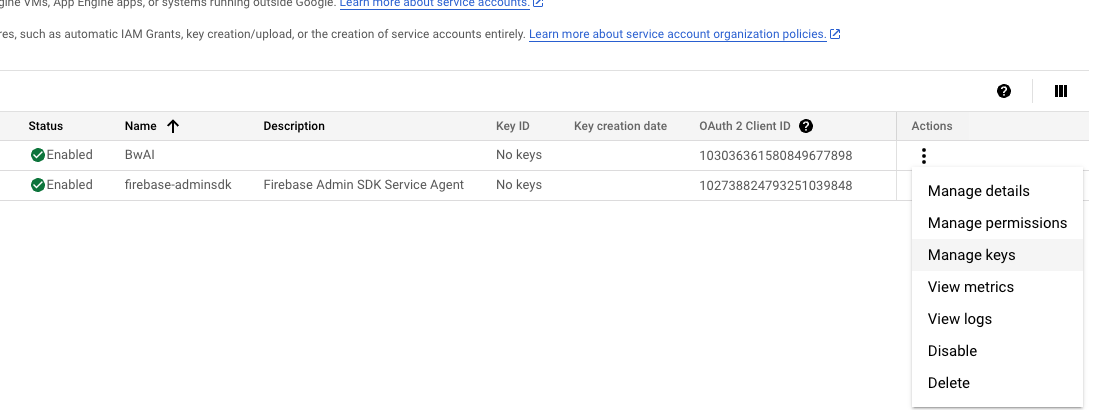
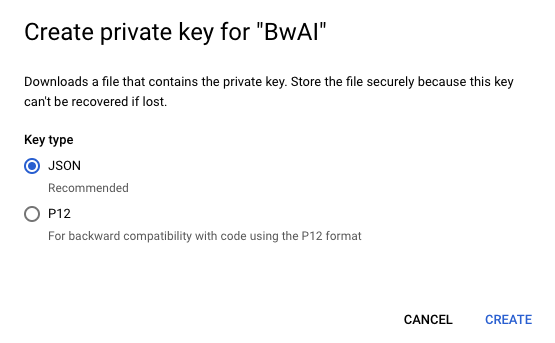
- Select Add Key -> Create new Key -> Download JSON
## Things to note when using Golang Google Options package:
Although Firebase Realtime Database has been set to allow everyone to read and write, if you access it through Golang, you will get an Unauthorized request error message. This is because the Project in your JSON file is different from your Firebase Project. Just recreate a Services Account and update the JSON content.

# How to import Services Account Credential in Google Cloud Function?
Next, I will share how to correctly use it within Cloud Function. If you want to directly use Cloud Function to open the Credential JSON file, you will always get an error message that you cannot get the credential correctly.
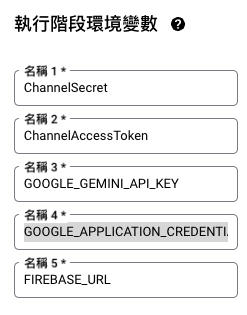
At this time, you need to add it through environment variables:
- Copy all the content in the JSON file
- Set the `GOOGLE_APPLICATION_CREDENTIALS` parameter, and then paste all the content into the environment parameter.
- Next, I will tell you how to modify the relevant code?
- First, `option.WithCredentialsJSON([]byte(os.Getenv("GOOGLE_APPLICATION_CREDENTIALS")))` allows you to read the credential from the environment parameter.
- Next, `&firebase.Config{DatabaseURL: os.Getenv("FIREBASE_URL")}` sets the FIREBASE\_URL content.
- This way, it can be executed correctly. Next, we will look at the relevant processing of Gemini chat memory.

## Reference articles:

- [[Learning Document] How to use Golang to access Google Cloud services on Heroku](https://www.evanlin.com/til-heroku-gcp-key/)
Top comments (0)
Subscribe
For further actions, you may consider blocking this person and/or reporting abuse
We're a place where coders share, stay up-to-date and grow their careers.


Top comments (0)