

title: [BwAI workshop][Golang] LINE OA + CloudFunction + GeminiPro + Firebase = Travel Helper LINE Chatbot
published: false
date: 2024-04-10 00:00:00 UTC
tags:
canonical_url: https://www.evanlin.com/linebot-cloudfunc-firebase-gemini-workshop/
---
# Preparation
- **[LINE Developer Account](https://developers.line.biz/en/)**: You only need a LINE account to apply for a developer account.
- [**Google Cloud Functions**](https://cloud.google.com/functions?hl=zh_cn): The **deployment platform** for Go code, generating a webhook address for LINEBot.
- [**Firebase**](https://firebase.google.com/): Create a **Realtime database**, LINE Bot can remember your previous conversations and even answer many interesting questions.
- **[Google AI Studio](https://aistudio.google.com/)**: You can get the Gemini Key here.
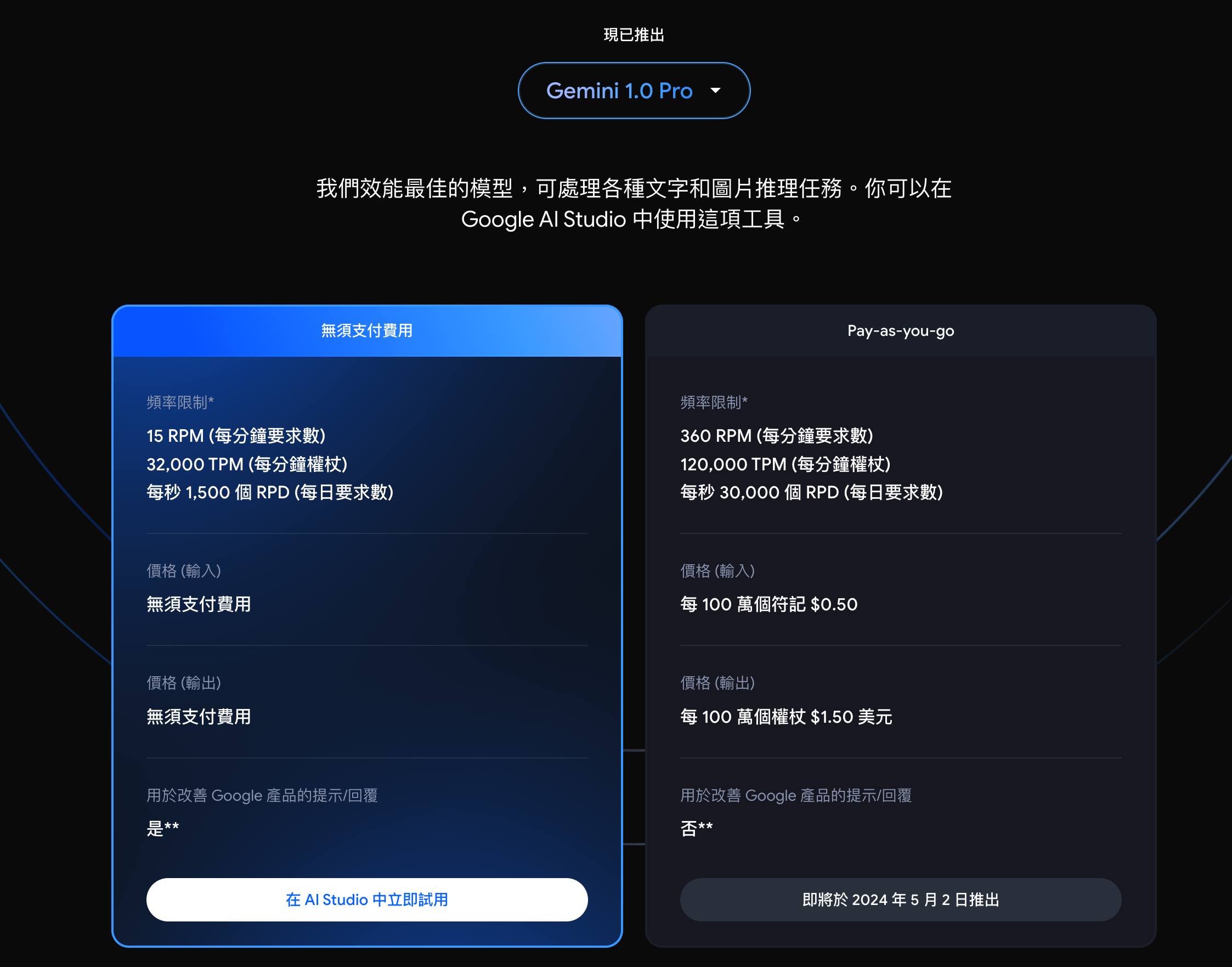
## About Gemini API Price
According to the official website: [https://ai.google.dev/pricing?hl=zh-tw](https://ai.google.dev/pricing?hl=zh-tw)
# Apply for a LINE Chatbot (Messaging API)
- Go to [LINE Developer Console](https://developers.line.biz/en/services/messaging-api/) and log in 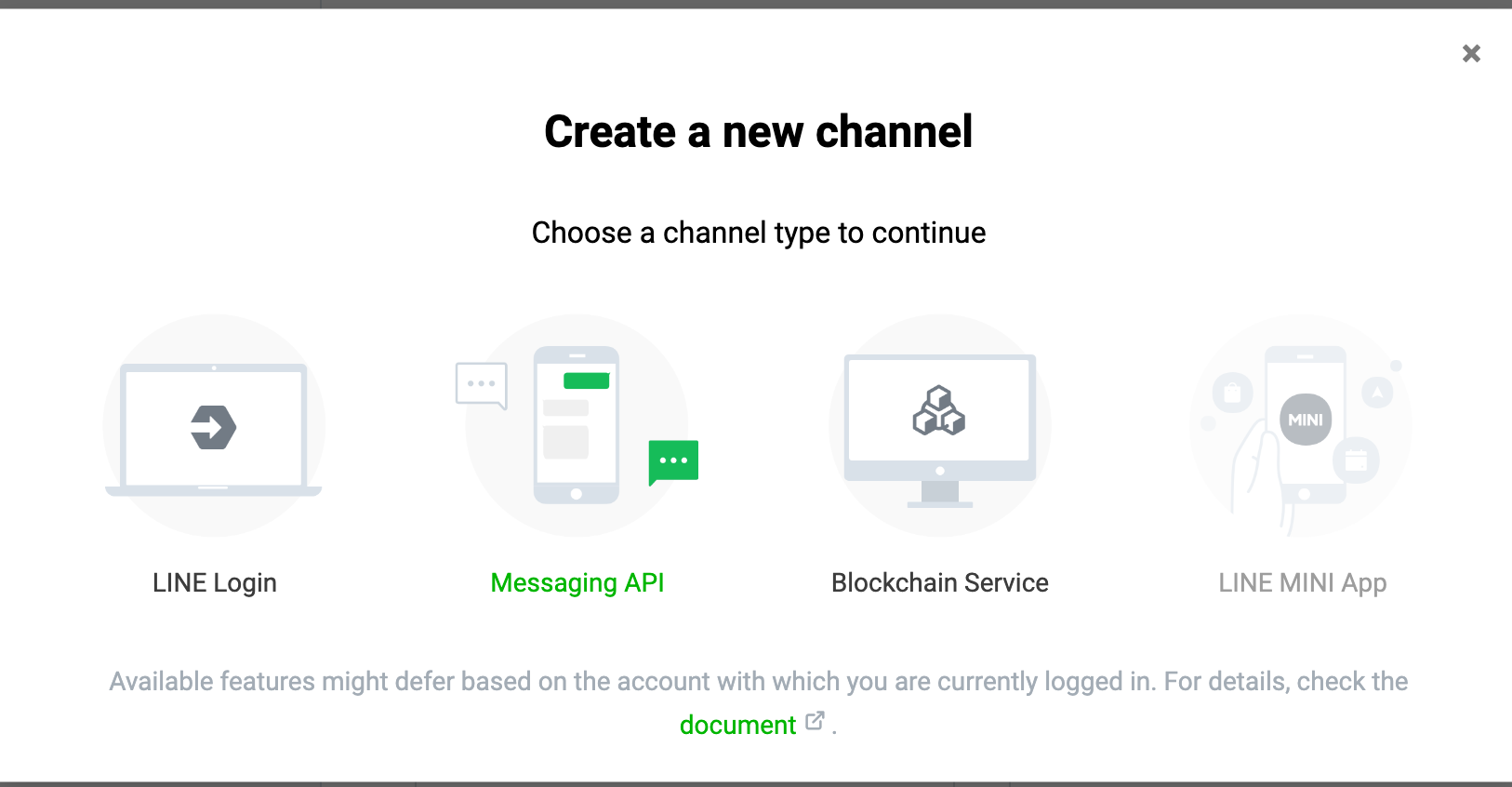
- When choosing a Channel, if you want to apply for a LINE Chatbot (official account), you need to apply for Messaging API 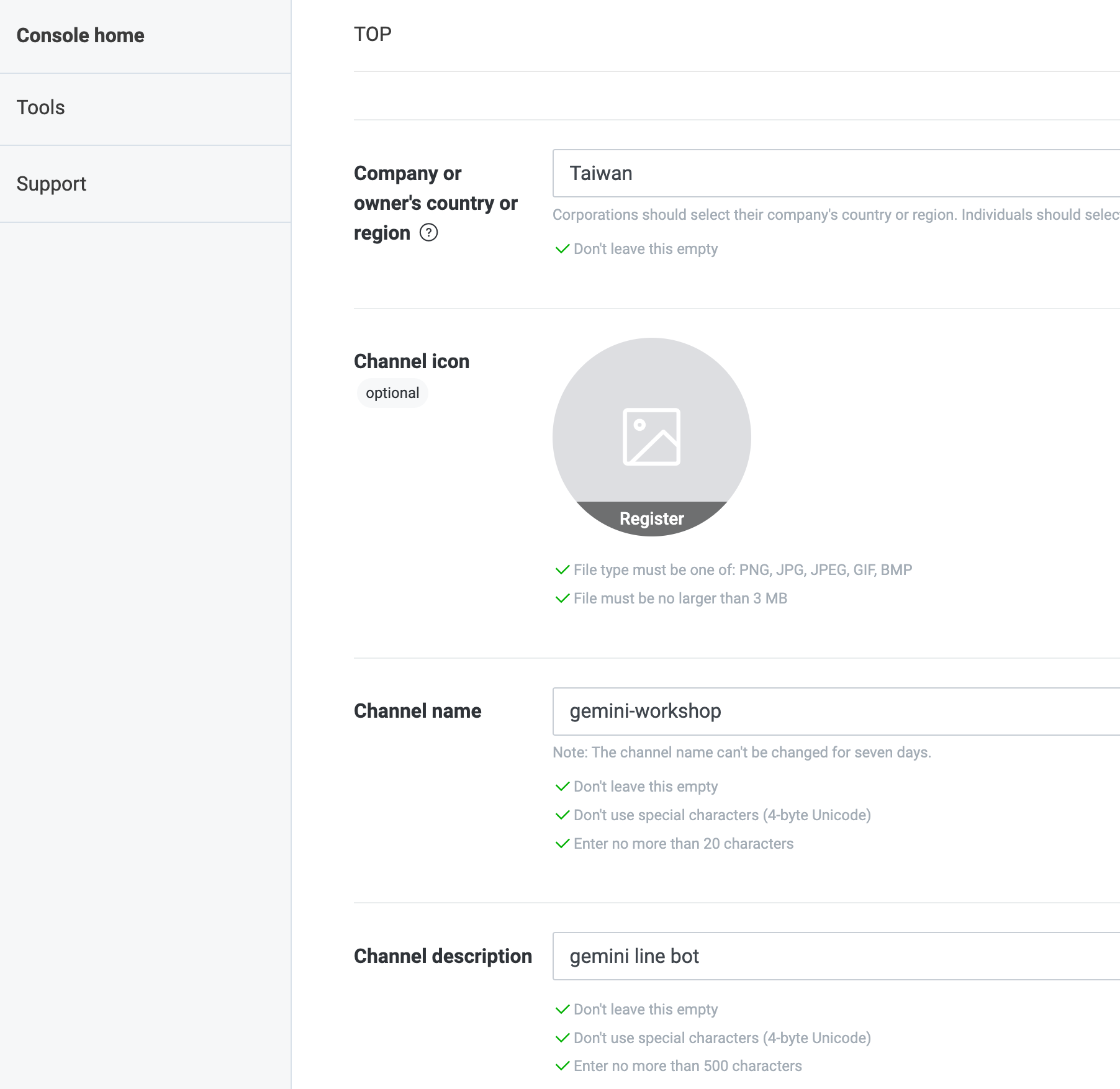
- Fill in the relevant information:
- **Cmpany or owner’s country or region**:
- **Channel Name**: That is, your LINE Bot name.
- **Channel description**: Related descriptions to describe what your LINE Bot does.
- You can fill in the rest as you like.
- Next, go to the Messaging API Tab to perform the following settings:
- **Auto-reply messages**: Turn it off 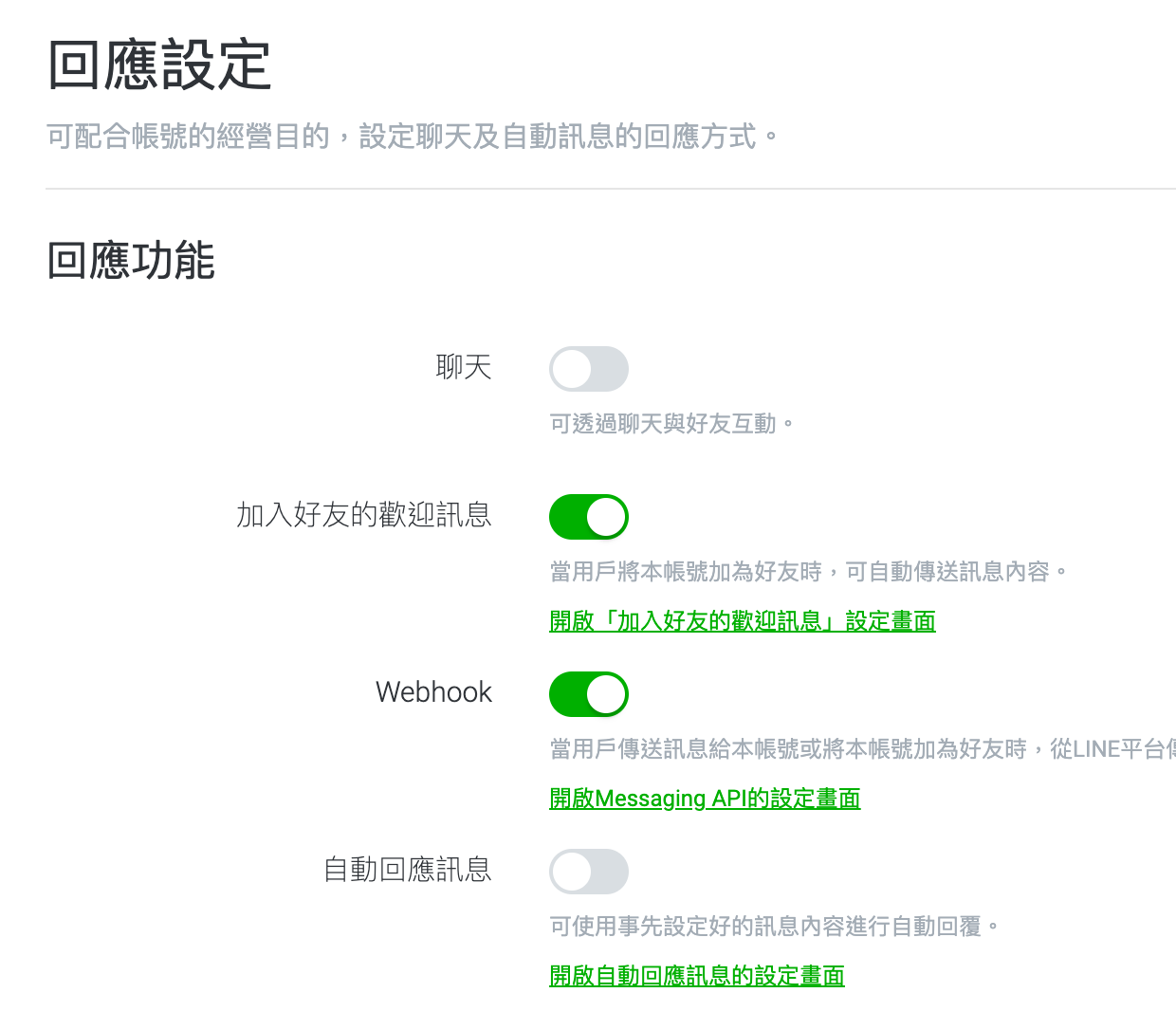
- Next, you need to get two important parameters:
- In the **Basic Setting** Tab, `Channel secret` 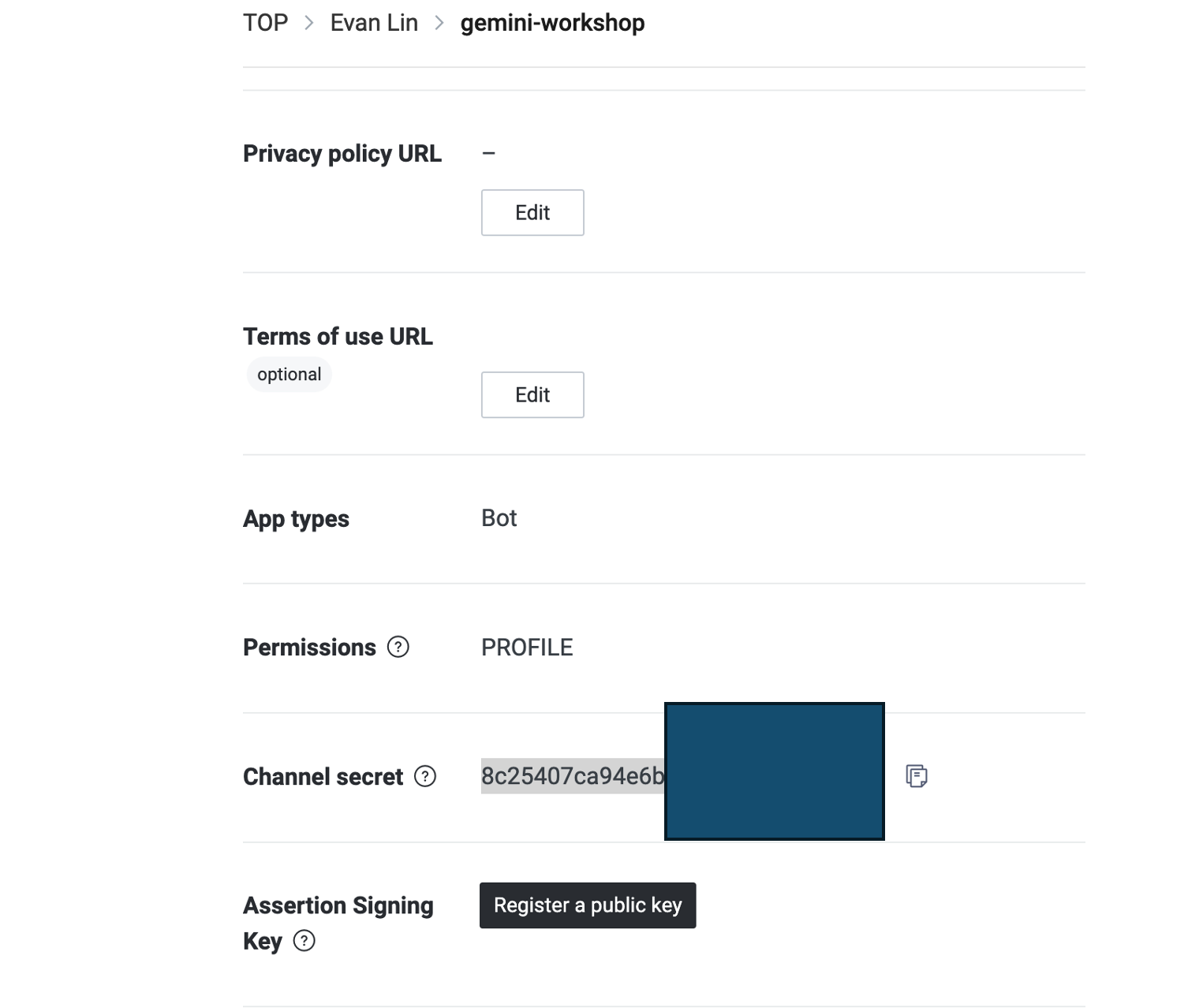
- In the **Messaging API** Tab, `Channel access token (long-lived) ` 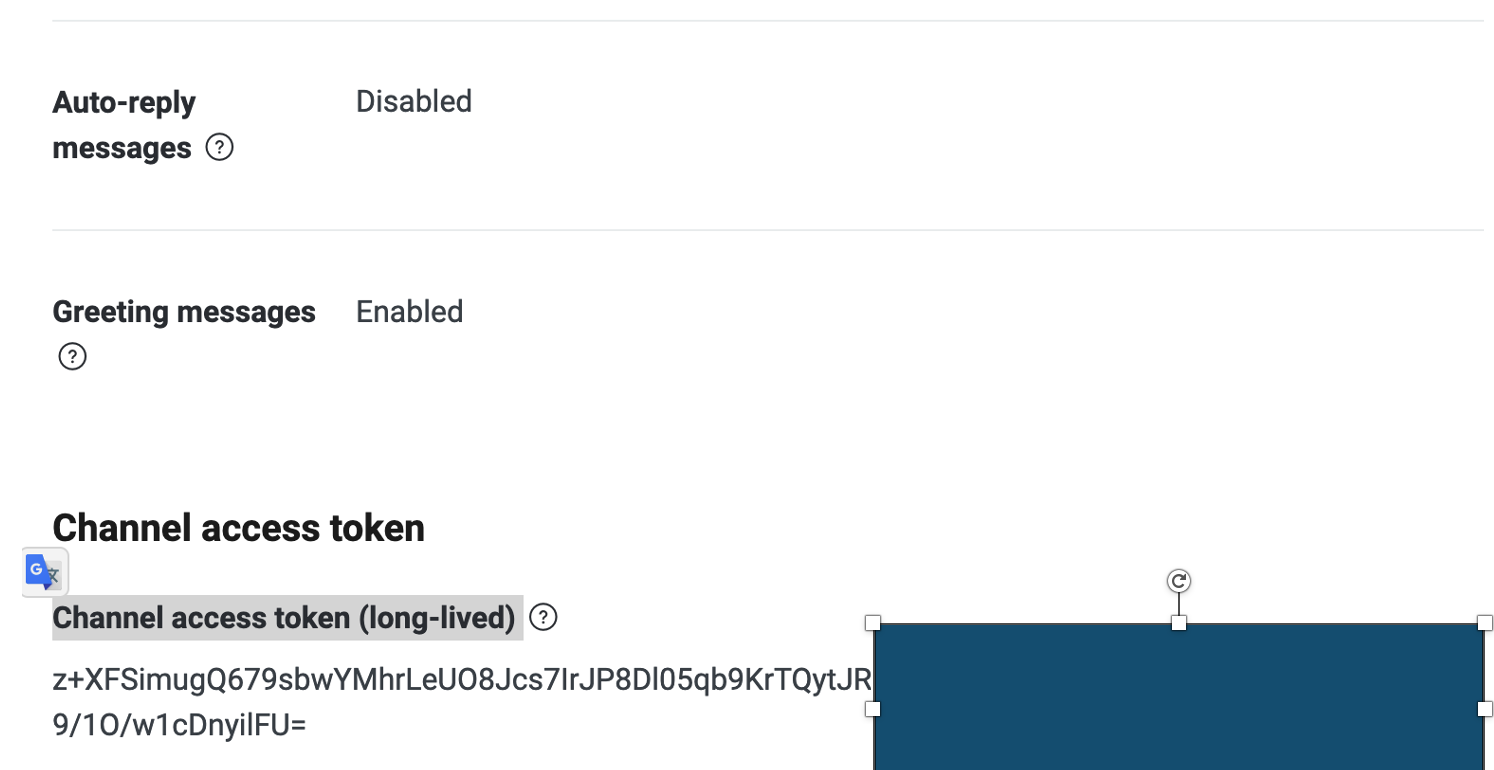
- That's all for now, and you'll come back later to set up the relevant Webhook.
# Create a new Google Cloud Function
Although Google Cloud Function and Firebase Realtime database both have free quotas, you may still need a paid account. That is to say, your Google Cloud Account needs to fill in your credit card information **(valid billing account)**.
### About the cost of Cloud Function (cloud function generation 1)
According to the [website pricing](https://cloud.google.com/functions/pricing?hl=zh-tw), basically, you don't need to pay in the following situations. In plain language
Free plan
Cloud Functions provides a permanent free plan for computing time resources, including GB/second and GHz/second allocations. In addition to 2 million calls, this free plan also provides 400,000 GB/second and 200,000 GHz/second of computing time, as well as 5 GB of Internet data transfer per month. The free plan usage quota is calculated at the same dollar amount as the above level 1 price. Regardless of whether the function execution area uses level 1 and/or level 2 prices, the system will allocate the same dollar amount to you. However, when deducting the free plan quota, the system will be based on the level (level 1 or level 2) of the function execution area.
Please note that even if you use the free plan, you must have a valid billing account.
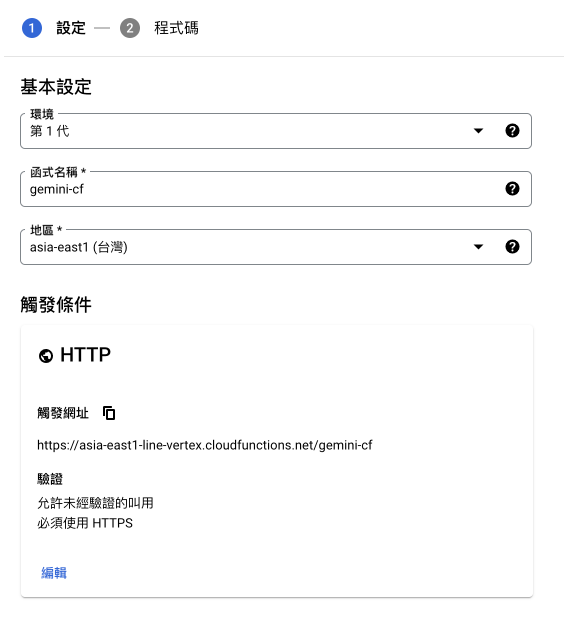
Go to [Cloud Function](https://console.cloud.google.com/functions) here, and start creating a Cloud Functions, refer to the following for related settings:
- Environment: **Generation 1**
- Function name: Fill in as you like
- Region: **asia-east1 (Taiwan)**
- HTTP
- Authentication: Allow unauthenticated calls


Top comments (0)