

title: [TIL][Heroku][Golang] Deploying Services to Heroku Using Github Release
published: false
date: 2023-12-28 00:00:00 UTC
tags:
canonical_url: http://www.evanlin.com/til-cicd-heroku/
---
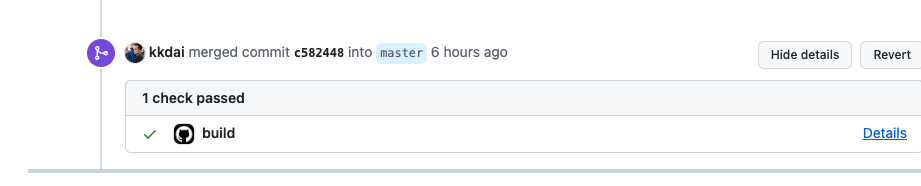
# CICD on Github Action - Go Build
When teaching students how to build their own side projects, it's often necessary to showcase their product ideas through Github. Among the important aspects, besides "documentation writing," is the implementation of "CICD."
* * *
#### Sample Code Repo:
[kkdai/bookmark-makerserver: A IFTTT MakerServer to help you post your tweet to github issue as a bookmark](https://github.com/kkdai/bookmark-makerserver)
* * *
There's a basic Golang CICD tool `Golang Build` on Github Action.
name: Go
on:
push:
branches: [master]
pull_request:
branches: [master]
jobs:
build:
runs-on: ubuntu-latest
steps:
- uses: actions/checkout@v4
- name: Set up Go
  uses: actions/setup-go@v5
  with:
    go-version: 1.21

- name: Build
  run: go build -v ./...

- name: Test
  run: go test -v ./...
This is the [basic template provided by Github Action](https://docs.github.com/en/actions/automating-builds-and-tests/building-and-testing-go), which allows you to run `Go Build` related commands during `Pull Request` and after `Merge`.

## Setting up Deployment to Heroku on Github
You can also refer to the [basic setup tutorial provided by Heroku and how to install Github Action](https://github.com/marketplace/actions/deploy-to-heroku).
name: Deploy
on:
push:
branches:
- master
jobs:
build:
runs-on: ubuntu-latest
steps:
- uses: actions/checkout@v2
- uses: akhileshns/heroku-deploy@v3.12.14 # This is the action
with:
heroku_api_key: $
heroku_app_name: "YOUR APP's NAME" #Must be unique in Heroku
heroku_email: "YOUR EMAIL"
- The `HEROKU_API_KEY` can be obtained from the [Heroku personal account web page](https://dashboard.heroku.com/account).

### Original Setting: Deploy when Merged to Master / Main
However, the settings inside are triggered only when `Push Master/Main`. This is actually a bit troublesome, as every Merge to the Master/Main branch will trigger a deployment. This will cause PRs like Document Updates to also trigger repeated Deployments.
### How to Change to Deploy via Github Release?
If you need to select deploy to Heroku directly by `Draft a new release`, you need to make the following changes.
name: Deploy
on:
release:
types: [created]
By doing this, the Deploy can become more intuitive.

## Completed CICD Process and Future Outlook:

- Pull Request –> `Go Build` checks the editability of the code.
  - In the future, you can consider adding some Test Coverage tools to do unit testing, or even more related test content.
- After Murged, also run `Go Build`.
  - In the future, you can add some automated document update actions.
- After Release, it will Deploy to Heroku.
  - Currently, they are all Cloud Services. If there are multi-cloud platforms or different Dev / Product clusters, they can be separated.

# Reference Documents

- [Basic template provided by Github Action: Building and testing Go](https://docs.github.com/en/actions/automating-builds-and-tests/building-and-testing-go)
- [Basic setup tutorial provided by Heroku and how to install Github Action](https://github.com/marketplace/actions/deploy-to-heroku)


Top comments (0)