
title: [Learning Document] CICD Architecture for Setting Up a Hugo Blog via Cloud Run
published: false
date: 2022-02-05 00:00:00 UTC
tags:
canonical_url: http://www.evanlin.com/til-hugo-cloudrun/
---
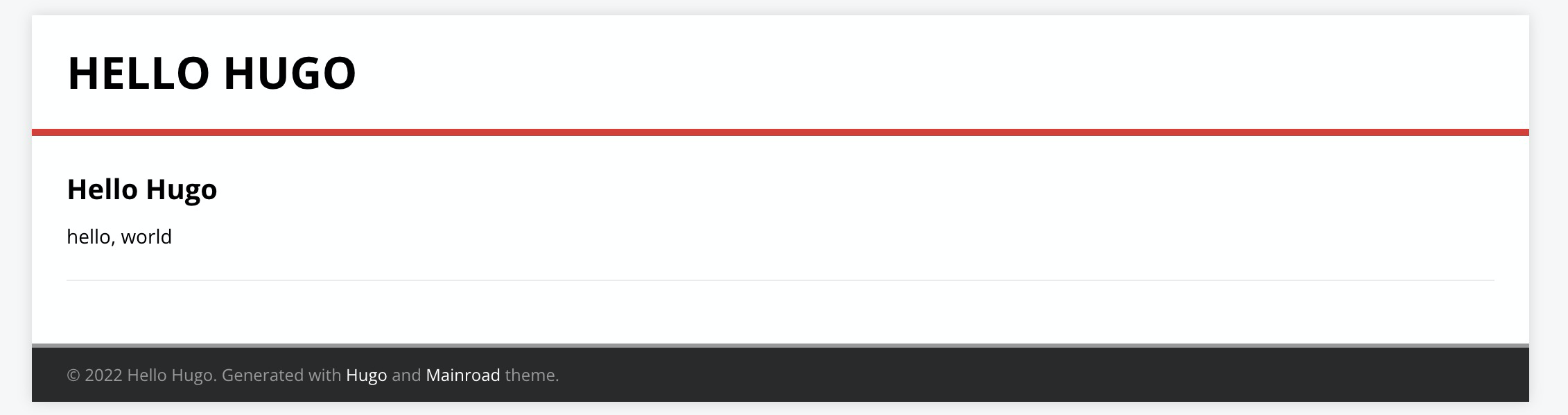
## Preface:
I had previously considered moving my blog to GCP. I happened to have some credits to use. I looked for articles on how to set up a Hugo blog on GCP. I saw that the official documentation had an article on using Cloud Run as a Hugo host. Here, I will simply update the latest interface and translate it into Chinese for your reference.
In fact, even after running through the process, there are still some follow-up steps:
- Modify DNS
- Migrate Jekyll to Hugo
These are covered in other articles.
## Process:
The process mostly follows [Automatic Deployment of Hugo Sites on Firebase Hosting and Drafts on Cloud Run](https://developers.googleblog.com/2020/08/automatic-deployment-of-hugo-sites-on-firebase-hosting.html) and is adapted into a Chinese version.
### 1. Set up a new Hugo project
Fork the relevant GitHub project [GitHub copy](https://github.com/jamesward/hello-hugo/fork) (i.e. fork)
[https://github.com/jamesward/hello-hugo](https://github.com/jamesward/hello-hugo)
### 2. Create Cloud Run
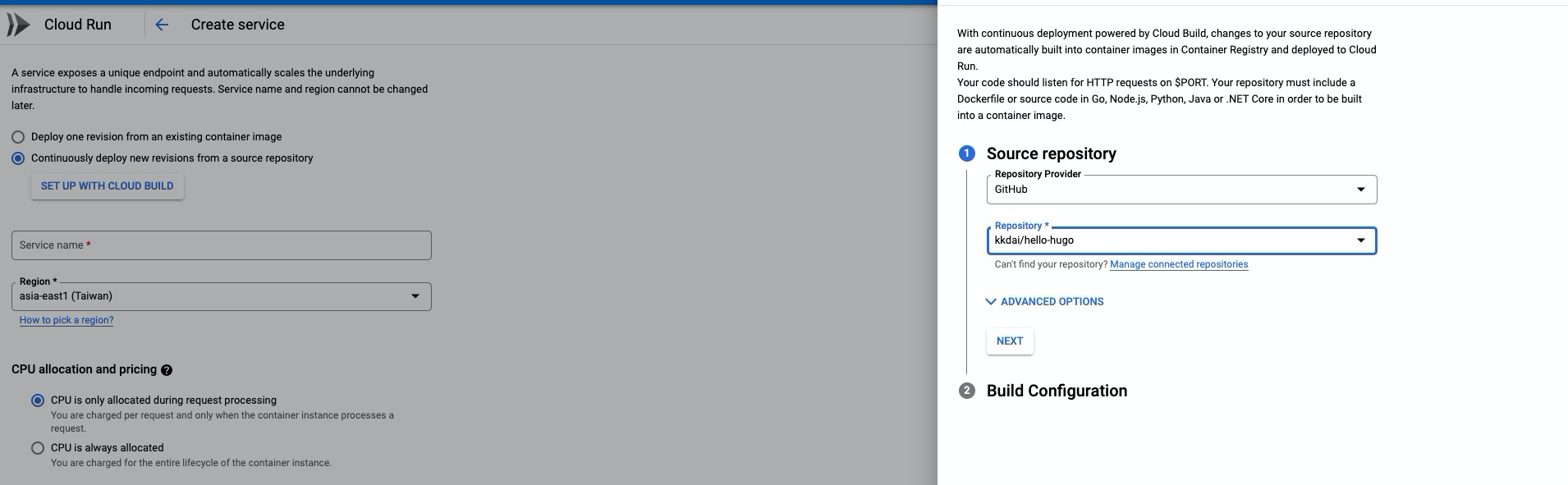
- Set up with Cloud Build
- Connect to Github repository
- Reguib, remember to select Taiwan “asia-east1 (Taiwan)”
- Select the project you forked
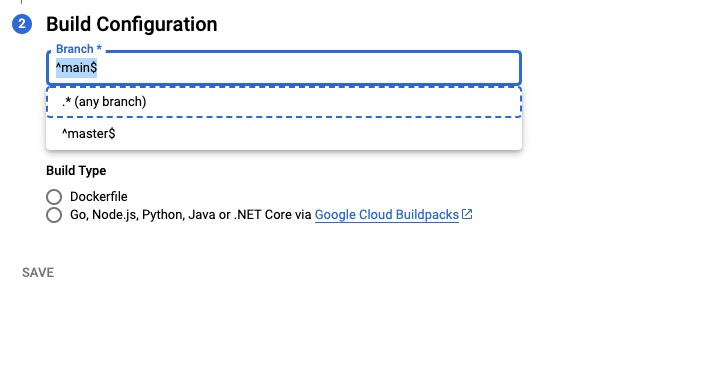
- Branch configuration –> `^master$` is set to the Master branch.
- Build Type, first select -> Dockerfile, which will need to be changed later
### Modify Continuous Deployment
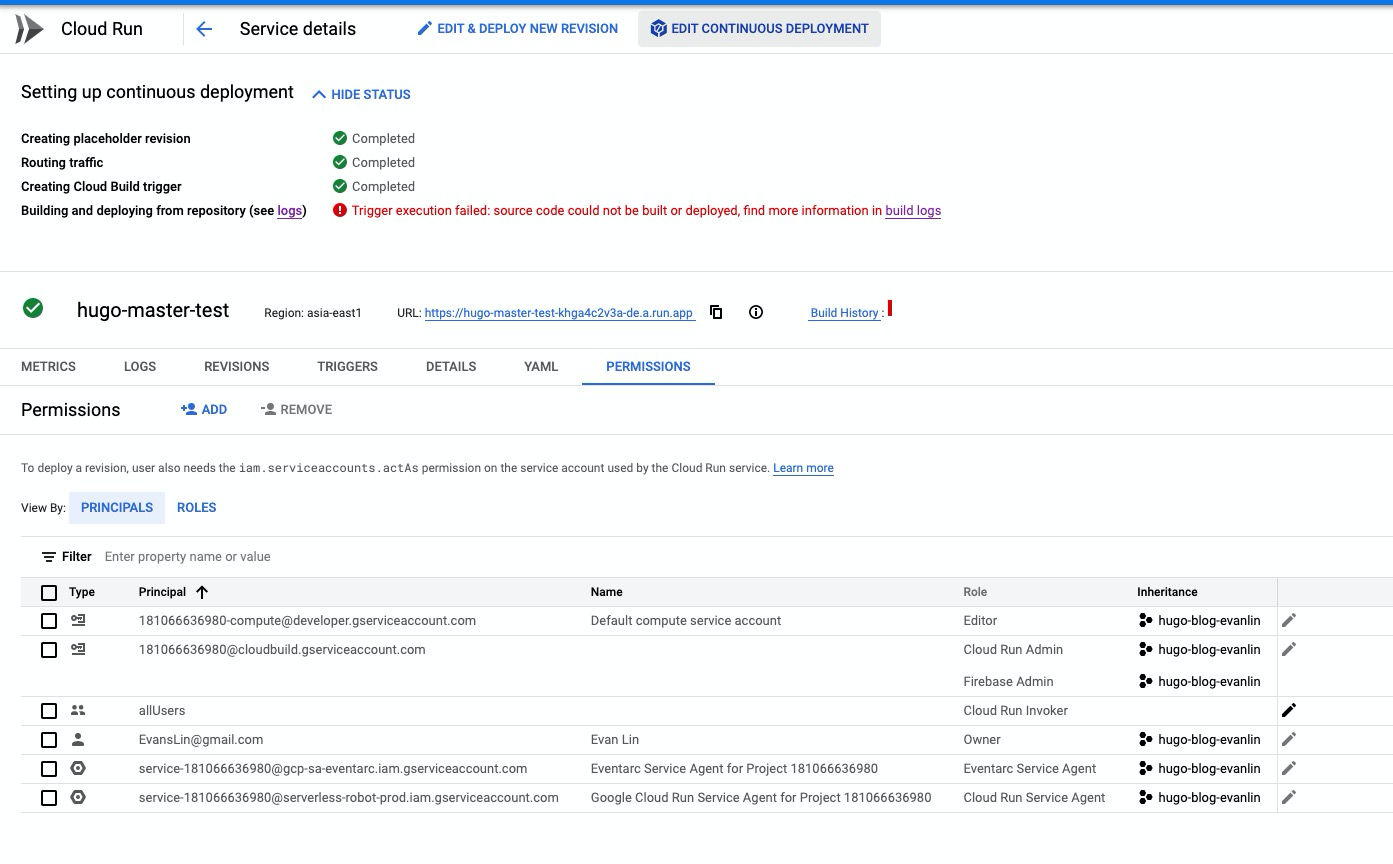
You will find that this time it failed, then click "Edit Deployment"

### Edit Trigger - Event
- Event
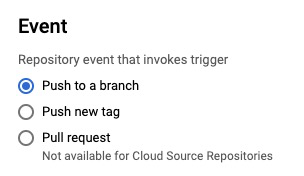
### Edit Trigger - Configuration
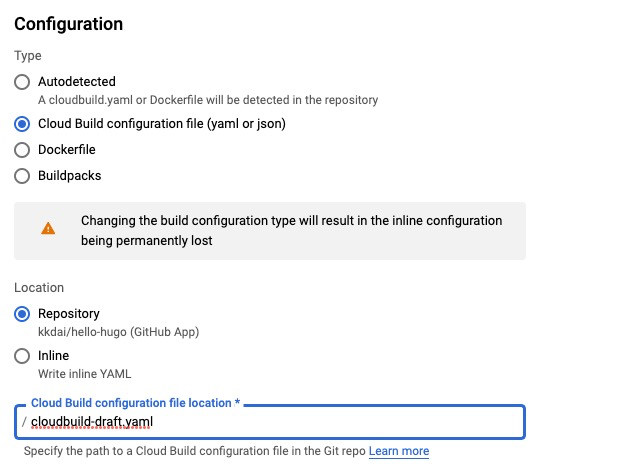
- Location –> Repository
- Remember to change the file to `cloudbuild-draft.yaml`
### Create Firebase as a Production / CDN’d site
To setup your production / CDN’d site, [login to the firebase console](https://console.firebase.google.com/)
After starting, configure the relevant project.
### Modify Github to start the project
1. Modify to the Taiwan region –> asia-east1, refer to [commit](https://github.com/kkdai/hello-hugo/commit/9ca8ee11fc1237b92aabd6d5952d4d0074fba9f8)

1. Modify the Firebase Production project name (remember to change it to your project) Refer to [commit](https://github.com/kkdai/hello-hugo/commit/ed0ce403325fe69a0d6819d9293caeb3ab09619e)

### Final product
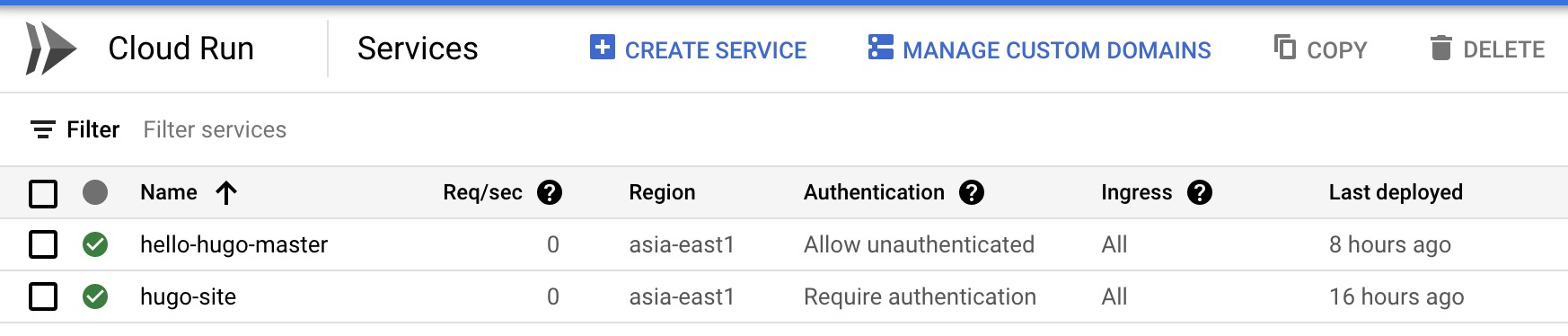
You will find that there are two Cloud Runs, one is the Trigger you set up. The second `hugo-site` is the Cloud Run that runs the CICD through the settings.
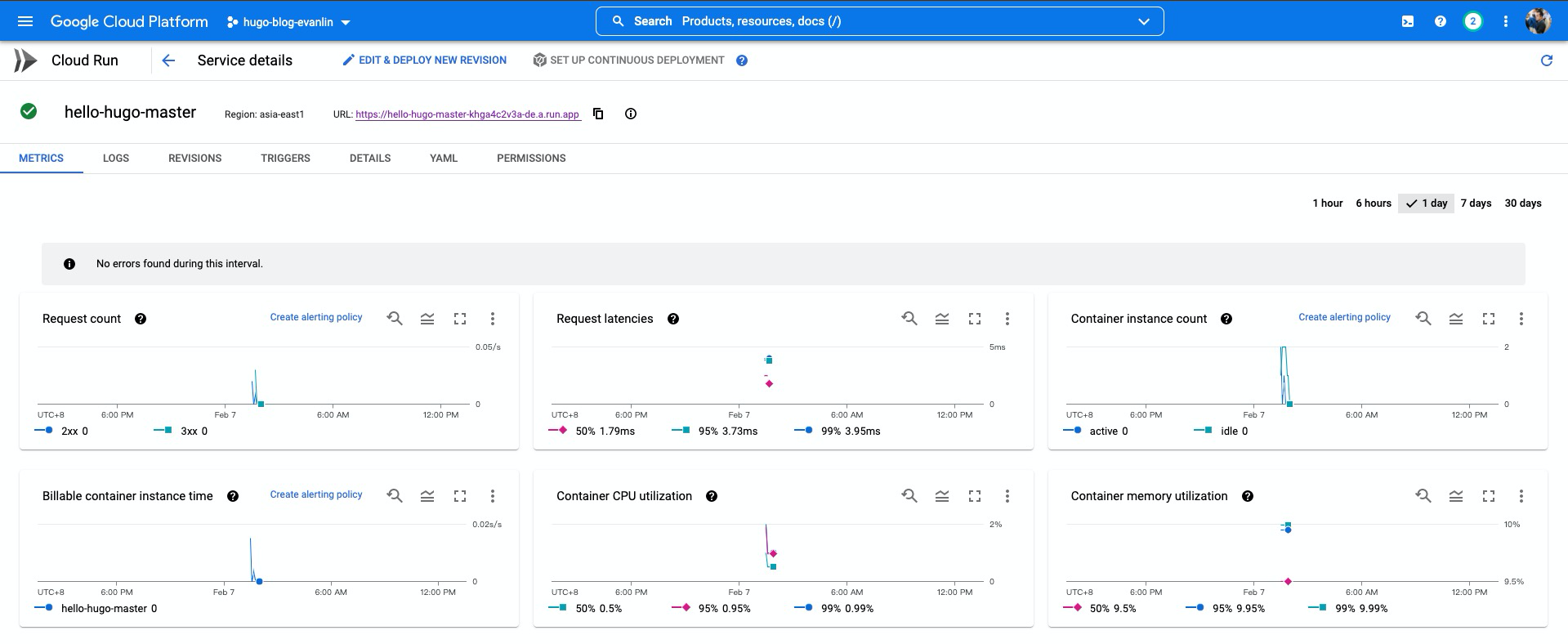
After clicking in, you will see a complete URL at the top, which is the external website address.
Final website: [https://hello-hugo-master-khga4c2v3a-de.a.run.app](https://hello-hugo-master-khga4c2v3a-de.a.run.app)
## Related Articles:
- [Automatic Deployment of Hugo Sites on Firebase Hosting and Drafts on Cloud Run](https://developers.googleblog.com/2020/08/automatic-deployment-of-hugo-sites-on-firebase-hosting.html)
- [Google CloudRun builds a Hugo static website environment and pairs it with CICD for continuous deployment, pay as you go, no basic fees](https://www.minwt.com/website/server/22837.html)
- [Running a Hugo generated site on Github Pages and Google Cloud Storage](https://tunzor.github.io/posts/hugo-on-gh-and-gcs/)

Evan Lin
Posted on Originally published at evanlin.com on
[Tutorial] CI/CD Architecture for a Hugo Blog on Cloud Run
For further actions, you may consider blocking this person and/or reporting abuse


Top comments (0)