


We’re excited to announce TinaCMS: an open-source site editing toolkit for React-based sites, especially Next.js). See the announcement video at Jamstack Conf SF (the demo starts at 3:45).
Tina is not a CMS, in the traditional sense. As in, it’s not a separate system for managing content. Instead, Tina adds editing functionality to your site when running in dev mode locally, or when using TinaCloud...
In fact, I'm writing this post with Tina right now:
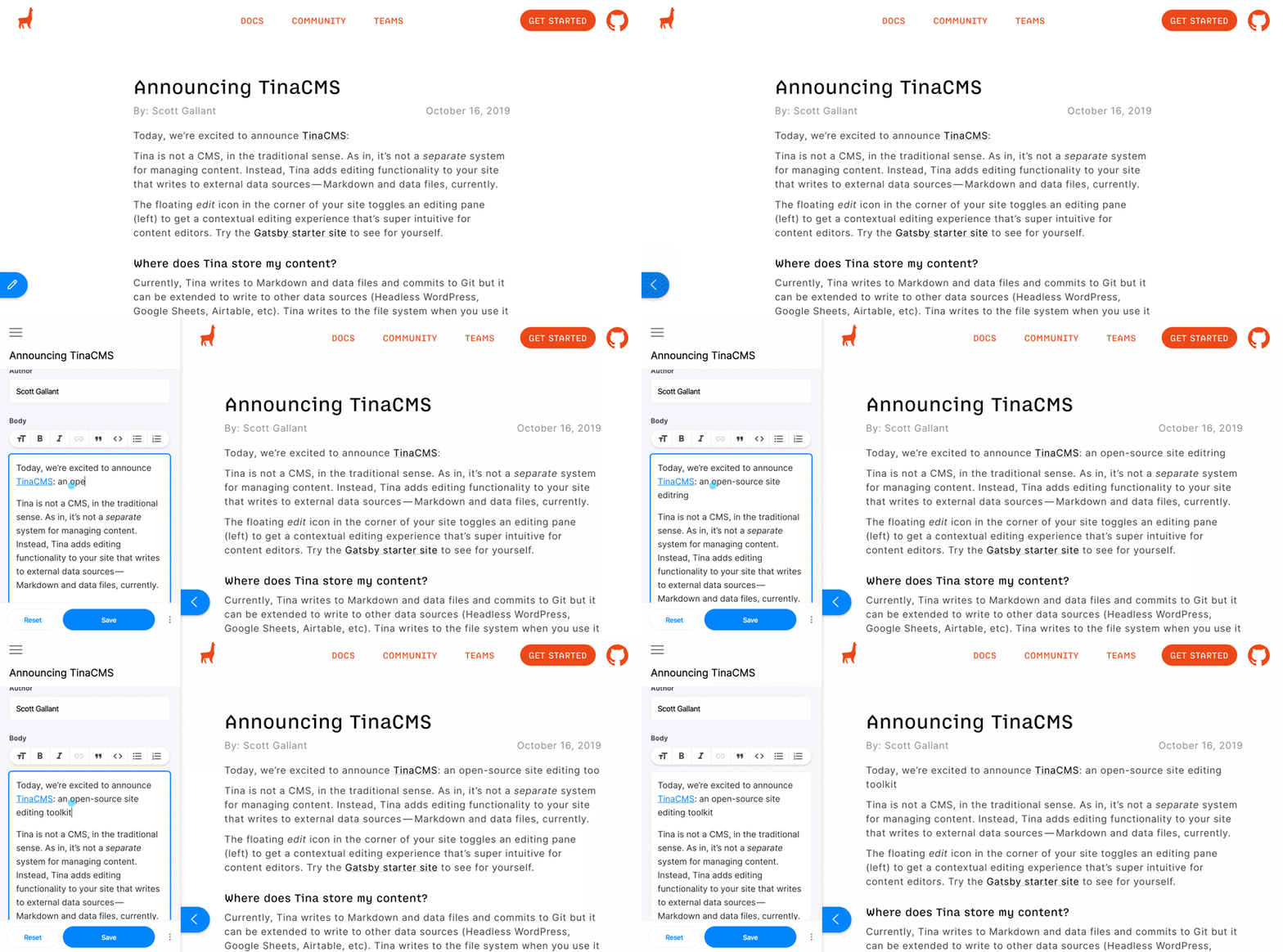
When you install Tina, your site gets a floating edit icon in the corner that toggles an editing pane to expose the CMS fields. This gives your content editors a contextual editing experience that’s super intuitive. When you click "Save" Tina writes your content to external data sources, such as Markdown or JSON files.
Where does Tina store my content?
Currently, Tina writes to Markdown and data files and commits to Git but it can be extended to write to other data sources (another headless CMS like Strapi or Contentful, or any API-based service like Google Sheets or Airtable). When running locally, Tina writes to the file system and if you're using Tina Cloud, it commits to your GitHub repository.
Why Tina?
I’ve been setting up content management systems for people since the early 2000’s. In the beginning, CMSs like WordPress and Drupal gave our non-developer colleagues website editing powers. But we’ve seen very little innovation on the editing experience in the past 10+ years. Meanwhile, the editing experience of site builders like Squarespace, Wix and Webflow have become very sophisticated.
When I watch people use a traditional CMS, I often see them struggle because the input (the CMS) lacks the context of the output (their site) and using a CMS feels more like filing your taxes than editing a website. Now that we’ve moved to headless CMSs and the Jamstack, editors often lose the ability to preview, leaving them in the dark as they create content.
We developers have hot-reloading, and Tina is hot-reloading for content editors.
Get Started
We're coming out of a monolithic CMS era and we believe next-gen sites need a next-gen CMS. Checkout Tina and let us know what you think!


Latest comments (24)
Tina adds editing functionality to react based sites only? Is there a way to add this editing functionalities to a multi page static site written in html and css?
Is... Is this named after the llama from Napoleon Dynamite?
This looks really good, been searching for something like this for a while so definitely going to test it in my next project, thanks!
Sounds way too nerdy to really catch on.
How does this work for sites that need to localize content or manage multiple branded websites etc? Maybe it doesn't cater for that use case (which is fine) but just trying to understand any limitations that may dictate where it does and doesn't make sense to use it.
Hey, Tina is a very new project (pre 1.0) so we don't have examples of i18n implementations yet. However, I can tell you where we see it going. We want Tina to work for very small sites - like, a personal portfolio - but scale up to very large sites - like, multi-lingual sites with lots of content and many contributors.
Stay tuned here: tinacms.org/community
Congratulations for the launch 🚀👍
I'm currently using MDX + NetlifyCMS, but this looks really next gen! Nice work!
While TinaCMS doesn't technically "support" MDX, you can definitely write use MDX components inside your content. Check it out! Maybe you'll be converted ;)
Hi NCPhillips! Can you describe how this can be achieved? Thank you in advanced!
There is actually now a
gatsby-tinacms-mdxplugin!It's still pretty alpha.
npmjs.com/package/gatsby-tinacms-mdx
It's up to developers to define if fields should go in the sidebar or if they should be edited inline in the page. See: tinacms.org/docs/inline-editing/
And yes Tina is using
contentEditableunder the hood :)Awesome... I will try it
Great tool.