

Conference websites are a signal-dense environment for sales teams. Exhibitors have budget. Sponsors have intent. Speakers have influence. Attendees self-select into a category of people who care enough about a topic to show up in person. For a well-targeted go-to-market motion, a single conference list can be worth more than months of cold outreach to a generic ICP database.
The problem is extraction. Most conference websites are built differently. Exhibitor lists appear in different formats — some as HTML tables, some as filterable grids, some as PDFs, some as paginated directories with inconsistent naming conventions. Speaker pages vary. Sponsor tiers are labeled differently. And most importantly: the information you need is rarely in a format your CRM can ingest directly.
Traditional automation — extraction with CSS selectors — breaks the moment a conference organizer redesigns their website, switches platforms, or adds a new filter layer. Which they do, regularly, because conference websites are rebuilt for each event. An extraction that worked for a 2025 conference often fails completely for the same conference in 2026, because the organizer switched from a custom site to Hopin or Swapcard or their own new platform.
Web agents handle this because they read the page rather than pattern-match against it. This article covers how that works in practice, with working code for each pattern.
Web agents for sales intelligence are automated programs that navigate live web pages — conference exhibitor directories, sponsor listings, speaker profiles — on behalf of a sales team, extracting structured prospect data without requiring custom code per site. Unlike traditional scrapers that depend on fixed CSS selectors, a web agent interprets page content by goal: given the instruction "find all exhibitors and return their company name, website, and category," the agent reads the page as a browser would, handles pagination and dynamic rendering, and returns clean JSON regardless of how the underlying HTML is structured. The result is a scalable data pipeline that monitors dozens of events monthly and feeds enriched leads directly into a CRM.
When does a web agent apply to sales intelligence?
Your lead sources are conference and event websites — exhibitor lists, speaker directories, sponsor pages
Most event sites have different structures — making traditional extraction brittle
You're covering dozens of events monthly — the scale makes manual extraction untenable
You need structured output into your CRM — not PDFs or copy-paste, but clean data your tools can process
Time-to-data matters — conference lead data has a shelf life; the sooner it's in your pipeline, the more valuable it is
The operational problem at scale
For sales teams tracking dozens of conferences per month, each conference website is different. Every time a site updates its layout or changes platforms, platform-specific scrapers break. The engineering overhead of maintaining those scrapers across that many events is disproportionate to the value of any individual conference.
Web agents navigate conference websites by reading page content and structure directly — adapting to each site's layout without requiring custom code per event. When a site changes layouts, the agent adapts. When a new conference is added, it requires a goal prompt, not a new scraper.
The operational outcome: dozens of events monitored monthly, structured lead data delivered automatically, zero custom code required per event.
The technical pattern: structured lead extraction from event sites
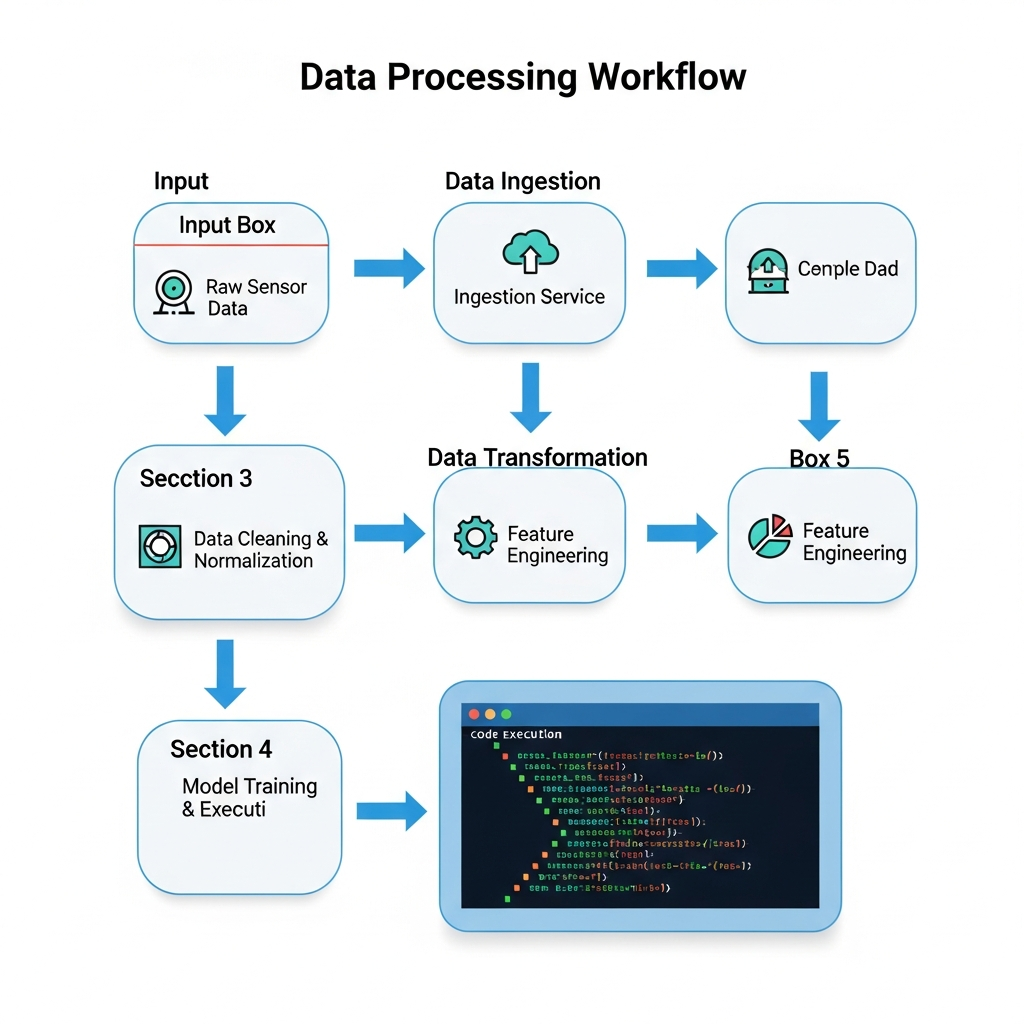
📸 IMAGE — Diagram showing web agents extracting structured lead data from diverse conference websites and delivering to CRM
Conference sites present a range of extraction challenges — paginated exhibitor lists, filterable sponsor grids, speaker bio pages. The agent handles all of these with the same underlying approach: describe the goal, let the agent navigate.
Installation
pip install tinyfish
export TINYFISH_API_KEY=sk-tinyfish-*****
Exhibitor and sponsor extraction
import asyncio
import json
from datetime import datetime, timezone
from tinyfish import AsyncTinyFish, BrowserProfile

client = AsyncTinyFish()

CONFERENCE_EVENTS = [
    # URLs below are illustrative — replace with verified event page URLs before running
    {
        "event_name": "SaaStr Annual 2026",
        "exhibitors_url": "https://tech-conference-example.com/exhibitors",
        "target_type": "exhibitor",
    },
    {
        "event_name": "Dreamforce 2026",
        "exhibitors_url": "https://enterprise-summit-example.com/sponsors/",
        "target_type": "sponsor",
    },
    {
        "event_name": "RevOps Summit 2026",
        "exhibitors_url": "https://revenue-summit-example.com/speakers",
        "target_type": "speaker",
    },
]

async def extract_event_leads(event: dict) -> dict:
    target = event["target_type"]

    goal = f"""
    Extract all {target}s listed on this page.

    For each {target}, extract:
    {{
        "company_name": "string",
        "website": "URL or null",
        "category": "industry or booth category if shown, else null",
        "tier": "sponsor tier (Gold/Silver/Bronze/etc.) or null if not applicable",
        "contact_name": "primary contact name if shown, else null",
        "contact_title": "job title if shown, else null",
        "description": "one-sentence company description if shown, else null"
    }}

    If the list is paginated, click through all pages before returning.
    If there is a "Load More" button, click it until all items are loaded.
    Scroll down to ensure all visible items are captured.

    Return JSON:
    {{
        "event_name": "{event['event_name']}",
        "target_type": "{target}",
        "total_count": number,
        "leads": [ ...array of lead objects above... ]
    }}

    If the list requires login to your authorized account to view, return total_count as 0 and leads as [].
# (continued)
Do not click any registration or payment links.
"""
response = await client.agent.run(
url=event["exhibitors_url"],
goal=goal,
browser_profile=BrowserProfile.MANAGED,
)
# For debugging: response.streaming_url has a live browser replay (valid 24h)
# response.result is shaped by the goal — leads array is the key output
result = response.result or {}
if result.get("status") == "failure":
return {
"event_name": event["event_name"],
"target_type": target,
"leads": [],
"error": result.get("reason", "goal_failed"),
"extracted_at": datetime.now(timezone.utc).isoformat(),
}
return {
"event_name": event["event_name"],
"target_type": target,
"total_count": result.get("total_count", 0),
"leads": result.get("leads", []),
"extracted_at": datetime.now(timezone.utc).isoformat(),
}
async def main():
tasks = [extract_event_leads(event) for event in CONFERENCE_EVENTS]
results = await asyncio.gather(*tasks)
total_leads = sum(r["total_count"] for r in results)
print(f"Total leads extracted: {total_leads} across {len(results)} events")
print(json.dumps(results, indent=2))
asyncio.run(main())
Output schema
{
  "event_name": "SaaStr Annual 2026",
  "target_type": "exhibitor",
  "total_count": 312,
  "leads": [
    {
      "company_name": "Acme Software",
      "website": "https://vendor-a.example.com",
      "category": "CRM & Sales Tools",
      "tier": null,
      "contact_name": null,
      "contact_title": null,
      "description": "AI-powered CRM for sales teams"
    },
    {
      "company_name": "BuildIt Inc.",
      "website": "https://vendor-b.example.com",
      "category": "DevTools",
      "tier": "Gold Sponsor",
      "contact_name": "Sarah Chen",
      "contact_title": "VP of Sales",
      "description": null
    }
  ],
  "extracted_at": "2026-03-27T09:00:01Z"
}
Enriching leads with company-level data
Raw exhibitor lists give you company names. What your CRM needs is enriched records — employee count, funding stage, tech stack, recent news. A second agent pass can pull this from each company's website or LinkedIn company page.
async def enrich_company(company_name: str, website: str) -> dict:
    goal = f"""
    Extract company information for: {company_name}
    Website: {website or f'search for {company_name} company website'}

    Extract:
    {{
        "company_name": "{company_name}",
        "employee_count_range": "1-10 / 11-50 / 51-200 / 201-500 / 500+ — estimate from About or LinkedIn",
        "funding_stage": "Bootstrapped / Seed / Series A / Series B / Series C+ / Public / Unknown",
        "hq_location": "City, Country or null",
        "industry": "primary industry category",
        "founded_year": number or null,
        "tagline": "one-line description from homepage or null"
    }}

    Navigate to the website's About page or homepage.
    Do not fill in any contact forms.
    """

    response = await client.agent.run(
        url=website,  # Provide the company website URL directly (LinkedIn or company site)
        goal=goal,
        browser_profile=BrowserProfile.MANAGED,
    )

    result = response.result or {}
    if result.get("status") == "failure":
        return {"company_name": company_name, "error": result.get("reason")}

    return result

# Enrich all leads from an extraction run
async def enrich_all(leads: list) -> list:
    tasks = [
        enrich_company(lead["company_name"], lead.get("website"))
        for lead in leads
        if lead.get("company_name")
    ]
    return await asyncio.gather(*tasks)
The two-pass pattern — extract from event site, then enrich from company sites — separates concerns cleanly. The first pass is optimized for navigating conference-specific layouts. The second pass is optimized for company data extraction, which follows more consistent patterns across company websites.
Handling the common edge cases
Paginated exhibitor lists — The goal prompt includes "click through all pages before returning." For very long lists (500+ exhibitors), break into page-by-page runs and aggregate results, rather than running one very long session that risks timeout.
Filterable grids — Some conference sites show exhibitors in a filterable grid by category or tier. Instruct the agent to clear all filters first, or specify which filter to apply: "Select the 'Gold Sponsor' filter before extracting."
PDF exhibitor lists — Some conferences publish exhibitor lists as PDFs linked from the main page. The agent can navigate to the link, open the PDF, and extract text content. Include in the goal: "If the exhibitor list is a linked PDF, open it and extract the company names."
Login-gated lists — Some premium conference platforms require registration with your own account to view the full attendee list. The goal above returns an empty array in this case. For events where you have authorized credentials, add login steps to the goal for your own accounts.
Sites that load content after scroll — The goal includes "Scroll down to ensure all visible items are captured." For infinite-scroll lists, add: "Continue scrolling until no new items appear."
Scaling across your conference calendar
For a sales team tracking a conference calendar, the right architecture runs this as a scheduled job: extract leads from each event site as it goes live, enrich them, and push to your CRM.
CONFERENCE_CALENDAR = [
    {"event_name": "SaaStr Annual", "exhibitors_url": "...", "date": "2026-09-15"},
    {"event_name": "Dreamforce",    "exhibitors_url": "...", "date": "2026-09-17"},
    # add your full event calendar
    # URLs below are illustrative — replace with verified URLs before running
]

# Cost estimate (PAYG at $0.015/credit):
# Extraction: 1 agent run per conference, ~10-20 steps (navigation + pagination)
#   → ~$0.15-$0.30 per conference
# Enrichment: 1 agent run per company, ~4 steps each (navigate + find About + extract)
#   → 300 companies × 4 credits × $0.015 = ~$18 per conference
# Total per conference: ~$18-20 for a fully enriched lead list
#
# Note: run steps vary with site complexity. Starter plan ($15/mo) covers ~1,650 credits —
# enough for roughly 4 full extraction + enrichment runs per month.
Cost breakdown (PAYG at $0.015/credit): extraction runs as one agent session per conference — ~10-20 steps for a paginated list, roughly $0.15-$0.30. The enrichment pass runs one agent session per company: at ~4 steps each, 300 companies cost approximately $18. Total: roughly $18-20 for a fully structured, CRM-ready lead list. Manual research at equivalent depth costs hours of analyst time per event.
Build vs. buy: when extraction is still the right answer
If your conference intelligence needs are narrow — one or two annual events, stable sites, static HTML lists — a simple extraction is cheaper and faster to build. Use it.
The case for web agents compounds as the number of events scales, as event site diversity increases, and as the maintenance cost of broken scrapers accumulates. At dozens of events monthly, each with a different site structure, maintaining platform-specific scrapers is a full-time job that produces inconsistent results. A goal-based agent is a one-time investment that generalizes across events.
The other factor is time-to-data. A extraction that breaks on Monday morning when the conference site updates means your team gets stale data for however long it takes engineering to fix it. An agent that reads the page as a human does degrades more gracefully — it might miss some edge cases, but it doesn't break silently.
Get started
The free tier gives you 500 credits — enough to extract a full exhibitor list from one or two conference sites and see structured output before committing to production volume.
Start free — 500 credits, no credit card required
For sales teams or platforms tracking dozens of events monthly, contact our enterprise team for volume pricing.
FAQ
How does the agent handle conference sites that change every year?
Because the agent reads the page based on intent ("find the exhibitor list") rather than fixed selectors, it adapts to annual redesigns without requiring code changes. The goal prompt may need minor tuning for major structural changes, but it doesn't break the way a selector-based extraction does.
Can this extract attendee lists, not just exhibitors?
Attendee lists are usually login-gated on your own account or not published publicly for privacy reasons. Exhibitor, sponsor, and speaker lists are typically public. For gated attendee data in accounts you are authorized to access, include login steps in the goal with your authorized credentials.
What does COMPLETED status mean?
Infrastructure success — the browser ran. Not data extraction success. Always check result.leads — an empty array with no error may mean the list genuinely has no entries, or it may mean the page structure wasn't handled. Use the streaming_url to debug ambiguous cases.
How do we push the output to our CRM?
The JSON output maps directly to standard CRM fields. Most CRMs (Salesforce, HubSpot, Pipedrive) have APIs or CSV import that accepts this structure. The enrichment pass adds the firmographic fields most CRMs expect.
Is there a limit on how many events we can run concurrently?
Per-plan concurrency limits apply. When exceeded, requests queue automatically — no errors, but later extractions take longer. For a large conference calendar running simultaneously, size your batches to your plan's concurrency limit.
Can this handle conference sites in languages other than English?
Yes. The agent reads the page as it appears — if the site is in German or Japanese, the agent navigates the German or Japanese interface. Include proxy_config with the appropriate country code for geo-restricted sites.
See It in Action
The free tier includes 500 steps — enough to run a complete sales intelligence workflow against real data before committing to a plan.
Related Reading
Pillar: What Can AI Web Agents Actually Do? 10 Real-World Use Cases
How to Monitor 1,000 Websites in Parallel with the TinyFish API
Want to scrape the web without getting blocked? Try TinyFish — a browser API built for AI agents and developers.


Top comments (0)