

Web agent debugging separates infrastructure failures (the run didn't complete) from goal failures (the run completed but returned wrong data) — two categories that require completely different fixes.
The agent ran. It returned COMPLETED. But the price field is empty — or it pulled the wrong product, or it returned results from only the first page of a multi-page portal.
That's the problem with agent debugging: the failure isn't explicit. A Playwright script throws a timeout or a selector error. An agent returns a status that says it finished — and the problem only surfaces when you check the data downstream.
Understanding why agents fail differently from scripts is the foundation of effective web agent debugging. This guide covers both failure layers and a systematic approach to each.
Why Agent Failures Feel Different from Script Failures
A scripted automation fails predictably. The selector didn't match, the element wasn't found, the HTTP request timed out — there's a specific line where execution stopped and an error you can read.
A goal-directed agent has no single execution path. It plans, navigates, adapts. That flexibility is what makes it useful on dynamic pages, but it also means there's no breakpoint. The agent chose a sequence of steps you didn't write, and somewhere in that sequence it went wrong — but the run still completed.
This is a structural difference, not a reliability problem. Agents trade determinism for adaptability. The tradeoff is that debugging requires a different mental model.
The good news: most agent failures cluster into two categories — a pattern TinyFish has observed consistently across production runs at different scales and page types. Each category has a clear diagnostic path. Once you know which type you have, the fix is usually straightforward.
Related: What Is an Agentic Browser?
Two Distinct Failure Types (And Why They Need Different Fixes)
The most important diagnostic question isn't "what went wrong" — it's "did the run complete at all?"
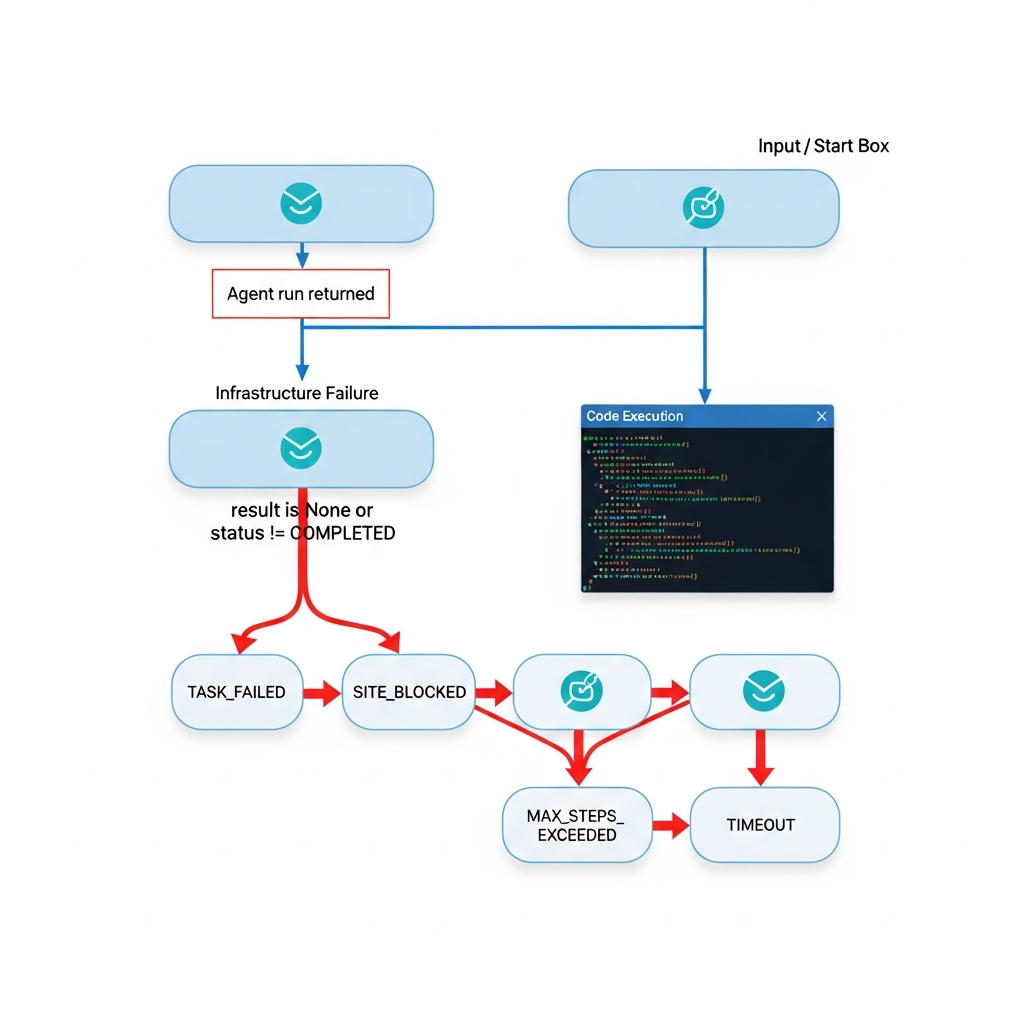
Layer 1 — Infrastructure failure: The run didn't complete. The result is None, the status indicates an error, or you got no response at all.
Layer 2 — Goal failure: The run completed (status: COMPLETED), but the result is wrong, incomplete, or inconsistent with what you asked for.
These two failures have completely different root causes and require different debugging approaches. Treating a goal failure as an infrastructure problem sends you in the wrong direction immediately.
The check pattern:
import requests
TINYFISH_API_KEY = "your_api_key"
response = requests.post(
"https://agent.tinyfish.ai/v1/automation/run",
headers={"X-API-Key": TINYFISH_API_KEY},
json={
"goal": "Extract the product name, price, and availability from this listing",
"url": "https://portal.example.com/products/item-123"
}
)
# Layer 1: Did the run complete?
if response.status_code != 200:
print(f"Infrastructure failure: HTTP {response.status_code}")
# Debug infrastructure (see next section)
else:
result = response.json()
if result.get("status") != "COMPLETED":
print(f"Infrastructure failure: {result.get('status')}")
else:
# Layer 2: Did the goal succeed?
data = result.get("result", {})
if not data.get("price"):
print("Goal failure: run completed but price missing")
# Debug goal specification (see goal failure section)
COMPLETED is not the same as "goal succeeded." It means the infrastructure layer finished. The goal evaluation is always separate.
Infrastructure Failures: The Run Didn't Complete
Infrastructure failures mean the run itself didn't complete. The result status tells you what happened:
| Status | What it means | First thing to check |
|---|---|---|
TASK_FAILED |
The agent encountered a condition it couldn't continue from | Check session state: does the page require authentication or specific cookies? |
SITE_BLOCKED |
The target site's configuration prevented this run from completing | Review whether the site requires specific access patterns, session state, or authentication on an account you control |
MAX_STEPS_EXCEEDED |
The agent reached the step limit without completing | The goal is too broad. Split it: instead of "Extract all product data and submit the order form," use two separate calls — one to extract, one to submit. Each sub-task should complete in fewer than 20 steps. |
TIMEOUT |
The run exceeded the time limit | Check if the page loads slowly; try increasing timeout in your request parameters |
None response |
Network or API issue | Check your API key and network connectivity |
On SITE_BLOCKED: This status means the target site's configuration — session requirements, access patterns, or content policies — prevented the run from completing. Check what the site actually requires: does it need authentication on an account you control? Does it require specific session cookies? Retry after addressing the underlying access requirement, not the symptom.
Infrastructure failures generally aren't retryable without changing something. A TIMEOUT might resolve on retry; a SITE_BLOCKED on a page that requires authentication won't.
Goal Failures: COMPLETED Doesn't Mean Done
Goal failures are subtler: the run completed, status is COMPLETED, but the data is wrong or missing. Three common patterns:
Pattern 1: Missing fields
The agent returned a result but specific fields are empty or null.
Symptom: result.data.get("price") is None, but the page clearly shows a price.
Cause: The goal didn't specify the field explicitly enough. The agent extracted what it interpreted as relevant — just not the right thing.
Fix: Name the fields explicitly in the goal.
Pattern 2: Wrong element
The agent extracted data — but from the wrong element or section of the page.
Symptom: The data looks plausible but doesn't match the specific item you targeted.
Cause: The page has multiple similar-looking elements and the goal didn't specify which one.
Fix: Add context about the element's location or distinguishing characteristic.
Pattern 3: Inconsistent results across runs
The same goal produces different results when run multiple times on the same URL.
Symptom: Run 1 extracts $29.99; Run 2 extracts $24.99; the page shows both a regular and sale price.
Cause: The goal doesn't specify which value to use when multiple options exist.
Fix: Add specificity: "Extract the current sale price, not the original price."
To see which pattern you have, use streaming to watch the agent's steps:
import requests

TINYFISH_API_KEY = "your_api_key"

with requests.post(
    "https://agent.tinyfish.ai/v1/automation/run-sse",
    headers={
        "X-API-Key": TINYFISH_API_KEY,
        "Accept": "text/event-stream"
    },
    json={
        "goal": "Extract the product name, price, and availability",
        "url": "https://portal.example.com/products/item-123"
    },
    stream=True
) as response:
    for line in response.iter_lines():
        if line:
            print(line.decode())  # Watch what the agent navigates and extracts
The step stream shows what the agent actually saw and acted on — which element it identified as the price, which page state it was in when it extracted. This is the closest equivalent to adding console.log to a script.
Using the Browser API for Step-Level Debugging
When the step stream shows the agent going wrong but you're not sure why, the next step is to inspect the actual page state the agent encountered.
The Browser API gives you a raw CDP connection to inspect the exact DOM state the web agent encountered — useful when step-stream output is ambiguous. It's a separate TinyFish product from the Web Agent and requires its own session.
Identify the failing step from the stream, then use the Browser API to reproduce that step and inspect the DOM directly:
import requests
from playwright.sync_api import sync_playwright

TINYFISH_API_KEY = "your_api_key"

# Create a Browser API session
response = requests.post(
    "https://api.browser.tinyfish.ai",
    headers={"X-API-Key": TINYFISH_API_KEY},
    json={}
)
session = response.json()
cdp_url = session["cdp_url"]  # WebSocket endpoint for CDP connection

# Connect Playwright to the TinyFish cloud browser
with sync_playwright() as p:
    browser = p.chromium.connect_over_cdp(cdp_url)
    page = browser.contexts[0].pages[0]

    # Navigate to where the agent went wrong
    page.goto("https://portal.example.com/products/item-123")

    # Inspect the actual DOM state
    price_elements = page.query_selector_all(".price, [data-price], .product-price")
    for el in price_elements:
        print(el.inner_text(), el.get_attribute("class"))
This shows you exactly what the agent was looking at: how many price elements were on the page, what loaded dynamically after the initial render. Once you understand the page structure the agent encountered, the goal fix usually becomes clear.
Related: TinyFish vs Playwright: When to Use Each
The Real Fix Is Usually the Goal Text
Most goal failures are fixable by improving the goal text. The agent is doing what it was asked — the ask just wasn't specific enough.
Fix 1: Specify the output schema explicitly — start here first
❌ Vague:
Get the product information from this page
✅ Specific:
Extract exactly these fields:
- product_name: the main product title (not the category or brand)
- price: the current price in USD (use the sale price if shown, otherwise the regular price)
- availability: one of 'in_stock', 'out_of_stock', or 'limited'
Return null for any field not found on the page.
The second version tells the agent what to call each field, where to look for it, how to handle ambiguity, and what to do when something is missing. The reason this works: explicit schemas reduce the agent's interpretation space. When the goal says "return null for any field not found," the agent no longer needs to decide between returning an empty string, a placeholder, or a label text — there's one valid answer.
Fix 2: Scope the task tightly
❌ Broad:
Get all the prices from this site
✅ Scoped:
Extract the price of the item currently shown on this product detail page.
Do not navigate to other pages. Stop after extracting the price.
Explicit boundaries prevent the agent from interpreting a broad goal broadly. Without scope constraints, an agent that can navigate will navigate — not because something went wrong, but because the goal didn't say not to.
Fix 3: Add handling for missing data
If the price is not visible on the page, return null for the price field.
Do not return 'price unavailable' or similar strings — return null.
Agents improvise when data is missing unless you tell them not to. Without a "return null" instruction, an agent might reasonably return the label text, a related value, or an empty string — all of which look different in downstream code.
Fix 4: Add page context when the layout is unusual
The product price appears below the product image and above the Add to Cart button.
Extract only that price — ignore any prices shown in the 'You might also like' section.
This works because the agent uses your spatial description as a disambiguation rule. When it encounters two elements that both look like prices, "below the product image" narrows it to one.
When the Problem Is the Site, Not the Goal
Sometimes the agent is following the goal correctly, but the page itself behaves inconsistently across runs.
Signs it's a site problem:
- The goal text is specific and well-scoped
- Results vary across runs on the same URL with the same goal
- The step stream shows the agent reaching the right element but extracting different values
Common site-side causes:
Content loads asynchronously: The agent may extract a value before the final price loads, or after a different variant's price has already populated the element.
Conditional elements: Promotional banners, A/B test variants, or personalized content may appear in some sessions but not others, changing the page structure the agent encounters.
Session state: Prices, availability, or content may differ based on login state or session cookies. If the agent runs without the expected session state, it sees a different version of the page.
Authentication expiry: For portals that require authentication on accounts you control, the session may expire mid-run on longer tasks. The agent completes but sees the logged-out version of the page for later steps.
Diagnostic approach: Run the same goal 3 times on the same URL and compare results. If results differ: site problem. If results are consistently wrong in the same way: goal problem.
For content timing issues, add an explicit instruction to the goal: "Wait for the price element to fully load before extracting."
Start debugging your web agent
500 free steps, no credit card required. Run the two-layer check pattern against your actual targets.
FAQ
What does COMPLETED mean in web agent results?
COMPLETED means the infrastructure layer finished without an error — not that the goal succeeded. Always validate returned data: check that required fields are present, non-null, and match expected values. This is the single most common source of silent bugs in agent pipelines.
Why does my web agent return different results each time?
Run the same goal 3 times on the same URL. If results vary: site problem (dynamic content, A/B tests, session state). If results are consistently wrong in the same way: goal problem. The distinction matters because the fix is completely different.
Can I retry automatically when an agent fails?
For TIMEOUT and transient infrastructure errors: yes, a single retry is reasonable. For SITE_BLOCKED or TASK_FAILED: retrying without changing the goal or session state rarely helps. For MAX_STEPS_EXCEEDED: the goal needs to be split before retrying — adding retries without splitting will hit the limit again.
What does SITE_BLOCKED mean?
The target site's configuration prevented the run from completing — typically a session, authentication, or access pattern requirement. Identify what the site actually requires for the content you're trying to access, address that requirement, then retry.
How do I know when to stop tuning the goal and accept the result?
If you've applied Fix 1 (explicit schema) and the agent still returns inconsistent results after 3 runs, the problem is likely the page — not the goal. At that point, use the Browser API to inspect what the page actually serves to an automated session, rather than continuing to refine goal text.
Related reading:
- What Is an Agentic Browser?
- TinyFish vs Playwright: When to Use Each
- Headless Browser vs AI Agents for Web Automation
Want to scrape the web without getting blocked? Try TinyFish — a browser API built for AI agents and developers.


Top comments (0)