

title: [Gemini] Let Gemini find results and summarize responses based on the keywords of your question through Google Custom Search
published: false
date: 2025-03-21 00:00:00 UTC
tags:
canonical_url: https://www.evanlin.com/til-google-custom-search/
---
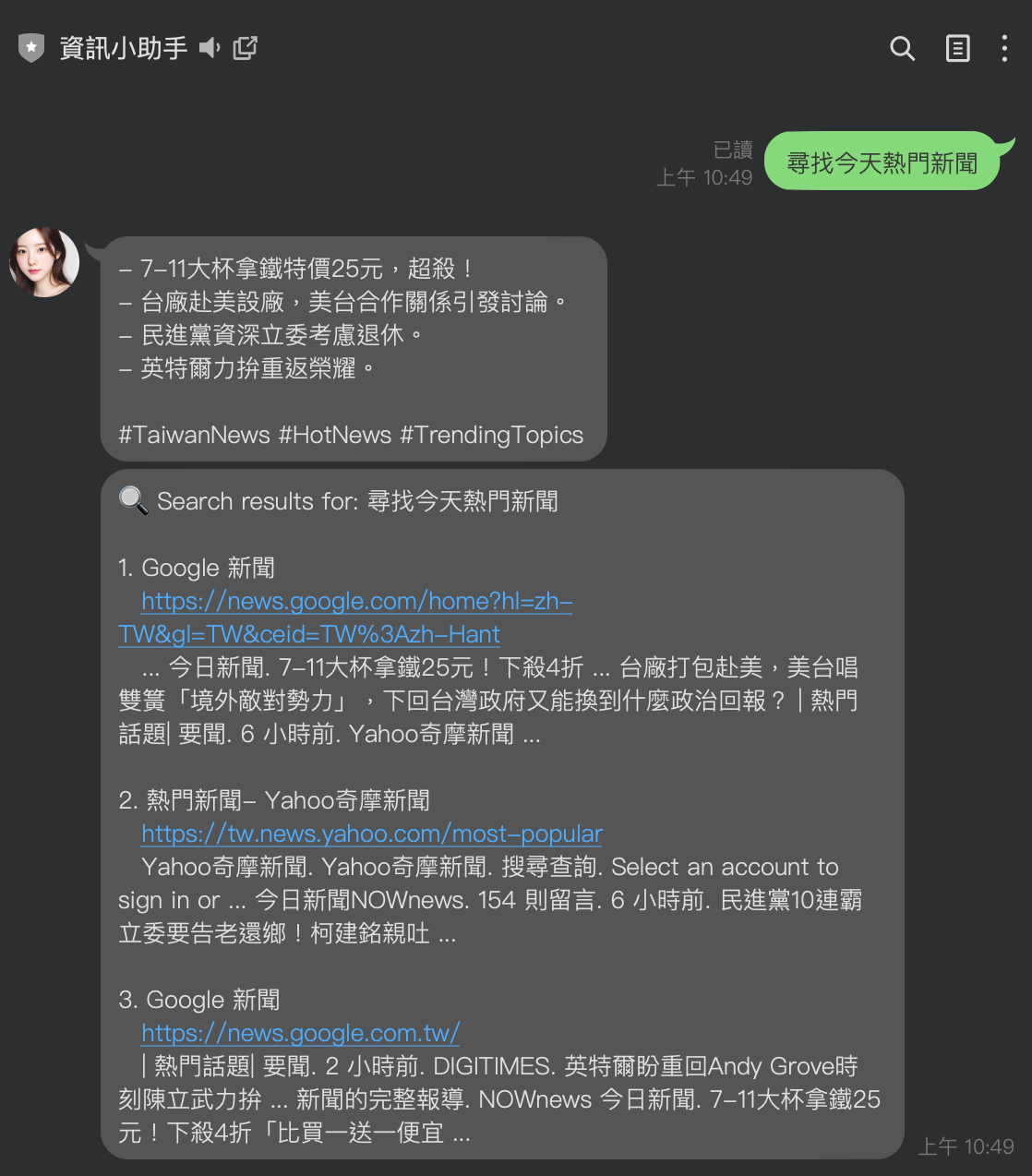
## Background
We have always known that through function calls on LLMs, LLMs can have the ability to use tools. They can do web searches, query databases, or even do some special tasks.
When dealing with web searches, some external services like [Serper](https://serper.dev/) are usually used, which are paid services. If your service is built on Google Cloud Platform, have you ever thought about whether there are services you can use? This article will introduce how to search Google through the Google Custom Search API and summarize the results.
## How to Quickly Get Google Search Webpages
In the past, if you were to call directly on the local end, you could call the URL `https://www.google.com/search?q=YOUR_KEYWORD` to display the relevant search results directly. At this time, you can also use some Crawlers to search for the following results, but... but
- If your service is on GCP, you cannot directly crawl Google webpages
- If your service is on GCP, you cannot directly crawl Google webpages
- If your service is on GCP, you cannot directly crawl Google webpages
At this time, you should think about whether there are other ways to solve it.
## Google Custom Search JSON API
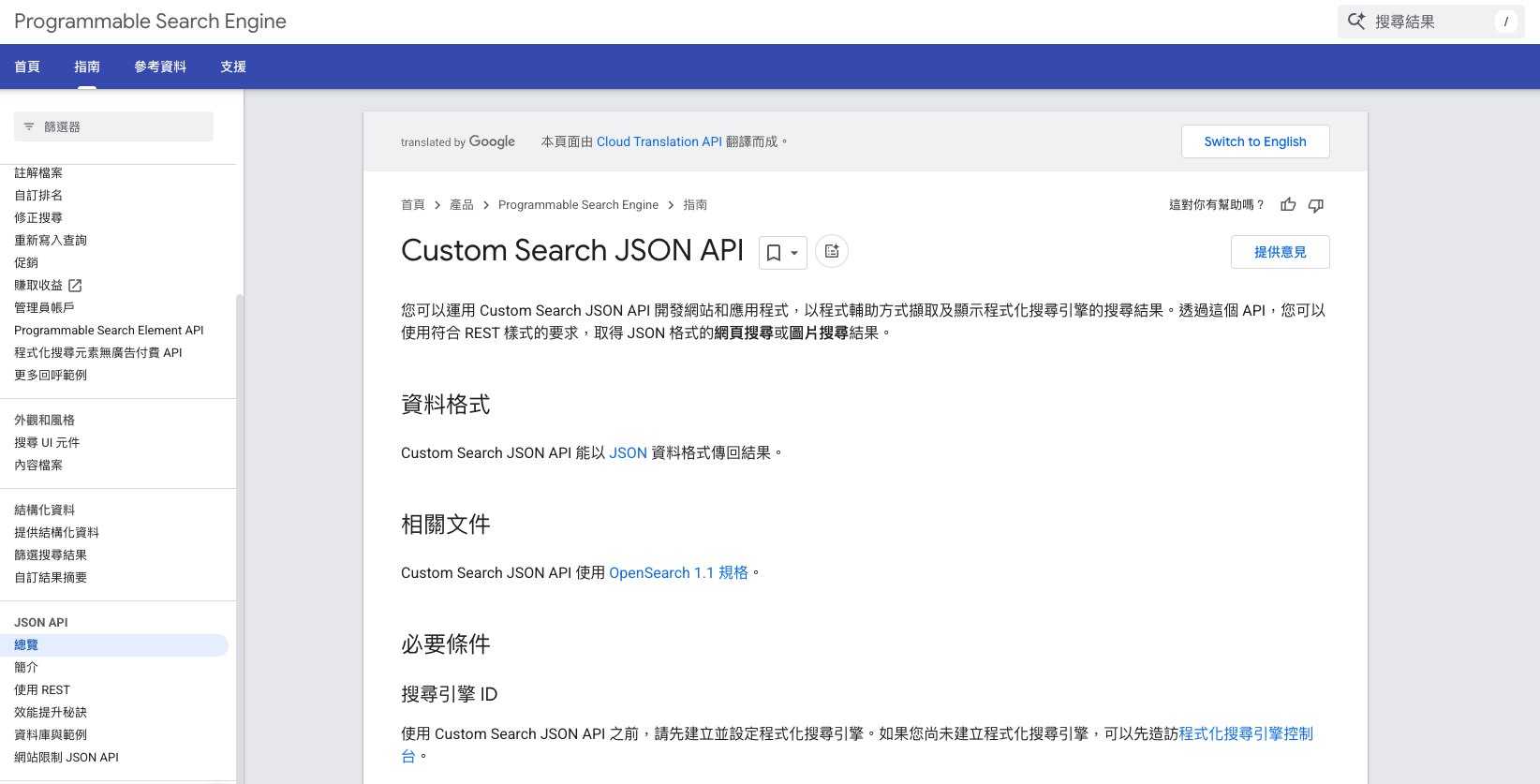
(Related [documentation URL](https://developers.google.com/custom-search/v1/overview?hl=zh-tw))
Google Custom Search JSON API provides 100 free search queries per day. If you need more, please apply for [billing](https://cloud.google.com/billing/docs/how-to/manage-billing-account?hl=zh-tw) in the API console. The extra charge is $5 per 1,000 queries, with a maximum of 10,000 queries per day.
Next, here's a sample code to show you how to call the Google Custom Search JSON API
def search_with_google_custom_search(keywords, search_api_key, cx, num_results=10):
"""
使用 Google Custom Search API 根據關鍵字進行搜尋。
:param keywords: 關鍵字列表
:param search_api_key: Google Custom Search API 的 API 金鑰
:param cx: 搜尋引擎 ID
:param num_results: 要返回的搜尋結果數量,預設為 10
:return: 搜尋結果列表,每個結果包含標題、連結和摘要
"""
query = " ".join(keywords) # 將關鍵字組合成搜尋查詢
url = f"https://www.googleapis.com/customsearch/v1?key={search_api_key}&cx={cx}&q={query}&num={num_results}"

try:
    logger.info(f"Searching for: {query}")
    response = requests.get(url)
    response.raise_for_status() # 如果請求失敗,拋出異常
    result_data = response.json()

    # Check if there are search results
    if "items" not in result_data:
        logger.warning(f"No search results for query: {query}")
        return []

    results = result_data.get("items", [])
    formatted_results = []
    for item in results:
        formatted_results.append(
            {
                "title": item.get("title", "No title"),
                "link": item.get("link", ""),
                "snippet": item.get("snippet", "No description available"),
            }
        )
    return formatted_results
except requests.exceptions.RequestException as e:
    logger.error(f"Google Custom Search API 請求失敗:{e}")
    return []
You will need two values here:

- `search_api_key`: You can get this from the [documentation URL](https://developers.google.com/custom-search/v1/overview?hl=zh-tw)
- `cx`: This is the Google Search ID, you can get this from the [Custom Search Dashboard](https://programmablesearchengine.google.com/controlpanel/overview).

## Getting Keywords

Another part that needs to be handled in detail is that if your question is a complete sentence, the better way to put it into Google Search is to find the "keywords". This part, we will use Gemini to handle.
def extract_keywords_with_gemini(text, gemini_api_key, num_keywords=5):
"""
使用 Gemini API 從文字中提取關鍵字。
:param text: 使用者輸入的文字
:param gemini_api_key: Gemini API 的 API 金鑰
:param num_keywords: 要提取的關鍵字數量,預設為 5
:return: 提取的關鍵字列表
"""
try:
    # 設定 API 金鑰
    current_key = genai.get_api_key()

    # Only configure if needed (prevent reconfiguring when already set correctly)
    if current_key != gemini_api_key:
        genai.configure(api_key=gemini_api_key)

    # 建立 Gemini 模型
    model = genai.GenerativeModel("gemini-1.5-flash")

    # 準備提示詞,要求模型提取關鍵字
    prompt = f"""從以下文字中提取 {num_keywords} 個最重要的關鍵字或短語,只需返回關鍵字列表,不要有額外文字:
{text}
關鍵字:"""
    # 生成回應
    response = model.generate_content(prompt)

    # 處理回應,將文字分割成關鍵字列表
    if response.text:
        # 清理結果,移除數字、破折號和多餘空白
        keywords_text = response.text.strip()
        # 分割文字得到關鍵字列表
        keywords = [kw.strip() for kw in keywords_text.split("\n")]
        # 移除可能的數字前綴、破折號或其他標點符號
        keywords = [kw.strip("0123456789. -\"'") for kw in keywords]
        # 移除空項
        keywords = [kw for kw in keywords if kw]
        return keywords[:num_keywords] # 確保只返回指定數量的關鍵字
    return []
except Exception as e:
    logger.error(f"Gemini API 提取關鍵字失敗:{e}")
    # If direct text contains useful terms, use it directly
    if len(text) < 100: # If the text is short, it might be a good search query already
        return [text]
    return []
The above code will grab up to five keywords based on your query to help with the search. Here, `gemini-1.5-flash` is used.

## Information Summary:

For the information summary part, LangChain is used here to call. You can quickly refer to the related code:
def summarize_text(text: str, max_tokens: int = 100) -> str:
'''
Summarize a text using the Google Generative AI model.
'''
llm = ChatGoogleGenerativeAI(
model="gemini-1.5-flash",
temperature=0,
max_tokens=None,
timeout=None,
max_retries=2,
)
prompt_template = """用台灣用語的繁體中文,簡潔地以條列式總結文章重點。在摘要後直接加入相關的英文 hashtag,以空格分隔。內容來源可以是網頁、文章、論文、影片字幕或逐字稿。

原文: "{text}"
請遵循以下步驟來完成此任務:

# 步驟
1. 從提供的內容中提取重要重點,無論來源是網頁、文章、論文、影片字幕或逐字稿。
2. 將重點整理成條列式,確保每一點為簡短且明確的句子。
3. 使用符合台灣用語的簡潔繁體中文。
4. 在摘要結尾處,加入至少三個相關的英文 hashtag,並以空格分隔。

# 輸出格式
- 重點應以條列式列出,每一點應為一個短句或片語,語言必須簡潔明瞭。
- 最後加入至少三個相關的英文 hashtag,每個 hashtag 之間用空格分隔。

# 範例
輸入:
文章內容:
台灣的報告指出,環境保護的重要性日益增加。許多人開始選擇使用可重複使用的產品。政府也實施了多項政策來降低廢物。

摘要:

輸出:
- 環境保護重要性增加
- 越來越多人使用可重複產品
- 政府實施減廢政策
#EnvironmentalProtection #Sustainability #Taiwan
"""

prompt = PromptTemplate.from_template(prompt_template)

summarize_chain = load_summarize_chain(
    llm=llm, chain_type="stuff", prompt=prompt)
document = Document(page_content=text)
summary = summarize_chain.invoke([document])
return summary["output_text"]
## Future Development

I originally did this just to make my "[Information Helper](https://github.com/kkdai/linebot-helper-python)" have more basic functions to integrate Google Search and try to summarize some questions. After discovering the Custom Search API, perhaps there can be more interesting applications in the future.

Everyone is also welcome to deploy their own "[Information Helper](https://github.com/kkdai/linebot-helper-python)". If you have some more special applications, you are also welcome to tell me.


Top comments (0)