

title: [Gemini][LINEBot] Easy Upgrade! Implementation Guide for ADK from Function Call to Agent Mode
published: false
date: 2025-05-29 00:00:00 UTC
tags:
canonical_url: https://www.evanlin.com/function-agent/
---

# Preface
Previous articles have shared how to transform your LINE official account (commonly known as LINE Bot) using Google ADK (Agent SDK). However, we have learned a lot of LLM methods for building LLM LINE Bots. This article will discuss how to directly convert the Function Calling Agent mode to the Agent SDK method.
You will find that this modification can make the code more concise. Moreover, by introducing the Agent SDK, the entire conversation becomes more flexible and can be more like a real person's conversation.
## The Code for This Time
This time, there will be two previously used codes:
- A stock bot using LangChain's Function Call.
- [https://github.com/kkdai/linebot-langchain](https://github.com/kkdai/linebot-langchain)
- Converted to: –> Agent SDK
- [https://github.com/kkdai/linebot-adk-stock](https://github.com/kkdai/linebot-adk-stock)
## Quick Review of LangChain Function Call
You can refer to the [detailed content](https://www.evanlin.com/linebot-langchain/) of this article, and here is only a quick summary.
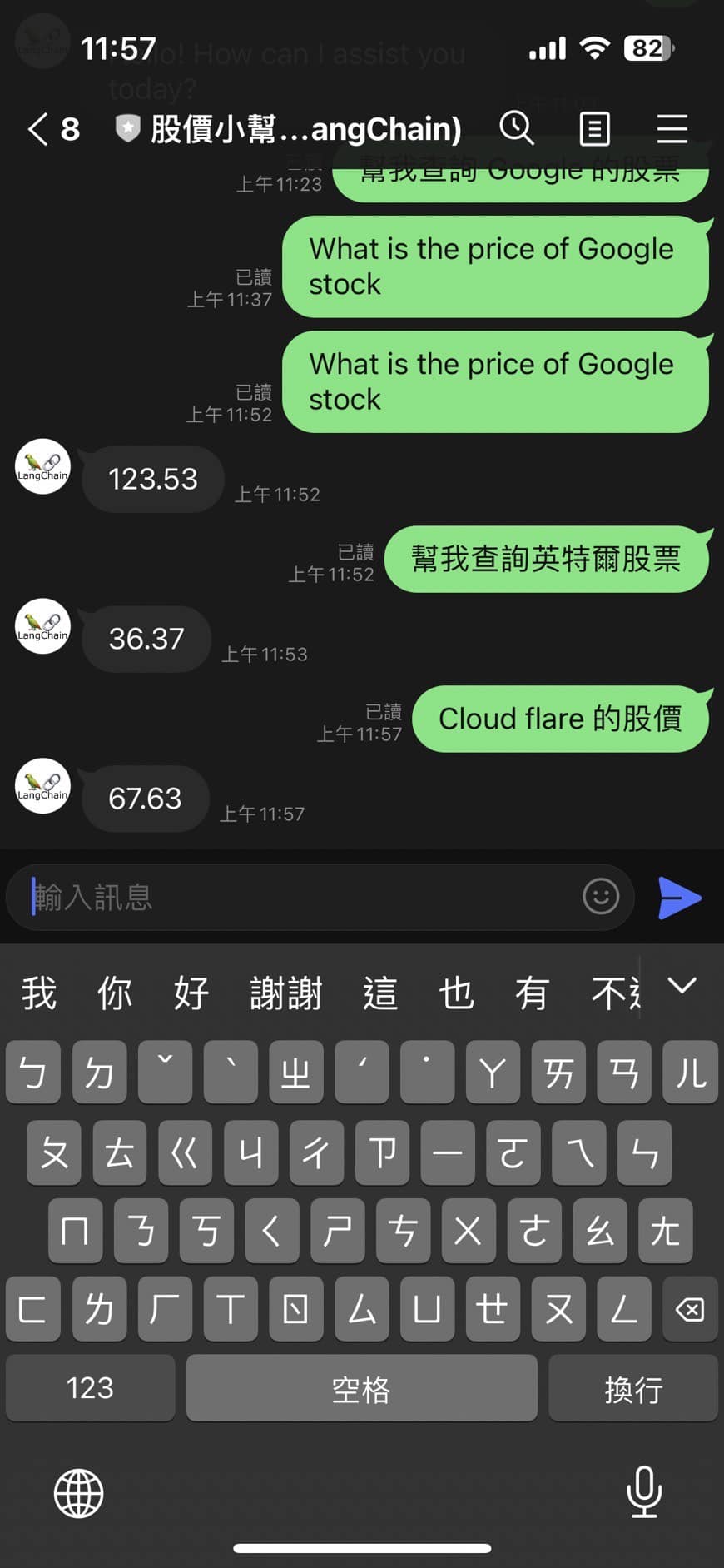
**(This is the execution result of LangChain Function Calling before)**
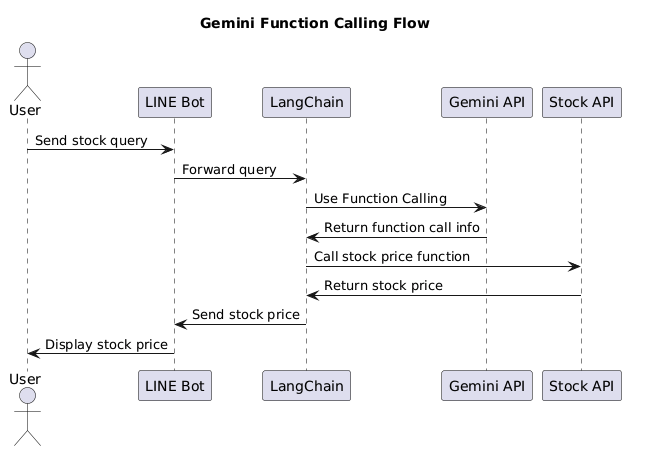
This article introduces how to use LangChain and OpenAI's Function Calling to develop a stock price inquiry LINE Bot and shares an open-source package for everyone to learn. LangChain is a powerful tool that supports various large language models, making it easier to develop proof of concepts (POCs). The article mentions that through visual tools like Flowise, developers can quickly test architectures and Prompts and modify Prompts without redeploying. The article also details how to quickly deploy a Python LINE Bot on Heroku and provides a method for using LangChain's ConversationBufferWindowMemory to implement a chatbot with memory functions. In addition, the article delves into how to use OpenAI Functions to query stock prices, including how to define and use tools to achieve this function. Overall, this article demonstrates the application potential of LangChain in developing LINE Bots and encourages readers to use these technologies to create "dedicated" and "easy-to-use" chatbots.
## Importing Agent SDK
Next, we will start to deconstruct how to convert the LangChain Function Calling code to the Agent SDK method:
### Part 1: Explaining the Conversion Method of Tools:
Let's discuss how to convert the Tools code in LangChain function calling to the Agent part.
def get_price_change_percent(symbol: str, days_ago: int) -> dict:
"""
Calculates the percentage change in a stock's price over a specified number of days.
Args:
symbol (str): The stock symbol (e.g., "AAPL").
days_ago (int): The number of days to look back for the price change calculation. Must be positive.
Returns:
dict: Contains the symbol, percentage change, and period, or an error message.
"""
if not isinstance(days_ago, int) or days_ago <= 0:
return {"status": "error", "message": "Days ago must be a positive integer."}
performance = calculate_performance(symbol, days_ago)
if performance is not None:
    return {
        "status": "success",
        "symbol": symbol,
        "price_change_percent": performance,
        "period_days": days_ago,
    }
else:
    return {
        "status": "error",
        "message": f"Could not calculate price change for {symbol} over {days_ago} days. Ensure symbol is valid and data is available for the period.",
    }
It can be seen that most of the code has not been modified much. But the main thing is that the description content of Function Calling must be written here. Only then can the Agent correctly understand how the entire Tools work.

### Part 2: Understanding the Brain of the Entire Agent

Next, we will look at how the entire Agent uses these three tools?
root_agent = Agent(
name="stock_agent",
model="gemini-2.0-flash", # Or your preferred model
description="Agent specialized in providing stock market information and analysis.",
instruction="""
You are an AI assistant specializing in stock market data.
Users will ask for stock prices, price changes, or the best performing stock from a list.
Use the provided tools to answer these questions accurately.
- For current price, use get_stock_price.
- For price change percentage over a period, use get_price_change_percent.
- For finding the best performing stock in a list over a period, use get_best_performing.
Always state the symbol and the period clearly in your response if applicable.
If a stock symbol is invalid or data is unavailable, inform the user clearly.
""",
tools=[
get_stock_price,
get_price_change_percent,
get_best_performing,
],
)
Here, we have slightly explained to different functions which tool should be called. But here, there is no need to explain to him what parameters those tools have and what data they return. And there is no need to explain more other information to him.
### Part 3: Analyzing the Differences Based on Practical Results:

Have you noticed the differences between the two:
#### 1. Has a deeper memory ability, and the coherence of the context
This part is mainly related to the Agent's default support for Session Services. Through Session Services, the entire Agent not only remembers the previous questions but can also achieve a one-on-one chat effect with the user. This is also why the chat above appeared
- Me: How are the other two performing?
- Agent: I'm very interested in telling you, but to do this, I need to check Apple and AMD separately....
This way, you know that he can understand what "the other two" means in the context of the entire conversation. This is also very important.

The relevant code method is as follows:
Initialize InMemorySessionService
session_service = InMemorySessionService()
active_sessions = {} # Cache for active session IDs per user
....
Get or create a session for this user
session_id = await get_or_create_session(user_id)
The above two methods are mainly responsible for recording and processing the Session\_ID of the user's conversation.
#### 2. In the answer part, the Agent becomes smarter
In the past, in Function Calling, each layer of conversation itself was processed according to the user's current question. Just like the "How are the other two performing?" mentioned earlier, it cannot be executed correctly. Because the two in this conversation cannot correspond to the parameters in function calling.
But in Agent, he will not force you to correspond to a Function Calling every time you call. Instead, it will call the result of that Function when it finds that it needs to be used.
He will automatically know the content of the relevant conversation and find the required data according to the prompt process defined by the Agent just now. The important thing is that even if it is not found, the entire conversation process will run normally once.
# Another Case: Converting the Arxiv Paper Helper to an Agent Case
#### Code: [https://github.com/kkdai/linebot-adk-arxiv](https://github.com/kkdai/linebot-adk-arxiv)
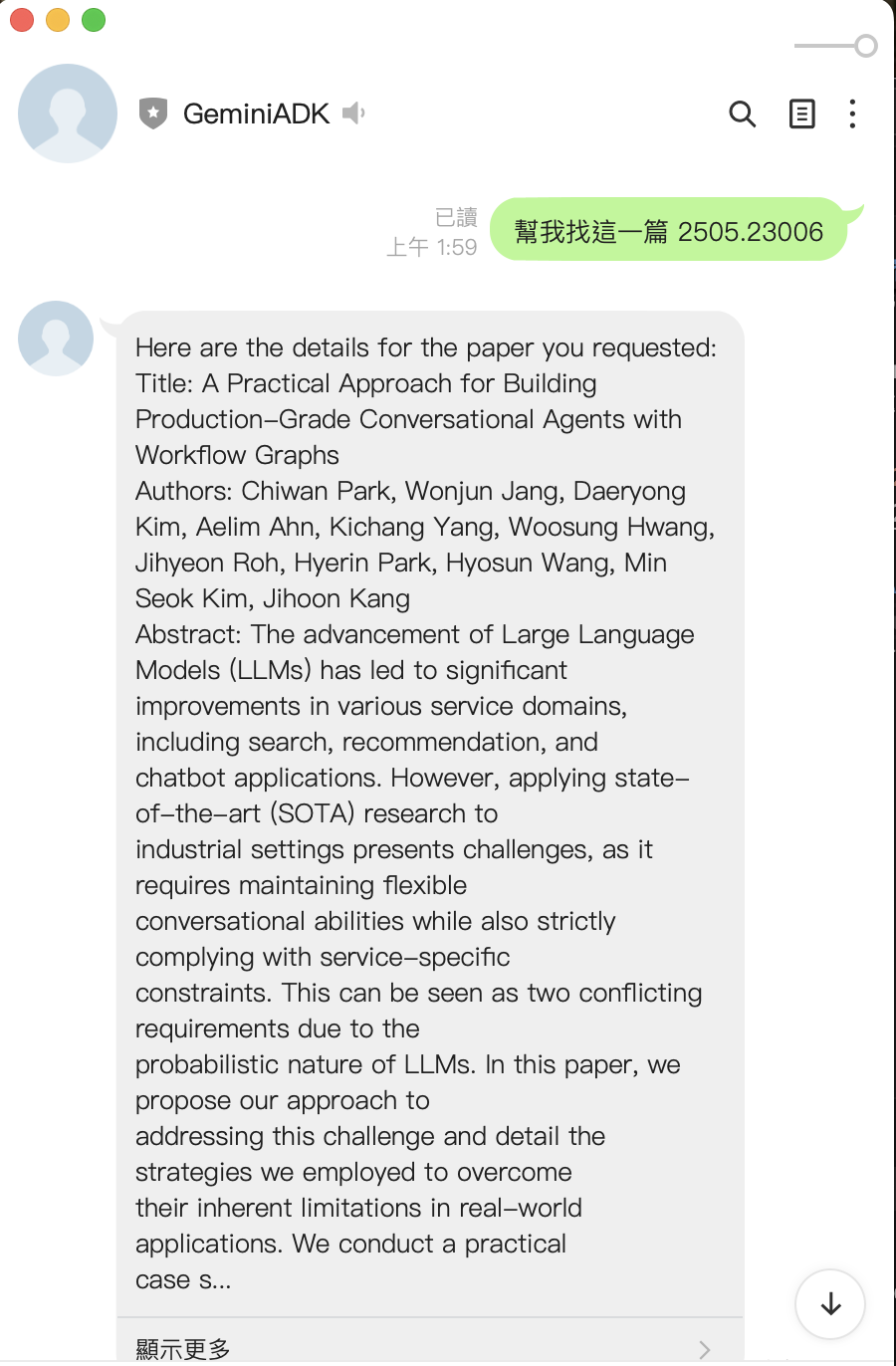
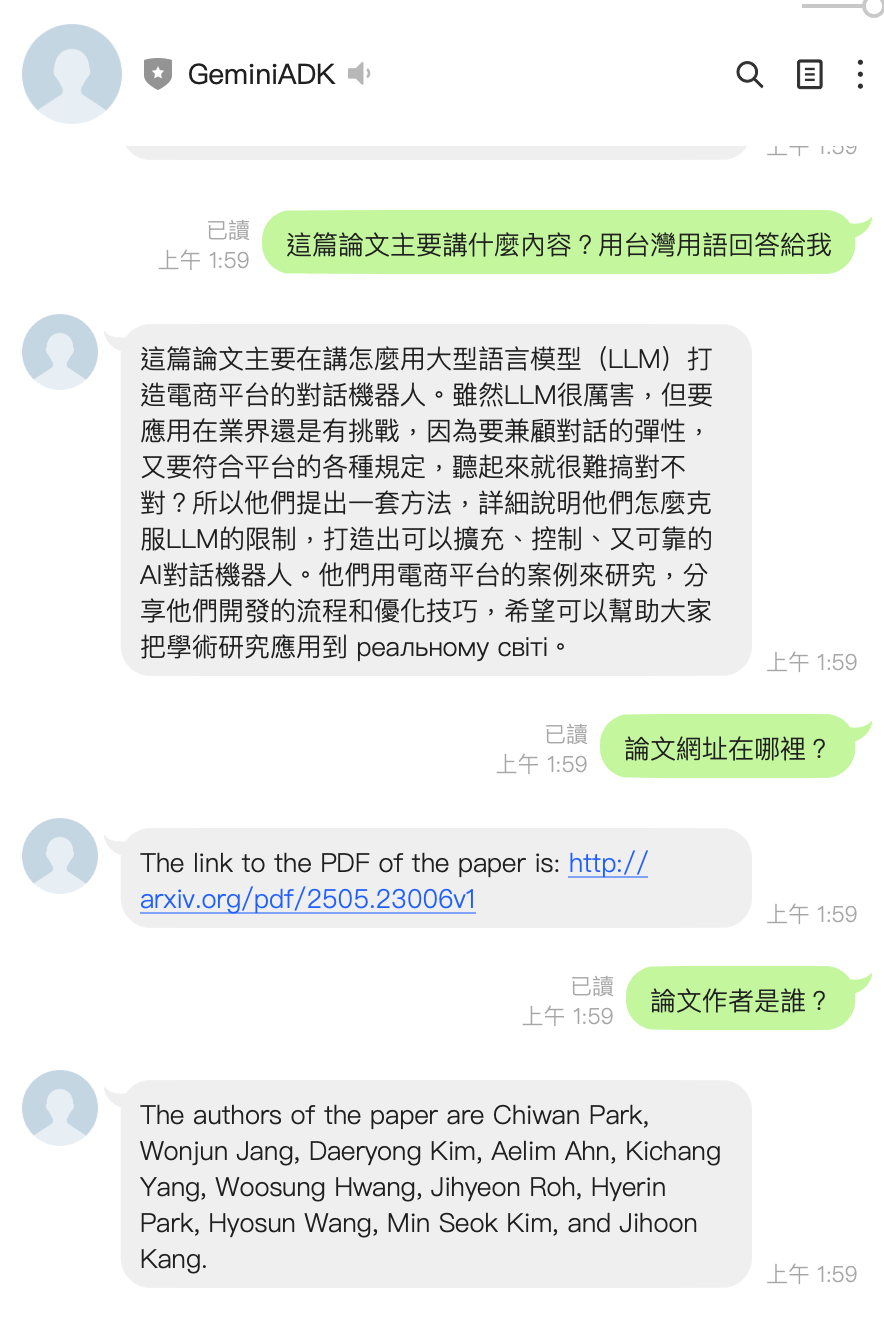
It can be seen that if similar functions are achieved through Agent ADK. The entire paper helper, which was originally a Function Call, becomes smarter, and the code has not increased much. I will not explain the relevant functions in detail here, and everyone is welcome to go directly to the code.
## Future Prospects:
This article mainly introduces how to convert the LINE Bot that originally used LangChain Function Calling to the LINE Bot that uses Agent SDK. It can also be seen here that the overall results are quite amazing. Not only does the entire code become less, but also in the conversation, it becomes more like a real person. Next, we will delve into many more complex functions of Agent, such as Multiple Agent and the way of cooperation between various Agents.
We will also share it with every partner who develops on the LINE official account through relevant LINE Bot cases. See you next time.


Top comments (0)