

title: [Learning Notes][Golang] How to Efficiently Prepare FLEX Messages When Developing LINE ChatBOTs with Golang
published: false
date: 2023-06-15 00:00:00 UTC
tags:
canonical_url: http://www.evanlin.com/go-flex/
---
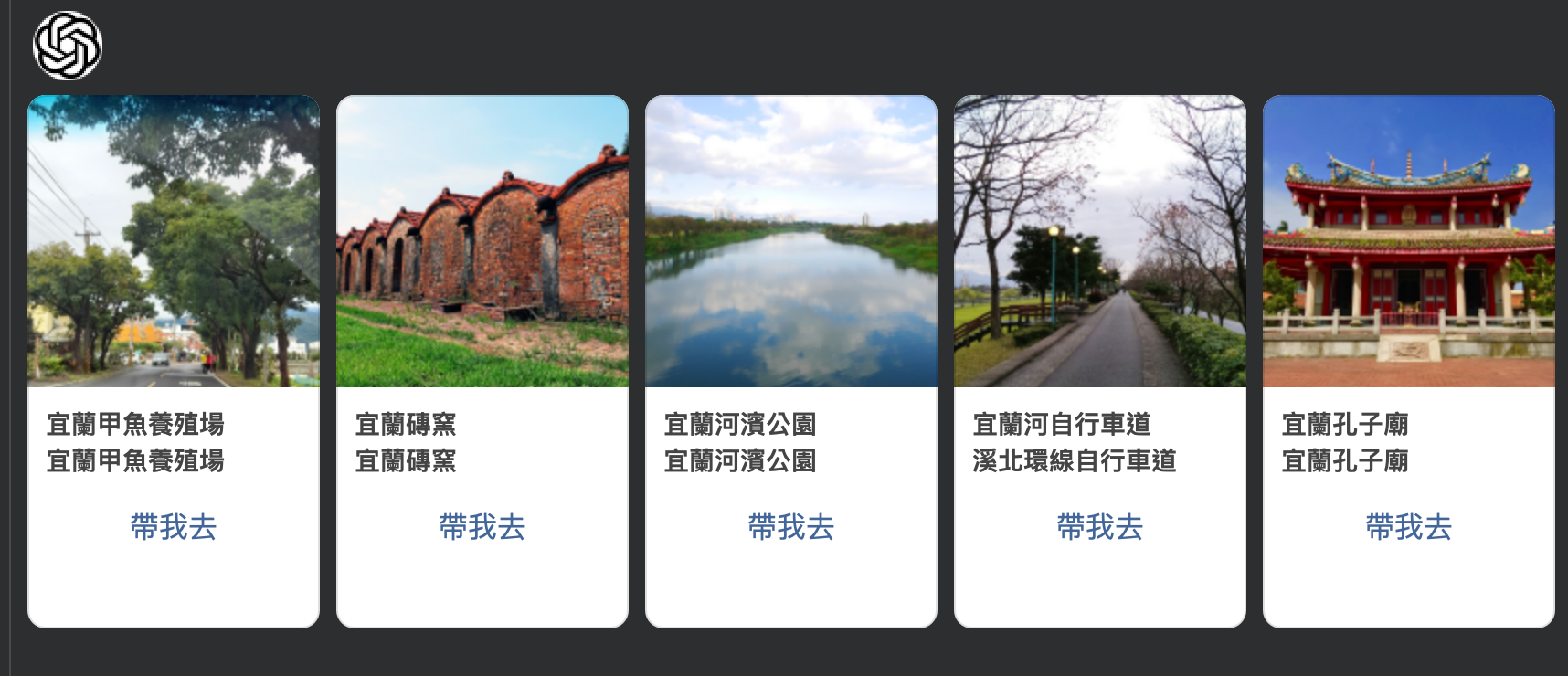
# Preface
In the development of LINE Bot, [Flex Message is a powerful and beautiful way to display messages](https://engineering.linecorp.com/zh-hant/blog/2022-flex-message-v3). And it can send [multiple types of message formats](https://developers.line.biz/en/docs/messaging-api/using-flex-message-simulator/#predefined-layouts). This article shares how to write the form you want through a quick version design. This article will guide you step by step through a process to complete the example message above, and if you have problems developing FLEX Messages, you can also use the [FLEX Simulator](https://developers.line.biz/flex-simulator/) to help you debug.
## Getting Started, Design Novice
Any front-end novice (like me) feels it's hard to find a good Flex format content. At this time, you can consider using the [FLEX Simulator](https://developers.line.biz/flex-simulator/) to start.
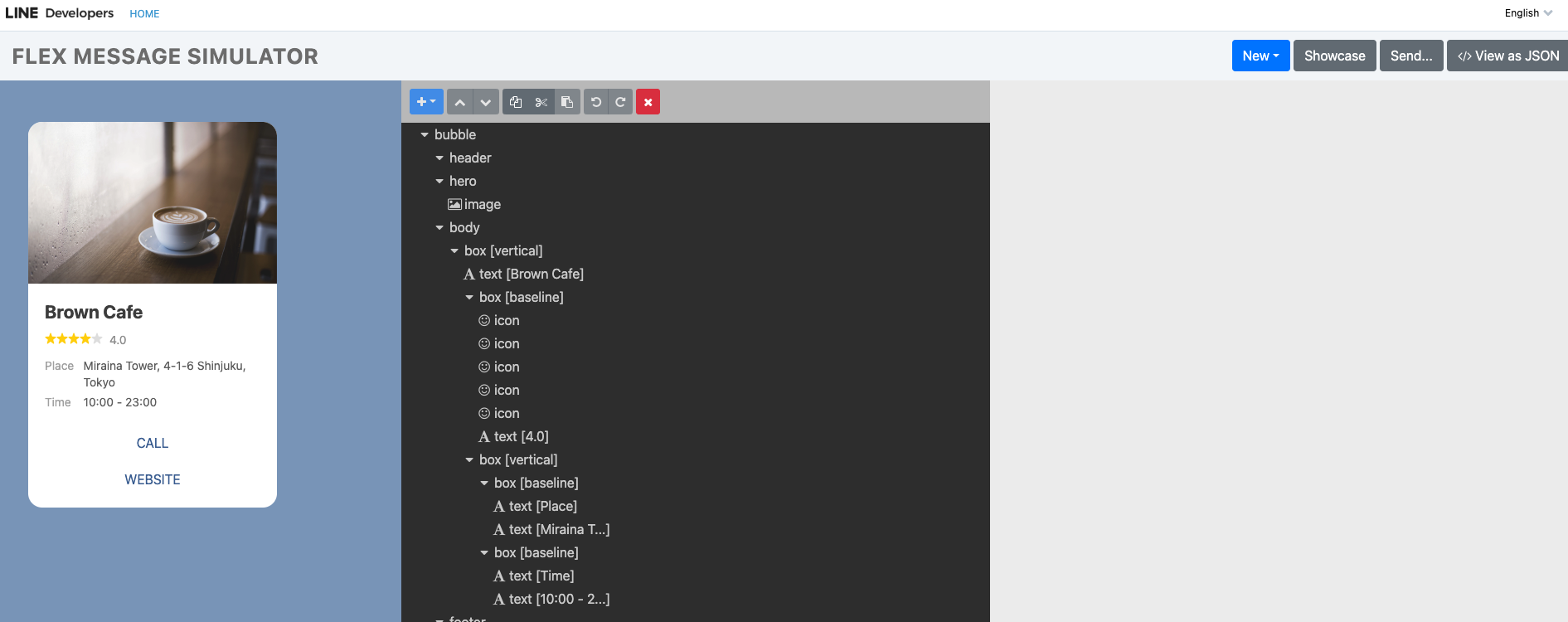
([FLEX Message Simulator](https://developers.line.biz/flex-simulator/) provides a WYSIWYG editing method)
Here, I also recommend "[Implementing and Sending Test Flex Messages with Flex Message Simulator](https://engineering.linecorp.com/zh-hant/blog/how-to-send-flex-message-on-simulator)" to give you a deeper understanding of the [FLEX Message Simulator](https://developers.line.biz/flex-simulator/).
### Choose Your Favorite Template Through Showcase
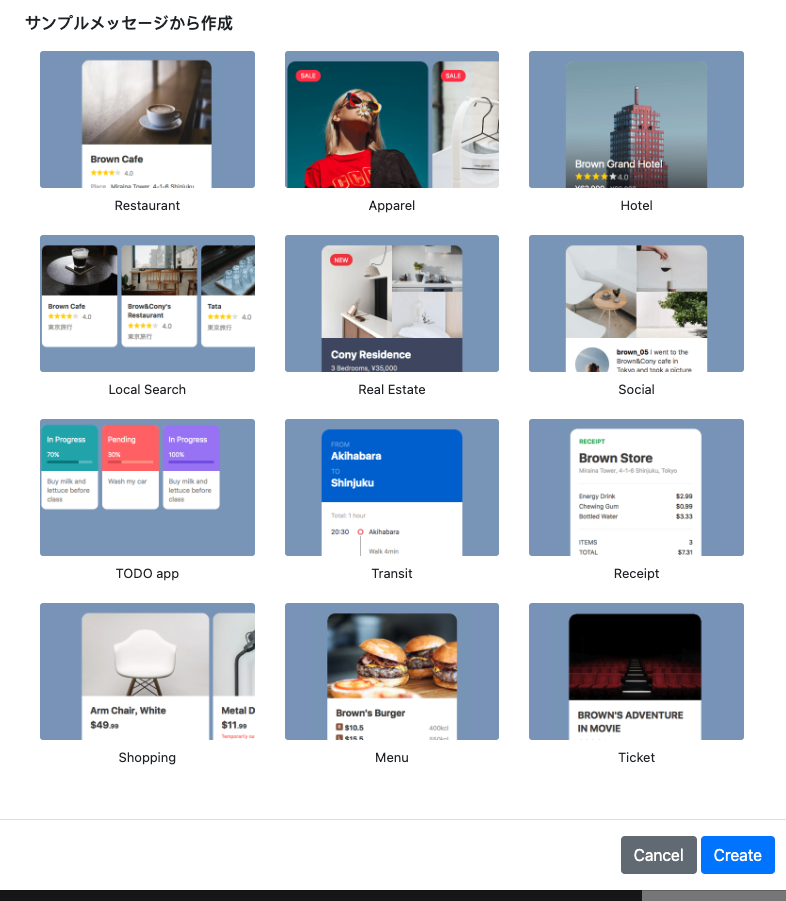
Here you can choose your favorite format, we first choose the "Local Search" layout we like.
## Modify Through FLEX Simulator
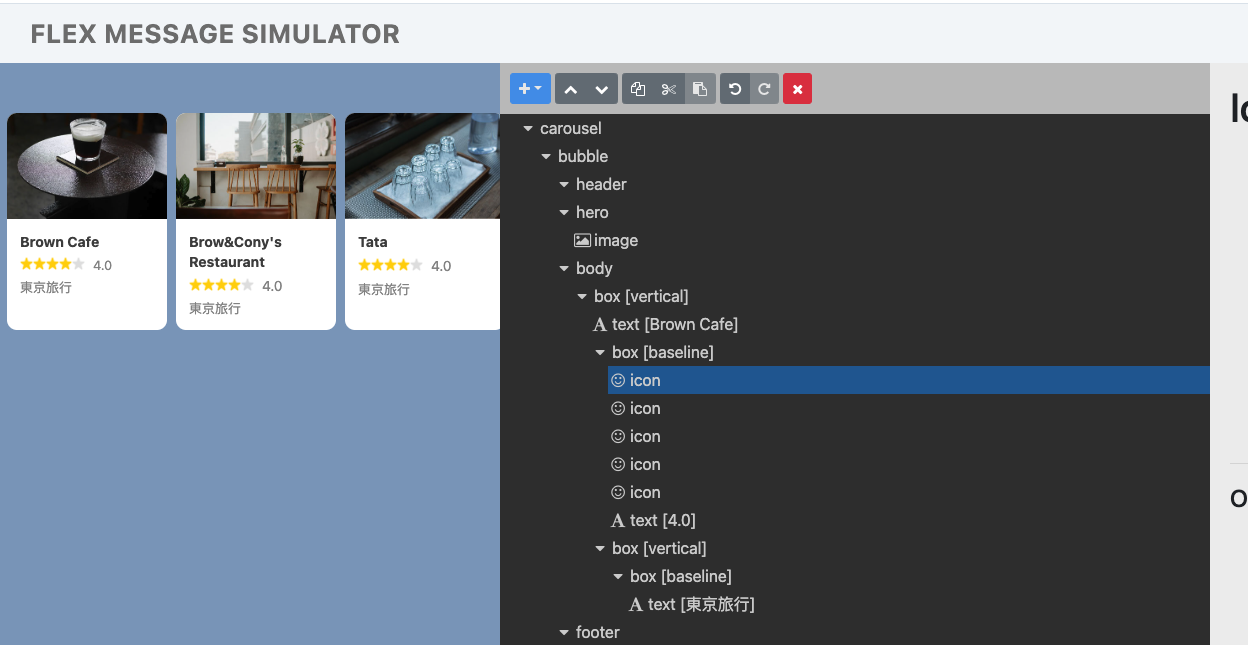
According to this example, we don't need the rating stars. You can directly remove them (with scissors) through the [FLEX Message Simulator](https://developers.line.biz/flex-simulator/).
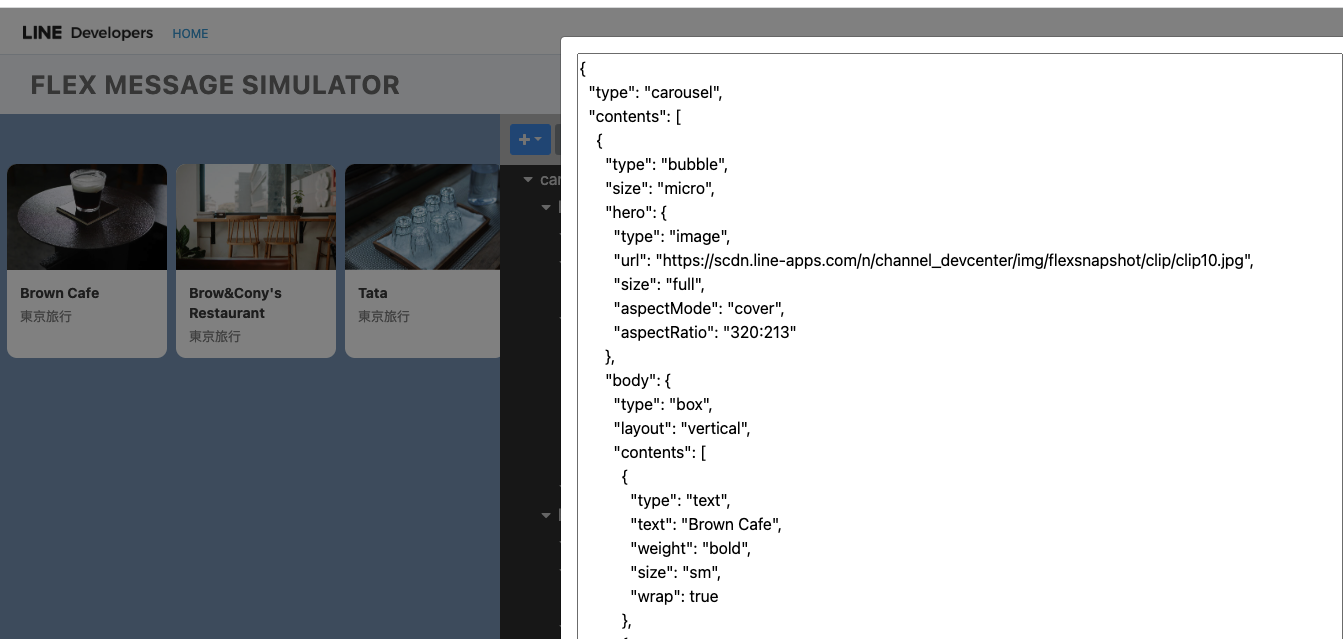
After modifying, click </> View as JSON in the upper right corner to view related information. This can let you know how to start compiling your code.
## Start Getting into Golang Code
### If you don't want to wrap the data in FLEX, just throw the entire JSON in and use it
If you want to start putting FLEX Messages into the chatbot you are developing, you can first suggest the following method: where `jsonString` is
contents, err := linebot.UnmarshalFlexMessageJSON([]byte(jsonString))
if err != nil {
return err
}
if _, err := app.bot.ReplyMessage(
replyToken,
linebot.NewFlexMessage("Flex message alt text", contents),
).Do(); err != nil {
return err
}
Where `UnmarshalFlexMessageJSON` can directly convert JSON into components in Golang code, you can modify it, or just throw it into the message.

### Carve them out one by one
<script src="https://gist.github.com/kkdai/dd0fa35461dba10ebb1cdf5c42a08f81.js"></script>

Here is a piece of code that you can see directly, this is slowly building a FLEX Message using internally defined formats.

- **Advantages:**
  - Very flexible, and can even apply external data to create several FLEX Bubble Carousels.
- **Disadvantages:**
  - You need to fill in the formats one by one, but the experience of using VS Code should allow you to select them quickly.

## How to Solve FLEX Message Sending Failure?

It's probably also a pain for many developers, that is, when the FLEX Message fails to send. Where exactly do you go to check the error message? Often you find that the Log is not so clear, what should you do?
flexMsg := linebot.NewFlexMessage(ALT_TRAVEL_FLEX, flexContainerObj)
if _, err := bot.ReplyMessage(event.ReplyToken, flexMsg, linebot.NewTextMessage(sumMsg)).Do(); err != nil {
log.Print(err)
            if out, err := json.Marshal(flexContainerObj); err != nil {
                log.Println("Marshal error:", err)
            } else {
                log.Println("---\nflex\n---\n", string(out))
            }
        }
This code gives an example, when you send a message error. At this time, print out your erroneous FLEX Message JSOM. Then copy it and go to the [FLEX Simulator](https://developers.line.biz/flex-simulator/) and open "View as JSON" and then put the JSON and apply it.
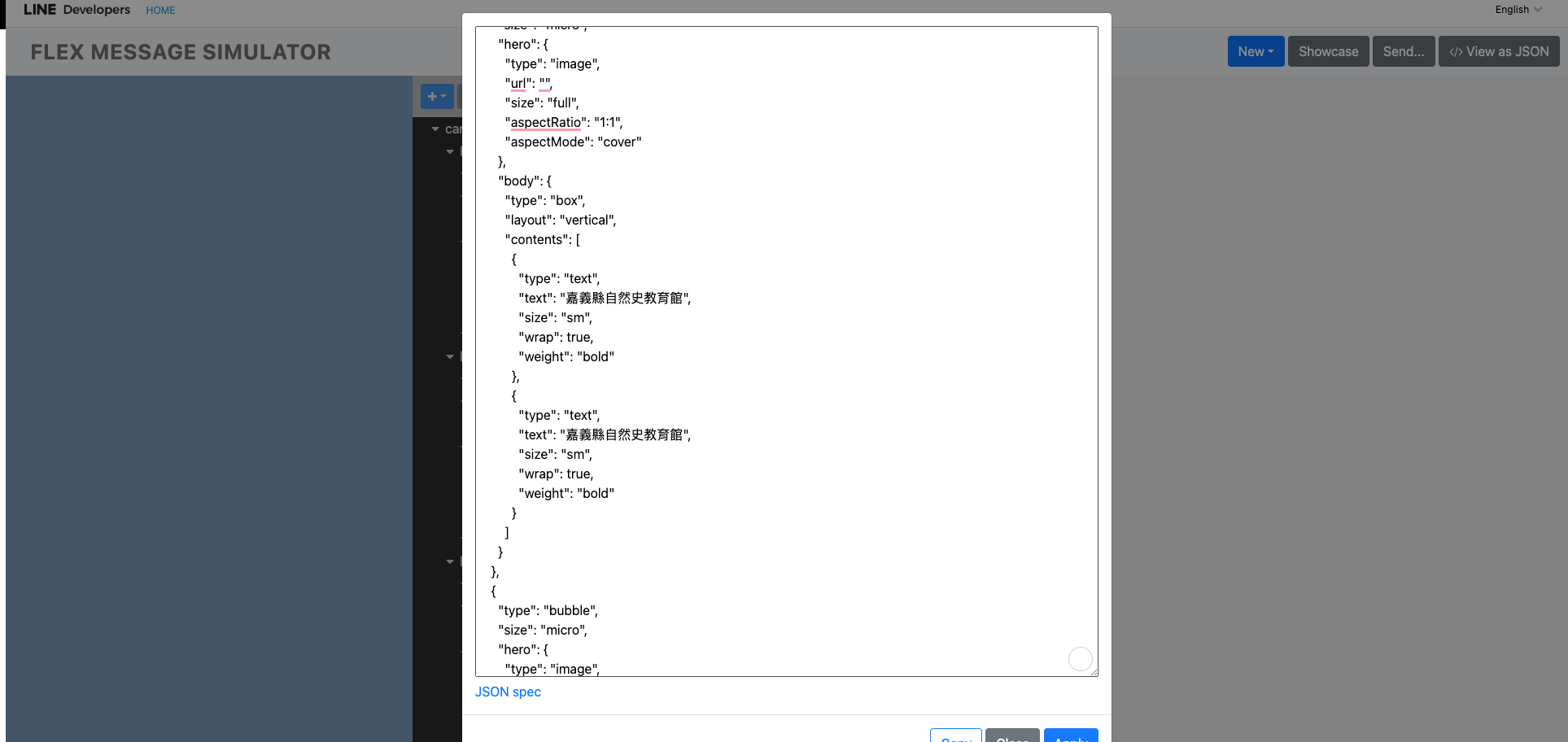
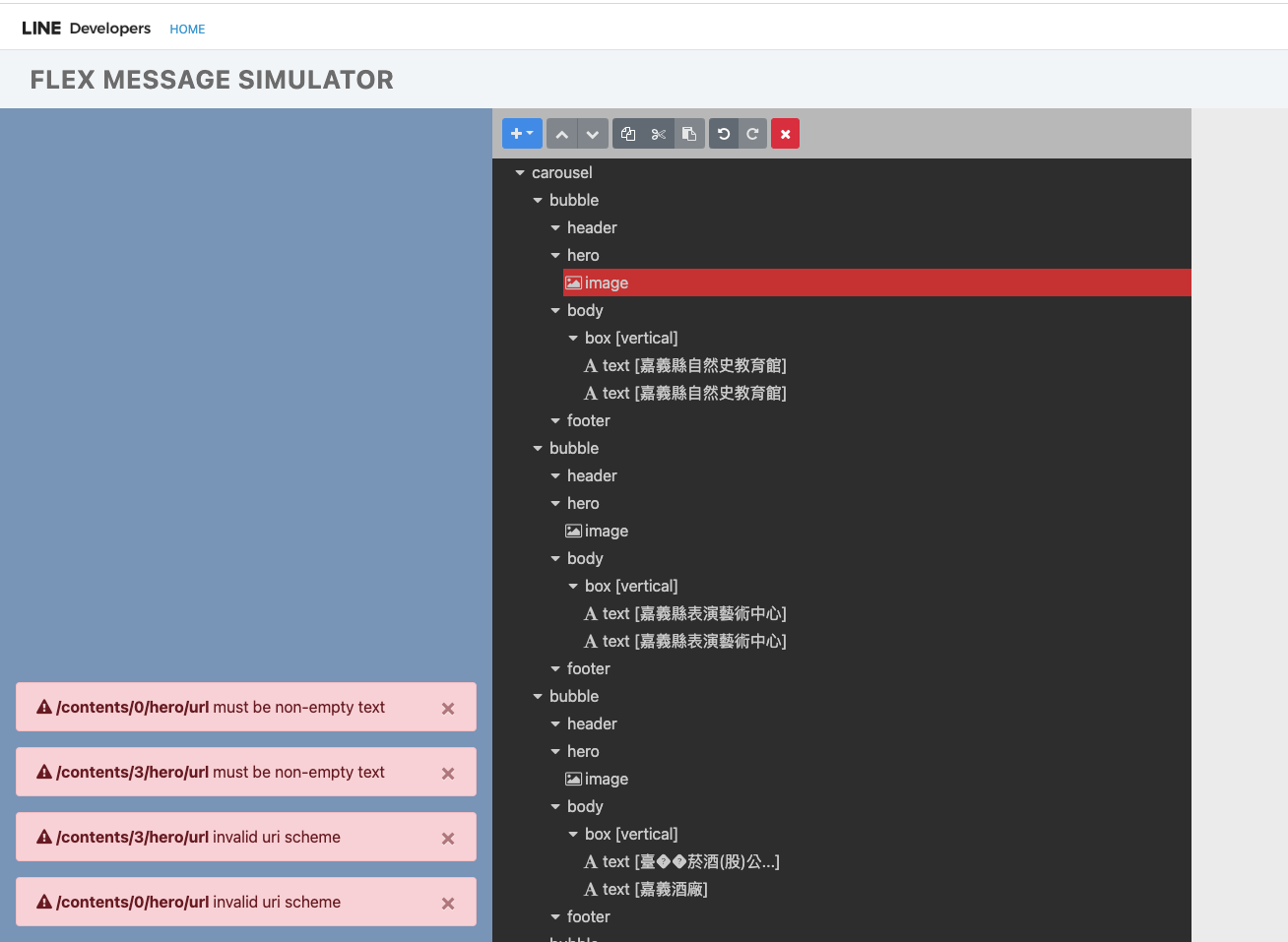
At this time, you can know where your JSON has problems, and you can also find it. At this time, you can go back and check your code through the component that caused the error.
# Conclusion
FLEX Message is really powerful, it can display beautiful data presentation on both desktop and mobile devices. But if you build it through code, it will become a bit confused because the format is too free. I hope this article can let every front-end (visual) novice like me know how to develop, and also be able to solve problems quickly when they encounter them.


Top comments (0)