


TL;DR
Microsoft's Agent Framework recently went GA, so I sat down to actually learn it. The official samples and docs tend to mix old and new APIs, and pull in more dependencies than the framework actually requires — so this post strips everything down to the smallest amount of code that still demonstrates the parts I care about:
- Exposing an agent over A2A with a few lines on top of ASP.NET Core Minimal APIs
- Consuming an A2A-published agent and using it as a regular
AIAgent - Letting an LLM-powered orchestrator call A2A agents as tools (
AsAIFunction) - Hosting all of the above as Durable Agents on Azure Functions + Durable Task Scheduler
All samples target Azure OpenAI via API key. If you want to use Foundry projects or other providers instead, check the official docs:
I won't cover basic agent definition here — building a simple agent with Agent Framework is straightforward, and I want to focus specifically on A2A and Durable Agents, where the docs are scattered and (in the case of consuming A2A agents) effectively missing. If anything below feels like it's skipping over the basics, the official docs fill that in.
 microsoft
/
agent-framework
microsoft
/
agent-framework
A framework for building, orchestrating and deploying AI agents and multi-agent workflows with support for Python and .NET.

Welcome to Microsoft Agent Framework!



Welcome to Microsoft's comprehensive multi-language framework for building, orchestrating, and deploying AI agents with support for both .NET and Python implementations. This framework provides everything from simple chat agents to complex multi-agent workflows with graph-based orchestration.
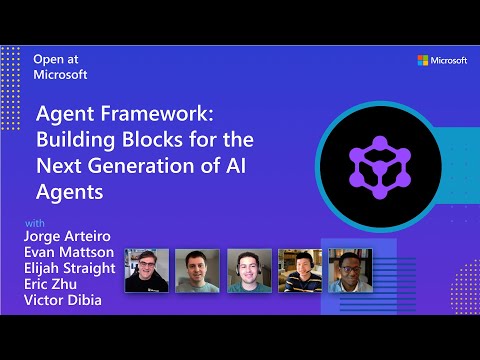
Watch the full Agent Framework introduction (30 min)
📋 Getting Started
📦 Installation
Python
pip install agent-framework
# This will install all sub-packages, see `python/packages` for individual packages.
# It may take a minute on first install on Windows.
.NET
dotnet add package Microsoft.Agents.AI
📚 Documentation
- Overview - High level overview of the framework
- Quick Start - Get started with a simple agent
- Tutorials - Step by step tutorials
- User Guide - In-depth user guide for building agents and workflows
- Migration from Semantic Kernel - Guide to migrate from Semantic Kernel
- Migration from AutoGen - Guide to migrate from AutoGen
Still have questions? Join our weekly office hours or…
Exposing an agent over A2A
A year ago I wouldn't have bothered exposing my own agents over A2A for other agents to consume. But as LLMs and agents have gotten better — and as the tasks I want to delegate have gotten heavier and more specialized — the case for A2A has gotten a lot stronger.
Agent Framework supports both sides of A2A: publishing and consuming. If you have even a passing familiarity with ASP.NET Core Minimal APIs, publishing an agent is genuinely easy. Auth and the rest of the production concerns are still on you, but they're standard ASP.NET Core problems.
Microsoft Learn: A2A integration
The official sample is heavier than it needs to be. The only package you actually need (besides your LLM provider) is:
Microsoft.Agents.AI.Hosting.A2A.AspNetCore
Once installed, you get MapA2AHttpJson and MapA2AJsonRpc extension methods that hang off the same WebApplication you already use for Minimal APIs. Below is a small two-agent host: a WriterAgent that drafts Japanese social media posts and a ReviewerAgent that judges them.
using A2A;
using A2A.AspNetCore;

using Azure.AI.OpenAI;

using OpenAI.Chat;

var builder = WebApplication.CreateBuilder(args);

var chatClient = new AzureOpenAIClient(new Uri(builder.Configuration["AOAI_ENDPOINT"]), new System.ClientModel.ApiKeyCredential(builder.Configuration["AOAI_API_KEY"]))
    .GetChatClient("gpt-5.4");

var writerAgent = chatClient.AsAIAgent(instructions: """
    You are an SNS post writer agent.
    Create a short and engaging Japanese social media post based on the theme provided by the user.
    Make the post natural, easy to read, and appropriate for a broad audience.
    Do not invent facts that are not implied by the user's theme.
    Return only the post text without explanations, headings, or quotation marks.
    """, name: "WriterAgent");

var reviewerAgent = chatClient.AsAIAgent(instructions: """
    You are an SNS post reviewer agent.
    Review the Japanese social media post for clarity, natural tone, engagement, appropriateness for a broad audience, and whether it is 120 characters or fewer.
    If the post is acceptable, respond with only: APPROVED
    If the post needs improvement, provide a short revision request in Japanese.
    """, name: "ReviewerAgent");

builder.AddA2AServer(writerAgent);
builder.AddA2AServer(reviewerAgent);

var app = builder.Build();

app.MapA2AJsonRpc(writerAgent, "/writer");
app.MapA2AJsonRpc(reviewerAgent, "/reviewer");

app.MapWellKnownAgentCard(new AgentCard
{
    Name = "WriterAgent",
    Description = "Creates a Japanese SNS post from a user-provided theme",
    Version = "1.0.0",
    SupportedInterfaces =
    [
       new AgentInterface
       {
           Url = "http://localhost:5062/writer",
           ProtocolBinding = "JSONRPC",
           ProtocolVersion = "1.0"
       }
    ]
}, "/writer");

app.MapWellKnownAgentCard(new AgentCard
{
    Name = "ReviewerAgent",
    Description = "Reviews a Japanese SNS post for clarity, tone, and suitability",
    Version = "1.0.0",
    SupportedInterfaces =
    [
        new AgentInterface
        {
            Url = "http://localhost:5062/reviewer",
            ProtocolBinding = "JSONRPC",
            ProtocolVersion = "1.0"
        }
    ]
}, "/reviewer");

app.Run();
The shape of it: define your agents, call AddA2AServer once per agent, map each agent to a path with MapA2AHttpJson / MapA2AJsonRpc, and finally publish the agent card with MapWellKnownAgentCard. In this sample the cards live at /writer/.well-known/agent-card.json and /reviewer/.well-known/agent-card.json, which is what consumers will look for.
The agent card boilerplate is mildly annoying, but the actual publishing is dead simple. Looking at the API surface, A2A doesn't really seem designed around hosting multiple agents per process — you can do it (as above), it just feels slightly against the grain.
Consuming an A2A agent
Now the consumer side. The official docs and samples don't show this clearly anywhere I could find, so I had to feel my way through it. The good news: the package list is, again, just one entry.
As a side note, Agent Framework's NuGet package names are convention-driven, so you can usually guess the right package from what you're trying to do. That's a small thing, but appreciated.
This sample doesn't reference OpenAI at all — there's no LLM in this consumer. That's worth internalizing: Agent Framework doesn't require an LLM. Plenty of workflows are deterministic enough that you don't need one. To consume an A2A agent, start with A2ACardResolver, call GetAIAgentAsync(), and you get back a regular AIAgent you can use like any other.
using A2A;

var writerResolver = new A2ACardResolver(new Uri("http://localhost:5062/writer/"));
var reviewerResolver = new A2ACardResolver(new Uri("http://localhost:5062/reviewer/"));

var writerAgent = await writerResolver.GetAIAgentAsync();
var reviewerAgent = await reviewerResolver.GetAIAgentAsync();

var writerResponse = await writerAgent.RunAsync<string>("Write about the features and benefits of Claude Opus 4.7");

var reviewerResponse = await reviewerAgent.RunAsync<string>(writerResponse.Text);

Console.WriteLine($"Writer: {writerResponse.Text}");
Console.WriteLine($"Reviewer: {reviewerResponse.Text}");
One sharp edge worth flagging: the URL passed to A2ACardResolver must end with a trailing /. Without it, the agent card download fails. If you're hosting one agent at the root it doesn't matter, but as soon as you have multiple agents at sub-paths (like above) it bites.
Run it and you'll see both agents called in sequence, each printing its result.

What's powerful here isn't the code — it's that AIAgent is the abstraction. Once you have one in hand, you don't care whether it's a local agent or a remote A2A agent. That's the win.
Using an A2A agent as a tool
Calling agents in a fixed sequence is fine when you don't need an LLM in the middle, but in practice you often do want an LLM deciding which agent to call and when. Agent Framework lets you turn an AIAgent into a tool callable by another agent, which makes building autonomous-ish workflows surprisingly low-effort.
The mechanic is just one extension method: call AsAIFunction() on an AIAgent and you get something an orchestrator agent can use as a tool.
using A2A;

using Azure.AI.OpenAI;

using Microsoft.Agents.AI;

using OpenAI.Chat;

var chatClient = new AzureOpenAIClient(new Uri("AOAI_ENDPOINT"), new System.ClientModel.ApiKeyCredential("AOAI_API_KEY"))
    .GetChatClient("gpt-5.4");

var writerResolver = new A2ACardResolver(new Uri("http://localhost:5062/writer/"));
var reviewerResolver = new A2ACardResolver(new Uri("http://localhost:5062/reviewer/"));

var writerAgent = await writerResolver.GetAIAgentAsync();
var reviewerAgent = await reviewerResolver.GetAIAgentAsync();

var agent = chatClient.AsAIAgent(
    instructions: """
        You are a specialized agent for creating social media post messages.
        Based on the topic provided by the user, use the registered tools to create a short, engaging message suitable for posting publicly.

        Always follow these rules:
        - First, use the writer tool to create a first draft of the social media post based on the topic.
        - Next, use the reviewer tool to review the draft for clarity, tone, appeal, and any unnatural phrasing.
        - If the reviewer provides any feedback, issues, or suggested improvements, send that feedback back to the writer tool and ask for a revised draft.
        - Repeat the review and revision cycle as needed until the draft is good enough for a final answer.
        - After the final revision, produce the final post.
        - Output only the final social media post. Do not include intermediate steps, tool usage details, or explanations.
        - The final message must be written in Japanese.
        - Keep it concise and natural for a single social media post.
        - You may use emojis and hashtags when appropriate, but do not overuse them.
        """,
    name: "SocialPostAgent",
    tools: [writerAgent.AsAIFunction(), reviewerAgent.AsAIFunction()]);

var response = await agent.RunAsync<string>("Write about the features and benefits of Claude Opus 4.7");

Console.WriteLine(response.Text);
This wires up an orchestrator that calls Writer and Reviewer iteratively. If you were doing this sequentially, you'd have to write the "did the reviewer approve? if not, loop" logic yourself. Here, the LLM decides — it'll call the tools as many times as it needs to before producing the final answer.
The actual answer text is less interesting than the tool call trace: in my run, the orchestrator called Writer, then Reviewer, then took the Reviewer's feedback and called Writer again. That kind of iterative refinement, expressed entirely through tool calls, falls out of the abstraction for free.

The fact that you can write multi-agent flows like this without thinking about A2A at all is, to me, the strongest argument for Agent Framework.
Running on Durable Agents
Last piece: the Durable Agents extension. Agents tend to run long, and hosting long-running things reliably is its own problem. Durable Agents runs on top of Durable Functions, which is a battle-tested execution layer for exactly this kind of workload.
Microsoft Learn: Azure Functions integration
You'll need an extra package, and at the time of writing there's a bug where you also have to add the Durable Task Scheduler package or you'll hit errors. That's fine — DTS gives you a much nicer view of agent execution history anyway, so plan to use it from the start.
Microsoft.Agents.AI.Hosting.AzureFunctions
Converting the earlier samples to Durable Agents is mostly a matter of swapping WebApplication.CreateBuilder for FunctionsApplication.CreateBuilder and calling ConfigureDurableAgents. The agent definitions themselves barely change.
using A2A;

using Microsoft.Agents.AI.Hosting.AzureFunctions;
using Microsoft.Azure.Functions.Worker.Builder;
using Microsoft.Extensions.Hosting;

var builder = FunctionsApplication.CreateBuilder(args);

builder.ConfigureFunctionsWebApplication();

var writerResolver = new A2ACardResolver(new Uri($"{builder.Configuration["AGENT_HOST"]}/writer/"));
var reviewerResolver = new A2ACardResolver(new Uri($"{builder.Configuration["AGENT_HOST"]}/reviewer/"));

var writerAgent = await writerResolver.GetAIAgentAsync();
var reviewerAgent = await reviewerResolver.GetAIAgentAsync();

builder.ConfigureDurableAgents(options =>
{
    options.AddAIAgent(writerAgent, enableHttpTrigger: false, enableMcpToolTrigger: false);
    options.AddAIAgent(reviewerAgent, enableHttpTrigger: false, enableMcpToolTrigger: false);
});

builder.Build().Run();
That on its own doesn't invoke anything. With Durable Agents you typically pair it with a Durable Functions orchestrator. (I'm assuming Durable Functions familiarity here — see the Durable Functions docs if not.)
The orchestrator below loops up to five times: call Writer, call Reviewer, exit if Reviewer says APPROVED, otherwise feed the feedback back into the next Writer call. Session history is managed automatically per session, so just passing the Reviewer's text directly to the next Writer call is enough.
public class Function
{
    [Function(nameof(RunOrchestrator))]
    public async Task<string> RunOrchestrator([OrchestrationTrigger] TaskOrchestrationContext context)
    {
        var message = context.GetInput<string>();

        var writerAgent = context.GetAgent("WriterAgent");
        var writerSession = await writerAgent.CreateSessionAsync();

        var reviewerAgent = context.GetAgent("ReviewerAgent");
        var reviewerSession = await reviewerAgent.CreateSessionAsync();

        for (int i = 0; i < 5; i++)
        {
            var writerResponse = await writerAgent.RunAsync<string>(message, writerSession);

            var reviewerResponse = await reviewerAgent.RunAsync<string>(writerResponse.Text, reviewerSession);

            if (reviewerResponse.Text == "APPROVED")
            {
                return writerResponse.Text;
            }

            message = reviewerResponse.Text;
        }

        return "FAILED";
    }
}
The new concept here is Session, which — as the name suggests — corresponds to an agent's conversation history. With Durable Agents, sessions are backed by Durable Entities under the hood, so they're strongly isolated and scale well.
Trigger the orchestrator (e.g., from an HTTP-triggered function) and you can watch the whole thing execute in DTS. The DTS UI has gotten genuinely good — both timeline and chat views are available per agent, so you can inspect every message that flowed between Writer and Reviewer. Building this kind of observability yourself is painful; getting it for free out of Durable Agents + DTS is a real productivity multiplier.


Wrapping up
I wanted to also dig into how Durable Agents behaves when an A2A agent is invoked as a tool call, but this post is already long enough — that's a separate write-up. AI agents pair very well with Flex Consumption and Container Apps, so I'll keep tracking Agent Framework as it evolves.


Top comments (0)