

I have found myself with an issue on my android applications not been able to use adaptive icons, resulting in ugly app icons and strange shapes in different launchers, so... the solution was create adaptive icons and works perfectly. 🙂
On API's > 26 android implements adaptive icons, is possible that this causes issues on app icon in existing applications, just like the following example.

To avoid this is necessary to create an adaptive icon. To do so, you need the following assets:
- Image icon without background, example below (foreground)
- Color background

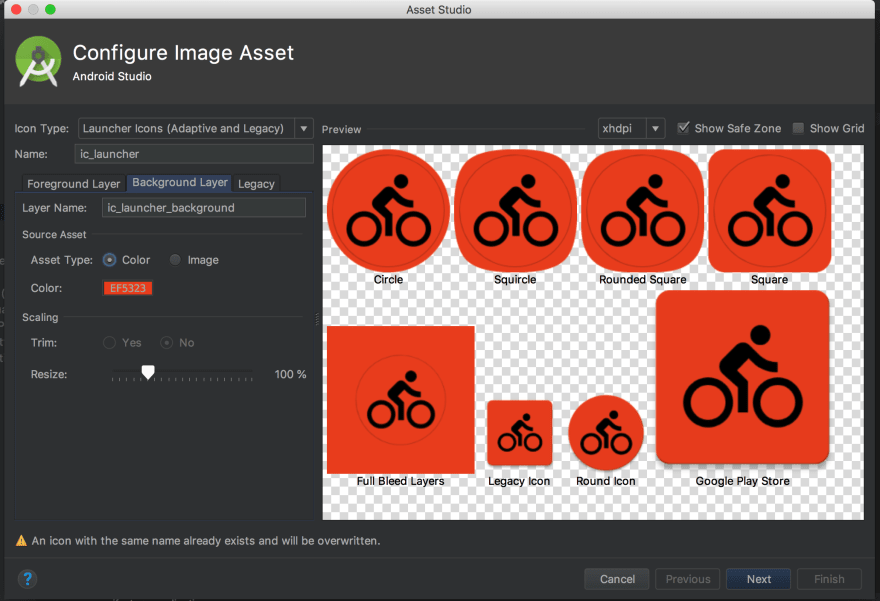
With this elements you need to follow these steps to generate the icon with the Image Asset Studio.
- Open the project in Android Studio
- Select the app folder
- Go to File → New → Image Asset
- On "Foreground Layer" select the provided image and resize in order to get the proper aspect for the icon
- On “Background Layer" use the background provided
- Click on Next button and then Finish
- After that, the icons are created on the "mipmap-* * * *" folder

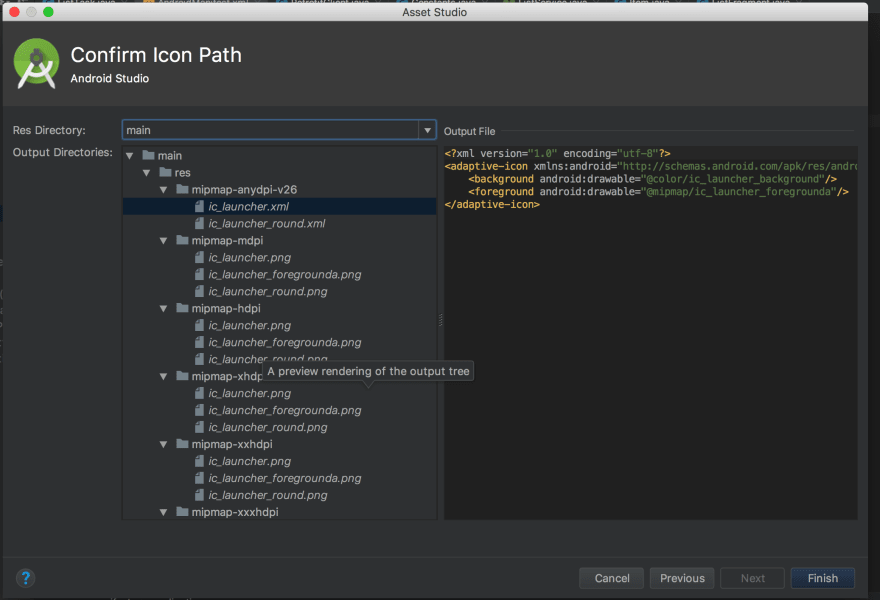
You need to add the new rounded icons to the respective roundIcon option on the AndroidManifest.xml
    <application
        ...
        android:icon="@mipmap/ic_launcher"
        android:roundIcon="@mipmap/ic_launcher_round"
        ...>
    </application>
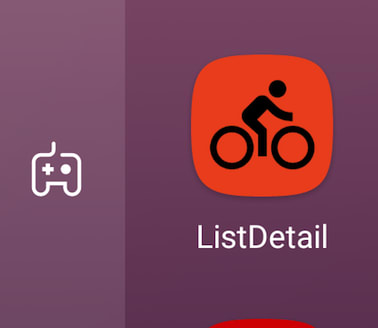
After apply the changes. The app icon will look according to the the guidelines of android for adaptive icons.

All the info was obtained from the official android information
https://developer.android.com/
https://developer.android.com/guide/practices/ui_guidelines/icon_design_adaptive
https://developer.android.com/studio/write/image-asset-studio#create-adaptive
🙂


Oldest comments (17)
Nice, thank you for the concise tutorial.
Glad you like it
Many thanks Sebastian.. very helpful
Oh my god, you rescued my day. Thank you so much!
Nice, thank you
Just wanted to say thank you very much. This helped me a lot.
Wowww, Thank you soooo much!
Thank you man! This should be the default StackOverflow awnser for this problem
Thanks for that :P
Worked like magic...Thank you very much
👍🏼
Great, thank you!
This is a great guide! Thanks!
My icon has a gradient background, and now the splash screen looks a bit awkward since it has a solid colour and then the icon with a gradient. It's not as seamless. Is it possible to disable the background of the icon on the splash screen? Or do you recommend a different approach?
Maybe. you can try to create a Splash Screen with the gradient background in that case.
Some comments may only be visible to logged-in visitors. Sign in to view all comments.