


This is a submission for the Hacktoberfest Weekend Challenge: Build for a Friend
What I Built
When I went home recently, my father showed me his daily routine. He is a general manager overseeing chemical processing plants, and he deals with dozens of operational emails every day: requesting weekly glycol readings, sending maintenance directives to plant teams, following up with vendors, and replying to executive queries.
He knows exactly what needs to be said, but he thinks in Hindi and Hinglish. To write formal English emails, he had to copy text into web-based AI tools, write prompts, paste the results back into Outlook, and then worry whether the AI had invented a deadline or a number. For someone who isn't comfortable with AI tools, that was tiring and tedious.
So I built Correspond (Email Writer), a small personal assistant that runs entirely on his own machine. He types a quick note in Hindi, Hinglish or casual English. The app pulls context about the recipient from a local database, drafts a formal email, cross-checks the key facts, shows a short Hindi summary so he can confirm the meaning at a glance, and creates the draft in Outlook with one click.
Demo
The video shows:
- Hinglish input: a casual prompt like "Sharma ji ko mail karo — operations team se glycol readings maango for last week, by Friday 5pm"
- Local streaming generation: the subject, formal English body and Hindi summary generated on-device by Gemma
- Fact guard: dates, actions and recipient details checked against his original note
- One-click Outlook draft: no browser needed
Code

✉️ Correspond — Local AI Email Workspace





Correspond is a 100% offline, privacy-first desktop email assistant designed to help non-native English speakers draft, refine, and dispatch professional workplace emails.
Built for the Hacktoberfest Weekend Challenge: Build for a Friend, it turns quick notes dictated or typed in Hindi, Hinglish, or informal English into polished, formal English communications using an on-device Gemma 3 (4B) model.
🎬 Product Demo
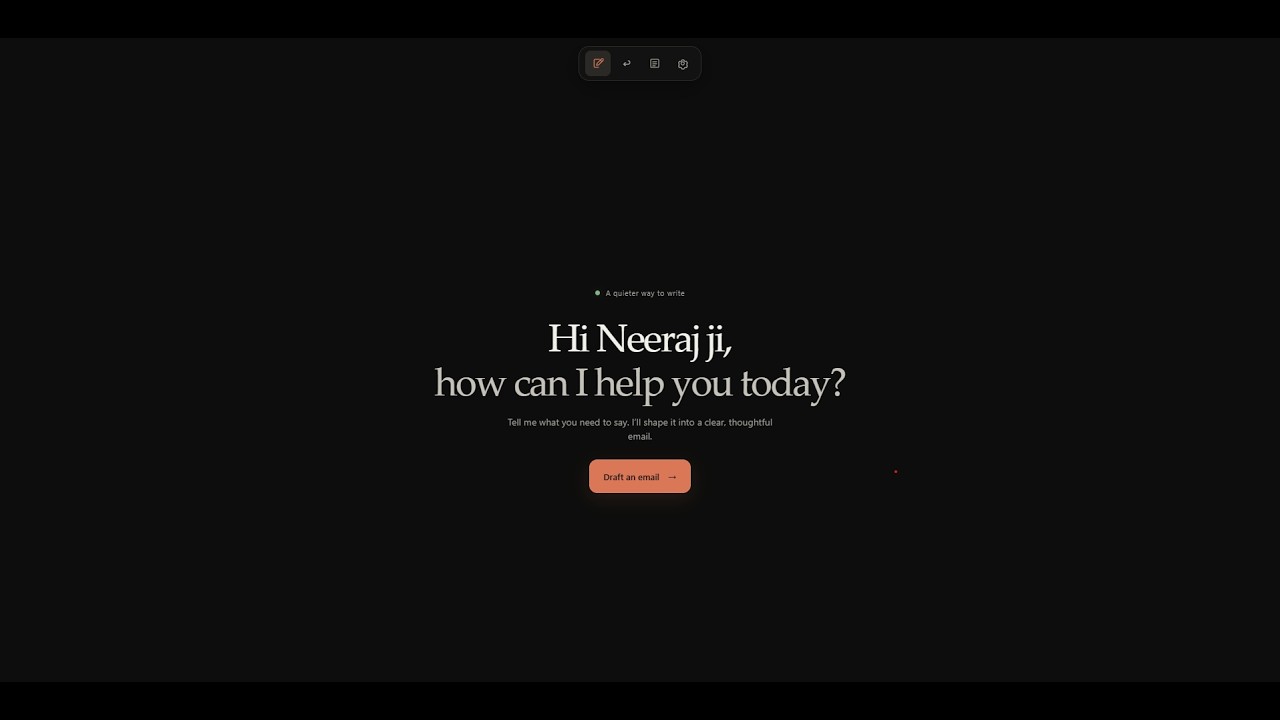
📺 Watch the 47s Demo Video: youtube.com/watch?v=p8KM_Qgps8M
✨ Key Features
- 🗣️ Hindi & Hinglish Prompting: Type or dictate notes in natural Hindi/Hinglish (e.g. "Sharma ji ko mail karo — operations team se glycol readings maango for last week, by Friday 5pm").
- 🧠 On-Device Gemma 3 Intelligence: Runs
gemma3:4blocally via Ollama with structured JSON output schemas (format: json_schema) for streaming responses. - 🛡️ Fact Check Guard: Cross-verifies explicitly mentioned dates, recipient names, and action items against…
How I Built It
I kept the stack small and local:
-
Python (
pywebview) wraps a vanilla HTML/CSS/JS interface into a simple desktop app - SQLite stores contacts, preferred salutations, templates, past style samples and draft history, so drafts stay personal
-
Gemma 3 (4B) (
gemma3:4b), served locally through Ollama, drafts the emails using structured JSON output (subject, body and Hindi summary) -
pywin32connects to Outlook Desktop to create the draft
The flow:
- He types or pastes a note and chooses the recipient's details
- Gemma generates the formal English email draft and a Hindi summary on-device.
- A validation pass checks that dates, names and action items match his input, so nothing is invented.
- He reads the Hindi summary, edits if needed, and clicks Create Outlook draft.
- Outlook opens with the recepient as well as the email present inside it
Try it:
git clone https://github.com/akshatmalik-bruh/correspond
cd email_writer
pip install -r requirements.txt
ollama pull gemma3:4b
python app.py
Why Does Open Innovation Matter?
This project only makes sense because the model is open, lightweight and local.
- Privacy: His emails contain plant metrics, operational data and confidential contacts. With an open-weight model running locally, none of that leaves his computer. A closed API would mean sending private workplace communication to someone else's servers.
- Size: Drafting and replying to emails doesn't need a giant model. A 4B-parameter model is fast, reliable with structured prompts, and runs on an ordinary laptop with no GPU server.
- Cost: There are no subscriptions, API keys or per-token fees. A tool built for a parent should be free to keep running.
- Personalisation: Because the model and the data are both local, I can shape the assistant around his greetings, contacts and signature, without sharing that profile with anyone.
- Ownership: No API can be deprecated or repriced out from under him.
Open innovation made it possible to build a private, personal tool for one person, and that is what this challenge is about.
My Agent Session
Built with the Antigravity AI Assistant, using subagents for UI design, SQLite schema management, Ollama JSON streaming integration, and the Playwright video pipeline.
Prize Categories
- Best Use of Gemma: built on-device with Gemma 3 4B via Ollama
- Build for a Friend / Family: made for my father, to simplify his daily workplace email workflow
- Best Use of ElevenLabs: used elevenlabs for the youtube video demo for my project.


Top comments (0)