

AWS ElasticBeanstalk applications use either an nginx or Apache proxy to relay requests. Using the .ebextensions feature of ElasticBeanstalk we can...
For further actions, you may consider blocking this person and/or reporting abuse


I thoroughly followed every line of your post but elastic beanstalk is not creating file please help it’s important
Hey there!! Are you using Apache or Nginx?
I am using nginx and my web app platform is node js
Are you using .ebextensions already or is this the first file you are creating like this?
Where are you creating the .ebextensions directory?
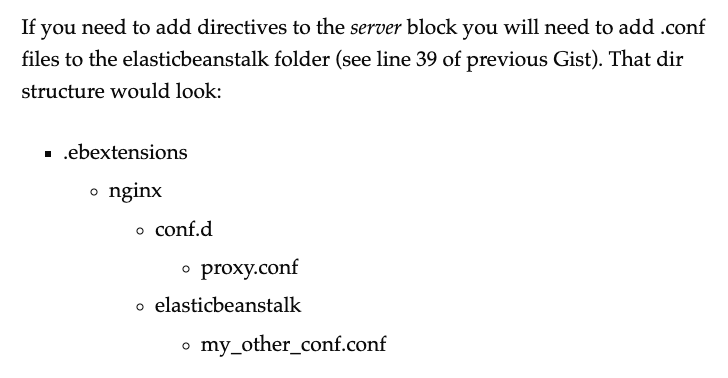
Make sure your dir structure looks like this:
I am creating .ebextensions folder for the first time my directory structure is absolutely similar to this except i didn't added elasticbeanstalk directory except everything is same
A picture of my structure is attatched
dev-to-uploads.s3.amazonaws.com/i/...
I'm not sure what's going on, everything looks good.
You can try these steps instead: docs.aws.amazon.com/elasticbeansta...
forbiden upload file .ebextensions/01-symfony.config
files:
"/etc/nginx/conf.d/elasticbeanstalk/z-symfony.conf":
mode: "000644"
owner: root
group: root
content: |
location / {
try_files $uri /index.php$is_args$args;
}
Hello, when I deploy in ssh I see that the file is generated, but when the deployment finishes it automatically deletes it. Do you know what it can be? Thank you all