


Here's the rewritten Dev.to technical blog post in Markdown format with all requested changes:
## TL;DR
Polymarket CLI is a Rust-based command-line tool that lets you browse prediction markets, place orders, manage positions, and interact with on-chain contracts directly from your terminal. Install via Homebrew or shell script, browse markets without a wallet, and trade using JSON output for automation. Requires a private key for trading operations. Supports table and JSON output formats for both human-readable and programmatic use.
## Introduction
Prediction markets have emerged as powerful tools for forecasting real-world events, from election outcomes to crypto price movements. Polymarket, built on Polygon, offers one of the most liquid prediction markets with millions in trading volume. While the web interface is intuitive, developers often want programmatic access for automation, scripting, and building custom trading bots.
That's where Polymarket CLI comes in. This Rust-based command-line tool provides complete access to the Polymarket ecosystem from your terminal. Whether you want to browse markets, analyze order books, or execute trades automatically, Polymarket CLI delivers a robust interface that integrates seamlessly with shell scripts and automation workflows.
{% cta https://apidog.com/?utm_source=dev.to&utm_medium=wanda&utm_content=n8n-post-automation %} Try Apidog today {% endcta %}
## What is Polymarket?
Polymarket is a decentralized prediction market platform built on the Polygon blockchain. It allows users to trade on the outcomes of real-world events using USDC stablecoin. Markets are structured as yes/no questions, with prices representing the probability of an outcome (e.g., 52¢ means 52% probability).
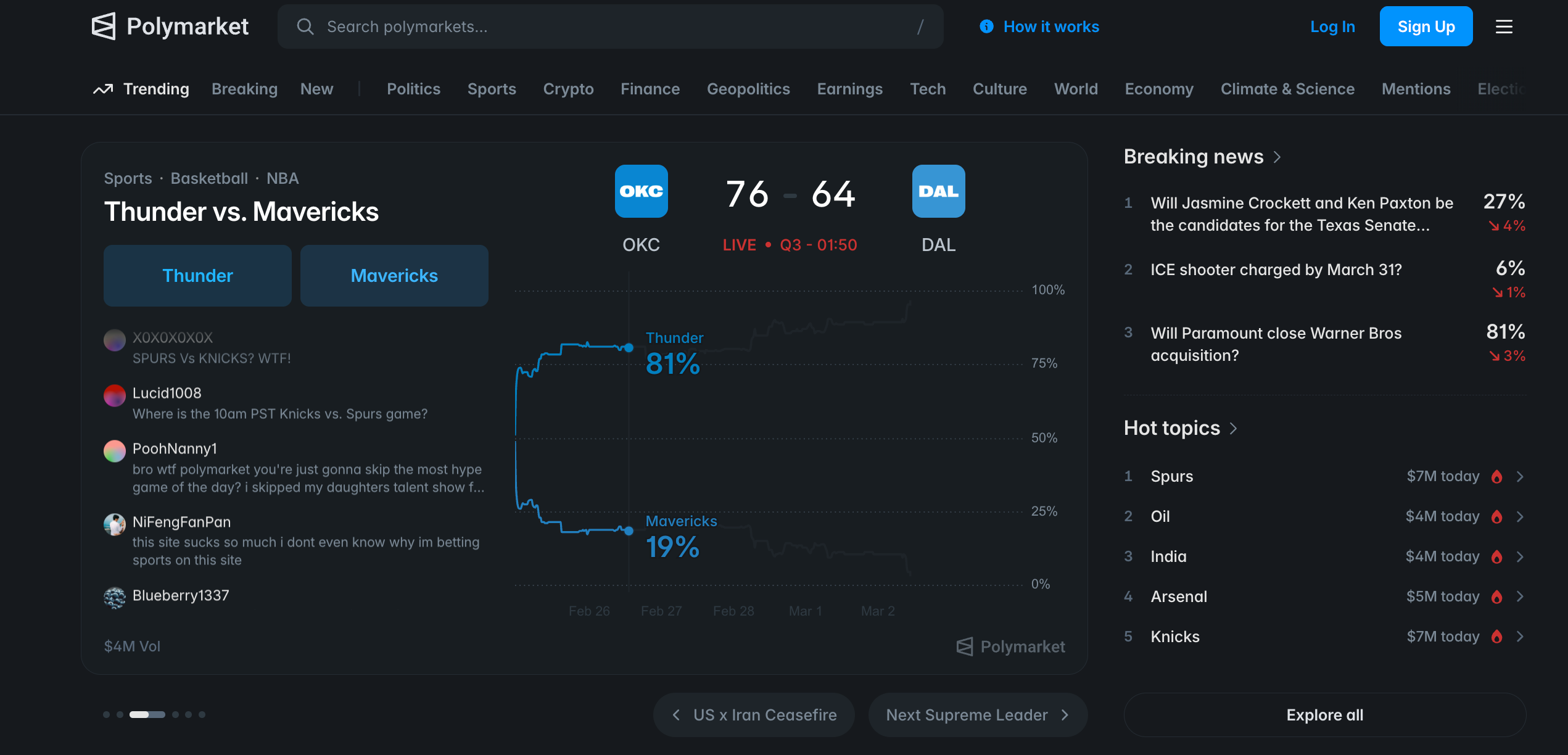
Key features of Polymarket include:
- Decentralized trading: Built on Polygon for fast, low-cost transactions
- Real-time markets: Thousands of markets covering politics, crypto, sports, and more
- Order book model: Central limit order book (CLOB) for price discovery
- Conditional tokens: ERC-1155 tokens representing outcome shares
- Rewards program: Traders can earn rewards based on trading volume
Polymarket CLI connects to these markets through a combination of off-chain APIs (for reading market data and placing orders) and on-chain contracts (for token operations like splitting, merging, and redeeming).
## Installing Polymarket CLI
Polymarket CLI supports multiple installation methods. Choose the one that fits your environment.

### Option 1: Homebrew (macOS / Linux)
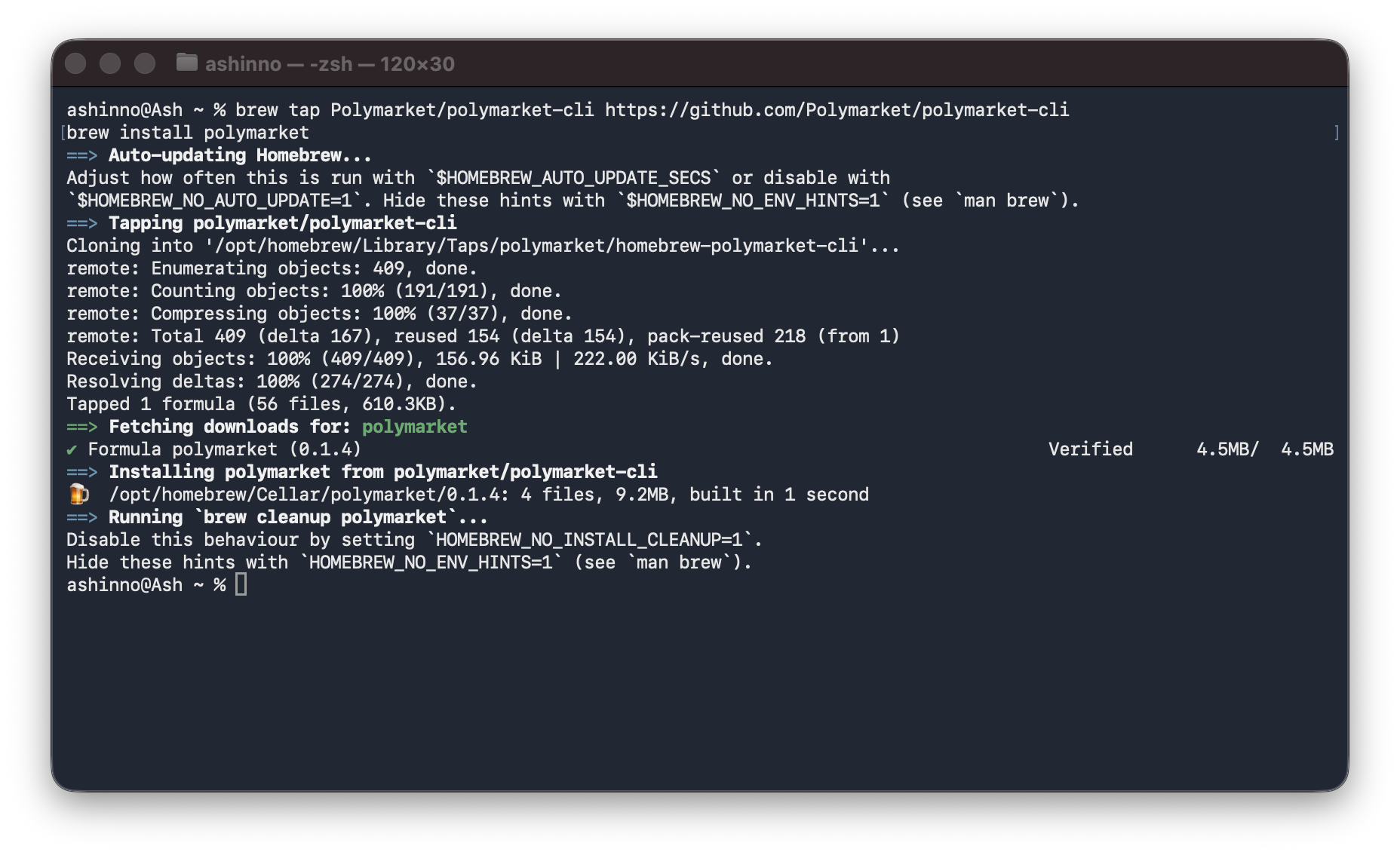
The easiest installation method uses Homebrew:
sh
Add the Polymarket tap
brew tap Polymarket/polymarket-cli https://github.com/Polymarket/polymarket-cli
Install polymarket
brew install polymarket
### Option 2: Shell Script (Linux/macOS)
For a quick one-liner installation:
sh
curl -sSL https://raw.githubusercontent.com/Polymarket/polymarket-cli/main/install.sh | sh
### Option 3: Build from Source (All Platforms)

If you have Rust installed, you can build from source:
sh
git clone https://github.com/Polymarket/polymarket-cli
cd polymarket-cli
cargo install --path .
### Verifying Installation
Check that the installation succeeded:
sh
polymarket --version
polymarket --help
## Quick Start: Browse Markets Without a Wallet

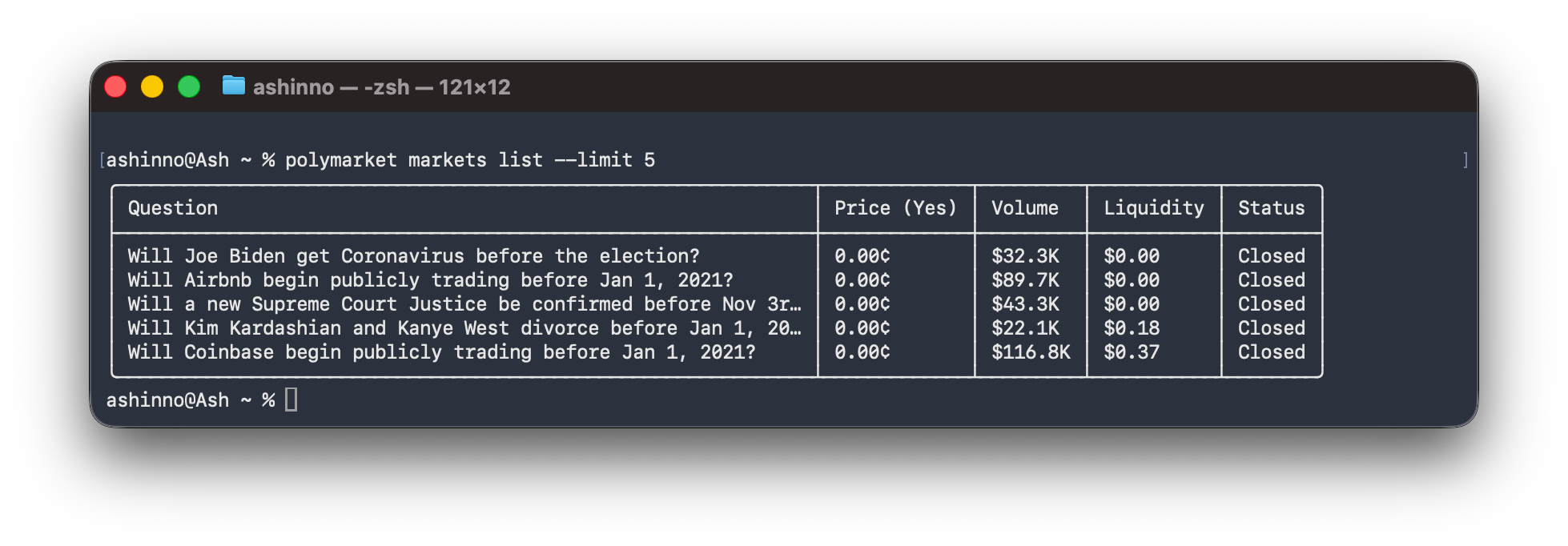
One of the best features of Polymarket CLI is that you don't need a wallet to browse markets. This makes it perfect for research and monitoring before committing funds.

### Browse Recent Markets
sh
List the 5 most recent markets
polymarket markets list --limit 5
## Wallet Setup and Configuration
While browsing doesn't require a wallet, trading does. Here's how to set up your wallet.
### Importing an Existing Wallet
sh
polymarket wallet import 0xYOUR_PRIVATE_KEY_HERE
### Configuration File Location
The config file is stored at `~/.config/polymarket/config.json` and looks like:
json
{
"private_key": "0xabc123...",
"chain_id": 137,
"signature_type": "proxy"
}
### Checking Wallet Status
sh
Show full wallet info
polymarket wallet show
Print just the address
polymarket wallet address
## Trading on Polymarket

Now for the exciting part—placing trades. These commands require a configured wallet.

### Placing Orders
sh
Place a limit order (buy 10 shares at $0.50)
polymarket clob create-order \
--token TOKEN_ID \
--side buy \
--price 0.50 \
--size 10
Place a market order (buy $5 worth)
polymarket clob market-order \
--token TOKEN_ID \
--side buy \
--amount 5
## Using JSON Output for Scripts
One of Polymarket CLI's most powerful features is JSON output, making it perfect for scripting and automation.
sh
Get markets as JSON
polymarket -o json markets list --limit 10 | jq '.[].question'
Filter markets by volume
polymarket -o json markets list --limit 100 | jq '.[] | select(.volume_num > 1000000)'
### Automating Market Monitoring
Create a simple market monitor:
sh
!/bin/bash
monitor-market.sh - Monitor a specific market's price
TOKEN_ID=$1
INTERVAL=${2:-60} # Default 60 seconds
while true; do
clear
echo "Monitoring market: $(date)"
polymarket clob price $TOKEN_ID --side buy
polymarket clob price $TOKEN_ID --side sell
echo ""
polymarket clob book $TOKEN_ID | head -20
sleep $INTERVAL
done
## Testing Polymarket API with Apidog
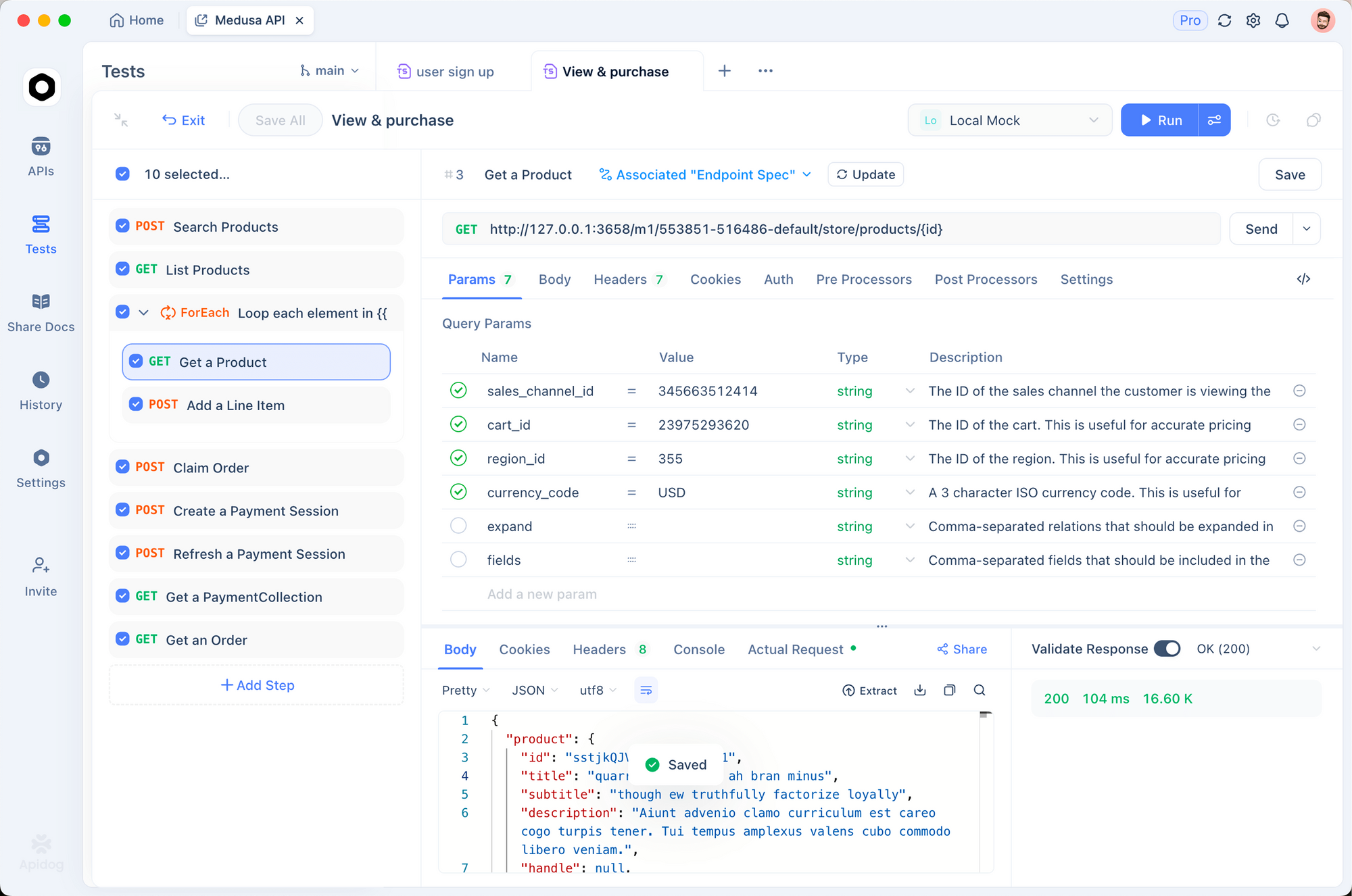
When building automated trading systems or integrating Polymarket into your applications, thorough API testing is essential. [Apidog](https://apidog.com/?utm_source=dev.to&utm_medium=wanda&utm_content=blog-sync) provides a powerful, all-in-one API development platform that makes testing prediction market APIs straightforward and efficient.
### Why Use Apidog for Polymarket Integration?
Whether you're building a trading bot, a market analytics dashboard, or integrating Polymarket data into your application, Apidog offers several advantages:
- Visual API Client: Send requests and inspect responses without writing code
- Automated Testing: Create test suites to verify your trading logic
- Environment Variables: Manage API endpoints and credentials across dev/staging/prod
- Collaboration: Share API definitions with your team
## Security Considerations
When using Polymarket CLI, keep these security best practices in mind:
### Private Key Security
- Never commit your private key to version control
- Use the config file rather than environment variables in shared environments
- Consider hardware wallet integration for large funds
### Transaction Verification
- Always verify transaction details before confirming
- Start with small amounts to test your setup
- Keep your MATIC balance sufficient for gas fees
## Conclusion
Polymarket CLI is a powerful tool for developers who want to interact with prediction markets programmatically. Key takeaways:
- Install via Homebrew or shell script for quick setup
- Browse markets without a wallet for research
- Configure your wallet properly before trading
- Use JSON output for scripting and automation
- Always prioritize security when handling private keys
For more advanced use cases, combine Polymarket CLI with other tools like cron for scheduled tasks, jq for data processing, or custom bots built in Python or Node.js. When building your trading integration, use [Apidog](https://apidog.com/?utm_source=dev.to&utm_medium=wanda&utm_content=blog-sync) to thoroughly test all API endpoints before going live.
## FAQ
### Is Polymarket CLI safe to use?
Polymarket CLI is experimental software. Use with caution and never use with large amounts of funds. Always verify transactions before confirming. The project is open source, so you can review the code yourself.
### Do I need a wallet to browse markets?
No. Most commands (markets, events, CLOB prices, order books) work without a wallet. You only need a wallet for placing orders, checking balances, and on-chain operations.
### What chains does Polymarket support?
Polymarket is built on Polygon (chain ID 137). The CLI handles both on-chain operations (requiring MATIC for gas) and off-chain order placement.
### Can I use Polymarket CLI for automated trading?
Yes. The JSON output format makes it ideal for scripting. You can build automated trading bots using shell scripts, Python, or any language that can execute CLI commands and parse JSON.
### How do I update Polymarket CLI to the latest version?
Run `polymarket upgrade` to check for and install updates. For Homebrew installations, use `brew update && brew upgrade polymarket`.


Top comments (0)