

This is a submission for the Gemma 4 Challenge: Write About Gemma 4
The release of Google’s Gemma 4 family marks a massive shift for open-source AI development. Offering architectural flexibility alongside a staggering 128K context window, it bridges the gap between massive server-dependent models and efficient local computation.
Whether you are looking to deploy a lightweight helper on an everyday laptop or leverage an advanced setup for dense reasoning, understanding how to navigate these variants and set them up locally is the key to unlocking their potential.
🧠 Decoding the Gemma 4 Family: Which Flavor Fits Your Machine?
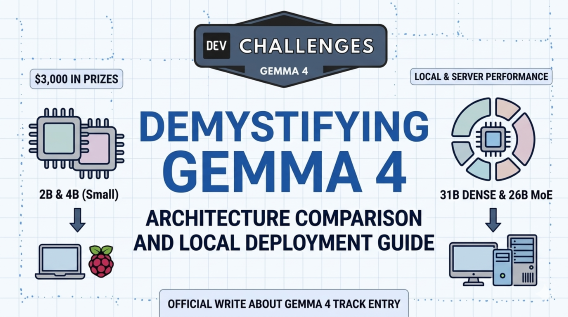
Unlike standard singular model drops, Gemma 4 is distributed across three distinct architectural flavors. Choosing the right one depends heavily on your hardware constraints:
| Model Flavor | Size / Architecture | Ideal Deployment Hardware | Best Use Case |
|---|---|---|---|
| Gemma 4 Small | 2B & 4B parameters | High-end smartphones, Raspberry Pi 5, entry-level laptops | Ultra-mobile apps, browser extensions, edge computing, rapid local prototyping. |
| Gemma 4 Dense | 31B parameters | Beefy consumer GPUs (e.g., RTX 3090/4090), high-end local workstations | Deep software engineering tasks, complex data processing, server-grade performance offline. |
| Gemma 4 MoE | 26B Mixture-of-Experts | Workstations with optimized high-throughput setups | High-efficiency scenarios requiring deep reasoning modes with fast token generation. |
🛠️ Step-by-Step Guide: Running Gemma 4 Small Locally via Ollama
If you want to run Gemma 4 completely offline without a credit card or cloud dependencies, utilizing the Small (2B/4B) variants is incredibly smooth. Here is how to configure it on consumer hardware (Windows, macOS, or Linux).
Step 1: Install the Local Execution Engine
The easiest way to manage local weights is via Ollama. Open your terminal or command prompt and run the setup script (or download the installer for Windows/macOS from Ollama's official site):
bash
# For Linux/macOS users
curl -fsSL [https://ollama.com/install.sh](https://ollama.com/install.sh) | sh
Step 2: Pull the Gemma 4 Model Weights
Once Ollama is running in the background, download the lightweight, efficient Gemma 4 variant directly from the model registry. For general consumer hardware, the 4B model offers an incredible balance of speed and intelligence:
Bash
ollama run gemma4:4b
(If you are running on highly restricted hardware like a Raspberry Pi 5 or an older mobile setup, use ollama run gemma4:2b instead).
Step 3: Test the 128K Context Window
Once the prompt opens, test its ability to parse long documents or codebases. Try feeding it a massive text file or a long script and ask it to analyze structural flaws or generate a summary.
🐍 Programmatic Integration: Python Quickstart
If you want to integrate the local Gemma 4 engine into a custom development script or automated utility, you can do so with just a few lines of Python code using the ollama library:
Python
import ollama
def consult_gemma(prompt_text):
response = ollama.chat(
model='gemma4:4b',
messages=[
{
'role': 'user',
'content': prompt_text,
},
]
)
return response['message']['content']
# Example usage
tech_prompt = "Explain propositional logic induction in simple technical terms."
print(consult_gemma(tech_prompt))
🌐 Alternative: Accessing Large Variants for Free
If your local hardware cannot comfortably execute the 31B Dense or 26B MoE models, you don't have to miss out. Developers have two highly accessible cloud routes:
Google AI Studio: Get a free API key to interact with the models directly using Google’s infrastructure.
OpenRouter (Free Tier): Access the Gemma 4 31B model with zero configuration and no credit card required, allowing you to easily test its deep reasoning capacity via standard API requests.
🔮 Final Thoughts: The Future is Open and Local
The standout feature of Gemma 4 isn’t just its raw performance metrics; it is the democratic access it provides. Being able to fit a highly capable, large-context model directly into a consumer-grade laptop or single-board computer opens massive doors for privacy-focused developers, self-hosted media servers, and autonomous offline applications.
By strategically selecting the architecture that fits your exact hardware profile, you can build smarter, more responsive systems without the recurring cost of massive cloud API bills.


Top comments (0)