

Automating Docker Installation on an AWS EC2 Instance Using User Data 🚀
While working with AWS EC2, I wanted to automate the Docker installation process instead of connecting to the instance and installing Docker manually.
The goal was simple:
Launch EC2 → Run User Data → Install Docker → Start Nginx Container → Access it using Public IP
🔹 The Challenge
Initially, I used this User Data script:
bash
#!/bin/bash
dnf update -y
dnf install -y docker
systemctl start docker
systemctl enable docker
usermod -aG docker ec2-user
systemctl restart docker
But my EC2 instance was running Ubuntu.
So Docker was not installed because dnf is used with distributions such as Amazon Linux, while Ubuntu uses apt.
When I tried checking Docker, I got:
docker: command not found
🔹 The Solution
I created a new Ubuntu EC2 instance and used the correct User Data script:
#!/bin/bash
apt update -y
apt install -y docker.io
systemctl start docker
systemctl enable docker
usermod -aG docker ubuntu
docker run -d -p 80:80 nginx
What does this script do?
- apt update → Updates package information
- apt install docker.io → Installs Docker
- systemctl start docker → Starts Docker
- systemctl enable docker → Starts Docker automatically after reboot
- usermod -aG docker ubuntu → Adds the Ubuntu user to the Docker group
- docker run -d -p 80:80 nginx → Starts an Nginx container and maps port 80
🔹 Security Group Configuration
I also allowed HTTP traffic through port 80:
Type: HTTP
Protocol: TCP
Port: 80
Source: 0.0.0.0/0
🔹 Testing
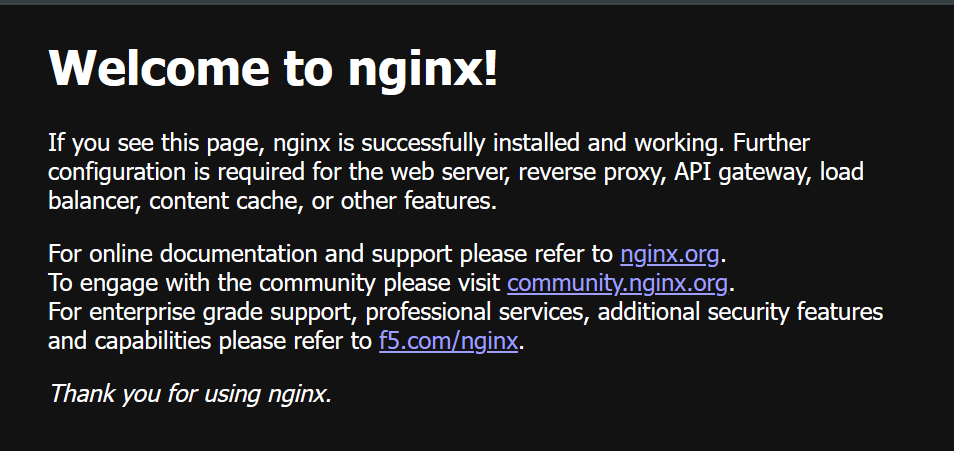
After launching the instance, I copied the Public IPv4 address and opened it in a new browser tab:
http://<EC2-Public-IP>
And finally, I got:
Welcome to nginx! 🎉
This confirmed that the complete flow was working:
AWS EC2
↓
User Data
↓
Docker Installation
↓
Nginx Container
↓
Port 80
↓
Security Group
↓
Public IP
↓
Nginx Welcome Page
🔹 What I Learned
This small hands-on task helped me understand an important AWS concept:
User Data can automate the initial configuration of an EC2 instance during launch.
I also learned that the User Data script must match the operating system.
For example:
Amazon Linux → dnf
Ubuntu → apt
The biggest learning for me was that a small difference in the operating system can make an automation script fail.
Instead of manually installing Docker every time, User Data allows the setup to happen automatically when the instance starts.


Top comments (0)