


This is a submission for the Hacktoberfest Open-Source AI Challenge Week 4: Ghost in the Machine
What I Built
Repo Séance treats a codebase's Git history as evidence, not metadata. Most tools show you a repo as it is today. This one answers why it looks that way — what a developer was building, where they stopped, which parts are risky to touch — by citing actual commit hashes and file paths, not plausible-sounding guesses.
It's two connected pieces:
- Repo Séance ingests a repository, parses its structure (GitPython + Tree-sitter), analyzes its full commit history, and answers grounded questions like "what was the original developer trying to build?" — every answer cites real evidence from the repo it actually read.
- GhostTrace is a terminal companion that uses that same evidence to explain unfamiliar or risky shell commands in context — not "this is dangerous," but "this is dangerous, and here's what I found in this specific repo's history that makes it matter."
I read "Ghost in the Machine" literally: a repository's commit history is the actual ghost here — the trace of a developer who isn't there to answer questions anymore. GhostTrace is what that trace sounds like when you give it a voice.
Demo

Live demo:
counters-config-solo-kansas.trycloudflare.com — this tunnels straight to my own machine, so Gemma inference is genuinely running locally on my GPU as you use it, not a hosted API pretending to be local. It’ll be live for the judging window; if it’s ever down, the install steps above get you the same thing in about a minute. (a Cloudflare Tunnel to my own machine — it's live while I'm running it for judging, not a permanent deployment)

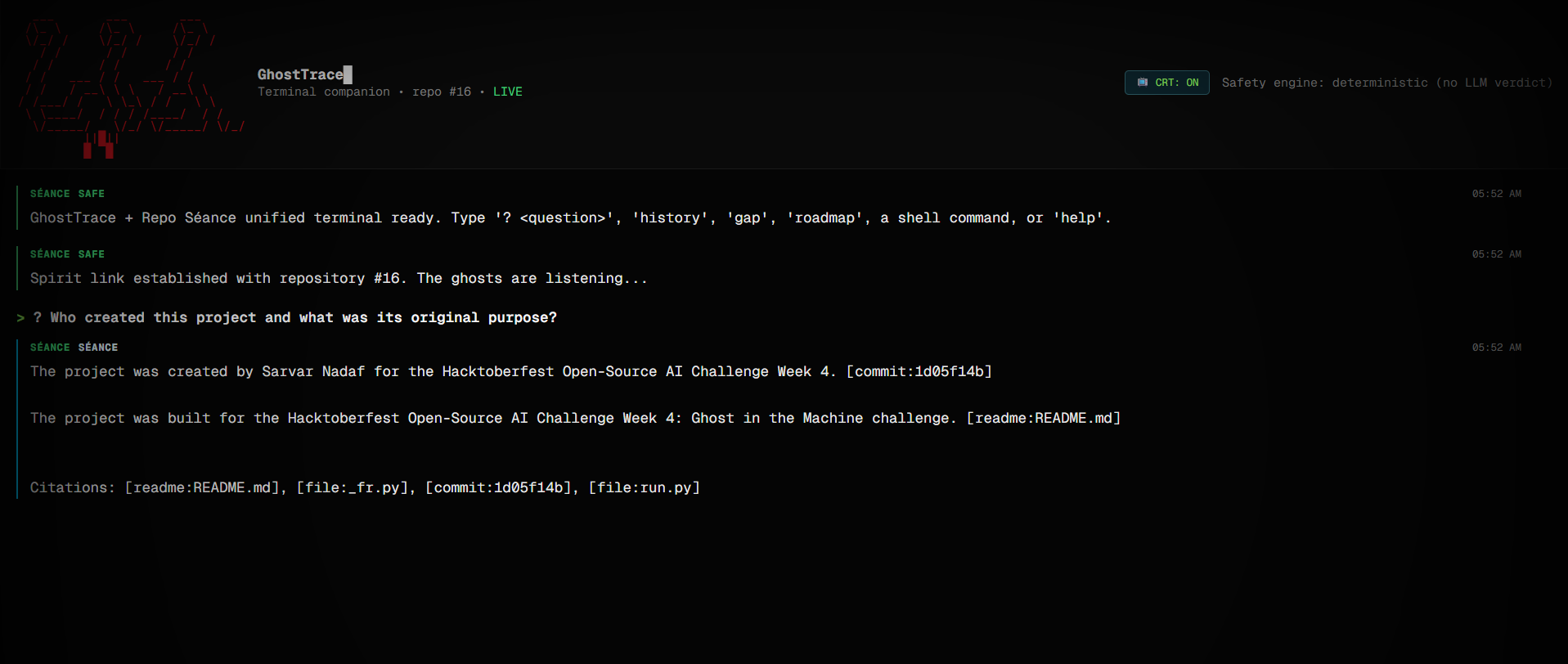
GhostTrace classifying rm -rf ./build as DESTRUCTIVE, with an explanation grounded in the repo's actual commit history — not a generic warning.
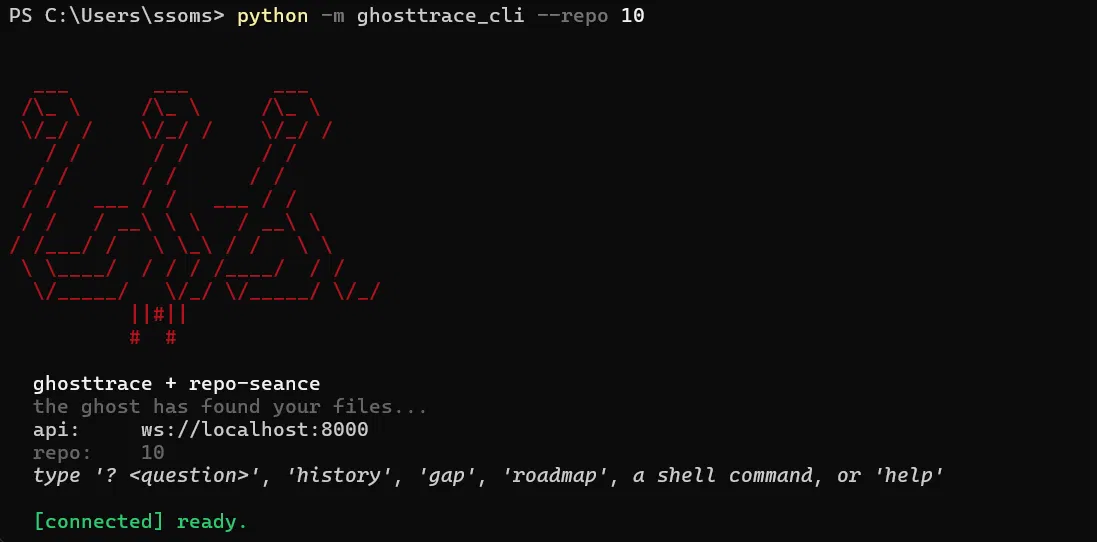
GhostTrace isn't just a web demo — it installs as a real command in your actual terminal:
git clone https://github.com/SomSatwik/repo-seance
cd repo-seance
pip install -e packages/ghosttrace-cli
ghosttrace --repo

The real ghosttrace command running in PowerShell after install — same safety engine and grounded explanations as the web version, in your actual shell.

Eh me testing it on another repository
Code

Repo Séance
  .-
 ( o o )
  | O |
Repository: https://github.com/SomSatwik/repo-seance Live demo: https://counters-config-solo-kansas.trycloudflare.com/ (tunnels to my own machine — Gemma inference is genuinely running locally on a GPU as you use it, not a hosted API. Live during Hacktoberfest judging; if it's down, the setup steps below get you the same thing in a few minutes.)
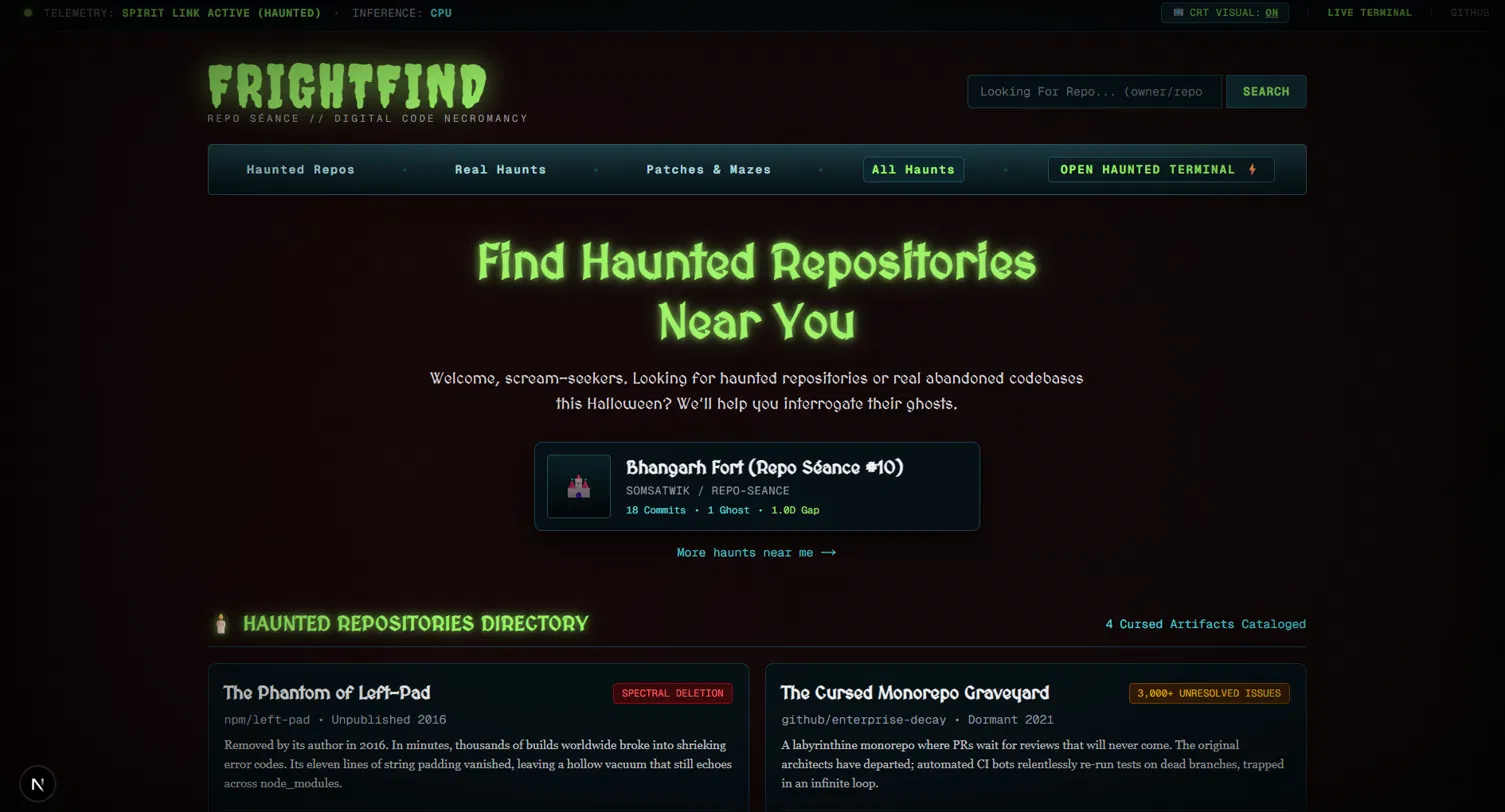
Repo Séance — summon the spirit of any git repository. A local, AI-powered forensic analyzer that ingests a codebase's full git history and lets you interrogate its ghosts in natural language — then carries that same evidence into your terminal.
Repo Séance reconstructs the "soul" of a repository — its commits contributors, and the stories embedded in its source — and makes it searchable through a semantic, vector-backed memory. Point it at any git repo and it will index the history, embed it locally, and answer questions like "who created this project…

Asking Repo Séance who built this and why — the answer cites the actual README and commit hashes, not a plausible guess. The roadmap command does the same: it flags the real activity gap it detected (1.0 days, Oct 30→31) and names the actual top contributor by commit count, not generic advice.
How I Built It
Stack: FastAPI + Python backend, Next.js/TypeScript/Tailwind frontend, Postgres with pgvector for evidence retrieval, GitPython + Tree-sitter for structure/symbol analysis, Gemma 2 2B running locally through Ollama for all AI reasoning, Sentry for agent-step tracing.
Local-first by design, not by accident. Private repository source never has to leave the machine. The model in use, its inference mode (GPU/CPU), and live Ollama connectivity are surfaced directly in the product, not hidden. I initially assumed enough VRAM for a 9B model; actually checking (nvidia-smi) showed a 6GB card, so Gemma 2B is the real default, with 9B available as an explicit "slower, higher quality" opt-in rather than a default I'd have to walk back later.
The safety engine is deliberately not the LLM's job. GhostTrace classifies shell commands (SAFE / CAUTION / DESTRUCTIVE) with a deterministic, rule-based classifier — verified to work correctly with Ollama stopped entirely. Gemma only explains consequences using retrieved evidence; it never decides whether something is safe. Letting a model make that call directly would be the wrong engineering decision, not just a missing feature.
Deploy Your Own
I wanted anyone — judges included — to be able to run the full stack
without touching a terminal. The repo includes a ready render.yaml
Blueprint: Next.js web service, FastAPI backend, managed Postgres with
pgvector, and a private Ollama service running Gemma 2B, all wired
together with persistent disks so cloned repos and model weights survive
restarts.
Deploying it is three clicks: fork the repo, create a Blueprint in the
Render Dashboard pointed at it, and wait
for the Ollama service to pull its models on first boot. No manual env var
wiring, no separate database setup — the Blueprint handles the whole
dependency chain. It won't be as fast as local GPU inference (Ollama runs
on CPU on Render), but it means this isn't a "clone and pray" project —
it's genuinely one click away from a working instance.
A few real bugs I found and fixed, because I think the honest version of this section is more useful than a clean one:
- 1. A classification gap in the safety engine.
git --reset(flag before subcommand) wasn't caught by a regex written forgit reset --hard(subcommand form) — it fell through to SAFE while Gemma's own explanation text described it as removing uncommitted changes, contradicting the verdict. Fixed by tokenizing commands instead of matching literal substrings, with regression tests added for reordered/flag-prefixed variants across every existing rule. - 2. A Windows file-permission bug. Rejected or oversized repo clones weren't actually being deleted — Git marks packed objects read-only, so Python's
shutil.rmtree(ignore_errors=True)was silently failing and leaving oversized clones on disk, defeating the size guard entirely. Fixed with a proper read-only-aware cleanup helper plus a regression test asserting nothing is left behind. - 3. A
tree-sitterversion incompatibility betweentree-sitter0.25+ andtree-sitter-languages1.10.2's olderLanguage(path, name) API. Root-caused by reading the actual AST node output rather than guessing, and pinned to the last compatible version (0.21.3). GhostTrace exists in two forms on purpose, not as a fallback: a browser terminal for quick demoing, and the real installableghosttraceCLI above, because the actual product is meant to live in a real terminal, not a browser tab.
** Why Does Open Innovation Matter?**
Repo Séance's whole premise is analyzing code someone might not want leaving their machine — abandoned internal tools, legacy systems with unclear IP status, half-finished proprietary features. A closed API model means sending that source to a third party just to ask what it was trying to do, which defeats the purpose for exactly the repositories this tool targets.
Running Gemma locally through Ollama means the core intelligence works fully offline once a repo is cloned — structure analysis, history analysis, grounded Q&A, and GhostTrace's explanations all run without internet access. Only the initial git clone of a remote repo needs connectivity.
My Agent Session
This project was built across several different coding agents and harnesses, with real handoffs between them rather than one continuous session — including debugging that didn't go smoothly on the first pass (the three bugs above were all found through live testing, not caught in advance). GitHub Copilot specifically handled the terminal rendering and ambient-message work in the CLI.
Prize Categories
** Best Use of Gemma — strong case**. This is the most defensible one. You didn’t just call the API — you made a hardware-driven model choice (checked actual VRAM instead of assuming), you surface the model name and inference mode live in the product, and critically, you architected around Gemma’s limitations rather than trusting it blindly: the safety verdict is deterministic and independent of the model, Gemma only explains. That’s a more thoughtful Gemma integration than “we called generate() and it worked.”
** Best Use of Tiger Data — real, if modest**. pgvector storage and cosine-similarity retrieval genuinely back your /ask and /roadmap citations — that’s a legitimate use of the category, even though it’s basic similarity search rather than hybrid keyword+vector. Honest and defensible, just don’t oversell it as more sophisticated than it is.
Best Use of GitHub Copilot — true but small. Copilot did real work (the word-wrap fix, the ambient-messages feature) — that’s honest to claim. Just know it was a smaller slice of the build compared to your other harnesses, so don’t frame it as Copilot being central to the project; frame it as what it actually was.
Best Use of Sentry Agent Tracing — I actually don’t know if this is true yet. Sprint 3 was the plan for this, but we got pulled into the GhostTrace visual fixes right after, and you never sent me a Sprint 3 completion report. Before you list this category, go verify Sentry instrumentation is actually live — open your Sentry project and confirm real spans exist for /ask, /roadmap, and GhostTrace calls. If it’s not there, pull this category rather than claim it; an unverifiable claim in a judged submission is worse than one fewer category.
For Render — add this as its own short section (after “How I Built It” or near the Demo section):


Top comments (0)