


Making your very first open-source pull request usually feels like trying to disarm a bomb with a pair of chopsticks. Spoilers: it’s actually stupidly easy if you stop overthinking it.
I followed the hands-on tutorial in the Readme of first contributions and made my first pull request to the same repo.
What I Learned
- Forking & Cloning: How to create a personal copy of a project repository locally.
- Branching: Creating a dedicated branch to safely isolate my changes.
- Committing & Pushing: Saving my changes with clean git messages and pushing them back to GitHub.
- Creating a Pull Request: Opening a formal PR to submit my changes for review.
It is a good starter package.
 firstcontributions
/
first-contributions
firstcontributions
/
first-contributions
🚀✨ Help beginners to contribute to open source projects



Read this in other languages.











































































First Contributions
This project aims to simplify and guide the way beginners make their first contribution. If you are looking to make your first contribution, follow the steps below.
If you're not comfortable with command line, here are tutorials using GUI tools.
If you don't have git on your machine, install it.
Fork this repository
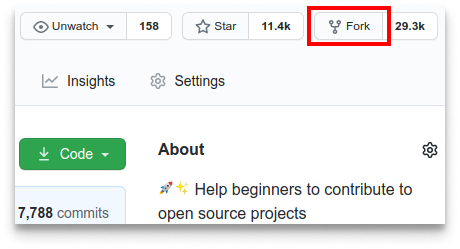
Fork this repository by clicking on the fork button on the top of this page. This will create a copy of this repository in your account.
Clone the repository
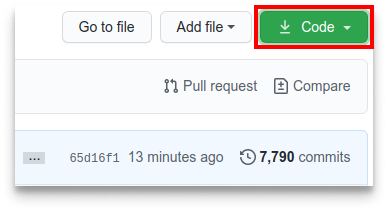
Now clone the forked repository to your machine. Go to your GitHub account, open the forked repository, click on the code button, then on SSH tab and then click the copy url to clipboard icon.
Open a terminal and run the following git command:
git clone "url you just copied"
where "url you just copied" (without the…


Top comments (0)