

# How Contact Sheets Help You Review Large Image Collections
When working with photography, design assets, screenshots, video frames, or other visual files, reviewing a large collection of images can become surprisingly time-consuming.
Opening hundreds of files individually makes it difficult to compare images and get an overview of the entire collection.
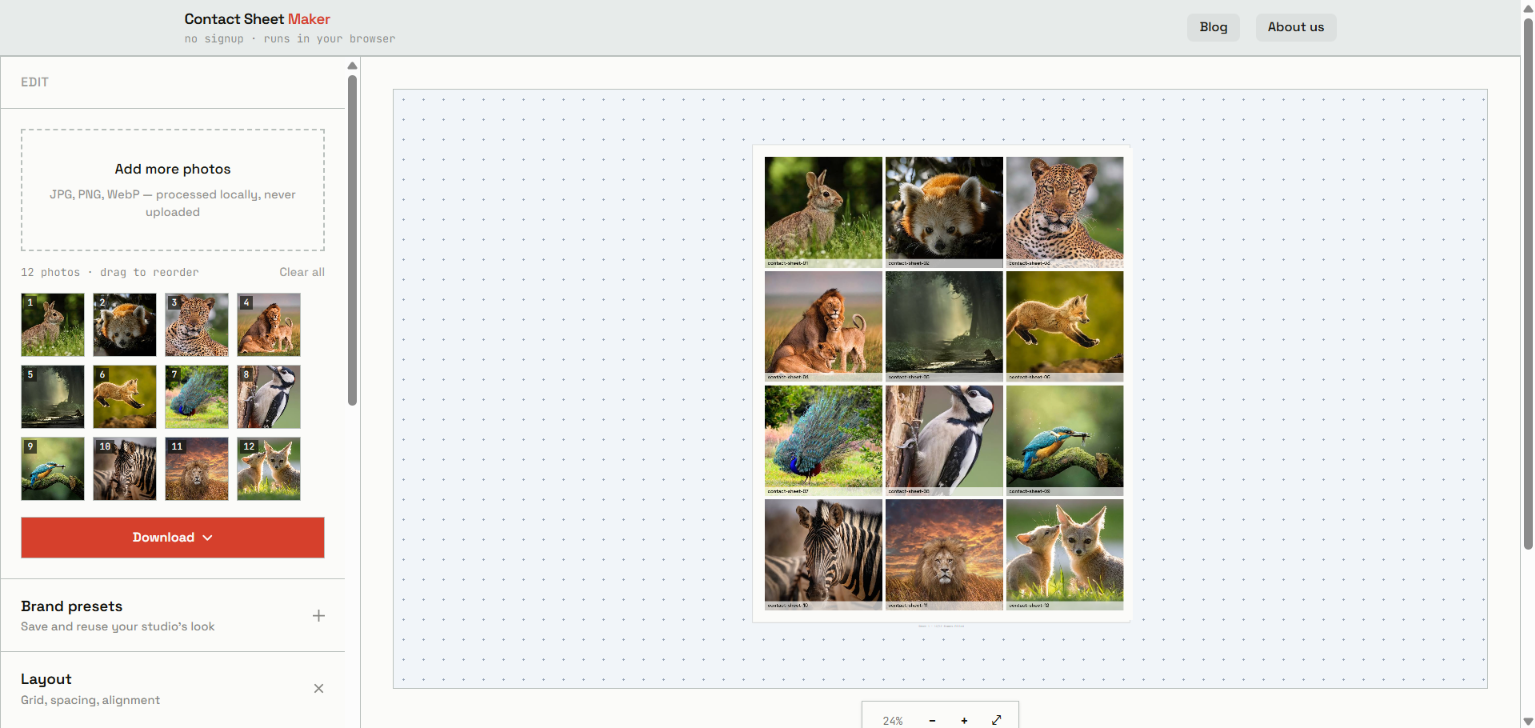
A contact sheet solves this by placing multiple images into a single organized grid.
This article explains what contact sheets are, how they are useful, and how I approached building a browser-based contact sheet generator.
## What Is a Contact Sheet?
A contact sheet is a single image or page containing multiple smaller images arranged in a grid.
Instead of opening dozens of images individually, you can create one visual overview of the entire collection.
For example, imagine a photographer has 50 photographs from a photoshoot.
Rather than reviewing each file separately, the photographs can be displayed together in a grid. This makes it easier to scan the collection and compare similar images.
Contact sheets are useful for:
- Photography
- Graphic design
- Video editing
- Digital art
- Product design
- UI/UX work
- Image asset management
## Why Are Contact Sheets Useful?
Suppose you have 100 photographs from a single photoshoot.
Opening every photograph separately can make comparison unnecessarily slow.
A contact sheet gives you a visual overview of the collection.
### 1. Review Images Quickly
Multiple photographs can be viewed at the same time instead of opening each file individually.
This is particularly useful when selecting images from a large photoshoot.
### 2. Compare Similar Images
When several photographs are placed next to each other, differences in composition, lighting, sharpness, expressions, and framing become easier to identify.
### 3. Share a Collection
Instead of sending dozens of individual images, you can provide a single visual overview.
For example, a photographer can create a contact sheet after a photoshoot and use it during the image-selection process.
### 4. Create a Visual Index
Contact sheets can also act as visual indexes for large collections of assets.
They can be useful for:
- Product images
- Screenshots
- Illustrations
- Video frames
- Design variations
- Stock images
## How Does a Contact Sheet Generator Work?
At a basic level, generating a contact sheet involves several steps:
1. Load the source images.
2. Read their dimensions.
3. Generate thumbnails.
4. Place the thumbnails into a grid.
5. Add optional labels or spacing.
6. Render the final layout.
7. Export the result as an image or document.
For a browser-based implementation, many of these operations can happen directly on the client.
That means the browser can handle image selection, preview generation, layout, rendering, and export without requiring a traditional desktop application.
## Building a Browser-Based Contact Sheet Generator
While exploring this workflow, I built **Contact Sheets Maker**, a browser-based tool for creating contact sheets from multiple images.
You can try it here:
👉 **[Open Contact Sheets Maker](https://www.contactsheetsmaker.com/)**
The interesting part wasn't simply creating a grid.
The more useful engineering problems were things like:
- Handling multiple image files
- Generating previews efficiently
- Maintaining image proportions
- Calculating grid dimensions
- Supporting different column counts
- Rendering the final composition
- Exporting the generated contact sheet
- Keeping the interaction simple
The basic flow looks like this:
text
Select Images
↓
Read Image Files
↓
Generate Previews
↓
Calculate Grid
↓
Render Layout
↓
Export Contact Sheet


Top comments (0)