Very hard to say with just this info. Do you have anything useful in the server logs? liek any error messages. Also all the microservices are similar so if one doesnt work then might be an issue with deployment, make sure the app is registered in the registry (ie was started after registry is up)
The liquibase setup seems to have failed order. Could be that you already had tables in the DB, if thats the case a clean run should fix that, else you need to dig into why the table creation/update failed
Tried with Jhipster 7.9.3, the .npmrc file issue resolved.
Deleting the default generation fake sample data json resolved due to constraints it failed. however after deleting the records , it successfully booted up without error.
For further actions, you may consider blocking this person and/or reporting abuse
We're a place where coders share, stay up-to-date and grow their careers.


Very hard to say with just this info. Do you have anything useful in the server logs? liek any error messages. Also all the microservices are similar so if one doesnt work then might be an issue with deployment, make sure the app is registered in the registry (ie was started after registry is up)
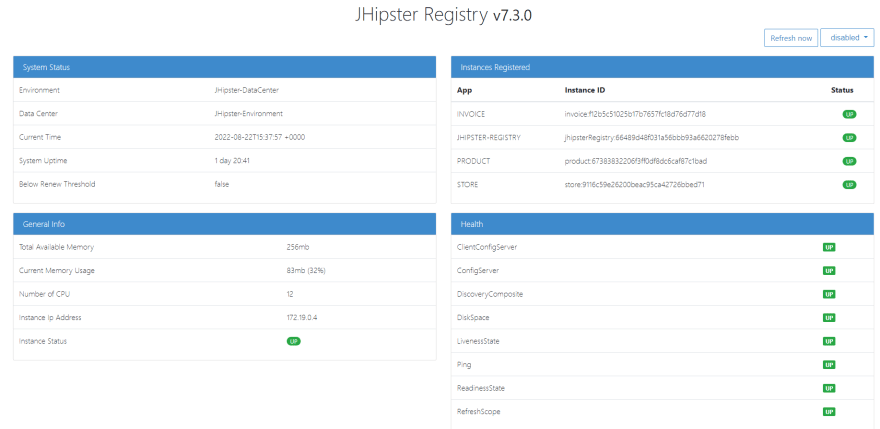
Thanks Deepu, i have started jhipster registry, and store app, invoice app, product app in development mode.
got liquibase error while running in dev mode. and accessing the order item menu throws error.
gist.githubusercontent.com/vidhya0...
Registry we can see all the apps are UP
The liquibase setup seems to have failed order. Could be that you already had tables in the DB, if thats the case a clean run should fix that, else you need to dig into why the table creation/update failed