

Want to make your Laravel app installable like a native mobile app? Looking to add offline support and boost performance without writing complex service workers from scratch?
Great news — you can turn your Laravel project into a Progressive Web App (PWA) in just a few minutes using a super handy package: eramitgupta/laravel-pwa.
Let’s dive right in. 🏊♂️
🔍 What’s a PWA, and Why Should You Care?
A Progressive Web App (PWA) is a modern web application that:
- Works offline (yes, even with no internet!)
- Can be installed on a phone or desktop
- Loads lightning-fast
- Looks and feels like a native app
Basically, it’s the sweet spot between web and mobile apps.
✅ Why Use eramitgupta/laravel-pwa?
This package makes your life easier. It:
- Automatically generates
manifest.jsonandservice-worker.js - Provides Blade directives (no copy-paste headaches)
- Supports Laravel 8, 9, 10, 11, and 12
- Works with both Vue.js and React.js
- Offers install button + dynamic logo support
🔧 Step-by-Step: Make Your Laravel App PWA-Ready
🛠️ Step 1: Install the Package
composer require erag/laravel-pwa
⚙️ Step 2: Publish Configuration and Assets
php artisan erag:install-pwa
It will create:
config/pwa.phppublic/manifest.jsonpublic/service-worker.js
📝 Step 3: Customize Your Manifest
Open config/pwa.php and edit your app details:
'manifest' => [
    'name' => 'My Laravel App',
    'short_name' => 'App',
    'theme_color' => '#3367D6',
    'background_color' => '#ffffff',
    'display' => 'standalone',
    'description' => 'My Laravel app as a PWA!',
    'icons' => [
        [
            'src' => 'logo.png',
            'sizes' => '512x512',
            'type' => 'image/png',
        ],
    ],
],
Update the actual manifest:
php artisan erag:update-manifest
🧩 Step 4: Add Blade Directives
In your main Blade layout (layouts/app.blade.php):
In <head>:
@PwaHead
Before </body>:
@RegisterServiceWorkerScript
That’s all you need! These directives inject all required meta tags and scripts.
🖼️ Step 5: Optional — Upload Logo via Form
Want to let admins upload a PWA logo? Create a simple upload form:
<form action="{{ route('upload.logo') }}" method="POST" enctype="multipart/form-data">
    @csrf
    <input type="file" name="logo" accept=".png" required>
    <button type="submit">Upload Logo</button>
</form>
Then create a controller:
use EragLaravelPwa\Core\PWA;

public function uploadLogo(Request $request)
{
    $response = PWA::processLogo($request);

    return $response['status']
        ? back()->with('success', $response['message'])
        : back()->withErrors($response['errors'] ?? ['Something went wrong.']);
}
📱 Step 6: Test It!
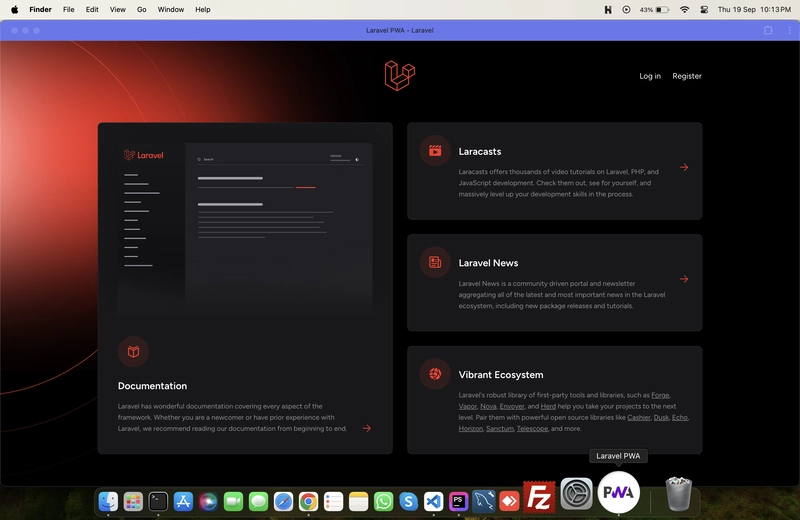
Deploy the app on HTTPS (required). Open it in Chrome.
- You should see an “Install App” button.
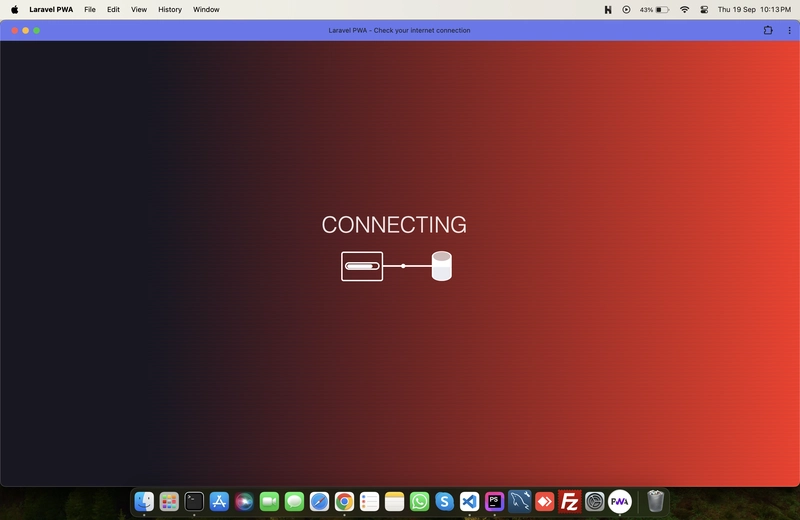
- It works offline.
- And it can be added to your phone’s home screen!
📸 Some Cool Screenshots
| Install Prompt | Offline Page |
|---|---|
 |
 |
🧠 Tips for Production
- Always use HTTPS
- Clear browser cache if you update service workers
- Use Chrome DevTools > Lighthouse to check PWA score
- For local testing, use Laravel Valet
💡 Common Questions
❓Does this work with Vue/React?
Yes! Whether you use Vue, React, or plain Blade — this package plays nicely with all frontend setups.
❓Can I customize the install button?
Yes, enable or disable it in pwa.php:
'install-button' => true,
📈 Final Thoughts
In under 10 minutes, your Laravel app becomes installable, offline-ready, and lightning-fast — all thanks to the power of PWAs and the eramitgupta/laravel-pwa package.
- Laravel PWA setup
- Laravel service worker
- Installable Laravel app
- Convert Laravel to PWA
- Laravel PWA with Vue.js or React


Top comments (1)
Thanks for sharing!