

title: [Golang][Render] How to Deploy a Golang App to Render.com via Github Action
published: false
date: 2024-05-05 00:00:00 UTC
tags:
canonical_url: https://www.evanlin.com/til-github-render/
---
## Background:
Although I have recently migrated all services from Heroku.com to GCP, Render.com was originally a solution I used for teaching. After all, it doesn't require a credit card and has a free tier that allows students to get started quickly. Here's a quick record of how to deploy a Golang service to [Render.com](https://Render.com) via Github Action.
If deployment is initiated, the process will be:
- After PR Merged is completed
- Draft a Release on Github
- Then it will automatically deploy to [Render.com](https://Render.com)
## Example Code:
You can refer to this REPO [https://github.com/kkdai/linebot-food-enthusiast](https://github.com/kkdai/linebot-food-enthusiast)
## How to Set Up Github Continuous Deployment
### 1. Get Render.com API Key
- First go to the following location [https://dashboard.render.com/u/settings#api-keys](https://dashboard.render.com/u/settings#api-keys) 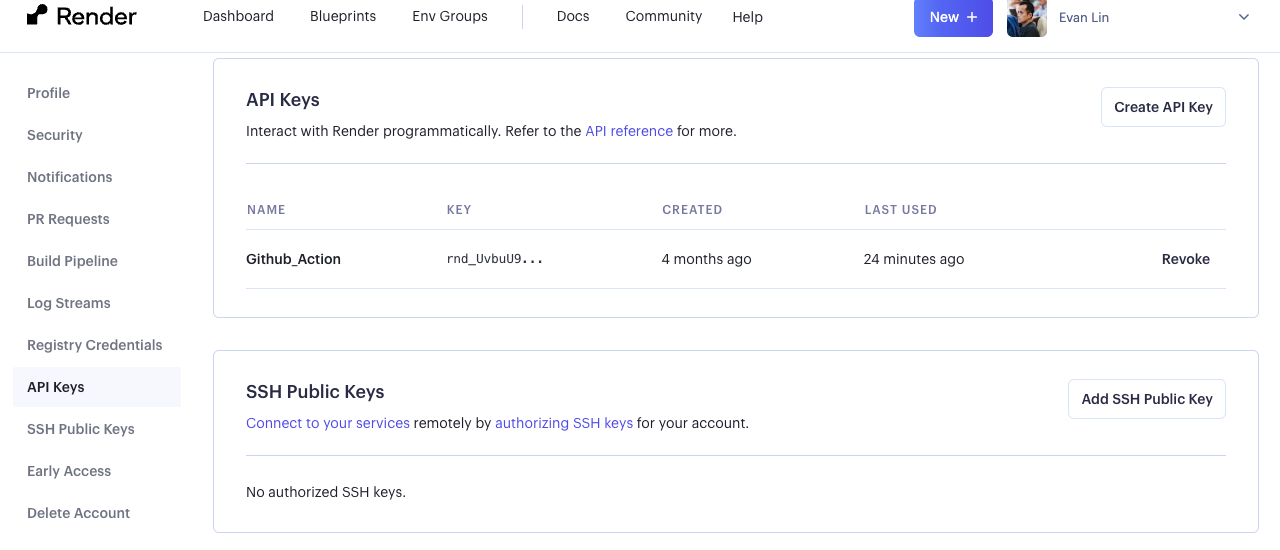
- Next, you need to get the Render Services ID you want to deploy. After entering the project, you can see it directly from the URL. The `srv-xxxxx` below is your project ID.
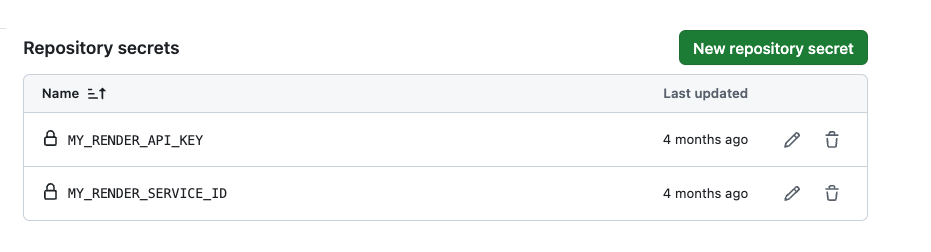
### 2. Fill in Render.com API Key and Services ID in Github settings
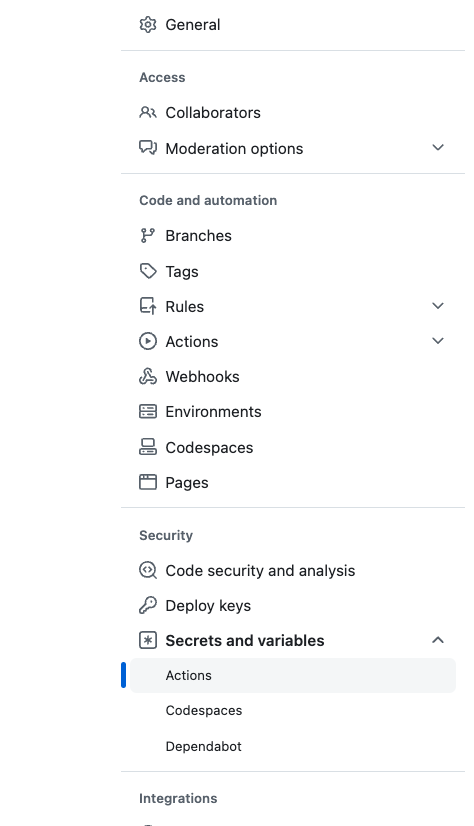
Go to your project's settings Secrets and Variables -> Actions
### 3. render config file render.yaml
Put it in the github root directory
services:
- type: web
name: linebot-food-enthusiast
env: go
buildCommand: go build -o app
startCommand: ./app
plan: free
autoDeploy: false
envVars:
- key: ChannelAccessToken sync: false
- key: ChannelSecret sync: false
- key: GOOGLE_GEMINI_API_KEY sync: false
### 4. render.com Github Action

Put it in [https://github.com/kkdai/linebot-food-enthusiast/blob/main/.github/workflows/render\_deploy.yml](https://github.com/kkdai/linebot-food-enthusiast/blob/main/.github/workflows/render_deploy.yml)
name: Render Deploy
on:
release:
types: [created]
jobs:
build:
runs-on: ubuntu-latest
steps:
- name: Deploy to production
uses: johnbeynon/render-deploy-action@v0.0.8
with:
service-id: $
api-key: $
wait-for-success: true
# Other Q&A
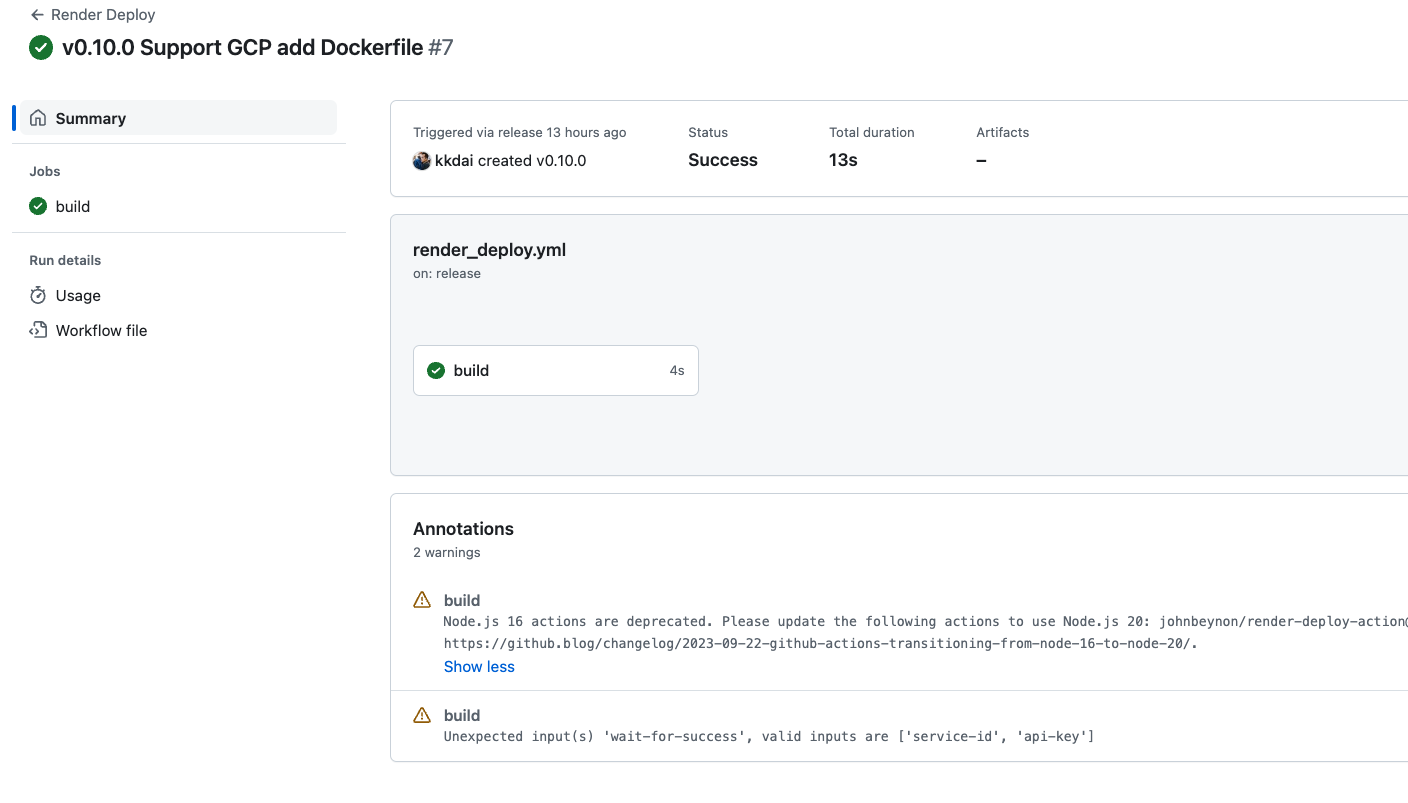
#### Q: Seeing some errors displayed, is there a problem?
A: Currently, it won't cause deployment errors, but error messages will occur.
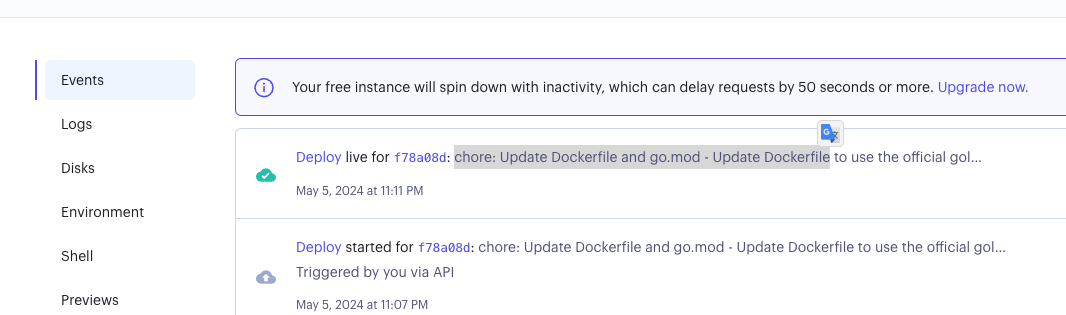
- Refer
- [https://github.com/johnbeynon/render-deploy-action/issues/6](https://github.com/johnbeynon/render-deploy-action/issues/6)
- [https://github.com/johnbeynon/render-deploy-action/issues/7](https://github.com/johnbeynon/render-deploy-action/issues/7)
## References:
- [Render Deploy Action - GitHub Marketplace](https://github.com/marketplace/actions/render-deploy-action)
- [Render GitHub Action · Actions · GitHub Marketplace](https://github.com/marketplace/actions/render-github-action)
- [Maybe you should understand CI/CD? Deploy to Render.com with CD](https://israynotarray.com/other/20230520/2118016719/)


Top comments (0)