

You know when you have an idea for a side-project, and you think "This time I'm actually going to do it" so you buy the domain, then a month goes by... I know you do, we've all been there.
What do you do with those domains? I used to just redirected them to my personal website, but that has also been neglected for quite a while it's embarrassing.
So I started looking into that. Here's what I wanted:
- A very simple "Coming soon" page customized for each domain.
- Proper meta tags and SEO means server-side rendering.
- One server, one project, one deploy, for all domains.
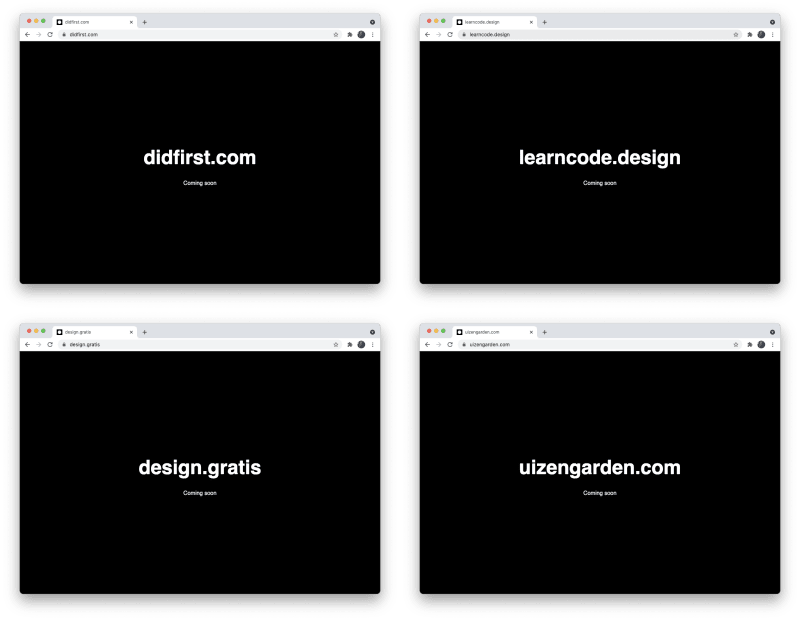
The solution
I've been meaning to try Vercel.com to host projects, so I started a new project using their Next.js template. After a couple of clicks, it was added to my Github account and I cloned it on my computer.
In your Vercel project settings, you can add multiple domains. Perfect! I added them there and pointed them to Vercel's nameservers. My template project was now running on every domain.
I heard great things about Netlify too, so check them both out if you're looking to do something similar for your domains.
The code
So now I needed to change the page that gets displayed. And most importantly, I needed to get the current domain name from the server request to show on the page.
// index.js
import Head from 'next/head'

// Pass host as prop
export async function getServerSideProps(context) {
  return { props: { host: context.req.headers.host } }
}

export default function Home({host}) {
  return (
    <main>
      <Head>
        <title>{host}</title>
      </Head>

      <h1>{host}</h1>
      <p>Coming soon</p>
    </main>
  )
}
And I added some SEO tags, and Google analytics to <Head> as well.
<Head>
  <title>{host}</title>
  <meta name="description" content="Coming soon" />
  <link href="/favicon.png" rel="shortcut icon" type="image/x-icon"/>
  <link href="/touchicon.png" rel="apple-touch-icon"/>
  <meta content="width=device-width, initial-scale=1" name="viewport"/>
  <meta content={host} property="og:title"/>
  <meta content={host} property="twitter:title"/>
  <meta content="Coming soon" property="og:description"/>
  <meta content="Coming soon" property="twitter:description"/>

  <script async src="https://www.googletagmanager.com/gtag/js?id=UA-[your-code]"/>
  <script
    dangerouslySetInnerHTML={{
      __html: `
        window.dataLayer = window.dataLayer || [];
        function gtag(){ dataLayer.push(arguments); }
        gtag('js', new Date());
        gtag('config', 'UA-[your-code]', {
          'anonymize_ip': false
        });
      `,
    }}
  />
</Head>
With some CSS It was looking and working great. But I noticed Next.js was adding some javascript to the page, even though I didn't need any updates on the client-side.
I found this option which seems to disable the client-side javascript:
// index.js
export const config = { unstable_runtimeJS: false }
So now I have one project serving customized pages to each domain. With just a push to Github it's deployed to all domains.
Whenever I register a new domain I can just add them to the Vercel project and they're live, no need to touch the code.
Do you have a different solution? Let me know in the comments!


Top comments (2)
That's an interesting approach. Gave me the idea to maybe use that for Indiebrands
Awesome :) share more!