


I previously introduced SnaxVim, a Neovim distro with only 10 plugins. However, the small number of plugins combined with fast startup performance can give the impression that SnaxVim sacrifices functionality. In fact, these plugins are carefully selected to cover the essential components of an IDE.
I'll take a closer look at those plugins in this article and explain the role each one plays. Even after covering all of them, this article shouldn't be particularly long. After all, there are only ten plugins.
The Components of an IDE
These plugins provide the essential components for using Neovim as an IDE.
| Component | Plugins |
|---|---|
| Plugin Manager | lazy.nvim |
| Syntax Analysis | nvim-treesitter |
| Completion | blink.cmp |
| External Tool Management | mason.nvim |
| Language Servers | nvim-lspconfig |
| Debugging | nvim-dap, nvim-dap-view |
| Linting | nvim-lint |
| Formatting | conform.nvim |
| User Interface | dashboard-nvim |
lazy.nvim
A plugin manager used by many Neovim distros.
With the introduction of Neovim's built-in package manager, vim.pack, in v0.12, SnaxVim is considering migrating away from lazy.nvim in a future release.



lazy.nvim is a modern plugin manager for Neovim.
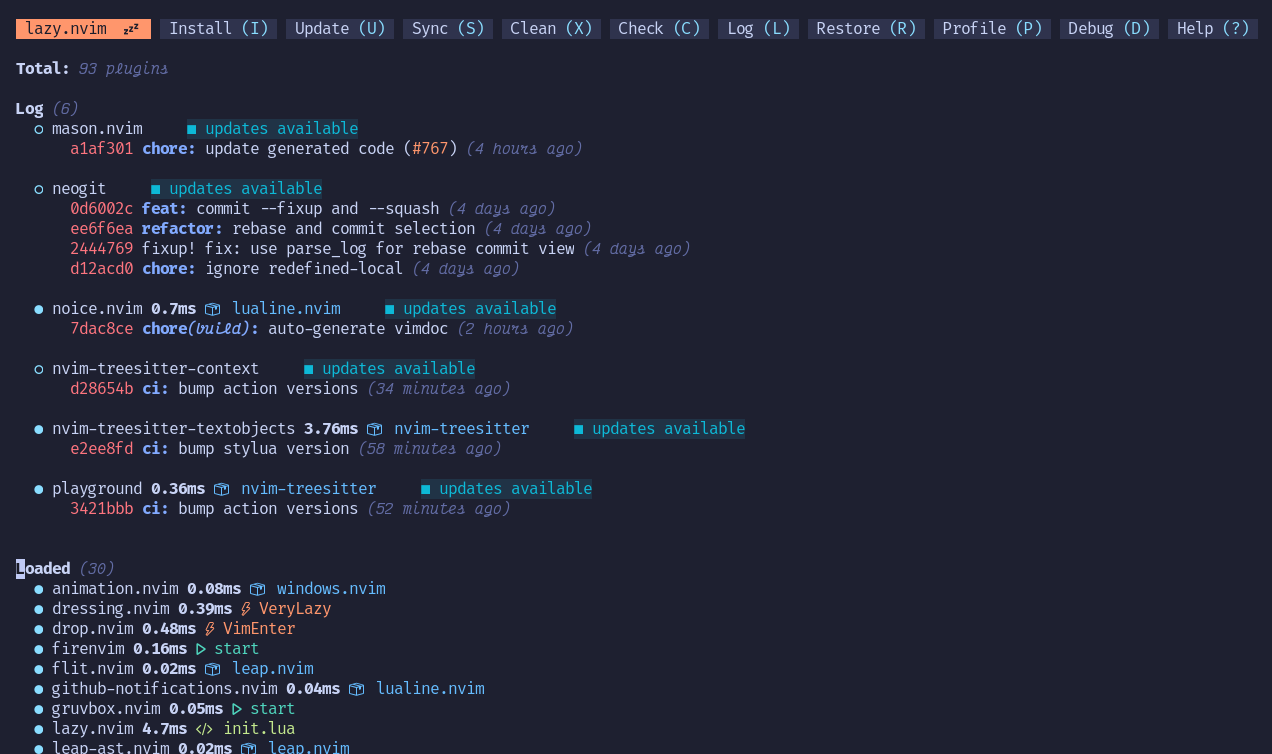
✨ Features
- 📦 Manage all your Neovim plugins with a powerful UI
- 🚀 Fast startup times thanks to automatic caching and bytecode compilation of Lua modules
- 💾 Partial clones instead of shallow clones
- 🔌 Automatic lazy-loading of Lua modules and lazy-loading on events, commands, filetypes, and key mappings
- ⏳ Automatically install missing plugins before starting up Neovim, allowing you to start using it right away
- 💪 Async execution for improved performance
- 🛠️ No need to manually compile plugins
- 🧪 Correct sequencing of dependencies
- 📁 Configurable in multiple files
- 📚 Generates helptags of the headings in
README.mdfiles for plugins that don't have vimdocs - 💻 Dev options and patterns for using local plugins
- 📊 Profiling tools to optimize performance
- 🔒 Lockfile
lazy-lock.jsonto keep track of installed plugins - 🔎 Automatically check for updates
- 📋 Commit, branch, tag, version…
nvim-treesitter
Provides features such as syntax-aware highlighting, indentation, and code folding.
The repository was temporarily archived, which attracted attention from the Neovim community, but has since been reopened.
 nvim-treesitter
/
nvim-treesitter
nvim-treesitter
/
nvim-treesitter
Nvim Treesitter configurations and abstraction layer

The nvim-treesitter plugin provides
- functions for installing, updating, and removing tree-sitter parsers;
- a collection of queries for enabling tree-sitter features built into Neovim for these languages;
- a staging ground for treesitter-based features considered for upstreaming to Neovim.
For details on these and how to help improving them, see CONTRIBUTING.md.
Caution
This is a full, incompatible, rewrite: Treat this as a different plugin you need to set up from scratch following the instructions below. If you can't or don't want to update, specify the master branch (which is locked but will remain available for backward compatibility with Nvim 0.11).
Quickstart
Requirements
- Neovim 0.12.0 or later (nightly)
-
tarandcurlin your path -
tree-sitter-cli(0.26.1 or later, installed via your package manager, not npm) - a C compiler in your path (see https://docs.rs/cc/latest/cc/#compile-time-requirements)
blink.cmp
A fast completion engine supporting sources such as buffers, LSP, file paths, and snippets, both in buffers and on the command line.
Neovim's built-in completion has gained some of these capabilities in v0.12, but some completion sources and integrations are still being developed. SnaxVim therefore continues to use blink.cmp for now.
Warning
V2 is under active development with many breaking changes. Consider staying on stable by using branch = 'v1' or version = "1.*" in your lazy.nvim config. See the V1 docs
For V2, blink.lib must be installed via your package manager. See the UPGRADE.md for a detailed migration guide.
Blink Completion (blink.cmp)
Performant, batteries-included completion plugin for Neovim


V1 Documentation · V2 Documentation · Installation · Recipes · Configuration
blink.cmp is a completion plugin with support for LSPs, cmdline, signature help, and snippets. It uses an optional custom fuzzy matcher for typo resistance. It provides extensibility via pluggable sources (LSP, buffer, snippets, etc), component based rendering and dynamic configuration.
blink-cmp-demo.mp4
Features
- Works out of the box with no additional configuration
- Updates on every keystroke (0.5-4ms async, single core)
- Typo resistant fuzzy with frecency and proximity bonus
- Extensive LSP support (tracker)
-
Snippet support: native
vim.snippet(includingfriendly-snippets)…
mason.nvim
Installs and manages external tools such as language servers, debuggers, linters, and formatters, making them available to Neovim.
mason-org
/
mason.nvim
Portable package manager for Neovim that runs everywhere Neovim runs. Easily install and manage LSP servers, DAP servers, linters, and formatters.


Portable package manager for Neovim that runs everywhere Neovim runs.
Easily install and manage LSP servers, DAP servers, linters, and formatters.
:help mason.nvim
Latest version: v2.3.1
Table of Contents
- Introduction
- Installation & Usage
- Requirements
- Commands
- Registries
- Screenshots
- Firewall (socket.dev)
- Configuration
Introduction
mason.nvim is a Neovim plugin that allows you to easily manage external editor tooling such as LSP servers, DAP servers,
linters, and formatters through a single interface. It runs everywhere Neovim runs (across Linux, macOS, Windows, etc.),
with only a small set of external requirements needed.
Packages are installed in Neovim's data directory (:h standard-path) by default. Executables are
linked to a single bin/ directory, which mason.nvim will add to Neovim's PATH during setup, allowing seamless access
from Neovim builtins (LSP client, shell, terminal, etc.) as well as other 3rd party plugins.
For a list of all available packages, see https://mason-registry.dev/registry/list…
nvim-lspconfig
Provides configurations for connecting Neovim's built-in LSP client to various language servers.
neovim
/
nvim-lspconfig
Quickstart configs for Nvim LSP
nvim-lspconfig
nvim-lspconfig is a collection of LSP server configurations for the Nvim LSP client.
View all configs, or run :help lspconfig-all from Nvim.
Important ⚠️
-
require('lspconfig')(the legacy "framework" of nvim-lspconfig) is deprecated in favor of vim.lsp.config (Nvim 0.11+)- The lspconfig.lua module will be dropped. Calls to
require('lspconfig')will show a warning, which will later become an error.
- The lspconfig.lua module will be dropped. Calls to
- nvim-lspconfig itself is NOT deprecated. It provides server-specific configs.
- The configs live in the lsp/ directory.
vim.lsp.configautomatically finds them and merges them with any locallsp/*.luaconfigs defined by you or a plugin. - The old configs in lua/lspconfig/ are deprecated and will be removed.
- The configs live in the lsp/ directory.
Migration instructions
- Upgrade to Nvim 0.11+
- (Optional) Use
vim.lsp.config('…')(notrequire'lspconfig'.….setup{}) to customize or define a config. - Use
vim.lsp.enable('…')(notrequire'lspconfig'.….setup{}) to enable a config, so that it activates for itsfiletypes.
Support
These configs are best-effort and supported by the…
nvim-dap
Implements a DAP client for Neovim, handling communication with debug adapters and controlling debugging sessions.

mfussenegger/nvim-dap: Debug Adapter Protocol client implementation for Neovim - Codeberg.org
Debug Adapter Protocol client implementation for Neovim
 codeberg.org
nvim-dap-view
Provides a UI for inspecting debugging sessions managed by nvim-dap, including variables, call stacks, and breakpoints.
Similar in purpose to nvim-dap-ui, but it displays debugging information in a single switchable window rather than across multiple split windows.
igorlfs
/
nvim-dap-view
Visualize debugging sessions in neovim

nvim-dap-view
Modern debugging UI for neovim
dap-view-demo.mp4
Introduction
Installation
Warning
Requires neovim 0.11+
vim.pack.add({
 { src = "https://github.com/igorlfs/nvim-dap-view", version = vim.version.range("1.*")  },
})
Features
- Watch expressions

- Navigate in the call stack

- Manipulate breakpoints

- Inspect and modify variables in scope

- REPL

- Inline virtual text variables

- Hover

- And more!
Getting Started
Start a regular debugging session. When desired, you can use :DapViewOpen to start the plugin. You can switch to another section using the letter outlined in the 'winbar' (e.g., B for "Breakpoints"). Explore what you can do in each section by using g? to inspect the keymaps.
Once you're done debugging, you can close the plugin with :DapViewClose and then terminate your session as usual.
There's a lot more you can do: nvim-dap-view is highly customizable. To learn…
nvim-lint
Runs external linting tools from Neovim and displays their diagnostic results.

mfussenegger/nvim-lint: An asynchronous linter plugin for Neovim complementary to the built-in Language Server Protocol support. - Codeberg.org
An asynchronous linter plugin for Neovim complementary to the built-in Language Server Protocol support.
codeberg.org
conform.nvim
Provides an interface for formatting code with external formatters, including on save.
stevearc
/
conform.nvim
Lightweight yet powerful formatter plugin for Neovim
conform.nvim
Lightweight yet powerful formatter plugin for Neovim
- Requirements
- Features
- Installation
- Setup
- Formatters
- Customizing formatters
- Recipes
- Debugging
- Advanced topics
- Options
- Formatter options
- API
- FAQ
- Acknowledgements
Requirements
- Neovim 0.10+ (for older versions, use a nvim-0.x branch)
Features
- Preserves extmarks and folds - Most formatters replace the entire buffer, which clobbers extmarks and folds, and can cause the viewport and cursor to jump unexpectedly. Conform calculates minimal diffs and applies them using the built-in LSP format utilities.
- Fixes bad-behaving LSP formatters - Some LSP servers are lazy and simply replace the entire buffer, leading to the problems mentioned above. Conform hooks into the LSP handler and turns these responses into proper piecewise changes.
- Enables range formatting for all formatters - Since conform calculates minimal diffs, it can perform range formatting even if the underlying formatter doesn't support it.
- Simple API -…
dashboard-nvim
Displays a dashboard when launching Neovim, featuring recent files and common actions.
In SnaxVim, it serves as an entry point for configuring development features such as LSP, debugging, linting, and formatting. Enabled by default, it can be easily removed if not needed.

nvimdev
/
dashboard-nvim
vim dashboard
Fancy and Blazing Fast start screen plugin of neovim
| Hyper | Doom |
|---|---|
 |
 |
Feature
- Low memory usage. dashboard does not store the all user configs in memory like header etc these string will take some memory. now it will be clean after you open a file. you can still use dashboard command to open a new one , then dashboard will read the config from cache.
- Blazing fast
Install
- Lazy.nvim
{
  'nvimdev/dashboard-nvim',
  event = 'VimEnter',
  config = function()
    require('dashboard').setup {
      -- config
    }
  end,
  dependencies = { {'nvim-tree/nvim-web-devicons'}}
}
- Packer
use {
  'nvimdev/dashboard-nvim',
  event = 'VimEnter',
  config = function()
    require('dashboard').setup {
      -- config
    }
  end,
  requires = {'nvim-tree/nvim-web-devicons'}
}
Configuration
Options
theme = 'hyper' …Conclusion
SnaxVim is not an empty template. It is a minimal IDE configuration where each plugin has a clear purpose and contributes to a specific part of the development workflow.
Rather than including every possible option, SnaxVim prioritizes commonly needed development features. This provides a practical IDE experience while minimizing the need for users to remove or replace preconfigured components.
🔗 GitHub: https://github.com/SnaxVim/SnaxVim


Top comments (0)