


This is a submission for the MLH x DEV Writing Challenge
What I Built
India has over 100 million farming households, and most of them make their biggest decisions on guesswork: what to plant this season, how much fertilizer to buy, whether those brown spots on a leaf are an emergency. The advice that exists is generic. It ignores the farmer's soil, climate and nutrient levels, and it rarely speaks the farmer's language.
KisanConnect is our attempt at fixing that. Built by Team Code Hunters at Innohacks 4.0 (KIET, Ghaziabad), it is one Flask app where a farmer enters soil numbers or uploads a leaf photo and gets a clear decision back:
- 🌱 Crop recommendation: soil N, P, K, pH and climate in, top-3 crops out with probabilities and indicative revenue, cost and profit per acre
- 🧪 Fertilizer advice: a nutrient plan from the soil test, plus a dose calculator that answers in kilograms and bags with a split schedule
- 🍃 Disease detection: upload a leaf photo, get crop, condition, confidence, prevention steps and matching products from the marketplace
- 📈 Yield prediction: tonnes per hectare with a prediction range, not just a single number
- 🌦️ Weather: 7-day forecast, soil moisture and rule-based agro-advisories
- 💰 Live mandi prices from Agmarknet, with MSP as fallback
- 🏛️ 16 central government schemes, a sowing and harvest calendar, crop guides and pest management
- 🛒 A farm-input marketplace with cart, checkout (COD/UPI) and order tracking
- 🤖 A Gemini-powered assistant that understands Hindi and Hinglish and calls every feature above as a tool
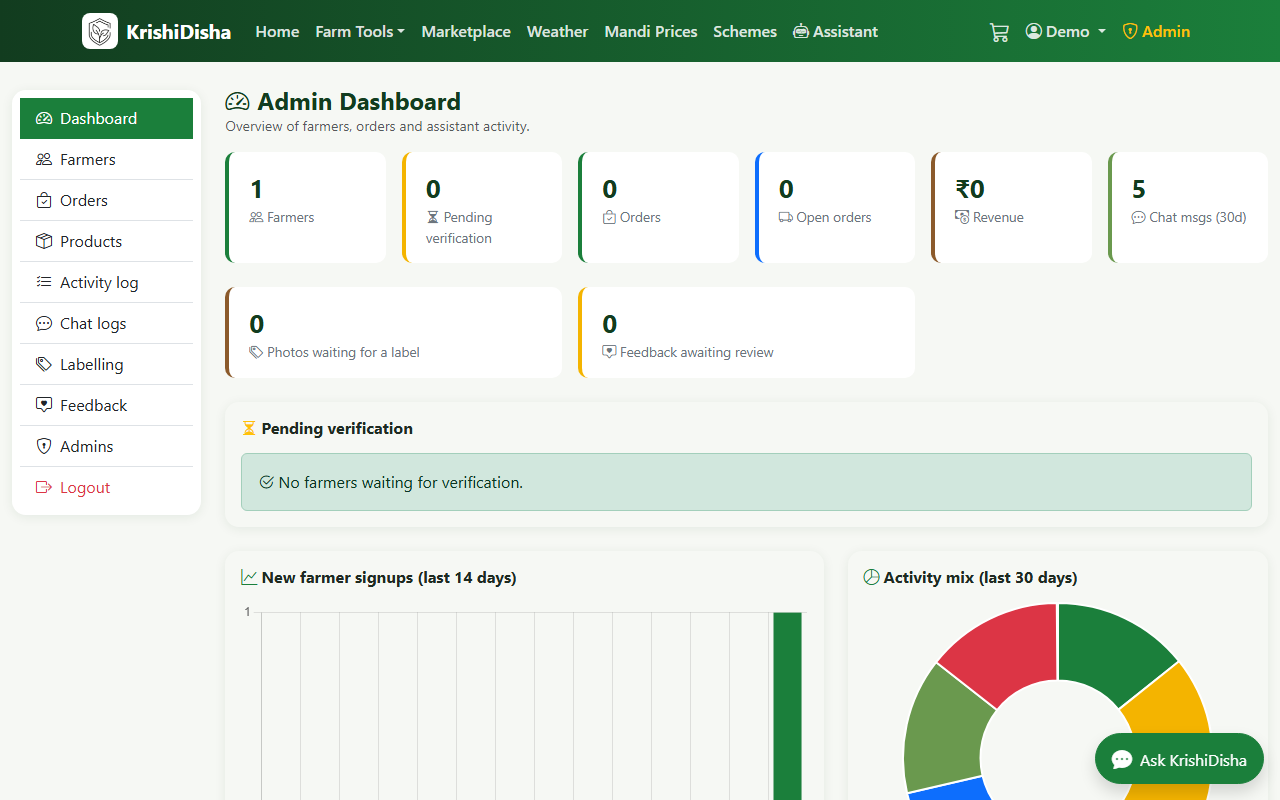
- 🛠️ An admin console for farmer verification, orders, catalogue, activity audit and chat logs
Standing on the shoulders of KrishiDisha
KisanConnect is built on the open-source KrishiDisha project by Shivpratap Singh Panwar, Abhishek Chourasia and Goutam Mandloi (IEEE ICoEIT 2025), and it carries the same PolyForm Noncommercial licence. Our work was the rebrand, environment setup and fixes (for example, the yield trainer now uses a dense one-hot encoder so it trains on current scikit-learn), integration, the Gemini-powered assistant setup, deployment on Render and the demo. The upstream authors' reported results are theirs, and our README says so.
Demo
- 🔗 Live app: https://kisanconnect-1-3bbk.onrender.com
- 💻 Code: https://github.com/ujjwalsharma25/KisanConnect.ai
The app runs on Render's free tier, so if it has been idle, the first load can take up to a minute while the service wakes up.
How It Works
Farmer / Admin
      │
  Flask app (blueprints: main · auth · farmer · marketplace · admin · chat · api)
      │
  Services: ml · disease · knowledge · tools · llm · fallback_bot · weather · market · reports
      │
  ├── models/   crop · fertilizer · yield · disease
  ├── data/     CSV datasets + knowledge JSON (schemes, products, guides, calendar, pests, MSP)
  ├── APIs      Open-Meteo · data.gov.in Agmarknet · Gemini API
  └── DB        SQLite (default) or MySQL
1. Crop recommendation, with a seatbelt
A Random Forest takes N, P, K, temperature, humidity, pH and rainfall and returns the top-3 crops with predict_proba. Before predicting, we check whether the inputs fall inside the training range (1st to 99th percentile). If they don't, the farmer gets a caution warning instead of a confident answer about conditions the model has never seen.
2. Fertilizer: rule first, model second
This is the design decision I like most. The dataset has only 99 rows, so a high Random Forest score there is memorisation, not skill. So the recommendation comes from agronomy rules:
- Take the crop's nutrient requirement per hectare.
- Adjust it by ±25% depending on whether the soil test reads low or high.
- Compute the N, P₂O₅ and K₂O deficit.
- Rank the fertilizer catalogue by cosine similarity between its NPK ratio and the deficit.
- Hand the result to the dose calculator (kg, bags, split schedule).
The classifier still runs, but only as a labelled model_hint. It is shown, never obeyed.
3. Yield prediction without leakage
Our trainer never receives Production as an input, because production divided by area is the target, and including it would leak the answer. Missing fertilizer and pesticide values are filled from the State × Crop median, falling back to crop, then global. On a time split (train up to 2016, test 2017-2020), no model we tried beat the 5-year Crop × State median (MAE 1.10 t/ha, R² 0.66). So the baseline ships, together with a 10th-90th percentile interval so farmers see a range, not false precision.
4. Disease detection that can say "I'm not sure"
leaf photo → preprocess → is it a leaf? → classifier → confident enough? → result
                              │ no                          │ no
                              ▼                             ▼
                      reject, clear message        show as uncertain,
                                                   ask for a clearer photo
A plant check rejects non-leaf images. A confidence threshold turns shaky predictions into "uncertain" instead of a wrong diagnosis. A confident result returns the condition, prevention steps, matching marketplace products and a downloadable PDF report. The original KrishiDisha field model reports 95.6% top-1 (v1, 1,650 field photos) and 94.3% (v2, 2,828 photos). Those weights are not distributed, so this deployment uses a public MobileNetV2 demo model (38 classes), and we clearly separate the two in the README.
5. A Gemini-powered assistant with a built-in backup
The assistant's brain is selected by one setting, LLM_PROVIDER. For KisanConnect we connected Google's Gemini API through its OpenAI-compatible endpoint, which means swapping models is a configuration change, not a code change.
The important part is what sits around the model:
- Shared tools. Gemini does not guess answers from memory. It calls the same tools our app uses: crop, fertilizer, yield, weather, mandi prices, schemes, calendar and products.
- Grounded retrieval. TF-IDF retrieval over our own knowledge base (schemes, guides, pests, MSP) keeps answers tied to the project's data and models.
- Offline fallback. If an API call fails or a rate limit is hit, the assistant drops to a rules engine that still runs the ML models, the calculator, prices and scheme search. The farmer still gets an answer.
Farmers can type in Hindi or Hinglish and ask things like "mere khet me urea kitna daalu?", and the assistant routes the question to the dose calculator instead of improvising a number.
6. Built to be extended
Everything above is also exposed as a JSON API under /api/v1/..., so an SMS or WhatsApp gateway can reach farmers without smartphones. The test suite runs fully offline with a stub disease model and an in-memory database, so pytest works on any laptop.
What I Learned
- Report the number that is honest, not the number that is big. 99.3% crop accuracy sounds great, but those 22 classes are nearly separable in the dataset, so it is a sanity check and not a field claim. We label it that way everywhere.
- A strong baseline can beat your model. The 5-year median beat every trained yield model. Shipping it, with an interval, was the right call.
- Rules plus a model is better than a model alone when your training data is tiny.
- An LLM should call tools, not freestyle. Letting Gemini use our calculators and models means a fertilizer dose comes from agronomy rules, not from a language model's best guess.
- Uncertainty is a feature. For a farmer, "this photo is unclear, try again" is far better than a confident wrong answer.
- Design for failure. The assistant's offline fallback means the product keeps working when an API or the network doesn't.
- Credit what you build on. Working from an open-source research project taught us to read model cards, respect licences and be precise about which results are ours.
Partner Technologies
- Google Gemini API: powers the assistant's reasoning. We connected it through its OpenAI-compatible endpoint, so it shares our tool layer (crop, fertilizer, yield, weather, mandi, schemes, calendar, products) and our TF-IDF retrieval. The part I enjoyed most was that swapping providers needed only configuration, and that the rules-engine fallback kept the assistant useful whenever an API call failed. The free tier was enough for building and demoing.
-
Render: hosts the live app. We deployed straight from GitHub using the
Procfile(gunicorn app:app), withSECRET_KEY, the admin credentials and the Gemini key set as environment variables. - Open-Meteo and data.gov.in (Agmarknet): live weather and mandi prices.
- scikit-learn, Flask and SQLAlchemy: the model, web and data layers.
Hackathon Experience
Innohacks 4.0 at KIET was Minecraft-themed ("We Learn, We Teach, We Conquer"), and our track was AI in Agriculture. Our team of four (Ujjwal Sharma, Aanya Malik, Nishita and Aastha) spent the event turning an open-source research project into something a farmer could actually use, reading model cards at odd hours and arguing about which number deserved to be on the slide.
What's Next
- Regional languages: a translation layer for Hindi, Marathi, Punjabi, Gujarati, Tamil, Telugu, Kannada and Bengali
- Real field photos: collect consented farmer photos through our admin labelling queue to improve disease detection beyond lab-style images
- An agronomy-tuned model of our own, replacing the third-party backend
- SMS and WhatsApp access on top of the existing JSON API
If you have built for low-literacy or low-connectivity users, what would you add first? I'd love to hear it in the comments. 👇
](https://dev-to-uploads.s3.us-east-2.amazonaws.com/uploads/articles/ooreynf3x79vz2u0a5lu.png)](https://dev-to-uploads.s3.us-east-2.amazonaws.com/uploads/articles/mh84ue5vs3wr8wdxac59.png)](https://dev-to-uploads.s3.us-east-2.amazonaws.com/uploads/articles/ffjn4x2l1k977ve6vdrf.png)](https://dev-to-uploads.s3.us-east-2.amazonaws.com/uploads/articles/ix29mfjl564nekojurg5.png)](https://dev-to-uploads.s3.us-east-2.amazonaws.com/uploads/articles/nvhaxgcrmycfhxwcf8ap.png)](https://dev-to-uploads.s3.us-east-2.amazonaws.com/uploads/articles/iykryoa9w34vppufwrjw.png)](https://dev-to-uploads.s3.us-east-2.amazonaws.com/uploads/articles/puk9hf6o5vdn6fcgrjvi.png)](https://dev-to-uploads.s3.us-east-2.amazonaws.com/uploads/articles/cuk5yd0guve8i3ffgw3a.png)](https://dev-to-uploads.s3.us-east-2.amazonaws.com/uploads/articles/pzfr8xjwq8evem11xc7a.png)](https://media2.dev.to/dynamic/image/width=800%2Cheight=%2Cfit=scale-down%2Cgravity=auto%2Cformat=auto/https%3A%2F%2Fdev-to-uploads.s3.us-east-2.amazonaws.com%2Fuploads%2Farticles%2Fxs5mcy14ffrnlt8jssbw.png)


Top comments (0)
Some comments may only be visible to logged-in visitors. Sign in to view all comments.