


Don't you just love the joy of opening a new MacBook box and setting up your favorite tools? The tools you choose to install really add to the experience. They can be very personal and show a lot about the type of person, and in my case, developer that I am.
Here is a short post about the first 10 tools I installed on my MacBook Pro 16" on Day 1.
I'll be recording a podcast on Real Talk JavaScript this coming week with some guests to share our first look experiences as developers on the new MacBook Pro 16". Be sure to check it out when it releases (by the end of Nov 2019)!
Ten Apps in Day 1
Here are the first things I installed on my new MacBook Pro 16". Your mileage may vary, of course.
0 - Code
VS Code is an essential tool for me. I use it for coding, writing, and as a scratch pad. I'm using it to write this!
I also installed a bunch of extensions (using a single extension called Settings Sync). But that's for another article.
1 - Alfred
Alfred is an extremely powerful spotlight-like app. You can do so much with this ... really. Check it out and explore the workflows. I use it to open apps, search my computer, kill processes, calculate, and more.
- Alfred App v4
- Free without the PowerPack
2 - Bartender
I hate clutter. When i record my screen I don't like seeing all of the icons in my top bar either. Bartender hides whatever I don't want to see, and makes it easily accessible when I do need them.
- Bartender
- $15
3 - Divvy
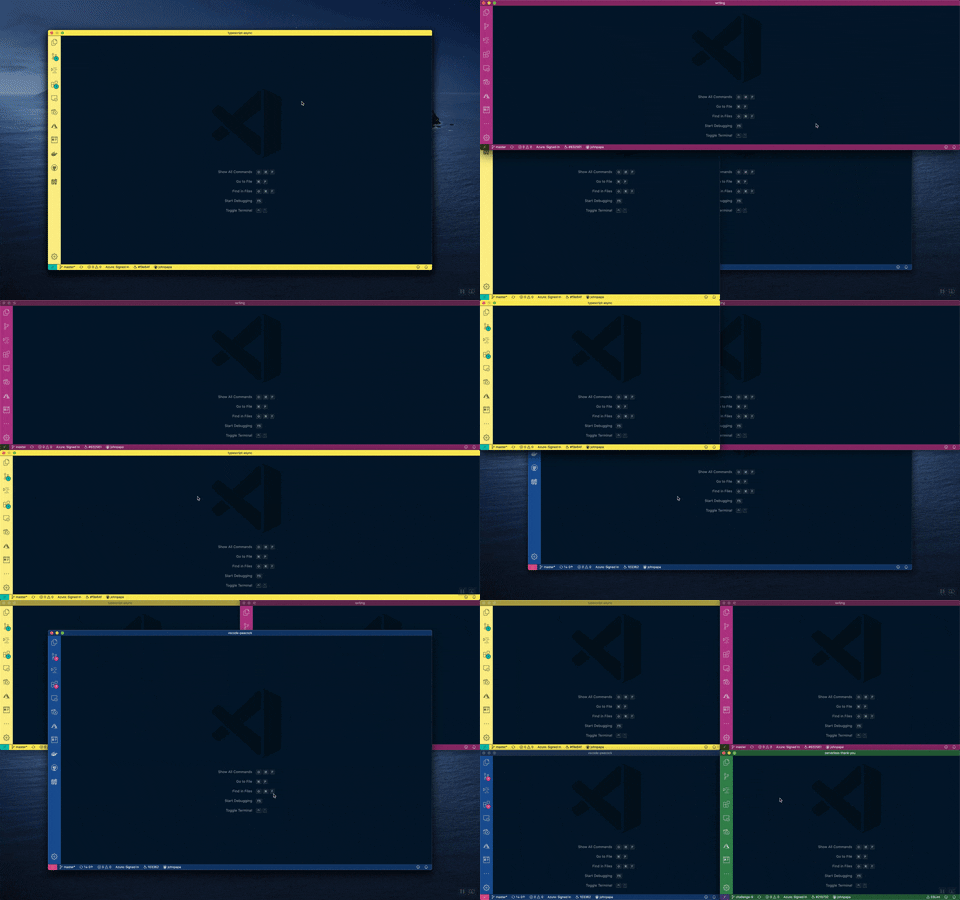
Divvy is an essential tool for me. I use it to program keyboard shortcuts to move my windows to predefined areas on the screen. I have 10 shortcuts currently that I use every single day.
- Divvy
- $13.99
4 - WiFi Signal
Nice app that shows the WiFi signal and a lot of details that the baked in wifi app doesn't show.
- WiFi Signal
- $4.99
5 - SnagIt
I've been using this tool for a decade and haven't found a reason to stop using it. Well worth the money.
- SnagIt
- $49.95
6 - Insomnia
I used to use PostMan, and it is indeed excellent. But I like Insomnia these days. Maybe because it has a cool name.
Free tier is all I need
7 - Amphetamine
I use this to keep my laptop screen visible so it does not timeout when I am presenting.
- Amphetamine
- Free
8 - Dropbox
I store many files here that I either need to share across machines or just want off my local machine.
- Dropbox
- Cost varies for your usage
9 - Chrome
The Chrome browser by Google.
- Chrome
- Free
Bonuses
- brew
- Azure Functions Core Tools
- node.js
- xcode
- oh my zsh
- 1 Password - $2.99/month
- Brave
- Office
- Docker
- Azure CLI


Latest comments (104)
I'm getting more worried about Chrome these days... with every update it adds some hidden feature that keeps you logged in when you're not aware of it.
Why dropbox over Drive? Are there any pros?
Some of my suggestions :
• ScreenFlow is much better than SnagIt
• Magnet and Rectangle are good alternatives to Divvy
• Paw is much better than Insomnia
Chrome is a pretty bad recommendation unless you enjoy seeing your search results and browsing habits come back to life as zombie ads on your instagram and facebook. I stick to Firefox and Opera.
You missed linux. Many of these functionalities come out of the box there. Then you don't have to even buy the mbp!
Ah yes! I had somehow missed the settings on the mobile app. FaceID and Autofill passwords were 2 of the things that I really missed after switching from 1Password. Thanks for the tip!
I switched to self-hosted BitWarden a few weeks ago. The basic functionality is good, but it’s not as polished as 1Password. macOS and Windows browser plugins all seem to work okay. The one thing on desktop that I don’t like about BitWarden vs 1Password is when you have more than 1 login for a site, it doesn’t give you a pop up to select which login to use when using the keyboard shortcut.
On mobile (iOS for me), it’s not as integrated into the OS as 1Password and doesn’t use biometric unlock. That I really miss.
Other than a few things like that, I love not being beholden to a company and their subscription model to store my passwords. I’ve been using it myself for a few weeks before introducing it to the rest of the family. I am keen to try out the password sharing capabilities.
For calendar weeks, days, holidays I use Itsycal 📆
If you want, it will display your events as a companion to the Mac Calendar app.
Great list! Will try Bartender right away!
I'm curious, what does Alfred do that Spotlight can't?
I find that Quicktime capture and the cmd+shift+F3/F4 options are pretty great for screen capturing.
Magnet is also great for organising windows. It's the one thing that Mac OS just won't implement...
A free alternative to Divvy: github.com/fikovnik/ShiftIt
Insomnia looks really cool, I will give it a try!