
title: [Golang][GCP] Cleanup Policy for Artifact Registry Space Caused by Cloud Run
published: false
date: 2024-05-01 00:00:00 UTC
tags:
canonical_url: https://www.evanlin.com/til-gcp-cleanup/
---
# Preface:
Cloud Run is actually very convenient and allows for quick migration of Heroku projects. During the process of building Cloud Functions (2nd generation), Cloud Build and Artifact Registry are used, but after the build is successful, the old versions of Artifact Registry are not automatically deleted.
Originally, I saw [GCR-Cleanner](https://github.com/GoogleCloudPlatform/gcr-cleaner) from "[Heroku Cancels Free Plan? Teach You How to Set Up a LINEBOT with Cloud Functions!](https://taichunmin.idv.tw/blog/2022-09-11-gcp-functions-hosting.html)". However, I found that there is a more convenient method available in the GCP interface.
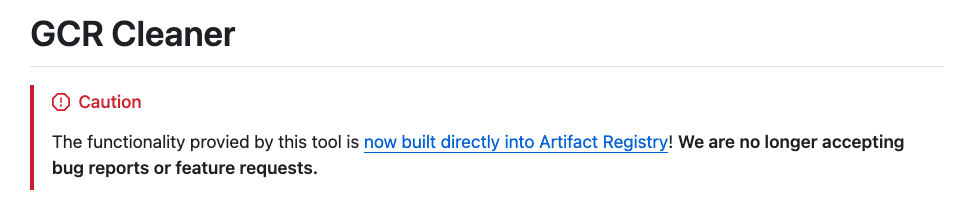
# Setting House Keeping Policy Directly Through Artifact Registry
- Go to [Artifact Registry](https://console.cloud.google.com/artifacts/browse/)
- Select the one with the largest size, and then select **Edit Repository** at the top.
- At the very bottom, select **Cleanup Policies**
- Choose "Keep most Recent versions"
- Select "Keep count" to 1 (or 2)
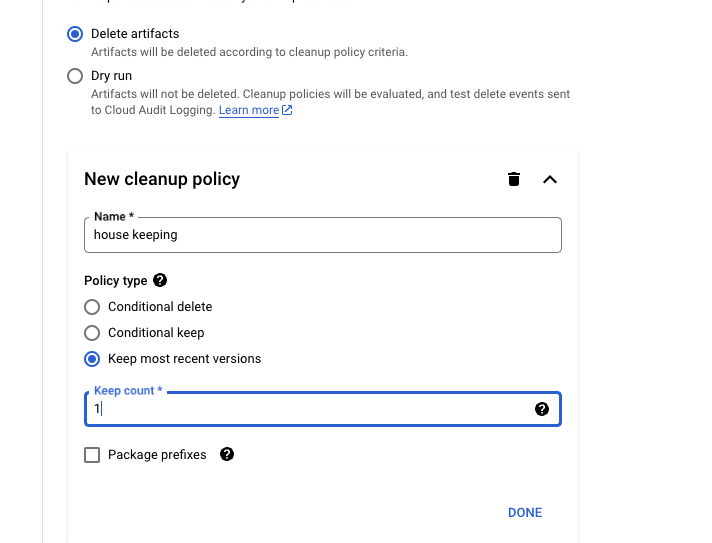
**If you are afraid of deleting too much, you can use Dry run to see the results.**
## References:
- [Heroku Cancels Free Plan? Teach You How to Set Up a LINEBOT with Cloud Functions!](https://github.com/GoogleCloudPlatform/gcr-cleaner)
- [GCP: Configure cleanup policies](https://cloud.google.com/artifact-registry/docs/repositories/cleanup-policy?hl=zh-cn#console_2)

Evan Lin
Posted on Originally published at evanlin.com on
[Golang][GCP] Cleaning Up Artifact Registry Space Caused by Cloud Run
For further actions, you may consider blocking this person and/or reporting abuse


Top comments (0)