

title: [Golang][Gemini Pro] Using Gemini-Pro-Vision to Build a Business Card Management Chatbot
published: false
date: 2024-02-05 00:00:00 UTC
tags:
canonical_url: https://www.evanlin.com/til-gogle-gemini-pro-vision/
---
# Preface
In the previous articles, we explored how to use Golang in conjunction with Google Gemini Pro to develop a LINE Bot with large language model (LLM) capabilities. These articles introduced how to integrate the Chat Completion and Image Vision features of Gemini Pro:
1. [Using Golang to Build a LINE Bot with LLM Capabilities through Google Gemini Pro (1): Chat Completion and Image Vision](https://www.evanlin.com/til-gogle-gemini-pro-linebot/)
2. [Using Golang to Build a LINE Bot with LLM Capabilities through Google Gemini Pro (2): Using Chat Session and LINE Bot for Quick Integration, Building a LINE Bot with Memory](https://dev.to/evanlin/golanggemini-pro-shi-yong-chat-session-yu-linebot-kuai-su-zheng-he-chu-you-ji-yi-de-line-bot-12fm-temp-slug-7592072)
This time, we will briefly introduce how to use the Gemini Pro Vision model to create a tool that can help you organize business cards, and it can even identify information on the business cards itself.
##### Related Open Source Code:
#### [https://github.com/kkdai/linebot-smart-namecard](https://github.com/kkdai/linebot-smart-namecard)
Note: For how to use Notion as an online free database, please refer to this article: [[Golang][Notion] How to Manipulate Notion DB as an Online Database via Golang](https://www.evanlin.com/til-golang-notion-db/) .
## Series of Articles:
1. [Using Golang to Build a LINE Bot with LLM Capabilities through Google Gemini Pro (1): Chat Completion and Image Vision](https://www.evanlin.com/til-gogle-gemini-pro-linebot/)
2. [Using Golang to Build a LINE Bot with LLM Capabilities through Google Gemini Pro (2): Using Chat Session and LINEBot for Quick Integration, Building a LINE Bot with Memory](https://dev.to/evanlin/golanggemini-pro-shi-yong-chat-session-yu-linebot-kuai-su-zheng-he-chu-you-ji-yi-de-line-bot-12fm-temp-slug-7592072)
3. [Using Golang to Build a LINE Bot with LLM Capabilities through Google Gemini Pro (3): Using Gemini-Pro-Vision to Build a Business Card Management Chatbot (This Article)](https://www.evanlin.com/til-gogle-gemini-pro-vision/)
# Tips for Business Card Processing
## Executing the Prompt
Regarding the creation of a business card recognition part, here are some related approaches to share:
// Const variables of Prompts.
const ImagePrompt = "This is a business card, you are a business card secretary. Please organize the following information into json for me. If you can't see it, please fill in N/A, just json is fine: Name, Title, Address, Email, Phone, Company. The format of Phone is #886-0123-456-789,1234, ignore ,1234 if there is no extension"
This business card is explained in several parts:

### **Image Analysis**:

Related information is uploaded through photos. Please use Gemini Pro Vision to analyze.

### **Output Format**:

Here it is explained that the LLm is expected to provide a solution through json. And provide it separately through the following fields. Here is also an explanation, this way, it will let the LLM automatically understand the information on the business card and provide you with related information separately.

-   Name
-   Title
-   Address
-   Email
-   Phone
-   Company

### **Special Processing**:

When processing images through Gemini-Pro-Vision or other GPT-Vision large models, you need to prepare related special processing.

#### Regarding the processing case of the phone on the business card:

Here are a few phone examples to share:

-   (02) 1234-5678
-   (02) 1234 5678
-   (02) 1234-5678 ext. 123
-   (02) 1234-5678 ext. 123

According to the correct input method for phone information: Phone number \*886-02-1234-5678, 1234 (if the extension is 1234). Using the following Prompt can effectively obtain:
The format of Phone is #886-0123-456-789,1234, ignore ,1234 if there is no extension.
#### Regarding blank values on business cards:

If there are empty values in the Notion database, there will be no problem. But if you want to use the Flex Message card format to put data. Each field must have a value, otherwise the LINE platform will not accept such a Flex Message.

And I believe that many people have also received, some people's business cards are a more concise version, there will be no title on it, or it will not have a phone number (more common). At this time, you need to fill in some values so that the data will not have empty values. The related Prompt is:
If you can't see it, please fill in N/A
## GPT Vision Recognition Processing Golang Code

The code for Gemini Pro image recognition is the same as before (the first article), so I won't repeat it here. You can also directly refer to [github](https://github.com/kkdai/linebot-smart-namecard/blob/main/gemini.go) . But here I will write down the processing method:

### Processing Prompts through external parameters or environment variables

When writing LLM related applications, remember that the Prompt will be adjusted at any time to obtain the best recognition effect. At this time, if the Prompt is written in the code, it will happen to constantly modify and deploy. It is recommended to write it in an external database or system environment variables. The following provides the related process:
// Const variables of Prompts.
const ImagePrompt = "This is a business card, you are a business card secretary. Please organize the following information into json for me. If you can't see it, please fill in N/A, just json is fine: Name, Title, Address, Email, Phone, Company. The format of Phone is #886-0123-456-789,1234, ignore ,1234 if there is no extension"
// Check if there are environment variables, if not, use the custom Prompt.
card_prompt := os.Getenv("CARD_PROMPT")
if card_prompt == "" {
card_prompt = ImagePrompt
}
// Prompt through the image
// Chat with Image
ret, err := GeminiImage(data, card_prompt)
if err != nil {
ret = "Unable to recognize the text content of the image, please re-enter:" + err.Error()
if err := replyText(e.ReplyToken, ret); err != nil {
log.Print(err)
}
continue
}
### Basic processing of inputting cards into the database

Although this article will not describe in detail the processing of the [Notion database](https://www.evanlin.com/til-golang-notion-db). But here I will provide a basic processing flow for the card database.

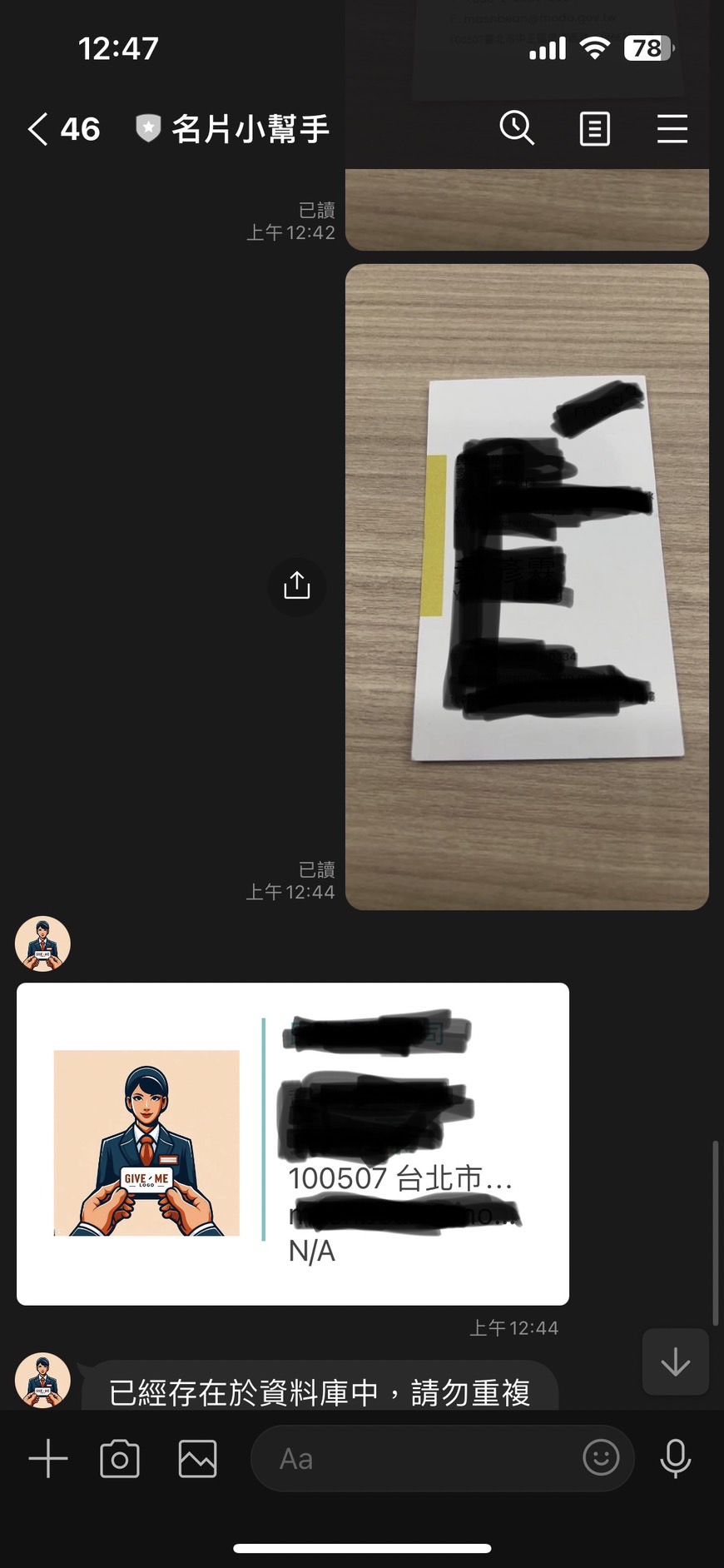
-   After scanning the card, use **Email** as the unique data of the card to check if there is duplicate data.
-   If the **Email** is the same, then skip the current scanning information.

This part of the processing is a paragraph, and next, I will explain how to process the related processing through keyword search.

# Convenient Business Card Search

In the past, when searching for business cards, we often used some keywords to search. For example:

-   Want to find all the "managers" I know
-   Want to find all the contacts in a certain company
-   Want to find all the marketing contacts I know
-   I have the impression that I know a "Professor Li" but I am not sure which school he is from.

The above methods are all the functions that business card search needs, this section will introduce how to implement this part:

## Business Card Search Method:

Here is a list of the code used on Notion:
            //using test as keyword to query database
            nDB := &NotionDB{
                DatabaseID: os.Getenv("NOTION_DB_PAGEID"),
                Token: os.Getenv("NOTION_INTEGRATION_TOKEN"),
                UID: uID,
            }

            // Query the database with the provided uID and text
            results, err := nDB.QueryDatabaseContains(message.Text)
            log.Println("Got results:", results)

            // If there's an error or no results, reply with an error message
            if err != nil || len(results) == 0 {
                ret := "查不到資料,請重新輸入"
                if err != nil {
                    ret = fmt.Sprintf("%s: %s", ret, err.Error())
                }
                if err := replyText(e.ReplyToken, ret); err != nil {
                    log.Print(err)
                }
                continue
            }
Among them, the QueryDatabaseContains function will first search for Name, Title, and company name. In this order, all the data will be searched out.
# Results and Future Prospects
## How to Use:
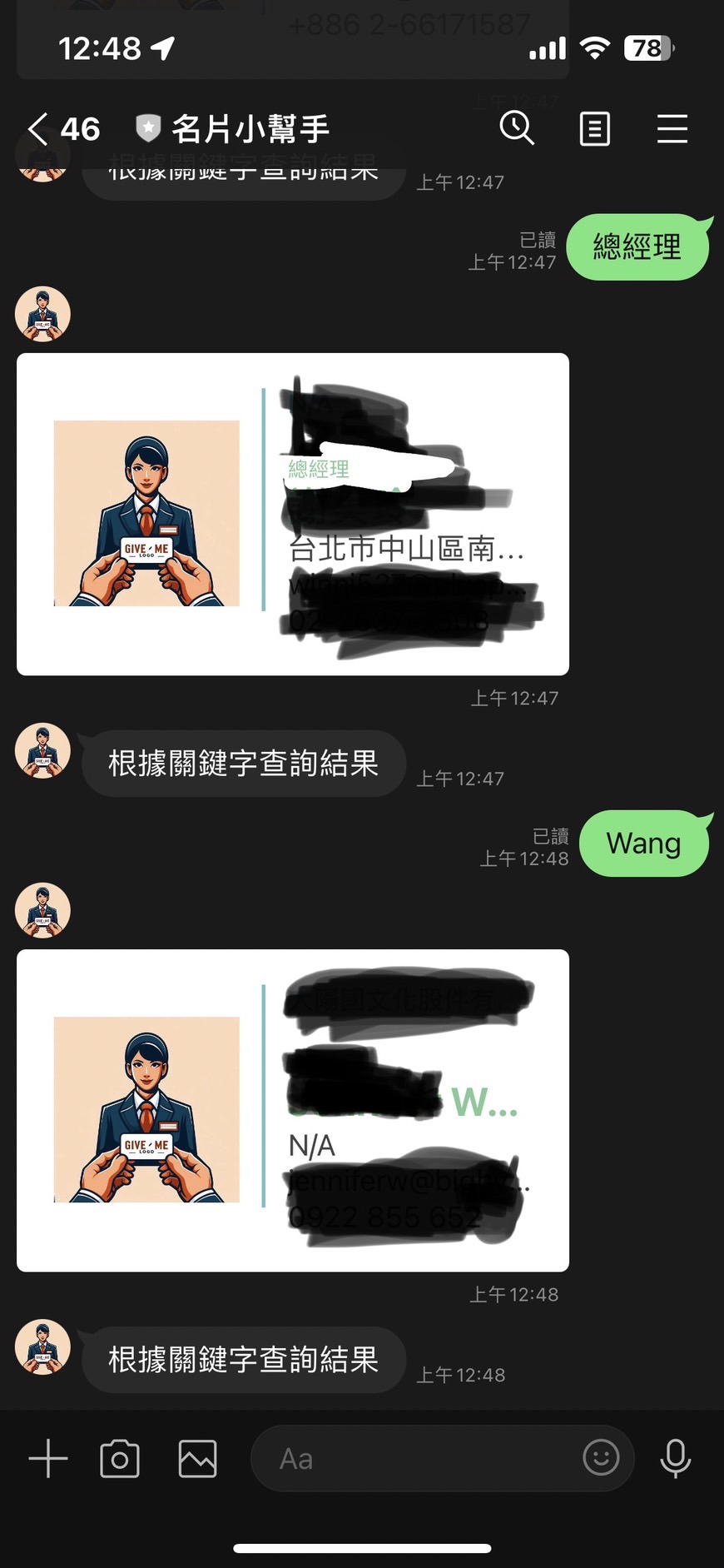
- **Add Business Card:** Directly scan the business card through the photo. No need to grab the surroundings of the business card like other business card software, and no need to wait for the corresponding.
- **Query Business Card**: Directly enter the keywords you want to search in the LINE Bot, and then it will automatically search for fields such as "Name", "Title", "Company Name", etc.
## Future Prospects:
### 1. More Intelligent Operation Process
Currently, the related packages do not have better Function Calling for Gemini Pro. I have started some architecture, and I will use Function Calling to achieve the following related functions:
- **Smart Query**: You can ask a sentence to find related business card data. (e.g. Want to find professors in academia with the surname Chen.)
- **Communication Records**: You can add a field for communication records, and you can have more related information to assist after entering the communication records.
### 2. Image Support
Currently, the original business card images are not stored. Since Notion does not open direct file uploads, this part will also consider how to handle it more smoothly in Notion.
If you have more suggestions, you are also welcome to send a Pull Request [https://github.com/kkdai/linebot-smart-namecard](https://github.com/kkdai/linebot-smart-namecard) .
# Summary:
This article introduces a LINE Bot developed with Golang and Google Gemini Pro, which can recognize business card information and organize and search it. In the future, it will also add more smart query and communication record functions to improve the efficiency of users managing business cards.
# References:
- [OpenAI ChatCompletion API](https://platform.openai.com/docs/guides/text-generation/chat-completions-api)
- [google.generativeai.ChatSession](https://ai.google.dev/api/python/google/generativeai/ChatSession?hl=en)
- [Google AI Studio API Price](https://ai.google.dev/pricing)
- [GoDoc ChatSession Example](https://pkg.go.dev/github.com/google/generative-ai-go/genai#example-ChatSession)
- [Google GenerativeAI ChatSession Python Client](https://ai.google.dev/api/python/google/generativeai/ChatSession?hl=en)
- [[Golang][Notion] How to Manipulate Notion DB as an Online Database via Golang](https://www.evanlin.com/til-golang-notion-db/)


Top comments (0)