

title: [TIL][Learning] How to Safely Transfer Your SWITCH Data to a New Console After Purchasing a SWITCH OLED Console?
published: false
date: 2021-10-07 00:00:00 UTC
tags:
canonical_url: http://www.evanlin.com/til-switch-replace-oled/
---
# Background:
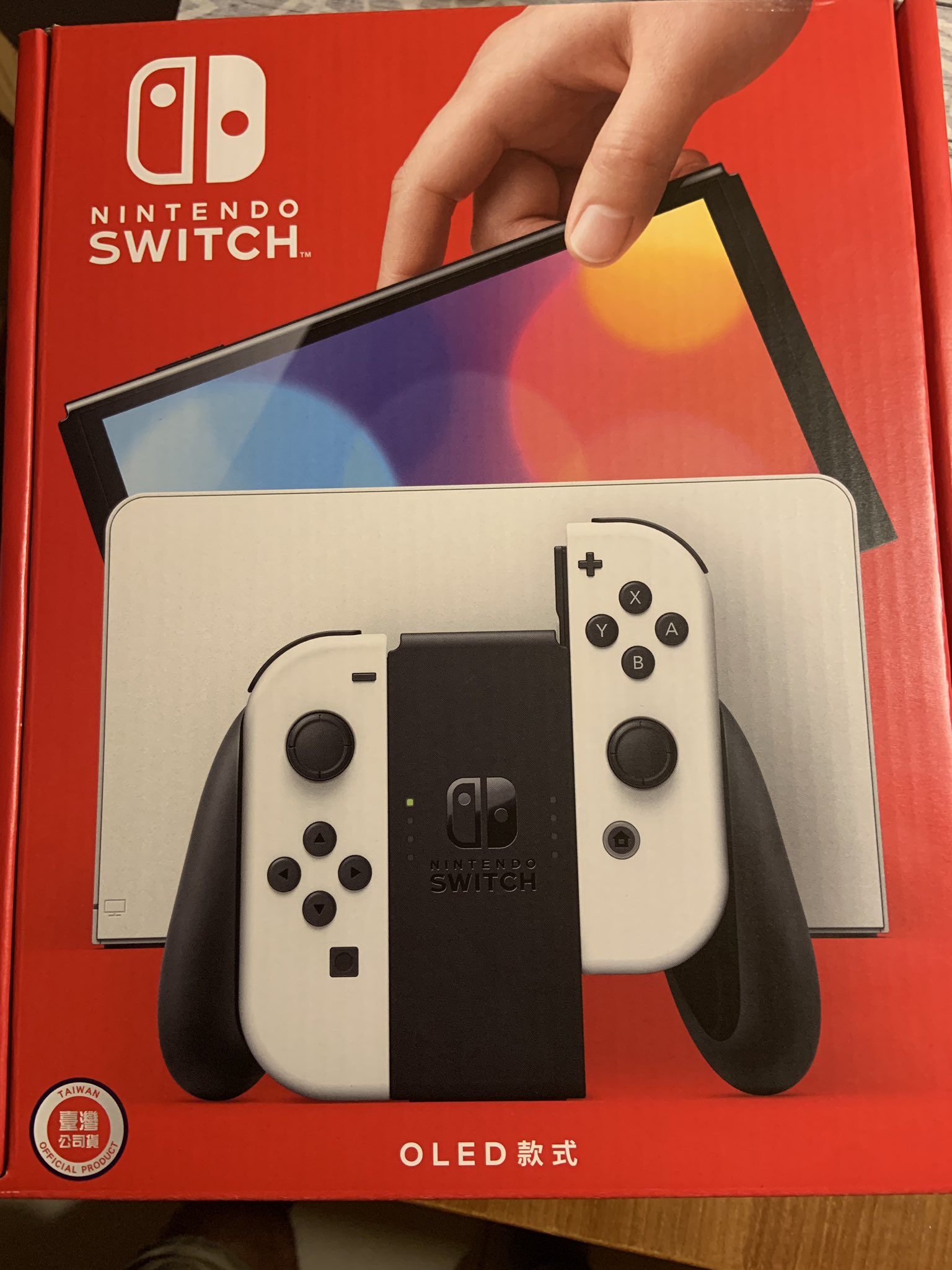
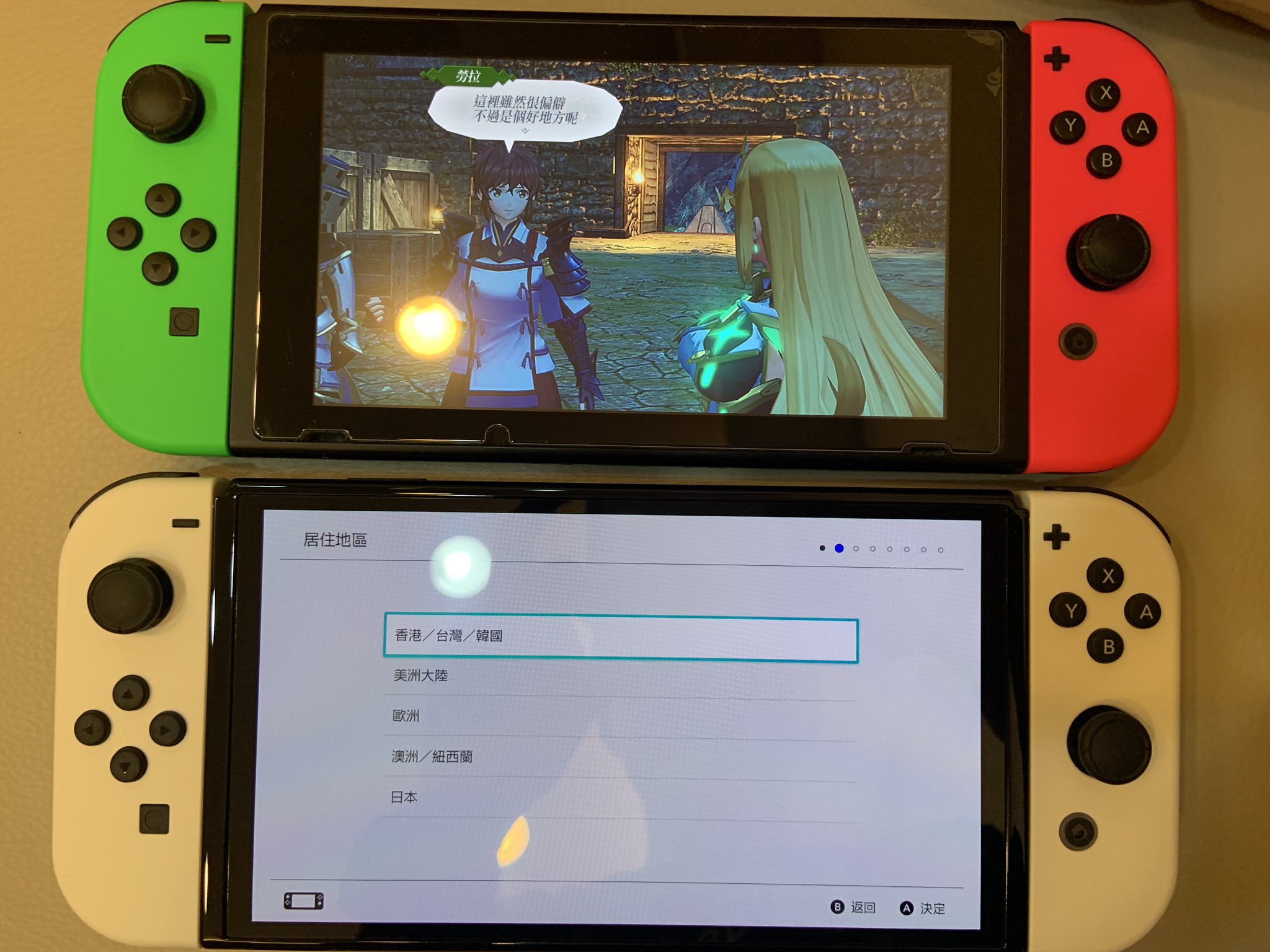
On 2021/10/08, Nintendo officially released the OLED console. Besides the larger screen, it also has a beautiful white handle style (and base). After buying it, I found that transferring data takes a bit of time, so I'll record the relevant procedures here to share with everyone.
# Data Transfer:
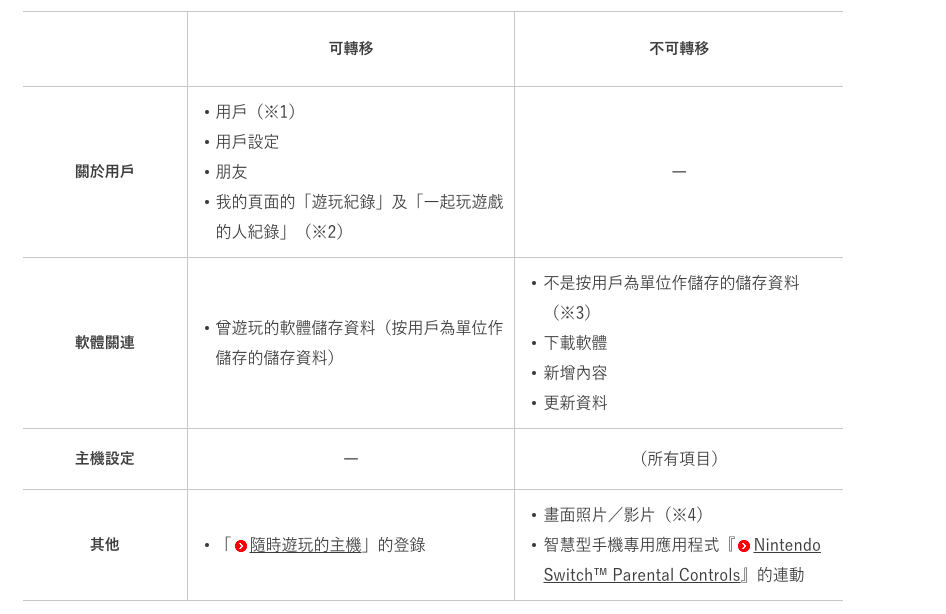
You can refer to the official website for information: [User Data Transfer and Save Data Transfer](https://www.nintendo.tw/switch/support/secondary/transfer.html)
The main data to be transferred is:
- User Information
- User Saves
- Friends
Cannot be transferred (needs to be downloaded on the new console)
- The games themselves
# User Data Transfer
Because I have many Nintendo eShop accounts (eight), it took a long time. Here's a record of the relevant procedures:
- [New Console] -> [Add User] -> [Transfer from Another SWITCH Console] (You can decide whether to keep the old one)
- [New Console] -> This time, it asks you to log in with the transferred user account and password (you also need to enter authentication)
- [Old Console] -> [Settings] -> [User] -> [Transfer User]
- Both consoles need to be plugged in and close to each other.
- Wait for the transfer to complete, then move on to the next user to be transferred.
# Old Console Data Cleanup
After all users have been transferred, you need to clean up the relevant data.
- [Old Console] -> [Settings] -> [Console] -> Clean up the SD card data. (Since game data cannot be used on the new console, remember to clean it up)
- [Old Console] -> [Settings] -> [Console] -> Initialize SWITCH
Then you can sell it.
# User Experience with the SWTICH OLED Model
## The screen is really huge
Although it's only 6.2 -> 7 inches, it feels very different when you hold it in your hand. This is due to the close-range observation factor. The colors are also incredibly beautiful.
## WIFI network speed has become faster
I initially just felt that downloading games on the new console seemed faster, but then I saw Roca's actual test.
<iframe width="560" height="315" src="https://www.youtube.com/embed/6ZBa_88cOwg" title="YouTube video player" frameborder="0" allow="accelerometer; autoplay; clipboard-write; encrypted-media; gyroscope; picture-in-picture" allowfullscreen=""></iframe>
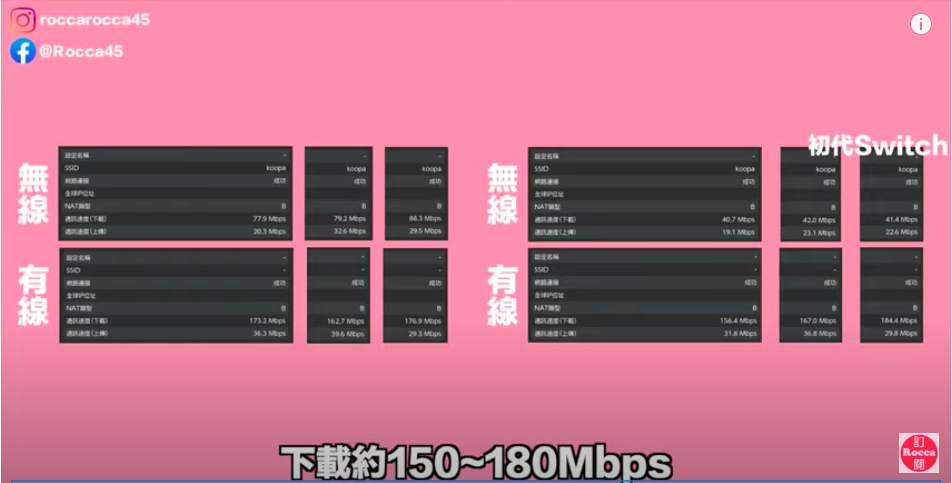
WIFI speed is about twice as fast. In addition, there are related actual tests outside.
### [WIRED Actual Test](https://www.wired.com/review/nintendo-switch-oled/)
That said, Wi-Fi speeds are surprisingly better. I regularly hit around 65/32 Mbps on the OLED and 30/29 Mbps on the original Switch.
# Conclusion:

The console is something you play with every day, and I played the previous one for nearly a thousand hours three years ago (?). With such frequent use, it's not too much to get a beautiful screen and better WIFI for yourself. After all~~~~~~
The money spent on the games doesn't even buy a few SWITCH consoles!
The money spent on the games doesn't even buy a few SWITCH consoles!
The money spent on the games doesn't even buy a few SWITCH consoles!
Ha~

# Reference

- [User Data Transfer and Save Data Transfer](https://www.nintendo.tw/switch/support/secondary/transfer.html)
- [WIRED Actual Test](https://www.wired.com/review/nintendo-switch-oled/)
- [Roca's Actual Test](https://www.youtube.com/watch?v=6ZBa_88cOwg)


Top comments (0)