


And if accessibility wasn't something you simply validate, but something the system already knows?
If context defines AI behavior, then accessibility needs to be part of that DNA from the very first prompt.
This is the simple — and necessary — premise behind A11Y.md: a configuration file that acts as the accessibility “conscience” of your project, guiding code agents to follow inclusive standards automatically and organically.
Project A11Y.md
A context system for building accessible software by default — for developers and AI, with enforceable rules aligned to WCAG.
Inspired by the CLAUDE.md file model, it is not meant to be just another best practices guide or an infinite checklist, but rather a validation protocol and a persistent context architecture for AI agents that generate code.
A11Y.md is a common abbreviation for accessibility: between the “A” and the “Y”, there are 11 letters (ccessibilit). But there’s an interesting detail: it can also be read as “ally“. An ally. And that is exactly what this project sets out to be.
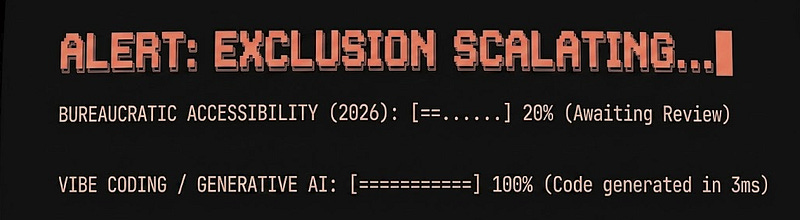
The discomfort: two parallel worlds
During a conversation about accessibility in the Community Lounge at the TDC Summit AI São Paulo 2026, where I am a coordinator, I perceived a chasm.
On one side, certification and legal compliance — necessary, but slow. On the other, vibe coding and AI generating interfaces at an absurd speed. The result?
We are scaling digital exclusion faster than ever.
The question has changed: Who is left out when the AI works, but isn’t accessible?
Reactive accessibility starts too late
Today, accessibility is treated as the final stage of the pipeline:
- You design,
- You develop (or the AI develops),
- Then, you validate.
At this pace of agents and copilots, the error has already scaled before we even open the validator. If accessibility only enters at the end, it will never reach the speed of innovation.
From checklist to a context ally
We treat accessibility as a to-do list: Is there contrast? Is there a label? But anyone working with LLMs already understands the game: the model doesn't follow rules, it follows context. Without context, the AI improvises. And improvisation in accessibility is the recipe for exclusion.
If we don’t provide the base context, the AI will prefer the visually “beautiful” path over the functionally “inclusive” one.
What the audit reveals (real examples)
To understand the impact of missing context, see what happens in interfaces that “look” correct but are unoperable.
The following examples were generated from a recent project I worked on using Figma Make and Antigravity (Gemini 3 Flash).
The code blocks with errors were already present in the project, and the improvement suggestions were generated by using A11Y.md as a reviewer:
1. The fake button
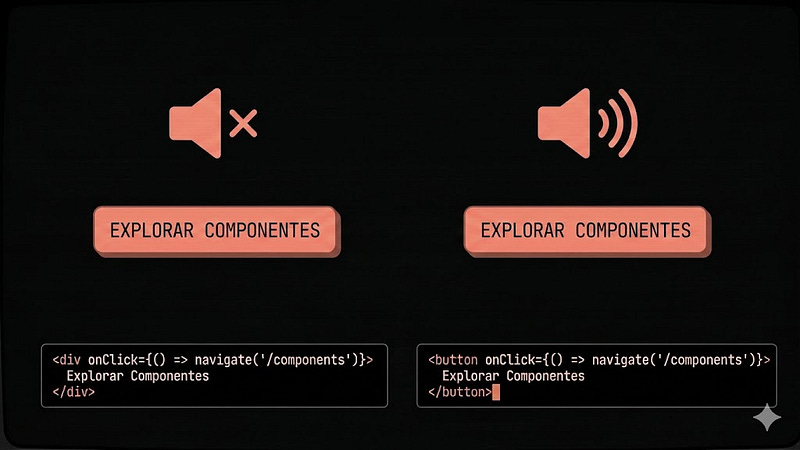
It is common to see AI generating clickable elements using div. Visually it works, but in practice, you have created an element invisible to keyboard and screen readers.
The common error (works… for mouse users)
<div onClick={() => navigate('/components')}>
  Explore Components
</div>
The problem
This element:
- Does not receive keyboard focus,
- Does not respond to Enter or Space,
- Is not announced as interactive by screen readers.
In other words: it is not a button; it only looks like one.
The contextualized correction
<button onClick={() => navigate('/components')}>
  Explore Components
</button>
Why this is better:
- Native focus,
- Automatic keyboard support,
- Semantic recognition by assistive technologies.
You didn’t add accessibility. You just stopped breaking the browser’s default behavior.
2. Typography is not aesthetics, it’s access
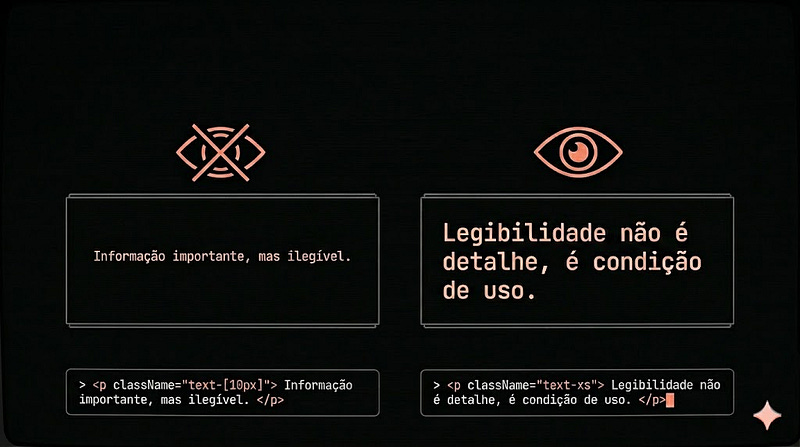
“Minimalism” often demands an invisible price: legibility. Fonts that are too small may look elegant, until you try to read them in:
- A low-light environment,
- A phone in the sun,
- Or with any level of low vision.
The error
<p className="text-[10px]">
  Important information, but unreadable.
</p>
The problem
Below 12px, you begin to significantly compromise readability. It's not a preference; it's a physiological limitation.
The correction:
<p className="text-xs">
  Legibility is not a detail, it's a condition of use.
</p>
Why this is better:
- Maintains a functional minimum for reading,
- Reduces cognitive effort,
- Avoids relying exclusively on zoom or user adjustments.
If the layout needs to be dense, the solution is to improve hierarchy and contrast.
3. Silent forms
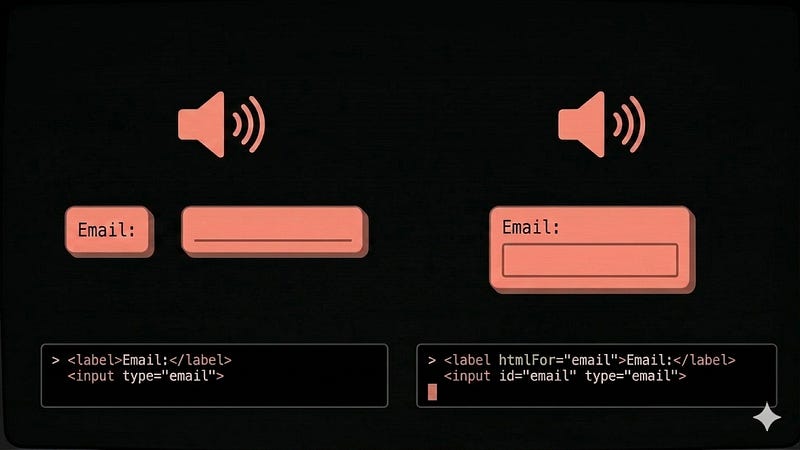
The error
<label>Email</label>
<input type="email" />
The problem
Screen readers allow direct navigation between form fields, ignoring surrounding content. When the input is not associated with the label, it loses its accessible name.
The user arrives at the field, but doesn’t know what it represents. Because for assistive technologies, visual proximity means nothing; only explicit relationships in the code matter.
The correction
<label htmlFor="email">Email</label>
<input id="email" type="email" />
Why this is better:
- Creates an explicit semantic link,
- Allows the field to be announced correctly,
- Improves form navigation.
Here, it’s not a matter of “good practice,” but about interface comprehension.
4. Feedback no one hears
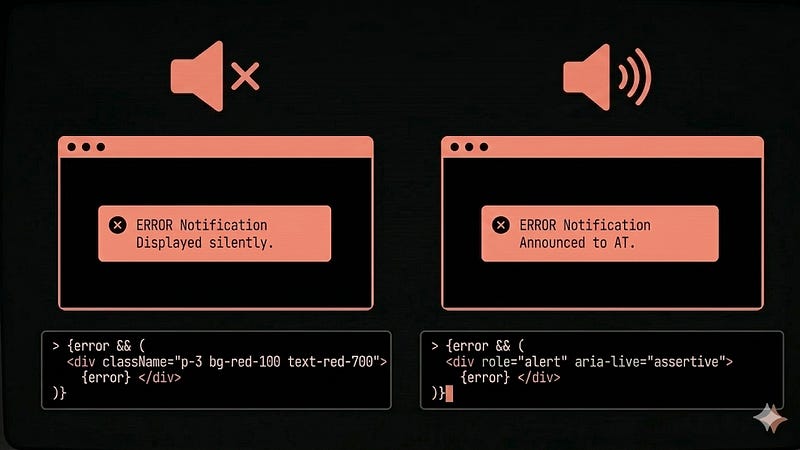
Modern interfaces are full of dynamic states: errors, successes, alerts. But there is one detail: not every visual change is perceived by assistive technologies.
The error
{error && (
  <div className="p-3 bg-red-100 text-red-700">
    {error}
  </div>
)}
The problem
The message appears on screen, but is not announced. For a screen reader, nothing happened.
The correction
{error && (
  <div role="alert" aria-live="assertive">
    {error}
  </div>
)}
Why this is better:
- Immediately informs state changes,
- Ensures errors are not overlooked,
- Maintains consistency between what is seen and what is perceived.
The A11Y.md Paradigm
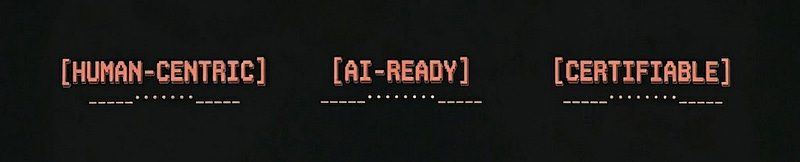
The point is not the isolated examples, but that they continue to happen because they depend on human memory in accelerated environments. A11Y.md proposes three pillars:
- Human-Centric: Focus on the user’s real autonomy.
- AI-Ready: Guidelines written to guide code agents.
- Certifiable: Rules mapped directly to the WCAG 2.2 standard.
If the code agent (or your editor in Vibe Coding mode) already “reads” in the project context that it is forbidden to use div as a button or generate text below 12px, the error ceases to be an option.
AI won’t solve (alone) accessibility
Let’s be realistic: AI won’t “solve” accessibility. Accessibility is experience. It’s the look of someone who perceives colors, the touch of someone who navigates without a mouse, the listening of someone who depends on voice.
The human remains indispensable. A11Y.md does not replace us; it guarantees that the basics are not neglected so we can focus on what really matters: the exceptional human experience.
To use A11Y.md is simple:
-
Download the rules from the official Github repository: Copy the content from the
/docs/pt-BRfolder (or the English version as a good practice) to the root of your project repository. -
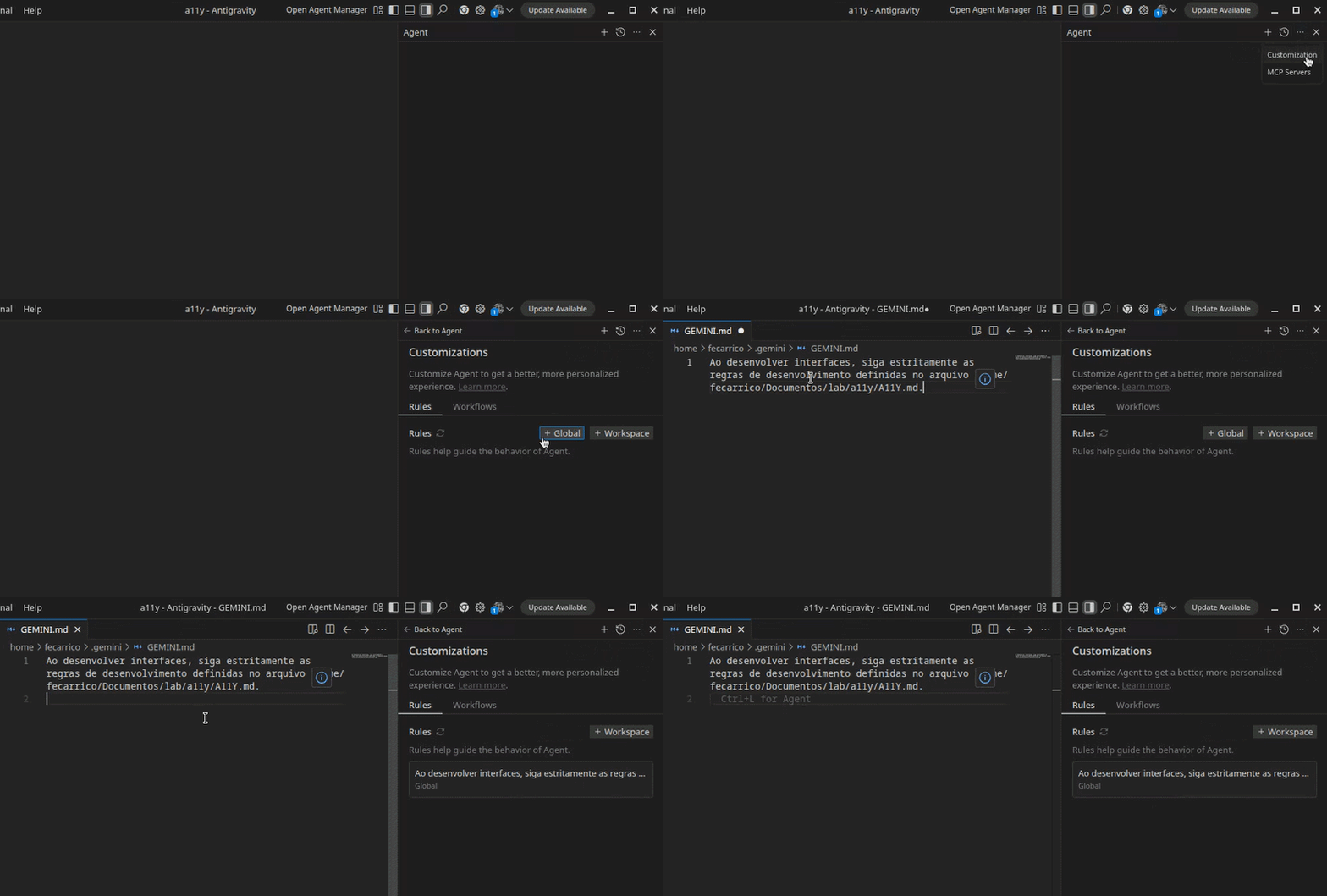
Inject into the prompt: If you use Cursor, GitHub Copilot, Claude, or Antigravity, add to your global rules file (
.cursorrules,GEMINI.md, or any other context system): “When developing interfaces, strictly follow the development rules defined in the A11Y.md file.” - Call it directly: You can also call A11Y.md at any time directly in your agent: “Analyze the project (which can be existing code or a Figma screen using MCP) using A11Y.md.”
By doing this, your development environment will know — from the beginning — that accessibility is a basic requirement in code generation.
An invitation to Open Source
A11Y.md is not just a file; it's a starting point. It can become an IDE plugin, a CI/CD pipeline, or a specialized agent. The project is open source (MIT license) because accessibility does not ask for permission; it asks for collaboration.
Accessibility cannot be a seal at the end of the process. It needs to be the restriction at the beginning.
Maybe the next step in accessibility is, finally, to become practical and accessible for those building the future, whether human or not.
References and inspirations
- Using CLAUDE.md files: Customizing Claude Code for your codebase — Claude
- ACCESSIBILITY.md— mneves75
- a11y.md — RedwoodGraphQL
- Antigravity Rules: Guide with AGENTS.md & Examples— Antigravity Codes
- Original articule in Portuguese - Felipe A. Carriço


Top comments (0)