


Requirements
- 256MB RAM
- 1 GB of disk space ( 10GB if running as a Docker container )
- Java 11 or 17
- Modern web browsers ( Google chrome, Apple safari, Mozilla Firefox, Microsoft Edge )
- Port 8080.
N.B: These requirements are good starting point for Dev and Test purposes.
Steps to install Jenkins
- It is always good to install from Jenkins official website
- Select your OS, since I am running on Ubuntu, I will select Linux
- I will be installing Java first because Jenkins require Java to run by using the following command:
sudo apt update

sudo apt install fontconfig openjdk-17-jre

java -version

openjdk version "17.0.13" 2024-10-15
OpenJDK Runtime Environment (build 17.0.13+11-Debian-2)
OpenJDK 64-Bit Server VM (build 17.0.13+11-Debian-2, mixed mode, sharing)
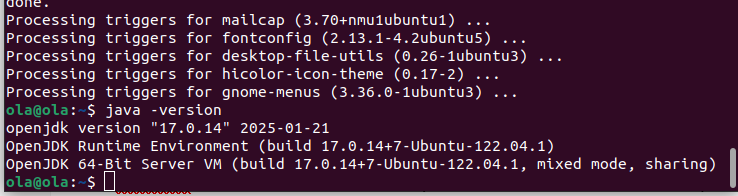
- Next is to install Jenkins by running the following command for LTS release:
sudo wget -O /usr/share/keyrings/jenkins-keyring.asc \
  https://pkg.jenkins.io/debian-stable/jenkins.io-2023.key

echo "deb [signed-by=/usr/share/keyrings/jenkins-keyring.asc]" \
  https://pkg.jenkins.io/debian-stable binary/ | sudo tee \
  /etc/apt/sources.list.d/jenkins.list > /dev/null

sudo apt-get update

sudo apt-get install jenkins
To test if Jenkins is running, use this command:
service jenkins status
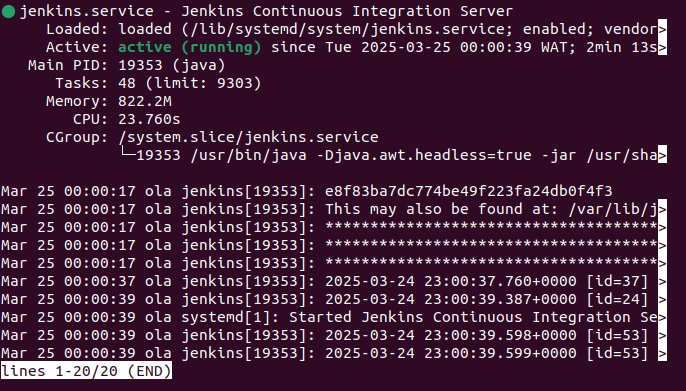
- Next is to verify Jenkins UI by visiting your browser and search for:
<your-ubuntu-server-ip-address>:8080
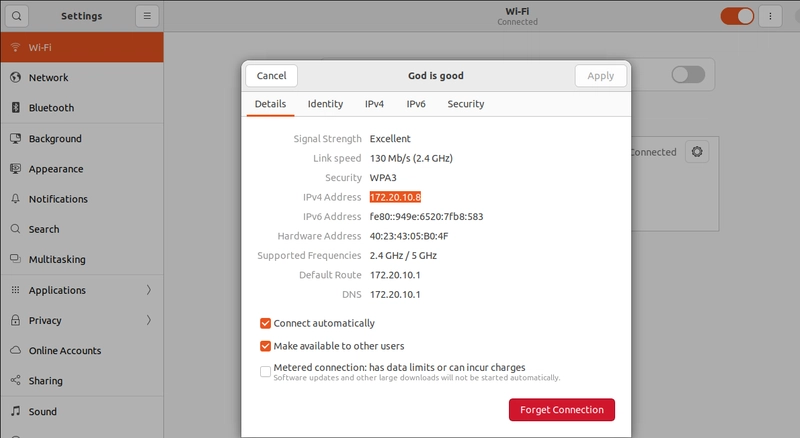
If you are using a linux, your ubuntu server ip address is located in Wifi settings.
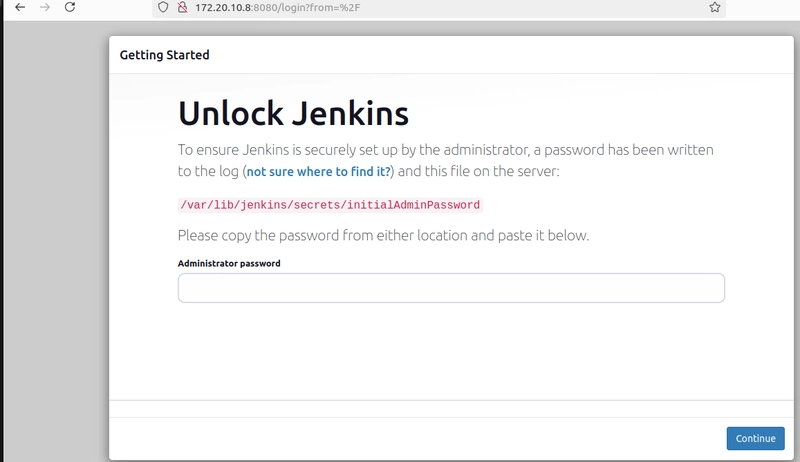
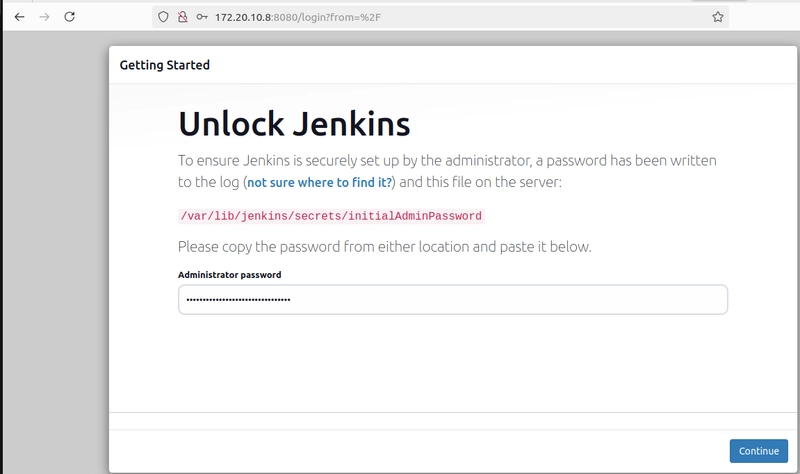
The password is located in this location: /var/lib/jenkins/secrets/initialAdminPassword.
Use cat command to view the password

Copy, paste the password and click continue
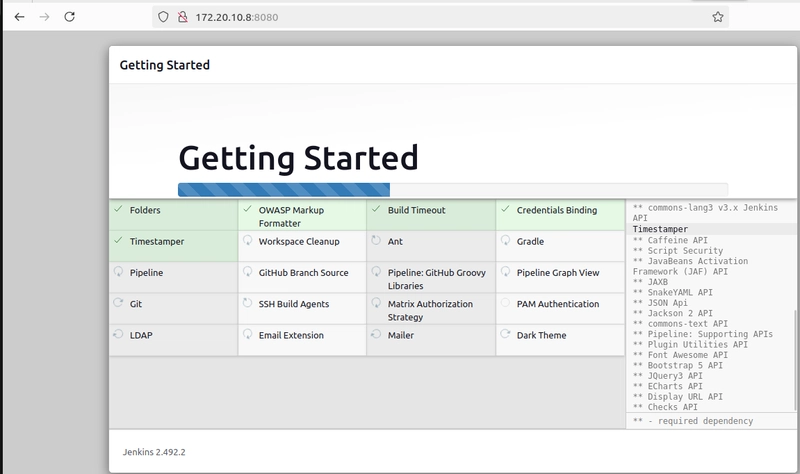
Select install suggested pluggins and wait for them to install
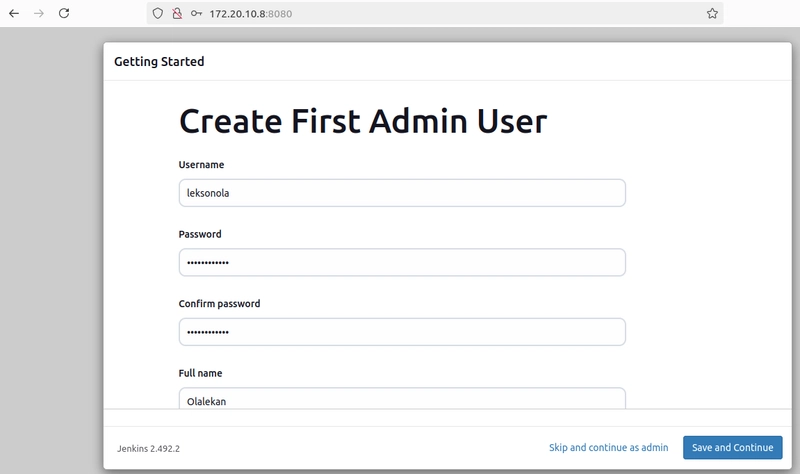
Once the installation is complete, you will be taken to Create First Admin User page, fill the required details and click save and continue
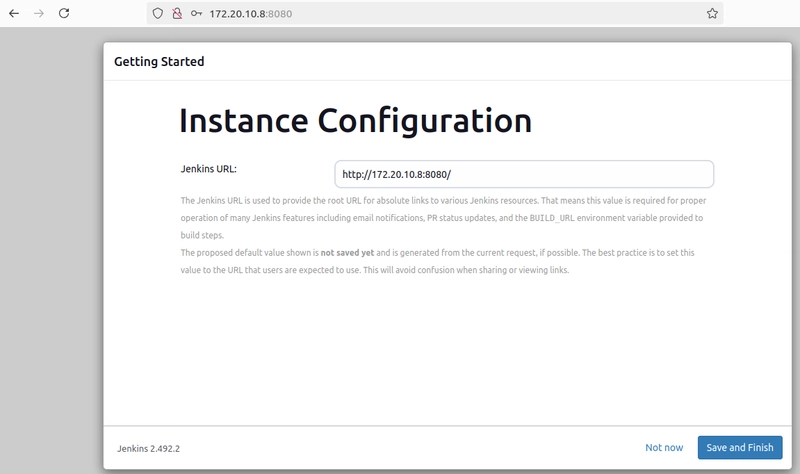
Click save and finish
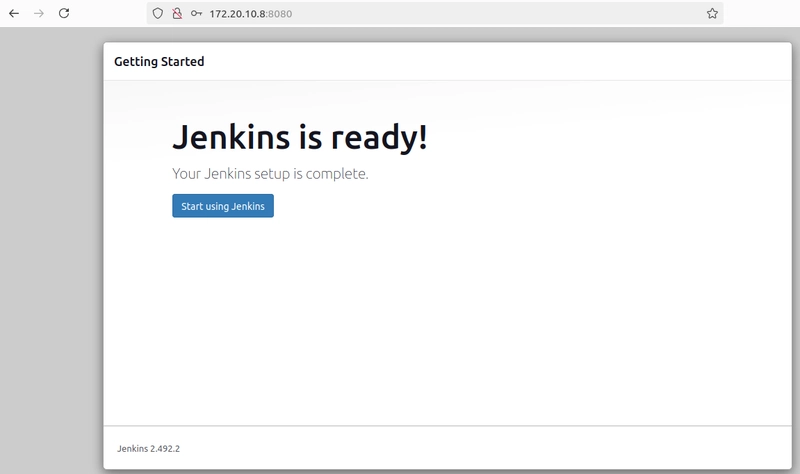
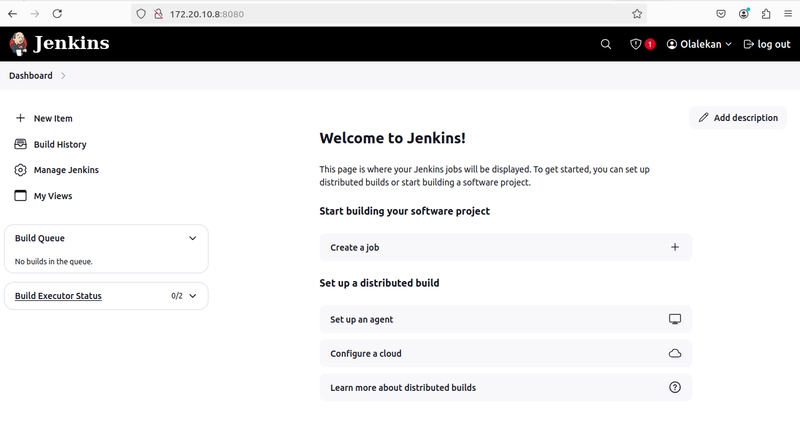
Click Start using Jenkins and it will take you to Jenkins Dashboard.
Thanks for staying till the end


Top comments (2)
I thought it would be simple to use their docker image as instant solution and indeed, if you already have docker installed then it’s great and you’ll have Jenkins up and running instantly but I got stuck at the beginning of the Jenkins setup itself with one of the config options and simply dropped the idea of using it. So first- thank you for this guide! It’s great to know there is a clear and successful way to have Jenkins usable. Have you also tried the docker way?
Thanks so much for this feedback, I haven't tried Docker way though, nevertheless I will try it out to see the differences between them. I guess the command wasn't separated and therefore look confusing, sorry about that and I am going to rectify that right away.