

Most customer-support agents remember the conversation until the conversation ends. I wanted mine to remember what happened before—and, more importantly, remember which fixes had already failed.
That idea led me to build MemorySupport AI, a customer-support agent that uses Hindsight for persistent memory.
The goal was not simply to generate better responses. I wanted to explore what changes when an AI agent can retrieve relevant customer history and use it during a later interaction.
The Problem Wasn't Just Generating Better Answers
A support agent can give a reasonable answer to a customer's current message while still missing important context from previous interactions.
For example, imagine a customer reports that PDF uploads crash the application. Support suggests clearing the application cache, but the problem continues.
If the customer contacts support again later, a stateless agent may suggest clearing the cache again.
From the customer's perspective, that is frustrating because they already tried it.
The problem is therefore not only response generation. It is also memory.
I wanted MemorySupport AI to remember:
- Previous customer issues
- Important customer information
- Troubleshooting steps that were already attempted
- Which troubleshooting steps failed
- Unresolved issues
What I Built
MemorySupport AI is a Python and Streamlit application with three main components:
- Streamlit provides the user interface.
- Groq provides the language model.
- Hindsight provides persistent long-term memory.
The basic flow is:
Customer message → Hindsight recall → Relevant memory → Language model → Response → Hindsight retain
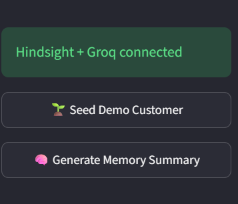
I also use Hindsight's reflect capability to generate a concise summary of the customer's support history.
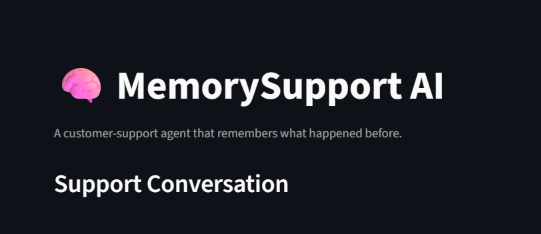
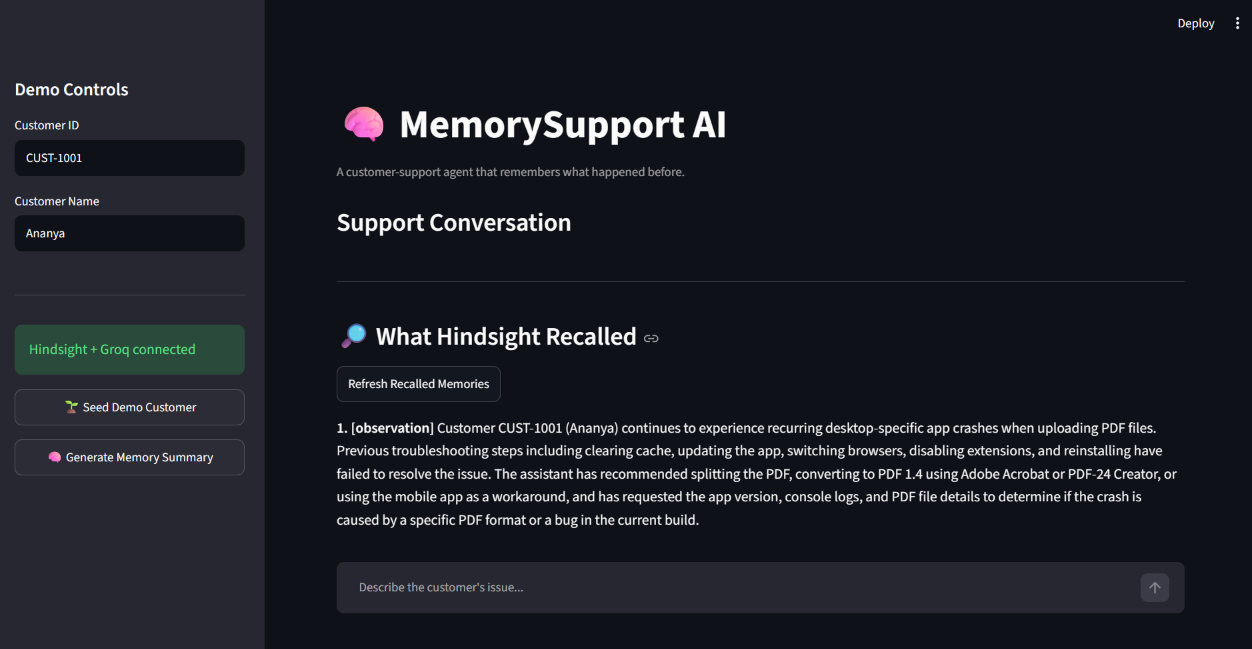
[SCREENSHOT 1: Main MemorySupport AI application]
MemorySupport AI — the Streamlit interface for context-aware customer support.
The Hindsight Integration
The most important part of the project is the memory layer.
For the demo, I seed a customer's previous support history into Hindsight.
# My AI agent remembered my mistake — so I didn't have to make it twice

Most support agents treat memory as a black box. You send a message, something happens behind the scenes, and a reply appears. When the reply is wrong, you have no idea whether the model hallucinated history, retrieved the wrong facts, or simply ignored what it was given.

I wanted the opposite. When MemorySupport AI answers a customer, I want to see exactly which long-term facts Hindsight returned before the language model ever ran. That single requirement changed how I designed the whole system.

## What the system actually does

MemorySupport AI is a Streamlit customer-support agent. A customer message triggers three steps in order:

1. Hindsight `recall` pulls relevant history for that customer and the current issue.
2. Groq generates a reply using a system prompt plus the recalled text plus recent chat turns.
3. Hindsight `retain` stores the new interaction so future turns can use it.

There is also a `reflect` path that synthesizes a short support briefing from everything stored for a customer. The UI exposes both the live conversation and a dedicated panel that lists the memories that were retrieved.

The stack is deliberately small: Python, Streamlit, [Hindsight](https://github.com/vectorize-io/hindsight) for persistent memory, and Groq for the model. Nothing exotic. The interesting part is how memory is treated as an inspectable input rather than an invisible side effect.

## The design decision that mattered

Early on I almost did the usual thing: call the memory API, concatenate the results into the prompt, and only show the final assistant message. That would have been faster to build. It also would have made debugging almost impossible.

Support memory is noisy. Names conflict. The same fact gets retained more than once. An interaction that looked useful at the time turns out to be irrelevant later. If the only signal you have is the final reply, you cannot tell whether the model is ignoring good memory, inventing history, or correctly declining to use conflicting facts.

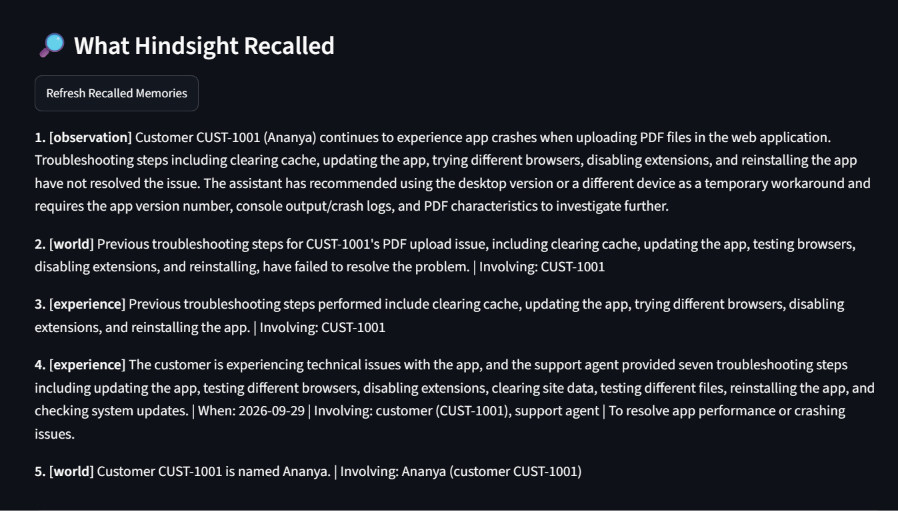
So I made the recalled memories a first-class part of the interface. After every turn (and on demand via a refresh button), the app shows a “What Hindsight Recalled” section with the actual text Hindsight returned, deduplicated and labeled by type:
python
unique_memories = []
seen = set()
for memory in memories.results:
mem_text = getattr(memory, "text", str(memory))
mem_type = getattr(memory, "type", "memory")
key = (mem_type, mem_text.strip())
if key not in seen:
seen.add(key)
unique_memories.append((mem_type, mem_text.strip()))
for index, (mem_type, mem_text) in enumerate(unique_memories[:8], start=1):
st.markdown(f"{index}. [{mem_type}] {mem_text}")
That panel is not a nice-to-have. It is the main reason I trust the rest of the pipeline. When the agent correctly skips a failed troubleshooting step, I can see that the failed step was present in the recall. When the agent avoids using a name, I can see that the name memories conflicted. The model is no longer a mystery box.

## How recall is wired

On every customer message the app builds a query that includes the customer ID and the current prompt, then asks Hindsight for a mid-budget recall:
python
recall_result = hindsight.recall(
bank_id=BANK_ID,
query=f"Customer {customer_id}: {prompt}",
max_tokens=3500,
budget="mid",
)
The results are turned into a short bullet list and injected as a second system message, separate from the behavioral instructions:
python
response_messages = [
{"role": "system", "content": SYSTEM_PROMPT},
{
"role": "system",
"content": (
"RELEVANT LONG-TERM MEMORY FROM HINDSIGHT:\n"
+ recall_text
+ "\n\nCURRENT CUSTOMER ID: "
+ customer_id
),
},
] + recent_history
Keeping memory in its own system message made the boundary explicit. The model is told, in plain language, that this block is long-term context from Hindsight and that it must not invent history when the block is empty or contradictory.

## The system prompt is the real policy layer

Memory retrieval alone does not change behavior. You still need rules for what the agent is allowed to do with what it retrieves. The system prompt is where those rules live:
text
You have access to long-term customer memory supplied below.
Use remembered facts when they are relevant to the customer's current request.
Never invent customer history.
If memories conflict, do not guess which one is correct.
...
Do not ask the customer to repeat information that is already available in memory.
Avoid repeating troubleshooting steps that memory shows have already failed.
...
If the customer's name is conflicting or unclear, do not use a name.
Those constraints matter more than the retrieval quality. Without them, a model will happily invent a consistent story from sparse or conflicting memories. With them, the agent is allowed to say “I do not have a reliable name for you” or to skip a step it knows already failed.

I learned this the hard way. Early test runs produced confident-sounding replies that used a name I had never stored cleanly, or that suggested clearing the cache again even when the failed attempt was sitting in the recall. The fix was not better embeddings. It was stricter instructions and the visible memory panel so I could catch the failures.

## Seeding history and closing the loop

For demos I seed a small, deliberate customer history so the first recall is not empty:
python
demo_memories = [
f"Customer {customer_id} is named {customer_name}.",
f"Customer {customer_id} uses Windows 11 and Chrome for work.",
f"Customer {customer_id} previously reported that PDF uploads caused the application to crash.",
f"For customer {customer_id}, clearing the application cache was tried previously and did not permanently solve the PDF upload crash.",
f"Customer {customer_id} prefers step-by-step troubleshooting instructions.",
f"Customer {customer_id} had a previous high-priority support ticket TKT-1042 about PDF upload crashes; the issue remained unresolved after cache clearing.",
]
for memory in demo_memories:
hindsight.retain(
bank_id=BANK_ID,
content=memory,
context="Customer support history",
metadata={"customer_id": customer_id, "source": "demo_seed"},
)
After every live turn the interaction is retained as well:
python
interaction = (
f"Customer {customer_id} support interaction at "
f"{datetime.now(timezone.utc).isoformat()}.\n"
f"Customer message: {prompt}\n"
f"Assistant response: {answer}"
)
hindsight.retain(
bank_id=BANK_ID,
content=interaction,
context="Customer support conversation",
metadata={"customer_id": customer_id, "source": "live_chat"},
)
The loop is intentionally simple: recall → respond → retain. There is no sophisticated conflict resolution yet. That is a deliberate trade-off. I wanted a working, inspectable memory path first. Cleanup and ranking can come later once I can see what is actually being stored and retrieved.

## Reflect as a support briefing, not a chat feature

Hindsight’s `reflect` operation is used for a different purpose. Instead of feeding the conversation, it produces a concise briefing that a human (or another agent) could read before picking up a ticket:
python
summary = hindsight.reflect(
bank_id=BANK_ID,
query=(
f"Summarize the most important support history, environment, "
f"preferences, failed troubleshooting steps, and unresolved issues "
f"for customer {customer_id}."
),
context="Prepare a concise support-agent briefing.",
budget="mid",
)
This is useful precisely because it is not the same as recall. Recall answers “what is relevant to this message?” Reflect answers “what should a support agent know about this customer right now?” Keeping those two operations separate made the architecture clearer.
## What actually changed in the conversation
The concrete test case is a returning customer whose PDF upload still crashes.
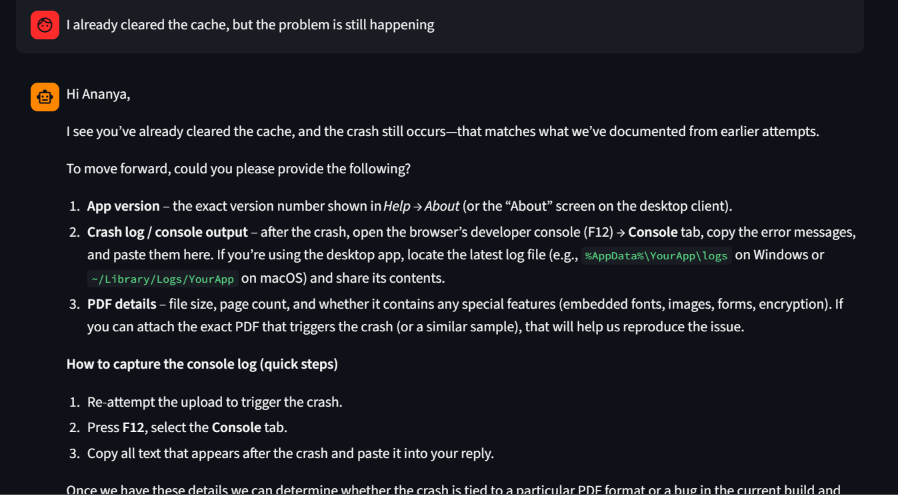
Without memory the agent asks for the OS again and suggests clearing the cache. With Hindsight in the loop the recall contains Windows 11, Chrome, the previous crash, the failed cache clear, and the preference for numbered steps. The reply acknowledges the earlier attempt and moves on. You can open the memory panel and confirm that those facts were present before the model wrote a single word.
That is the whole product difference. The agent stops treating every conversation as a fresh start because the relevant past is available, labeled, and visible.
## What I would not do again
I would not hide the memory layer. The cost of showing a few bullets is tiny. The cost of debugging a silent retrieval failure is high.
I would also not treat every retained string as ground truth. Duplicates and name conflicts appeared quickly. The system prompt already refuses to guess when memories conflict; a production version needs stronger validation and deduplication on the write path as well.
Finally, I would not collapse recall and reflect into one call. They answer different questions. Mixing them muddies both the UI and the mental model.
## Practical takeaways
- Make retrieved memory visible. If you cannot inspect it, you cannot trust or improve it.
- Keep behavioral policy in the system prompt and facts in a separate context block. Blurring the two invites invention.
- Prefer relevant retrieval over dumping the entire history. A mid-budget recall with a customer-scoped query is enough to change behavior without flooding the context.
- Failed troubleshooting steps are high-value memory. Knowing what did not work prevents the most annoying form of repetition.
- Use `reflect` for synthesis and briefings, not as a substitute for per-turn recall.
- Assume memory will be messy. Design the agent to refuse to invent rather than to force a consistent story.
MemorySupport AI is still a focused system: one bank, one customer ID at a time, a Streamlit UI, and three Hindsight operations. The useful lesson is not the stack. It is the decision to treat memory as an inspectable input instead of an invisible optimization. Once you can see what the agent remembered, you can start to care whether it remembered the right things.
## Resources
- Project repository: https://github.com/shivanimallam1234-cloud/memorysupport-ai
- [Hindsight on GitHub](https://github.com/vectorize-io/hindsight)
- [Hindsight documentation](https://hindsight.vectorize.io/)
- [What is agent memory?](https://vectorize.io/what-is-agent-memory)


Top comments (1)
Some comments may only be visible to logged-in visitors. Sign in to view all comments.