

Hello, I'm Shrijith. I'm building git-lrc, an AI code reviewer that runs on every commit. It is free, unlimited, and source-available on Github. Star Us to help devs discover the project. Do give it a try and share your feedback for improving the product.
Did you know that you can build your own custom extensions to augment Github Copilot's capabilities?For example, I've always wanted a Copilot extension to talk to my PostgreSQL databases with a query like this from my VSCode:
@dbchat List all the users with firstname, lastname and email
And let the AI compose an SQL query, interact with my DB, and return a neatly formatted table.
With Copilot Extensions something like that is totally within reach.
In this post though - we will focus on something more mundane - we will try to learn the structure of a sample Copilot extension.
A RAG Extension in Golang
Github provides a sample repository - demonstrating Copilot extension capabilities in the copilot-extensions/rag-extension.
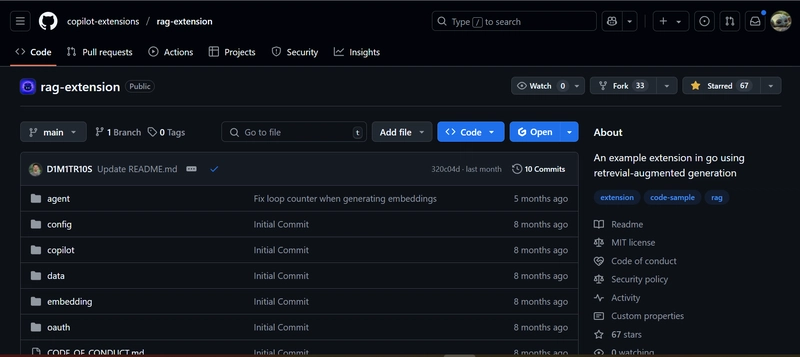
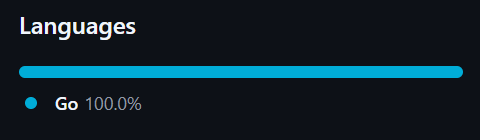
It is purely built based on Golang, so I'm a bit extra interested because I'm enjoying Golang a lot these days:
Folder Structure
Here is the entire structure of the project at a glance:
rag-extension/
├── CODE_OF_CONDUCT.md
├── LICENSE.txt
├── README.md
├── SECURITY.md
├── SUPPORT.md
├── agent
│   └── service.go
├── config
│   └── info.go
├── copilot
│   ├── endpoints.go
│   └── messages.go
├── data
│   ├── app_configuration.md
│   ├── payload_verification.md
│   ├── request_format.md
│   └── response_format.md
├── embedding
│   └── datasets.go
├── go.mod
├── go.sum
├── main.go
└── oauth
    └── handler.go

6 directories, 18 files
We have 4 markdown files in data folder - the source from which RAG is supposed to happen.
There's also a config component.
Other than these, we have 3 components of interest:
- agent
- copilot
- embedding
We will get into a high level understanding of each of these components first.
Agent Service: Orchestrate Embedding and Chat Completion
First thing to notice here is that the Agent component is a sort of an orchestrator for copilot and embedding components, since they depend on agent:
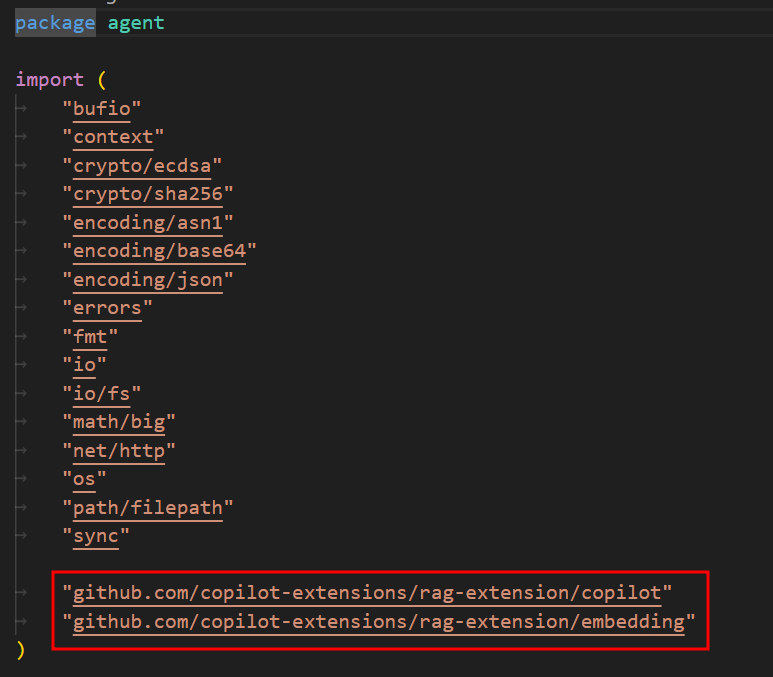
The component does a lot of assorted things such as some sort of Signature verification (security), Data validation (security, user experience), Streaming responses, Error handling, etc.
Apart from these tasks, the module does two other super important things:
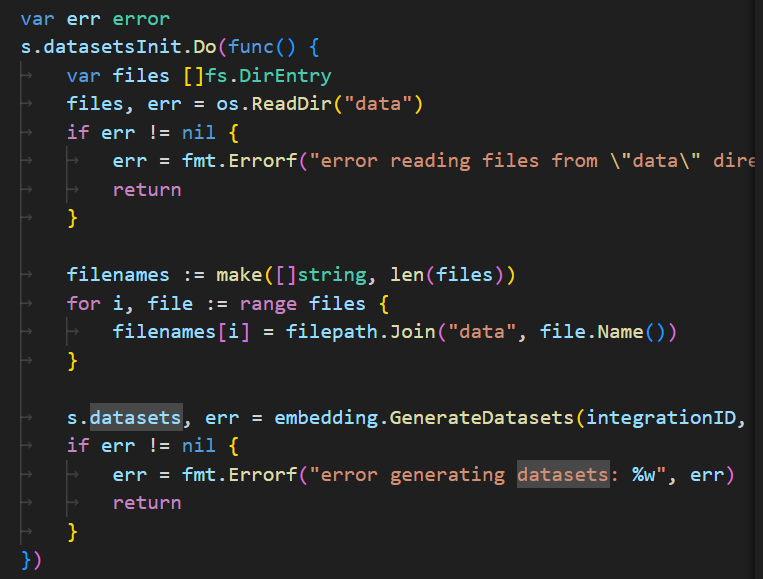
- Dataset management: : Lazily loads and generates embedding datasets from files in a data directory, using a singleton pattern to avoid redundant work.
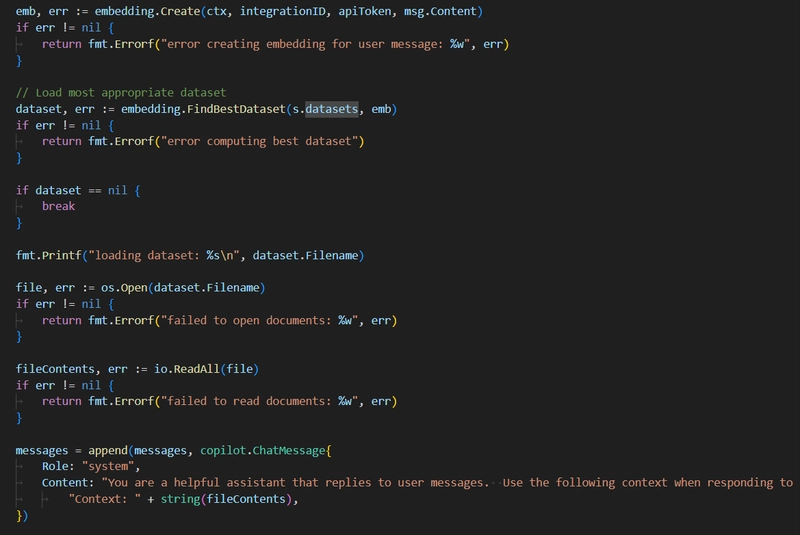
- Contextual Chat Completion: For each user message, it creates an embedding, finds the most relevant dataset, and uses its content as context for generating a chat completion.
Dataset Management
The first things we do is, populate the datasets attribute, with embeddings of the docs in data folder:
Contextual Chat Completion
In the chat completion task, all we do is:
- calculate embedding for incoming message
- compare to the embedding dataset from previous section
- find best match
- return it as context for helping the user-facing LLM formulate a response
ChatCompletion Mechanism
The file copilot/endpoints.go is what provides the key ChatCompletions mechanism.
-
ChatCompletions
- Sends a chat completion request to the GitHub Copilot API.
- Serializes the request (
ChatCompletionsRequest) to JSON. - Builds an HTTP POST request to
https://api.githubcopilot.com/chat/completionswith appropriate headers (including authorization and optional integration ID). - Executes the request and checks for a successful (200 OK) response.
- If successful, returns the response body as a stream (
io.ReadCloser) for the caller to process incrementally. - If not successful, prints the error response and returns an error.
-
Embeddings
- Sends a request to generate embeddings via the GitHub Copilot API.
- Serializes the request (
EmbeddingsRequest) to JSON. - Builds an HTTP POST request to
https://api.githubcopilot.com/embeddingswith required headers (authorization, content type, and optional integration ID). - Executes the request and checks for a successful (200 OK) response.
- If successful, decodes the JSON response into an
EmbeddingsResponsestruct and returns it. - If not successful, prints the error response and returns an error.
How they work:
- Both functions use Go’s
http.Clientto send HTTP POST requests. - They marshal the request payload to JSON and set necessary headers.
- They handle HTTP errors by printing the response body and returning a formatted error.
-
ChatCompletionsreturns a streaming response for incremental reading, whileEmbeddingsdecodes the full response into a Go struct.
Embedding Component
The file embedding/datasets.go is what enables most of the embedding capabilities. It consists of following:
-
Create
- Takes a context, integration ID, API token, and content string.
- Calls the copilot.Embeddings API to generate an embedding vector for the content.
- Returns the embedding as a slice of
float32, or an error if the API call fails or returns no data.
-
Dataset struct
- Holds an embedding vector and the filename it was generated from.
-
GenerateDatasets
- Takes an integration ID, API token, and a list of filenames.
- Reads each file, generates an embedding for its content using the
Createfunction. - Returns a slice of
Datase`` pointers, each containing the embedding and filename, or an error if any file or embedding fails.
-
FindBestDataset
- Takes a slice of
Datasetpointers and a target embedding vector. - Computes cosine similarity between the target and each dataset's embedding.
- Returns the
Datasetwith the highest similarity score, or an error if embedding lengths mismatch.
- Takes a slice of
What Next?
So we have arrived at a very high level summary of how a sample Github Copilot Extension works in this post. I will be going into further details of each of these modules in the upcoming posts. Stay tuned!
`

*AI agents write code fast. They also silently remove logic, change behavior, and introduce bugs -- without telling you. You often find out in production.
git-lrc fixes this. It hooks into git commit and reviews every diff before it lands. 60-second setup. Completely free.*
Any feedback or contributors are welcome! It's online, source-available, and ready for anyone to use.
⭐ Star it on GitHub:
 HexmosTech
/
git-lrc
HexmosTech
/
git-lrc
Free, Unlimited AI Code Reviews That Run on Commit
| 🇩🇰 Dansk | 🇪🇸 Español | 🇮🇷 Farsi | 🇫🇮 Suomi | 🇯🇵 日本語 | 🇳🇴 Norsk | 🇵🇹 Português | 🇷🇺 Русский | 🇦🇱 Shqip | 🇨🇳 中文 |

git-lrc
Free, Unlimited AI Code Reviews That Run on Commit


AI agents write code fast. They also silently remove logic, change behavior, and introduce bugs -- without telling you. You often find out in production.
git-lrc fixes this. It hooks into git commit and reviews every diff before it lands. 60-second setup. Completely free.
See It In Action
See git-lrc catch serious security issues such as leaked credentials, expensive cloud operations, and sensitive material in log statements
git-lrc-intro-60s.mp4
Why
- 🤖 AI agents silently break things. Code removed. Logic changed. Edge cases gone. You won't notice until production.
- 🔍 Catch it before it ships. AI-powered inline comments show you exactly what changed and what looks wrong.
- 🔁 Build a…


Top comments (0)