


Looking for Best CSS Frameworks in 2022? 🧐 Well, here we have listed down some of the best trending CSS frameworks so that you can get a detailed overview of various CSS frameworks at once…!!
As we all know that a CSS framework is a code library that abstracts common web designs and makes the designs easier for a developer to implement in their web apps. In simple terms, a CSS framework is a collection of CSS style-sheets that are prepped and ready to use.
Why use CSS frameworks?
- Speeds up your development
- Enables cross-browser functionality
- Enforces good web design habits
- Gives you clean and symmetrical layouts
- They make your styling workflow productive, clean, and maintainable
Besides, they’re structured for use in common situations, like setting up navbars and are often amplified by other technologies such as SASS and JavaScript. The major advantage of a proper CSS framework is, it saves your time as you don’t need to begin from scratch.
There are many CSS frameworks available, and of course, it is hard to search for the right CSS framework here and there. So, we have prepared this list of Best CSS Frameworks 2021, which will help you to get an overview of particular CSS frameworks.
With any of these frameworks mentioned in the list below; you’ll be fully equipped to build clean, maintainable projects with minimal time investment.
Best CSS Frameworks in 2022
This list is prepared carefully referring the following trusted sources:
1. Tailwind CSS: Low level, utility-first framework

Tailwind CSS is a highly customizable, low-level utility first CSS framework that gives you all of the building blocks you need to build bespoke designs without any annoying opinionated styles you have to fight to override. Unlike other CSS frameworks (Bootstrap or Materialize CSS), it doesn’t come with predefined components. Instead, it operates on a lower level and offers you a set of CSS helper classes. By using these classes, you can rapidly create custom designs easily. Tailwind CSS lets you create your own unique design.
You can also opt for any pre-built Tailwind CSS Templates to save your time.
You can check Tailwind’s Github page.
Reasons to use Tailwind:
- No default theme
- Doesn’t impose design decisions that you have to fight to undo
- Offers a head start implementing a custom design with its own identity
- Comes with a menu of predesigned widgets to build your site with

Some additional Info:
- Release date: November 2, 2017
- License: MIT
- No. of sites: 11,671
- Documentation: Good
- Core concept: Utility first, responsive
- Grid: Flexbox
- Browser Support: All modern browser
- Companies using: Setel, Livestorm, Mogic, Declik
FlyonUI - Tailwind CSS Components Library

FlyonUI is the free Tailwind CSS Components Library designed to combine the best of both worlds: the aesthetic appeal of semantic classes and the powerful functionality of JS plugins.
Under the hood, it uses the strengths of:
Tailwind CSS: A utility-first CSS framework that helps you easily build beautiful websites.
DaisyUI: adds component semantic class names to Tailwind CSS so you can make beautiful websites faster, easier, and more Maintainable.
Preline: JavaScript headless & fully unstyled Tailwind plugins for accessible, responsive UI. Enhance experiences with animations, transitions, and more.
Features:
- JS plugins Support
- Semantic Components
- 800+ Free Components & Examples
- Universal Framework Compatibility
- Unlimited Themes
- Unstyled & Accessible Plugins
- Responsive & RTL support
- Free Forever
- Beautiful and Semantic Styling
- Efficiency and Productivity
- Maintainable and Scalable
2. Bootstrap: World’s Most Popular Framework

Bootstrap is the world’s best CSS framework with large community support. This framework is built in HTML, SASS, and JavaScript. Currently, Bootstrap 4.5.0 is the latest version with more responsiveness with utility classes and new components. It is directed at the responsive, mobile-first front end development which makes it usable for any device and developer-friendly. Bootstrap supports all modern browsers. The best advantage of bootstrap is, this framework has great JavaScript components with custom files or CDN.
Bootstrap 5 Alpha has already arrived, if you want to know more about it you can check the article on Bootstrap 5 Alpha Arrived What’s new and things you need to know about it.
You can also check the bootstrap 5-based Sneat Bootstrap 5 HTML Admin template.It is the latest most developer-friendly 🤘🏻 & highly customizable✨ Admin Dashboard Template based on Bootstrap 5. Besides, the highest industry standards are considered to bring you the best bootstrap admin template that is not just fast🚀and easy to use, but highly scalable.

Furthermore, you can use one of the best innovative Bootstrap admin templates to create eye-catching, high-quality, and high-performing Web Applications. Besides, your apps will be completely responsive, ensuring they’ll look stunning and function flawlessly on desktops, tablets, and mobile devices.
Along with that, providing 10 pre-built application sneat is among the best Bootstrap templates.
Features:
- Based on Bootstrap 5
- Vertical & Horizontal layouts
- Default, Bordered & Semi-dark themes
- Light & Dark mode support
- Internationalization/i18n & RTL Ready
- Layout Generator
- Theme Config: Customize our template without a sweat.
- SASS Powered
- Fully Responsive Layout
- Clean & Commented Code
- Well Documented
- Enjoy hassle-free support
Also available in React Dashboard Version

Reasons to use Bootstrap:
- Bootstrap offers lots of examples and a pre-set layout to get you started with.
- With Bootstrap, the developers can easily stitch different components together and layouts to create a new and impressive page design.
- Many detailed documentations are provided with those layouts so that the users can understand them easily.
- Bootstrap is based on the MIT License, therefore it is free to use, free to distribute, so you can develop and you can contribute to the community as well.
- Bootstrap’s Github page GitHub consists of more than 19,000 commits and 2000 contributors.

Some additional Info:
- Release date: August 19, 2011
- Git star, Forks, Contributors: 144k, 70.2k, 2261
- Hacker News, Reddit, Stack overflow: 3.3k, 9k, 98k
- License: MIT
- No. of sites: 20,737,671
- Documentation: Excellent
- Customization: Basic GUI Customizer (need to put color values manually)
- Core concept: RWD and mobile-first
- Learning Curve: Mild
- Grid: Flexbox-based up to 12 column
- Browser Support: Latest Chrome, Safari, Firefox, Opera, Safari, Edge & IE 10+, Android v5.0+
- Companies using: Spotify, Coursera, Vine, Twitter, Walmart, and many more
Ideal for:
- A beginner who is new to CSS, as he or she can kick start Bootstrap without any hurdles.
- A developer with little knowledge of JavaScript who can still use Bootstrap components without writing a line in JS.
- A back-end developer who wants to make some UI changes even if he or she is new to both HTML and CSS.
3. Materialize CSS: A Material Design Based CSS Framework

Materialize CSS is a responsive front-end framework based on the material design with collections of UI-components with minimal effects on which users can easily attract. Materialize is fully responsive in Tablets and mobile. It is easy to learn as well as excellent documentation is provided. This framework has large community support and great positive feedback. Materialize CSS allows you to customize options with an impressive set of color collections.
Materialize Admin Templates based on Materialize CSS framework are vastly used over the world due to its responsiveness.
If you are looking for some of the free admin templates/ bootstrap templates based on material design, then you can check the materialize admin template.
Reasons to use Materialize CSS:
- The documentation page of Materialize is very comprehensive and pretty easy to start with.
- Materialize’s GitHub lists more than 3,800 commits and 500 contributors.
- Materialize’s components page includes cards, buttons, navigation, and many more added features.

Some additional Info:
- Release date: September 2011
- Git star, Forks, Contributors: 38k, 4.9k, 515
- Reddit, Stack overflow: 374, 3.2k
- License: MIT
- No. of sites: 111,481
- Documentation: Good
- Customization: Basic GUI Customizer
- Core concept: RWD,mobile-first, semantic
- Grid: XY 12- Column grid,Floted (flexbox in latest version)
- Browser Support: Chrome 35+, Firefox 31+, Safari 9+, Opera, Edge, IE 11+
- Company Using: Avhana Health, Mid Day, Architonic, and many more
Ideal For:
- It is accessible to everyone and easy to pick up quickly.
4. Material Design Lite: Light framework based on Material Design

Material Design Lite is a UI component library created with CSS, HTML, and JavaScript. It lets you add a Material Design look and feel to your websites. Besides, It doesn’t rely on any JavaScript frameworks and aims to optimize for cross-device use, gracefully degrade in older browsers, and offer an experience that is immediately accessible. You can use the components to construct attractive, consistent, and functional web pages and web apps. Pages developed with MDL will be able to support all the modern web design principles like browser portability, graceful degradation, and device independence.
The MDL component library offers new versions of common user interface controls such as buttons, text fields, and checkboxes, which follows Material Design concepts. The library also includes advanced and specialized features like cards, spinners column layouts, sliders, typography, tabs, and more. MDL is free to download and use, and may be used with or without any library or development environment (such as Web Starter Kit). It is a cross-browser, cross-OS web developer’s toolkit.
You can check Material Design Lite’s Github.
Reasons to use Material Design Lite:
- Created by Google, MDL is up to date, easy to use, has a wide feature coverage, and no external dependencies.
- An important advantage is that MDL can be used with Elm, a language of graphical user interfaces.
- MDL provides a great out-of-the-box look that may need no customization.
- With their blogging templates, Material Design Lite enables you to get a blog started in minutes.
- MDL provides a rich set of components, including material design buttons, text fields, tooltips, spinners, and many more.

Some additional Info:
- Release date: June 19, 2014
- Git star, Forks, Contributors: 31.7k, 5.3k, 345
- Hacker News, Reddit, Stack overflow: h, 197, 648
- License: Apache-2
- No. of sites: 74,521
- Documentation: Good
- Core concept: Cross-device use
- Learning Curve: Moderate
- Grid: 12: Desktop: 12 desktop, 8- tablet, 4- phone
- Browser Support: IE9, IE10, IE11, Chrome, Opera, Firefox, Safari, Chrome (Android), Mobile Safari
- Companies using: Google wallet, Google Project Sunproof, Talks at Google.
Ideal for:
- For everyone, who wants to write more productive, portable, and most importantly usable web pages as MDL essentially makes the concept accessible to pick up smoothly and with ease.
5. Bulma: Free, Open Source CSS Framework

Bulma is a responsive modern CSS framework. This framework is built-in HTML, SASS CSS prospector, and CSS flexbox. Bulma gives lots of options to customize with your requirements using sass files, web packs, and variables. Bulma is created in pure CSS., which means while using the framework all you need is one .css file and no .js.
This framework has some highly advanced features which help you to make your website more attractive and less code’s. You can use the utility’s functions to create dark and light color patterns. It has the same grids as bootstrap. Bulma allows you to add SASS Modularity. It is compatible with both Font Awesome 4 and Font Awesome 5 thanks to the .icon element.
Reasons to use Bulma:
- Bulma offers clean and simple presets which make it easy to choose as per the topics the developer wants to explore.
- Bulma provides a decent number of web components from which, one can just simply choose and use it to design as per requirements and modification.
- Bulma’s GitHub page has more than, 1000 commits and 600 contributors.

Some additional Info:
- Release date: January 24, 2016
- Git star, Forks, Contributors: 41k, 3.5k, 655
- Reddit, Stack overflow: 1.2k, 581
- License: MIT
- No. of sites: 30,987
- Documentation: Good
- Customization: Basic GUI Customizer
- Core concept: RWD, mobile-first, Modern free
- Grid: Simple building of column layout
- Browser Support: Latest Chrome, Edge, Firefox, Opera, Safari, IE 10+ (Partially supported)
- Companies using: Dev Tube, Economist, Rubrik, and many more
Ideal For:
- From beginner to pro, any developer can use it due to its simplicity.
6. Foundation: The Most Advanced Front-end Framework

Foundation is an advanced frontend CSS framework, built-in HTML, CSS, SASS, and javascript. This framework has a sass compiler with a faster way to design a website. Foundation has its own CLI to install in your pc/Laptop using specific commands and you can easily watch. Similar same file structure like bootstrap Bulma and materialize CSS. This is a mobile-first approach CSS framework with fully responsive with components.
Plenty of forums are available for supports and help to fix any type of issue quickly. Mostly this framework is used for large web applications, to make an amazing website with a starter template and to design an awesome website with an attractive user-interface. It is semantic, readable, flexible, and completely customizable. Foundation has comprehensive documentation and video tutorials on an official ZURB Foundation website.
Reasons to use Foundation:
- Foundation is the most advanced CSS framework which allows users to create large web applications and many more.
- Foundation’s GitHub page shows nearly 2,000 contributors and 17,000 commits.
- It is modular and consists mainly of Sass style sheets.
- It is updated constantly to support the newest features such as grids with flexbox support.

Some additional Info:
- Release date: November 4, 2014
- Git star, Forks, Contributors: 28.6k, 5.8k, 2045
- Reddit, Stack overflow: 1.2k, 803
- License: MIT
- No. of sites: 441,292
- Documentation: Good
- Customization: Advance GUI Customizer(for the previous version)
- Core concept: RWD and mobile-first
- Grid: Standard 12 column fluid responsive grid system
- Browser Support: Last Two Versions of Chrome, Firefox, Safari, Opera, Mobile Safari, IE Mobile, Edge and IE 9+, Android Browser 4.4+
- Companies using: Amazon, Hp, Adobe, Mozilla, EA, Disney, and many more
Ideal For:
- Professional, highly skilled developers and designers whose aim is to create a unique website and wants to customize the framework.
7. Skeleton: Extremely light framework for basic UI elements

Skeleton is a small collection of CSS files that can help you rapidly develop sites that look beautiful at any size, be it a 17″ laptop screen or an iPhone. It is a tool for rapid development. You can get started fast with CSS best practices, a well-structured grid that makes mobile consideration easy, with an organized file structure, and super basic UI elements like lightly styled forms, buttons, tabs, and more.
You can check the Skeleton’s Github page.
Reasons to use Skelton:
- Lightweight
- Responsive Grid
- Vanilla CSS
- Media queries

Some additional Info:
- Release date: May 15, 2020
- Git star, Forks, Contributors: 17.8k, 3k, 41
- Hacker News, Reddit, Stack overflow: 1.1k, 799, s
- License: MIT
- Core concept: RWD and mobile-first
- Grid: 12-column fluid grid
- Browser Support: Chrome latest, Firefox latest, Opera latest, Safari latest, IE lates
- Companies using:
Ideal for:
- Begginers, as it is the simplest framework
8. Semantic UI: Empowers designers and developers by creating a shared vocabulary for UI
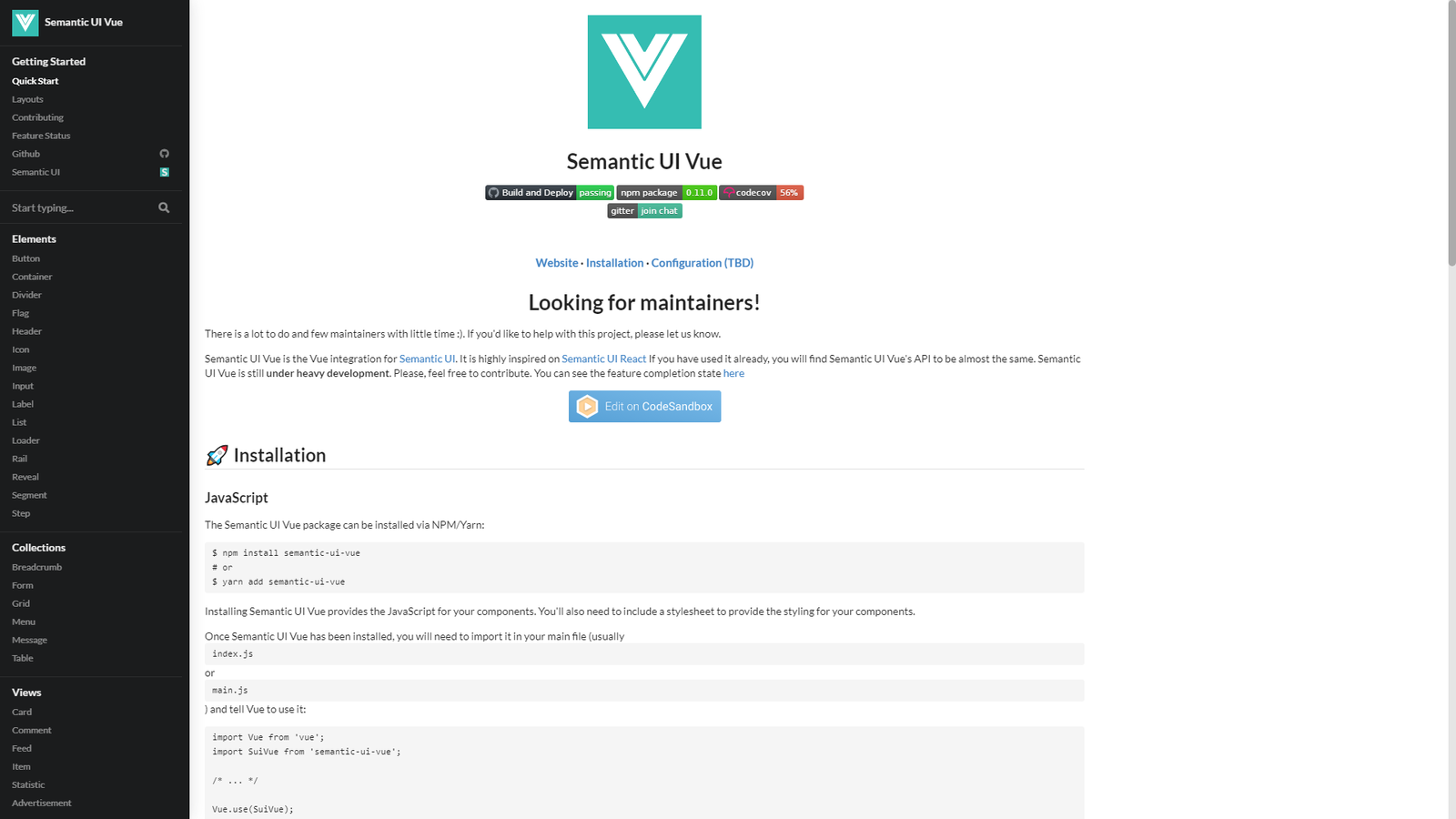
Semantic UI is built around the unique goal of creating a shared vocabulary around UI. Based on natural language principles, Semantic empowers designers and developers by making the code more readable and easier to understand. Users say Semantic UI is easy to work with and just makes sense.
Semantic UI stands out with functionality that goes beyond a CSS framework and includes simplified debugging, and the ability to define elements, collections, views, modules, and behaviors of UI elements.
You can check Semantic’s Github page.
Reasons to use Semantic UI:
- Semantic UI offers very well-organized documentation. Moreover, the framework has a separate website with guides for getting started, customizing, and creating themes.
- All Semantic UI classes are human words and coding resembles writing a regular text. This user-friendly approach makes it easier to grasp and understand the framework even for beginners.

Some additional Info:
- Release date: September 26, 2013
- Git star, Forks, Contributors: 48.4k, 5.1k, 391
- Hacker News, Reddit, Stack overflow: 1.5k, 897, 2.6k
- License: MIT
- No. of sites: 124,579
- Documentation: Good
- Core concept: Semantic tag, Ambivalence, Responsive
- Learning Curve: Mild
- Grid: Default theme: 16 columns
- Browser Support: Last 2 Versions FF, Chrome, Safari Mac, IE 11+, Android 4.4+, Chrome for Android 44+, iOS Safari 7+, Microsoft Edge 12+
- Companies using: Snapchat, ESPN, Avira Lingo.
Ideal for:
- Advanced developers, who know JavaScript well.
9. Pure CSS: A set of small, responsive CSS modules

Pure is a set of small, responsive CSS modules for all your needs. Pure’s size is incredibly small only 3.8 KB minified. Besides, if you choose to only use a subset of available modules, you’ll save even more bandwidth. It is built on Normalize.css, Pure provides layout and styling for native HTML elements, plus the most common UI components. Its minimal styles encourage you to write your application styles on top of it.
You can check the Pure CSS’ Github page.
Reasons to use Pure CSS:
- Pure’s design makes it easier to override styles. Its minimalist look gives designers a foundation on which they can build their design. That said, Pure is super-easy to customize.
- The framework is very simple. The class names are easy to remember, extend, and maintain.

Some additional Info:
- Release date: May 15, 2013
- Git star, Forks, Contributors: 21.1k, 2.2k, 105
- Hacker News, Reddit, Stack overflow: 825, 698,
- License: Yahoo
- No. of sites: 11,900
- Documentation: Good
- Core concept: SMACSS, Minimalism
- Learning Curve: Mild
- Grid: a 5ths 24ths unit based grid
- Browser Support: IE 10+, Latest Stable: Firefox, Chrome, Safari, iOS 12+, Android 6+
- Companies using: Yahoo, LastPass, Flickr, CanYouSeeMe.org.
Ideal for:
- Those who don’t need a full-featured framework but only specific components to include in their work.
10. UI kit: Lightweight and modular front-end framework

UI Kit is a lightweight, modular front-end CSS, and web UI design framework, which offers almost all the major features of other frameworks. UI kits have lots of pre-built components such as Accordion, Alert, Drop, Iconnav, animations, Padding, etc. which shows usage patterns, component options, and methods.
UI kit helps web developers to create clean and modern interfaces. It offers impressive features, especially when it comes to design, there is no competition with UI kit.
Basically, UIKit is the future of developing apps on Apple’s platforms.
Reasons to use UI Kit:
- A lightweight and modular front-end framework for developing fast and powerful web interfaces. UI Kit defines the core components such as buttons, labels, navigation controllers, and table views
- UI kit features pre-built components such as Drop, Alert, Accordion, Padding, Iconnav, animations, etc.
- It helps to develop responsive, powerful, and fast web interfaces. It consists of a comprehensive collection of CSS, HTML, and JS components.
- UI kit’s GitHub lists more than 4,000 commits.
- It is extendable, simple to customize, and easy to use.

Some additional Info:
- Release date: July 19, 2013
- Git star, Forks, Contributors: 15.7k, 2.2k, 51
- Hacker News, Reddit, Stack overflow: 139, 21, 8.2k
- License: MIT
- No. of sites: 311,897
- Documentation: Good
- Customization: Basic GUI Customizer
- Core concept: Responsive Webdesign, UX focused
- Grid: Grid, flex and width, the border between grid column
- Browser Support: Latest Chrome, Firefox, Opera, Edge & Safari 9.1,+ IE 11+
- Company Using: Crunchyroll, LiteTube, Rover.com, and many more
Ideal For:
- Professional and highly experienced developers because of the lack of available learning resources.
CONCLUSION:-
The above list gives a detailed overview of the best framework of 2021. Each framework has unique features and a variety of components which makes them preferable for your web applications. You will surely find this article useful and noteworthy, as we have covered all the major aspects of the CSS framework.
Here are some parameters you should consider for the right CSS framework:
- What sort of CSS pre-processor do you need?
- UI design preference.
- Grid system
- License
- Browser support
- Responsiveness
- Community support
Although, you yourself know what is best for you so in the end what matters is your opinion and selection. So, we hope that you find this best CSS framework list helpful and noteworthy. After going through deep research and digging we have gathered these amazing, responsive, and highly recommended CSS Frameworks suitable for your project.
Do share this with your colleagues, friends, and social media much as you can with attribution. Because sharing is caring…!! Right? 😇
We are sure that after going through this list of Best CSS Frameworks 2022 you’ll be able to choose the right one as per your requirement.
SOURCES:
- https://tailwindcss.com/
- https://getbootstrap.com/
- https://bulma.io/
- https://get.foundation/
- https://getmdl.io/
- http://getskeleton.com/
- https://materializecss.com/
- https://semantic-ui.com/
- https://purecss.io/
- http://getuikit.com/
- https://github.com/
- https://builtwith.com/a
About us
We, at ThemeSelection, provide selected high-quality, modern design, professional and easy-to-use premium and free Admin Dashboards, such as
- Bootstrap Themes
- React Dashboard
- Asp NET Core Themes
- Vue Themes
- Next JS Themes
- UI Kits
- SaaS Boilerplate.
We also offer the best Tailwind Component Library. You can also consider checking All UtilityCSS for awesome Tailwind Resources & All ShadCN for useful Shadcn Resources such as Shadcn Components.
If you are looking for free admin dashboard templates, UI kits and themes then do visit our site…!!
Written by @abhidave001
Also, don’t forget to follow us on Linkedin and Twitter for more cutting-edge web design and development-related articles and content.


Latest comments (43)
Hi.Please take a look on agilecss.com CSS framework and UI kit, it provides some unique features not available in other frameworks, for example all the common used UI elements without JavaScript.
Here are outher pure CSS frameworks:
Where is unocss?
And Fundation is dead from years now.
While everyone talking about which is better, am actually surprised at some the numbers, especially "number of sites" maybe the because of the teams I have worked with. I always thought Bootstrap was the most used, due to its popularity. Well, thanks for sharing.
The newest CSS framework now is Get Lookover,
Check out our website to use it:
get-lookover.github.io/
I do like the stats and bundlephobia research and what not. I always double check against bundlephobia though because sometimes it assumes I'm going to reference the wrong dist file.
I would say reading many of the comments there's a mix of folks that say don't use a framework at all vs. those that feel it's beneficial. I would definitely say that the grid and layout part of things should probably be learned via CSS's own flexbox and grid at this point. It's prolific and well supported and you're really just replacing it with a whole new DSL. I've heard Tailwind doesn't include a grid and I have to imagine this is because they figured, well they can just use CSS grid/flexbox for such things.
Open props is an interesting approach I've come to discover. It uses CSS custom properties similar to how a utilities framework would but seems liberating a bit. You could certainly look at that code and create your own custom custom props utilities quite easily.
I created AgnosticUI which is a component-based framework probably similar in many respects to Bootstrap as I use SMACSS or class chaining, but I sprinkle some utilities in there minimally. I had a huge Flexbox based grid abstraction that I gutted because I agree that in 2022 it's time for folks to just use platform CSS for this stuff.
Btw, we should also use logical properties! replace
margin-leftwithmargin-inline-start. If you don't know why or haven't heard of these things I strongly suggest googling it! Global writing modes for free. IE11 will EOL June 15. No need to worry about it! Embrace the platform and use CSS frameworks intelligently and only import modules you actually use or fork the project and create your own custom system. The creators will not be offended (unless you repurpose it as a framework of course lol).And lastly, of course you must learn some CSS whichever way you go but you can do it!! 💪 ⭐ 🙌
My team uses beercss.com. We are very happy with it. And it's nice for PWAs.
I'm a contributor and developed some templates here codepen.io/collection/nMNQvq
Do you like it?
Ive always found css a bit alien so upto about 4 years ago tended to be steered towards the likes of bootstrap but rightly or wrongly found myself still adding a ton of css just to make things not look a bit samey between projects. I then found skeleton and liked the way you started out with a clean slate and a basic set of styles but quickly started re-using the same css across multiple projects so came up with a boilerplate css starting point.
We have now used this on a multitude of projects and dont ever get the feeling of we are battling with a framework. Its simple and gives us a good leg up to build upon. Its not popular but might help some folks (karmacss.com).
Every project seems different and its difficult to come up with a minimal starting point without creating bloatware but this works for us..
Thank you very much for your feedback.👍
try mvp.css andybrewer.github.io/mvp/
"A minimalist stylesheet for HTML elements
No class names, no frameworks, just semantic HTML and you're done."
I personally prefer WEAVV been using it for years.
A colossal low-level utility CSS framework for crafting a beautiful and elegant user interface at an atomic level
A colossal low-level utility CSS framework for crafting a beautiful and elegant user interface at an atomic level.
Version 1.0.1
Documentation
Tools
Build
$ git clone https://github.com/weavv-css/weavv-css.git $ cd weavv-css $ npm installBuild full version,
Build minimal version,
Build file is locate in
./dist/directory.Community
Credits
Sass, NodeJs, Gulp, Normalize, PostCSS.
MIT