


description: "AI tools are fast. But in the Android ecosystem, fast + wrong = wasted hours. I built AndroJack MCP to force AI assistants to verify official docs before writing a single line of code."
tags: android, mcp, ai, kotlin
cover_image: https://androjack-web.netlify.app/og-image.png
canonical_url: https://androjack-web.netlify.app
Confidence is the most dangerous trait in an AI coding assistant.
It Started With a Healthcare App That Kept Breaking
While developing a complex, offline-first healthcare application, I found myself stuck in a relentless correction loop.
My AI assistants — Cursor, Claude, Windsurf — were exceptionally fast at generating code. But they were consistently generating the wrong code.
- ❌ Suggested Navigation 2 patterns for a Navigation 3 project
- ❌ Hallucinated Gradle coordinates that did not exist on Maven
- ❌ Used APIs removed from the Android platform years ago
- ❌ Generated
AsyncTask— removed in API 33 - ❌ Generated
TestCoroutineDispatcher— removed from coroutines-test 1.8+ - ❌ Generated
ContextualFlowRow— deprecated in Compose 1.8 - ❌ Added
android:screenOrientation="portrait"— illegal on ≥600dp under Android 16
Every session started with promise and ended with me on developer.android.com manually verifying what the AI should have checked itself.
This was not a failure of the models. It was a failure of grounding.
The Trust Crisis Is Real
I started researching the scale of this problem and found I wasn't alone.
The 2025 Stack Overflow Developer Survey (49,000 developers) confirmed a worrying trend:
84%  of developers use AI tools
29%  trust AI output accuracy  (down from 40% the year before)
35%  of Stack Overflow visits are now triggered by debugging AI-generated code
The structural flaw is simple: AI models predict tokens based on stale training data.
In the Android ecosystem — where Jetpack Compose, Navigation, and Material 3 evolve faster than model weights are retrained — memory is a liability, not an asset.
Passive prompts like agents.md or .cursorrules are not enough. They control how an AI responds. They cannot control what the AI actually knows.
What I Built: AndroJack MCP
I built AndroJack to bridge this gap.
It is an open-source Model Context Protocol (MCP) server that gives your AI assistant a live, physical connection to official Android and Kotlin documentation.
Instead of predicting from stale training memory, the AI is forced to fetch evidence before writing a single line.
 VIKAS9793
/
AndroJack-mcp
VIKAS9793
/
AndroJack-mcp
AndroJack: AI that actually knows Android. Real-time dependency tracking, modern architectures, and zero hallucinations.
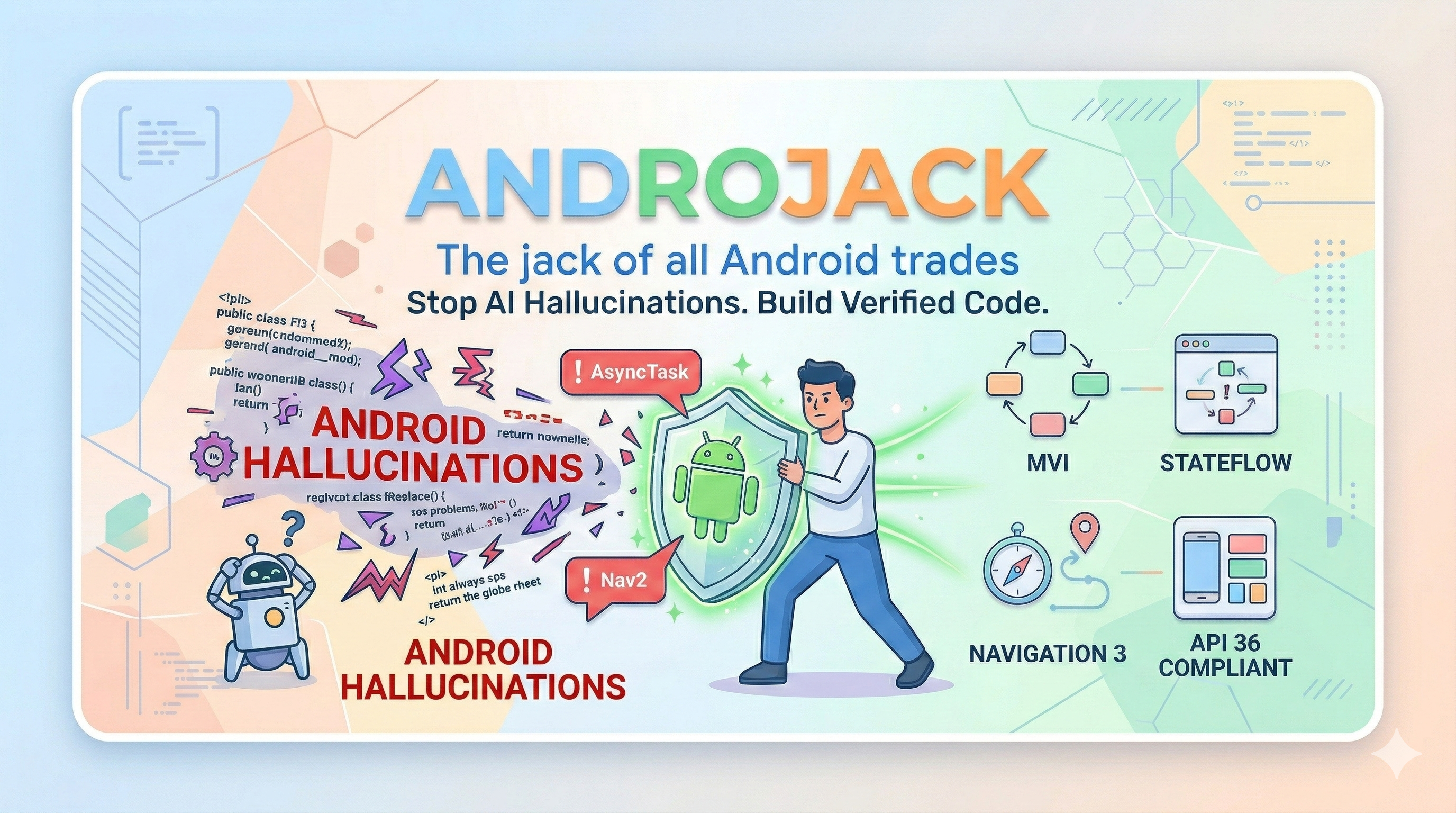
AndroJack — The Jack of All Android Trades



An MCP server that equips your AI coding assistant with live, verified Android knowledge — so it builds from official sources, not from memory.

















Also works with: Windsurf · VS Code Copilot · Google Antigravity · JetBrains AI — see Manual Config below ↓
VS Code distribution: Also live on the VS Code Marketplace as AndroJack MCP for VS Code.
PM / APM docs: Product strategy, JTBD, personas, roadmap, user stories, competitive analysis, and GTM materials live under product-management/README.md.
Table of Contents
- The Crisis That Created This Tool
- What Actually Breaks In Practice
- What AndroJack Does
- Honest Activation Model
- What Can Still Break — Even at Level 3
- Defence-in-Depth
- The Killer Argument
- The 22 Tools
- Quick Start
- Manual Config
- Ecosystem Comparison
- Security & Privacy
- Changelog
🔥 The Crisis That Created This Tool
In 2025, the Stack Overflow Developer Survey asked…
🌐 Website → androjack-web.netlify.app
📦 npm → npmjs.com/package/androjack-mcp
See It in Action
How It Works: 21 Specialized Grounding Tools
AndroJack equips your AI assistant with a complete verification toolset:
| Tool | Purpose |
|---|---|
android_official_search |
Live search across developer.android.com + kotlinlang.org |
gradle_dependency_checker |
Real-time version lookup from Google Maven + Maven Central |
android_component_status |
Is this API stable, deprecated, or removed? |
architecture_reference |
Official MVVM, UDF, modularization patterns |
android_api_level_check |
API availability by minSdk level |
kotlin_best_practices |
Idiomatic coroutines, Flow, Compose patterns |
material3_expressive |
Full M3 Expressive reference (GA on Android 16) |
android_navigation3_guide |
Navigation 3 (stable Nov 2025) — stops Nav2 hallucinations |
android_api36_compliance |
Android 16 / Play Store August 2026 mandate checker |
android_code_validator |
Loop-back gate — validates every code block before delivery |
android_kmp_guide |
Kotlin Multiplatform patterns |
android_wearos_guide |
Wear OS 5 + M3 Expressive for Wear |
android_xr_guide |
Android XR SDK (DP3, Dec 2025) |
android_ondevice_ai |
AICore + ML Kit Gen AI patterns |
android_large_screen_guide |
Adaptive layouts, WindowSizeClass, foldables |
android_testing_guide |
Unit, Compose UI, Hilt testing patterns |
android_build_and_publish |
R8, signing, Baseline Profiles, Play publishing |
android_scalability_guide |
Paging 3, offline-first, modularization |
android_permission_advisor |
Runtime permissions + ActivityResultContracts |
android_play_policy_advisor |
Play Store policy (October 2025 changes) |
android_debugger |
Stacktrace diagnosis grounded in official sources |
The Grounding Gate: Two Levels of Enforcement
Level 1 — The Suggestion
Tools are available. The AI can use them when it feels uncertain.
Helpful, but still leaves room for overconfidence.
Level 2 — The Guarantee ⭐
Using the androjack_grounding_gate system prompt, you mandate a Verify-Before-Write loop. Every task type is mapped to a required tool call:
Before ANY Android or Kotlin code:

1. SEARCH      → android_official_search
2. VALIDATE    → android_component_status  (every API class)
3. ARCHITECTURE → architecture_reference
4. DEPENDENCIES → gradle_dependency_checker (every library)
5. API LEVEL   → android_api_level_check
6. PATTERNS    → kotlin_best_practices
7. DEBUG       → android_debugger          (for stacktraces)
8. VALIDATE OUTPUT → android_code_validator (every code block)
No code reaches the user without passing through the gate.
The Loop-Back Validator (Level 3)
android_code_validator is the final safety net — a 24-rule validation engine that inspects every code block before it reaches the user:
Verdict: PASS / WARN / FAIL

Catches:
❌ AsyncTask              → removed API 33
❌ TestCoroutineDispatcher → removed coroutines-test 1.8+
❌ ContextualFlowRow      → deprecated Compose 1.8
❌ GlobalScope.launch     → coroutine leak
❌ NavController in new code → use Navigation 3
❌ screenOrientation lock → illegal Android 16 / ≥600dp
❌ runBlocking on UI thread → ANR risk
❌ kapt in new code       → use ksp
If verdict is FAIL — the AI fixes all violations and re-runs before the user ever sees the output.
Get Started in 60 Seconds
Install into any MCP-capable IDE with a single command:
npx androjack-mcp@1.6.4 install
The interactive installer auto-detects your IDEs and writes the config:
✔ System scan complete.

IDE Detection Results:
◉  Claude Desktop     detected, not configured
◉  Cursor             detected, not configured
○  Windsurf           not found
◉  VS Code (Copilot)  detected, not configured
◉  Google Antigravity detected, not configured

◆  AndroJack MCP  Installer
◆  Select installation mode:
   ▸ Auto-install to all detected IDEs  [Recommended]
     Pick specific IDEs
     Show manual config snippet
Manual Config (if you prefer)
Claude Desktop / Cursor / Windsurf / JetBrains:
{
  "mcpServers": {
    "androjack": {
      "command": "npx",
      "args": ["-y", "androjack-mcp@1.6.4"]
    }
  }
}
VS Code (/.vscode/mcp.json):
{
  "servers": {
    "androjack": {
      "type": "stdio",
      "command": "npx",
      "args": ["-y", "androjack-mcp@1.6.4"]
    }
  }
}
What's New in v1.6.4
This release addresses three areas discovered during the first real-world adoption wave:
🔴 CLI Routing Fix (Critical)
The install wizard was unreachable across all invocations — every subcommand fell through silently to the stdio server instead.
# All of these incorrectly started the server in v1.6.1:
npx androjack-mcp install
npx androjack-mcp --help
npx androjack-mcp --version

# All fixed in v1.6.4 ✅
Root cause: index.ts entry point never read process.argv before defaulting to server start. The install and serve handlers existed as separate entry points but were never routed to.
🟡 IDE Detection UX Improvement
Kiro and JetBrains/Android Studio now surface a clearer status when installed but MCP is not yet configured — instead of silently showing not found.
Before: AWS Kiro  not found
After:  AWS Kiro  detected (MCP not yet configured — launch IDE once to initialize)
🟢 Security Hardening
- Updated
@modelcontextprotocol/sdkto latest - Resolved all npm audit findings
- Improved exception handling across tool handlers
- Added input validation checks on all tool entry points
- Improved dependency hygiene
Security score: 10.0 / 10.0 on MCP Marketplace scanner — zero known CVEs, verified package integrity.
Early Traction (First Launch Cycle)
AndroJack was distributed across four developer channels simultaneously:
📦 npm Registry          → 240 weekly downloads
🧩 VS Code Marketplace   → 59 installs
🔍 MCP Registries        → 115K+ discovery exposure
📊 Registry Ranking      → Top 300 MCP tools, upward movement
Conversion signal: The VS Code Marketplace showed a 163% conversion rate — meaning more installs happened directly from IDEs than from Marketplace page visits. This indicates community-driven word-of-mouth distribution, not search-driven discovery.
The Negative Constraints (What It Refuses to Generate)
One of the most useful features is what AndroJack prevents. These are hard prohibitions enforced at the system prompt level — the AI cannot generate these without explicit user override:
Universal (all targets):
-
AsyncTask— crashes on API 33+ -
TestCoroutineDispatcher— breaks CI on coroutines-test 1.8+ -
GlobalScope.launch/GlobalScope.async— coroutine leaks -
ContextualFlowRow/ContextualFlowColumn— deprecated Compose 1.8 -
startActivityForResult()— useregisterForActivityResult() -
IntentService— deprecated API 30 -
runBlocking {}on UI/main thread — ANR
New Compose projects:
-
NavController/NavHost— use Navigation 3 -
MutableLiveData— useMutableStateFlow -
kapt— useksp
targetSdk ≥ 36 (Android 16 / Play Store August 2026 mandate):
-
android:screenOrientation="portrait"— illegal on ≥600dp -
android:resizeableActivity="false"— illegal on ≥600dp
Why MCP Is the Right Architecture for This
MCP (Model Context Protocol) — open-sourced by Anthropic in late 2024 — gives AI assistants a standardized way to call external tools and retrieve live data during a conversation.
This is precisely what grounding requires:
Without MCP:
User prompt → Model predicts from training memory → Code output

With AndroJack MCP:
User prompt → Model calls android_official_search
           → Model calls gradle_dependency_checker
           → Model calls android_component_status
           → Model calls android_code_validator
           → Verified code output
The AI becomes an evidence-based engineer, not a pattern predictor.
What's Coming Next
- v1.7.0 — Expanded IDE detection (process-level detection, not config-directory-only)
- Community tool contributions — PR-based tool additions
-
HTTP transport mode — for team-shared MCP instances (already in
servesubcommand)
Try It
npx androjack-mcp@1.6.4 install
🌐 androjack-web.netlify.app
💻 github.com/VIKAS9793/androjack-mcp
📦 npmjs.com/package/androjack-mcp
If you're an Android developer using AI-assisted workflows, I'd genuinely love your feedback — especially on which hallucinations you're hitting most often. Every real-world bug report shapes the next iteration.
"You are an evidence-based Android engineer, not a pattern predictor. Your value is not in knowing Android — it is in verifying Android before writing a line."
— AndroJack Grounding Gate system prompt


Top comments (0)