


The Problem
I’ve tried almost every "New Tab" extension out there. They usually fall into two categories:
- Bloated: Takes 2 seconds to load because it's fetching data from 5 different APIs.
- Cluttered: Filled with motivational quotes, random wallpapers, or ads I didn't ask for.
I wanted something instant, keyboard-first, and private. So, I built DevDash.
The Tech Stack: Bleeding Edge
I didn't just want to build an extension; I wanted to experiment with the latest tools in the ecosystem. Here is the stack I chose and why:
-
Svelte 5 (Runes): I used the new Runes syntax (
$state,$effect,$props) for everything. It makes reactivity incredibly explicit and removes a lot of the "magic" from Svelte 4. - Tailwind CSS v4: Yes, v4. It’s faster, has zero configuration (CSS-first), and integrates seamlessly with Vite.
- SvelteKit + Vite: Used for the build pipeline to compile everything down to a static, zero-runtime-overhead extension.
-
TypeScript: Strict mode enabled. No
anyallowed.
Feature Highlights
1. Zero Latency
Because Svelte compiles to vanilla JavaScript, there is no heavy runtime. The new tab loads instantly.
2. The Command Palette (Omnibar)
I’m a Vim user, so I hate reaching for the mouse. The central Omnibar lets you:
- Search Google (
g <query>) - Search GitHub (
gh <repo>) - Open localhost ports (
l 3000->localhost:3000) - Navigate history with
↑/↓
3. Privacy First
Everything is stored in chrome.storage.local. No analytics, no tracking, no external API calls unless you explicitly ask for them (like the Weather widget).
🛠️ Under the Hood: Svelte 5 Runes
If you haven't tried Svelte 5 yet, here is a snippet from my Clock.svelte component. Look how clean the state management is:
<script lang="ts">
  let time = $state(new Date());

  $effect(() => {
    const interval = setInterval(() => {
      time = new Date();
    }, 1000);

    return () => clearInterval(interval);
  });
</script>

<div class="font-mono text-6xl">
  {time.toLocaleTimeString()}
</div>
No more onMount, no more imports for lifecycle hooks. Just standard JS with $effect.
🎨 Tailwind v4 Configuration
One of the coolest parts of this project was using Tailwind v4. I didn't need a tailwind.config.js. Everything is configured directly in CSS:
@import "tailwindcss";

@theme {
  --color-bg-primary: #0d1117;
  --color-accent: #58a6ff;
  --font-mono: "JetBrains Mono", monospace;
}
Roadmap & Contributing
This project is fully open source. I’m currently working on:
- [ ] Firefox/Edge support
- [ ] A plugin system for custom widgets
- [ ] Cloud sync (optional)
🤝 Call for Contributors
I built the core of DevDash, but I want this to be the ultimate developer dashboard—and I can't build every widget alone.
If you are looking for a project to contribute to (or just want to play with Svelte 5 runes), this is a great place to start.
Here is what I need help with right now:
1. Build New Widgets 🧩
The widget system is modular. I’m looking for community contributions for:
- Crypto/Stocks Ticker: A simple price watcher.
- Hacker News Feed: A minimal list of top stories.
- Todoist/Notion Integration: Sync tasks via API.
- System Monitor: CPU/Ram usage (using Chrome System API).
2. Browser Support 🌐
Currently, the build pipeline targets Chrome. I need help testing and tweaking the manifest.json for:
- Firefox (Gecko)
- Microsoft Edge
- Brave
3. Internationalization (i18n) 🌍
I want DevDash to be accessible to everyone. Setting up a lightweight translation layer would be a huge win.
💡 How to Start
I’ve tagged a few issues as good first issue on the repo.
- Fork the repo.
- Run
pnpm install && pnpm dev. - Create a new file in
src/lib/components/widgets/. - Open a PR!
Check out the Issues tab here: Issues
If you want to see how a Svelte 5 app is structured in production or just want a faster new tab page, check out the repo!
🔗 GitHub Repo:
 Zayan-Mohamed
/
dev-dash
Zayan-Mohamed
/
dev-dash
A zero-latency, keyboard-first Chrome Extension that replaces your new tab with a developer-focused dashboard built with Svelte 5 and Tailwind CSS v4.

A Zero-Latency Developer New Tab Extension








Replace your Chrome new tab with a blazing-fast, keyboard-first developer dashboard
Features • Screenshots • Installation • Usage • Development • Tech Stack • Changelog
📸 Screenshots
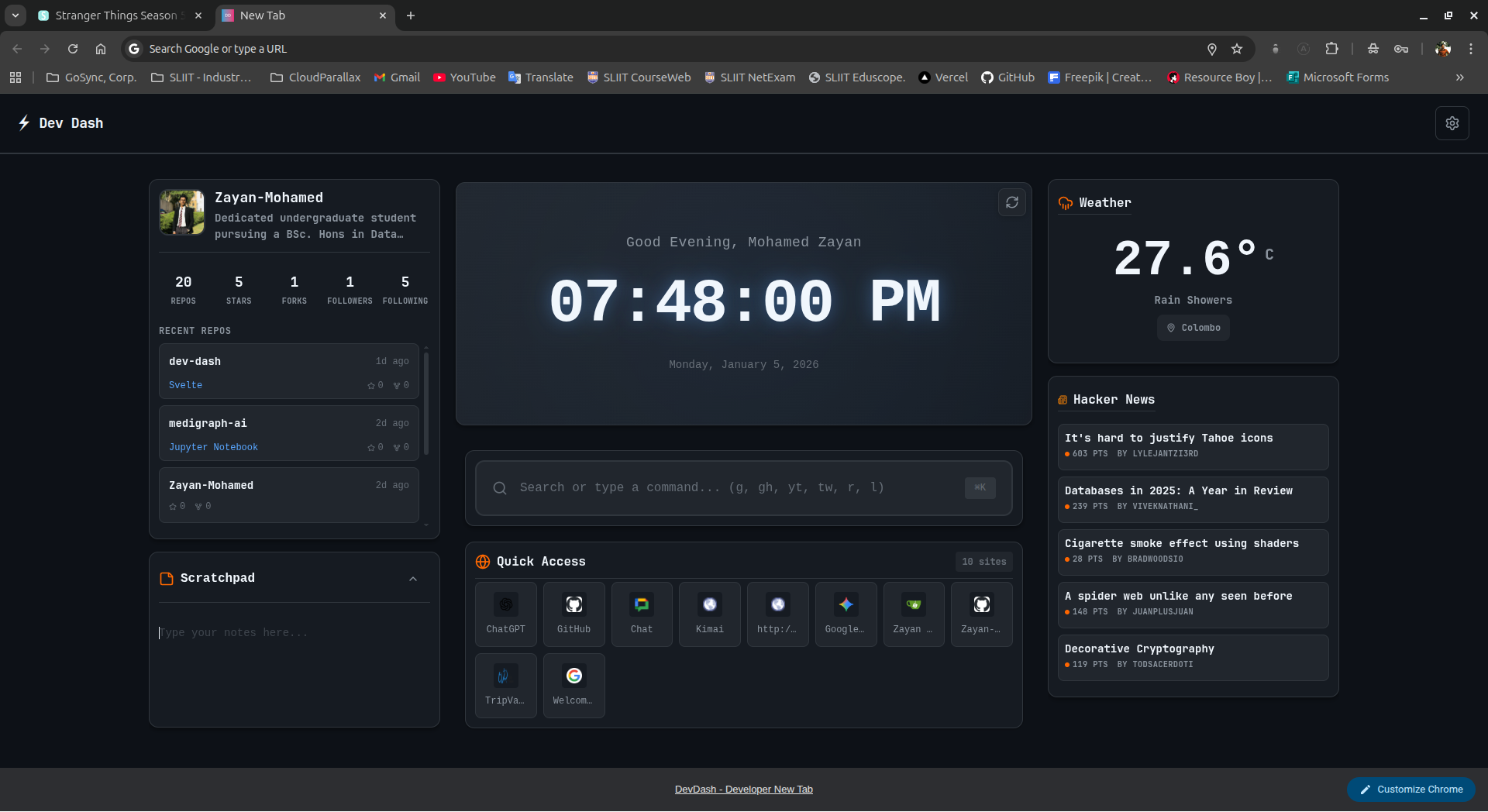
Main dashboard with clock, top sites, and omnibar
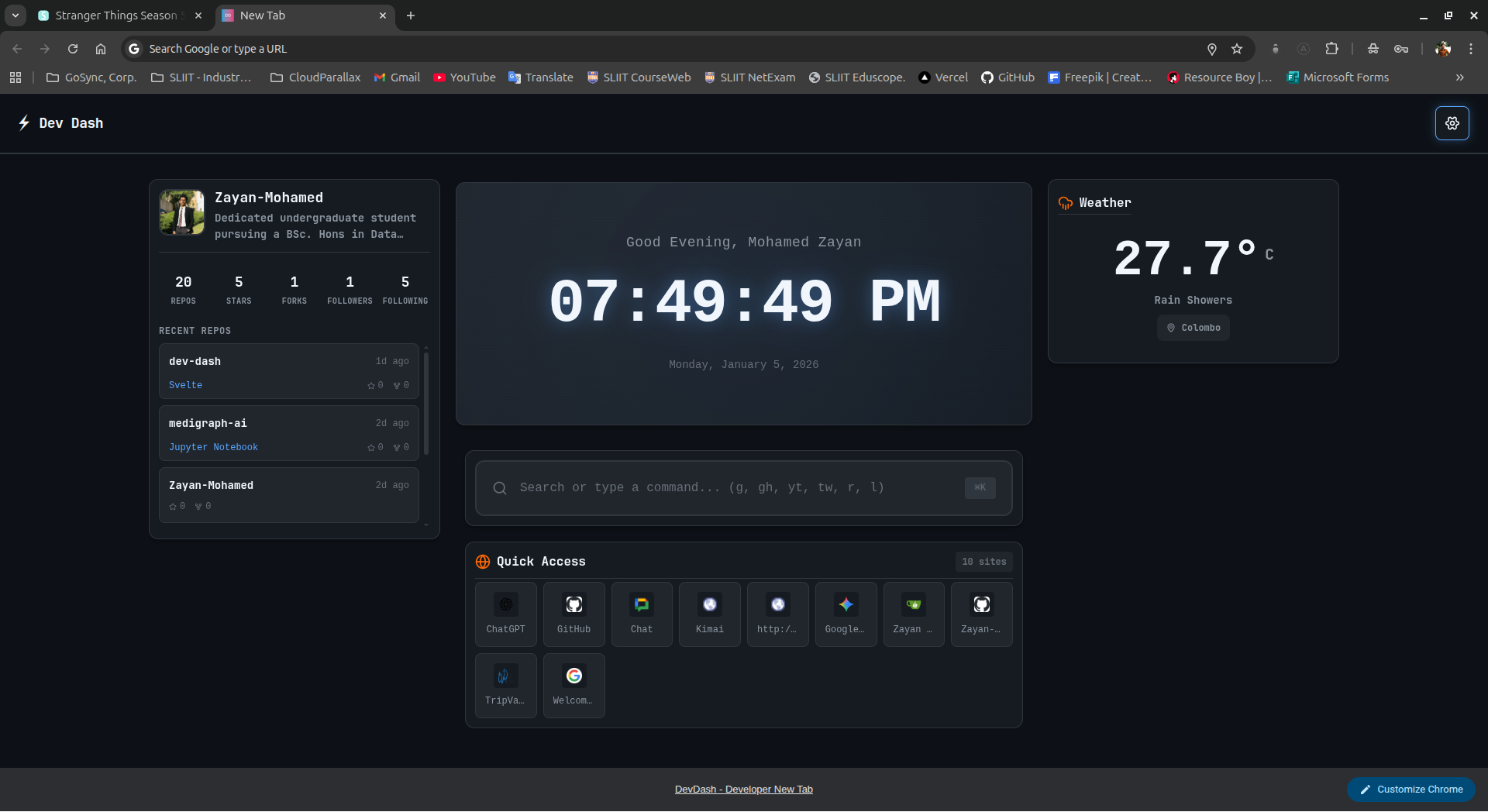
Optional widgets: Pomodoro, Notepad, Weather, and more
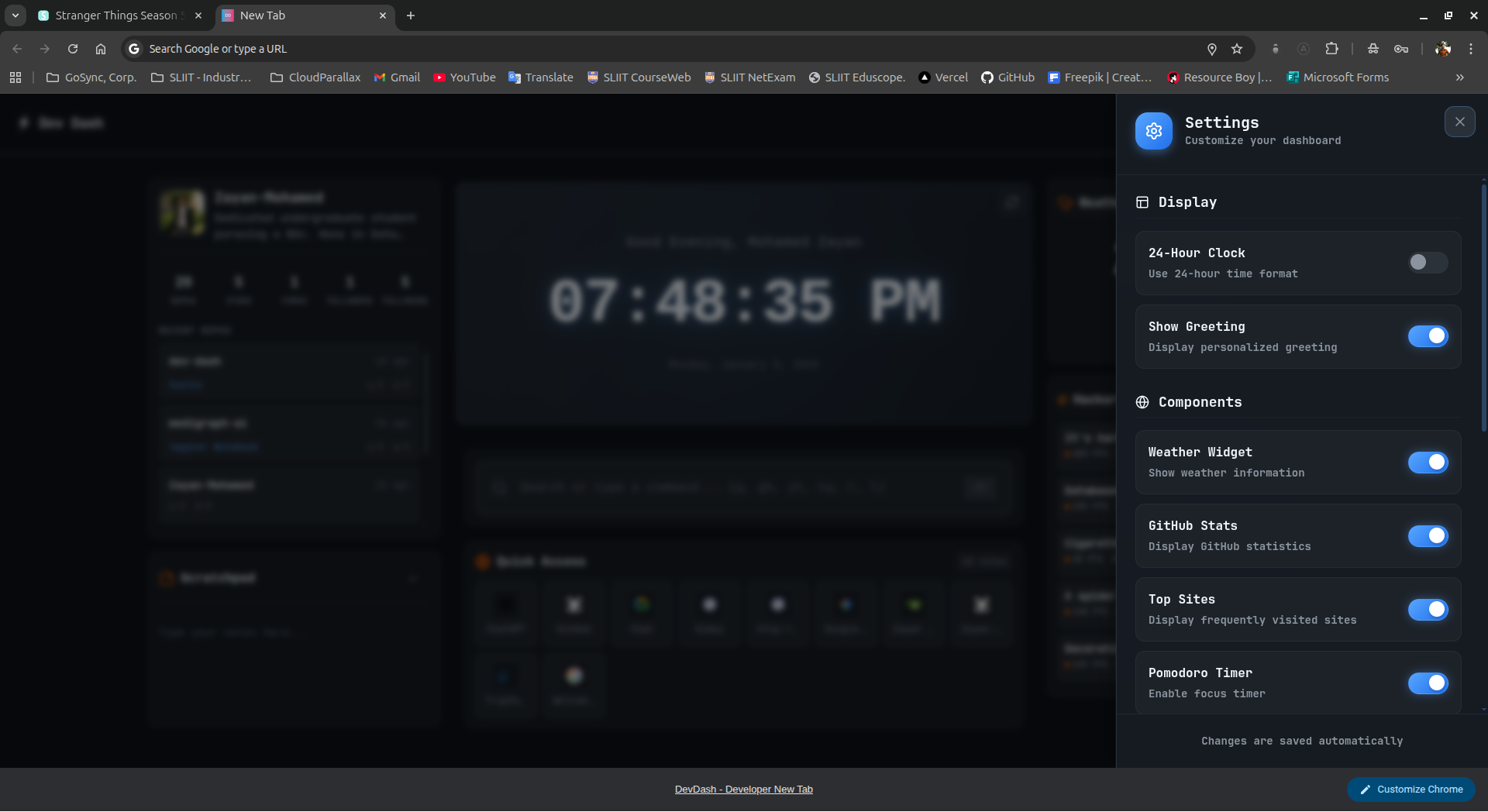
Customizable settings panel
✨ Features
🎯 Core Features
- ⚡ Zero Latency - Instant page load with compiled Svelte (no runtime overhead)
- ⌨️ Keyboard First - Command palette with Vim-inspired shortcuts
- 🎨 Hacker Aesthetic - GitHub Dark Dimmed theme with monospace fonts
- 🔒 Privacy Focused - 100% local storage, zero tracking, no external calls
- 🚀 Modern Stack - Built with Svelte 5 (runes), SvelteKit, TypeScript, Tailwind v4
🧩 Widgets & Components
Widget
Description
Status
🕐 Clock
Large digital clock with 12/24h format & dynamic greeting
✅ Core
🔗 Top Sites
Most visited sites from Chrome history
✅ Core
⌨️ Omnibar
Universal search/command bar
Stars and PRs are welcome!


Top comments (0)