

The first one is:
du -sh */ | sort -rh | head -6
This command will show 6 heaviest folders.
du - disk usage
| - pipe. Which works like pipes in Elixir and Elm.
Basically, the output of the first function becomes an input for the next function and so on.
head - shows only a certain amount of output.
The second one:
Turn this >
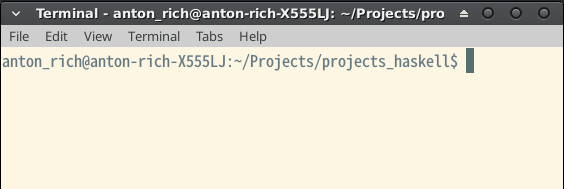
into this >
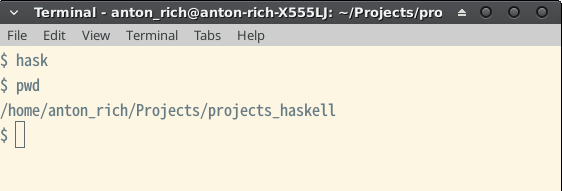
Just add this to your ~/.bashrc:
PS1='\$ '
After that you need to restart your bash:
source ~/.bashrc
Also, there are different ways to restart your bash.
There are more ways you can set this up check out this overflow to find out more.
The third one:
Creating folders with a pattern. Recently I had to create 8 folders for my codewars challenges:
mkdir kyu_{1..8}
I unfortunately don't remember where I find out about this command.
Oh, I just found it. It's here.


Top comments (14)
github.com/uutils/coreutils this rust written
duis crazy fast. Alsoncduis great because it maintains an index, you can update it via cron, and use it in prompt lines - requires tokyocabinet though, which some people dislike.if you have multiple cores, check out this rust rewrite of du.
github.com/sharkdp/diskus
It's unreasonably fast.
Thanks for the tips!
Do you know what it means?
Did you get this figured out?
No, I haven't yet. Mainly, because diskus doesn't do the same thing in comparison to du.
Maybe I missed some options but diskus weighs my whole drive. I need to weigh the folders separately.
Gosh, I like Rust. Thanks, for sharing.
But I will probably later look more into github.com/vmchale/tin-summer
Can you help with second one.. Is there any way to do it for session with command?
Yes.
Just enter this in your terminal as a command (don't put it in your bashrc file):
PS1='\$ '
but that does not work on unix like environments !
I'm sorry. I'm kind of unfamiliar with unix. Do you mean on systems like BSD?
Yes. I was on HP-UX.
Do you use zsh?