


Almost every person uses Linux knows the command ls. However, most stopped at ls -l, ls -lh. However, ls is much more powerful than that. Let me show you some simple options/flags you can use with ls to sort the result so you can exactly what you need.
Sort by file name
To sort list by file name, simply type:
ls -l
The default sort order is from 0 to 9, a to z.
Sort list by file size with S
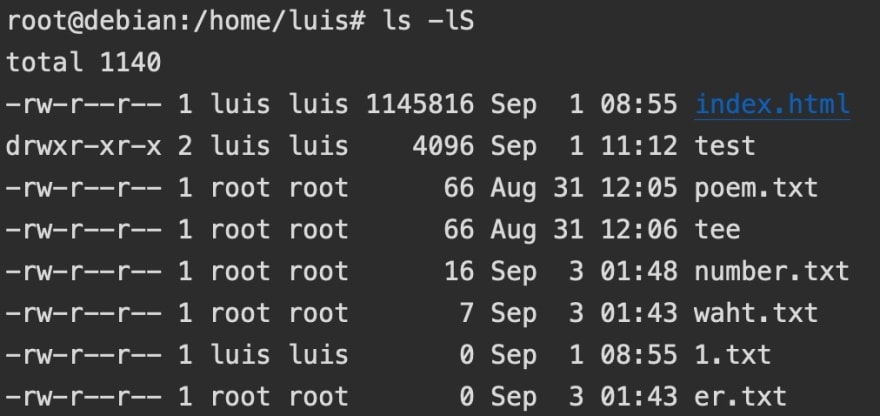
You can use the following command to sort the result by file size, from large to small:
ls -lS
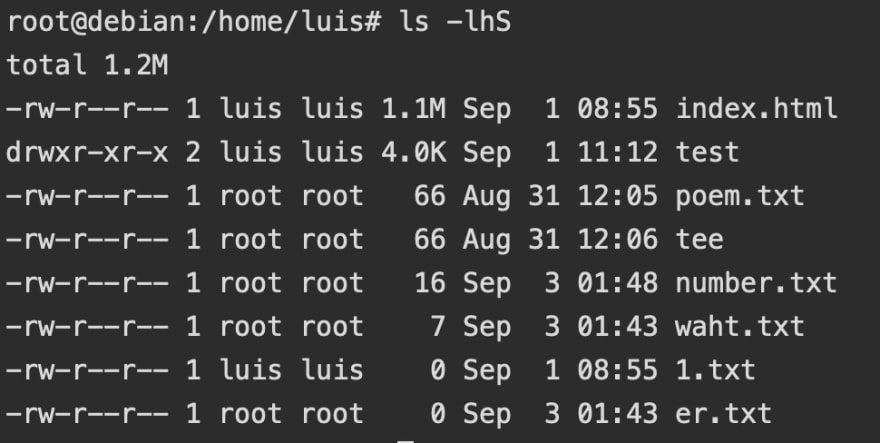
If you need a more readable result, use h
ls -lhS
Sort list by modification time
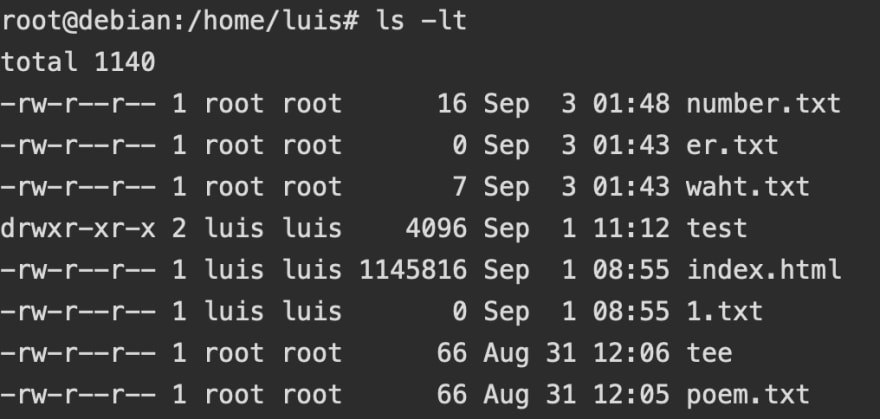
To sort the list by modification time (the time a file was modified), from newest to oldest, simply add t:
ls -lt
sort list by access time
If you want to sort the list by access time (the time a file is accessed, for example, you run cat on that file), use this:
ls -lut
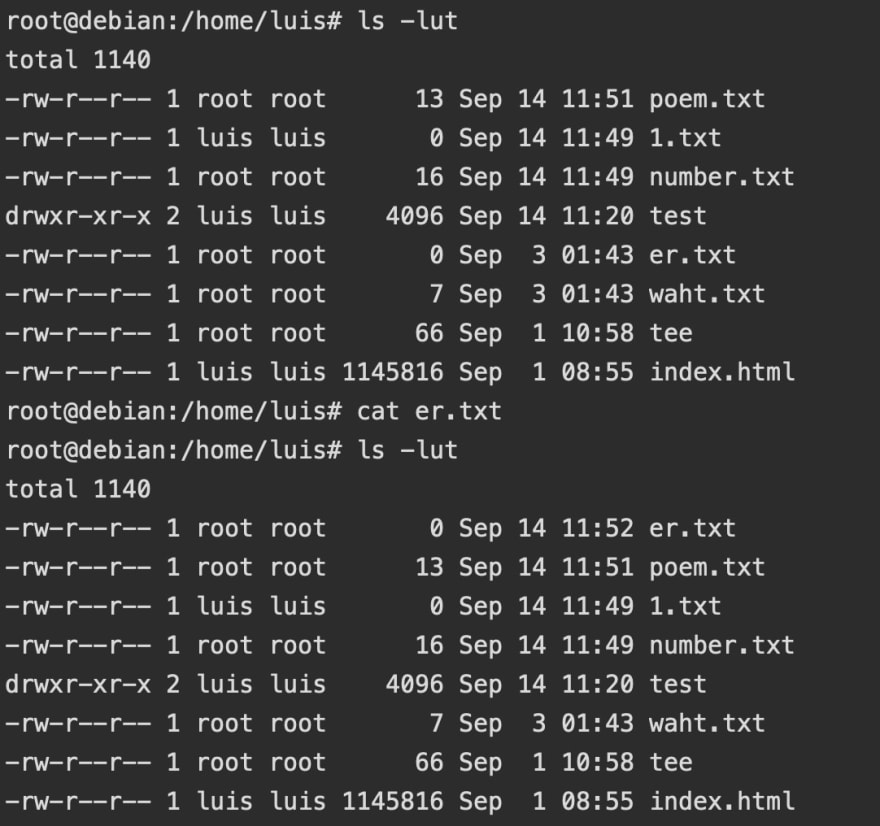
As you can see in the example, the first time I ran ls -lut, poem.txt is at the top. However, after I ran cat er.txt (which accessed the file er.txt), then ran ls -lut again, er.txt is shown at the first position.
Hopefully, this post has helped you use ls in a more efficient way. Comments are highly appreciated.


Top comments (1)