


README badges have looked the same for a decade. Flat rectangles, basic colors, that shields.io aesthetic. They work, but if you're building a project with shadcn/ui or any modern component library, the badges are always the part that looks out of place.
I wanted badges that looked like they belonged in the same design system as everything else. So I built shieldcn.
What it does
Every badge is a real shadcn/ui Button component rendered to SVG via Satori. Same Inter font, same border-radius, same padding, same color tokens per variant. You get a URL, you put it in your README, it looks like a button.
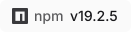
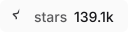

All the shadcn Button variants work: default, secondary, outline, ghost, destructive. There's also a branded variant that pulls the icon's brand color automatically.



How it works
The interesting constraint is that SVGs embedded as <img> tags are completely sandboxed. No external stylesheets, no CSS variables, no JavaScript. So you can't use var(--primary) or any of the usual shadcn theming. Every color has to be resolved to a literal hex value before rendering.
I extracted every shadcn Button token into a lookup table:
export const darkMode: ModeColors = {
  primary: "#fafafa",
  primaryForeground: "#18181b",
  secondary: "#27272a",
  secondaryForeground: "#fafafa",
  destructive: "#dc2626",
  // ...
}
Then a single resolve() function takes the variant, size, mode, theme, and any color overrides, computes every value, and passes it all to the renderer. The renderer itself has zero branching per variant. It just receives hex values and lays out the badge.
// resolve() computes ALL colors before rendering
const resolved = resolve(config)

// One render path for every variant
const svg = await renderSingle(resolved)
This keeps things consistent. Adding a new variant means adding a row to the token table, not touching the render logic.
Satori quirks
A few things I ran into using Satori for this:
No opacity CSS property. Satori silently ignores it. I use rgba() with baked-in alpha instead:
function rgba(hex: string, opacity: number): string {
  const h = hex.replace("#", "")
  const r = parseInt(h.substring(0, 2), 16)
  const g = parseInt(h.substring(2, 4), 16)
  const b = parseInt(h.substring(4, 6), 16)
  return `rgba(${r},${g},${b},${opacity})`
}
No dangerouslySetInnerHTML. Every SVG icon has to be parsed into a React element tree before Satori can render it. I wrote a lightweight SVG parser that converts raw SVG strings into nested <svg>, <path>, <circle>, etc. elements.
Font loading matters. In a Next.js Route Handler you need to load fonts from the filesystem with readFileSync, not fetch them from a URL. I pre-load all font files at module scope so they're cached across requests.
The architecture
The whole app is one Next.js catch-all route:
app/[...slug]/route.ts
It parses the URL into a provider + params, fetches data, resolves colors, renders the badge, and returns SVG (or PNG via @resvg/resvg-wasm, or JSON).
Provider functions live in lib/providers/ and each one returns the same shape:
{ label: string, value: string, color?: string, link?: string }
The renderer doesn't know or care where the data came from. It just gets a label, a value, and some colors.
What's covered
25+ data providers right now:
- Package registries: npm, PyPI, Crates.io, Docker Hub, Packagist, RubyGems, NuGet, Pub.dev, Homebrew, Maven, CocoaPods, JSR, Bundlephobia
- Code platforms: GitHub (stars, CI, issues, PRs, releases, downloads, license, and a bunch more), Codecov, VS Code Marketplace
- Social: Discord, Reddit, Bluesky, YouTube, Mastodon, Lemmy, Hacker News
- Custom: static badges, dynamic JSON (point at any API), HTTPS endpoint proxy, memo badges (PUT your own data)
40,000+ icons from SimpleIcons, Lucide, and React Icons. You can also upload a custom SVG via base64 data URI.
Token pool
GitHub's API rate limit is 60 requests/hour for unauthenticated requests. That's nothing for a badge service. shields.io solved this with a token pool where users donate OAuth tokens, and I borrowed the same approach.
Users authorize a GitHub OAuth app (read-only, zero scopes, revocable anytime) and their token gets added to a pool stored in Postgres. API requests get distributed across all the tokens in the pool. More tokens = more capacity.
shadcn registry
There's also a component registry if you want to use badge components in your own app:
pnpm dlx shadcn@latest add "https://shieldcn.dev/r/readme-badge.json"
pnpm dlx shadcn@latest add "https://shieldcn.dev/r/readme-badge-row.json"
pnpm dlx shadcn@latest add "https://shieldcn.dev/r/badge-preview.json"
Try it
Homepage + badge builder: shieldcn.dev
Docs: shieldcn.dev/docs
GitHub: github.com/jal-co/shieldcn
MIT licensed, everything is free, PRs welcome. Would love to see you guys use it.


Top comments (0)