

I got tired of showing up to recurring meetings and scrambling through three different apps to remember what we talked about last time. Like most engineers facing a mild inconvenience, I decided to over-engineer a solution. I wanted an automated system that would look at my calendar, pull up everything I needed to know about the people I was meeting with, and hand me a concise briefing document five minutes before the call started.
That’s how the meeting-prep-agent was born. At its core, the architecture is straightforward: a FastAPI backend, a vanilla HTML/JS frontend for managing configurations, and Google’s Gemini model to synthesize the briefs and draft follow-up emails. I containerized the whole thing with Docker so I could deploy it to my homelab and forget about it.
Getting an LLM to generate a summary of a meeting is easy. The hard part—and the reason most AI agents fail in production—is giving the system a persistent, reliable sense of state. An LLM without memory is just a glorified autocomplete; to actually be useful, my agent needed to remember a decision made three months ago.
Here is the story of how I stopped trying to build custom vector databases and used a dedicated memory layer to solve the context problem.
The naive approach: Why standard RAG wasn't enough
Initially, I planned to build a standard Retrieval-Augmented Generation (RAG) pipeline. The playbook is well-known: chunk the meeting notes, embed them with something like OpenAI's text-embedding-3-small, dump them into a local vector store like pgvector, and run a cosine similarity search before prompting Gemini.
But meeting notes are highly temporal and context-dependent. A standard semantic search over isolated chunks of text is notoriously bad at answering queries like, "What were the unresolved action items from our last three syncs?" A semantic search might pull up a chunk about "action items" from a meeting two years ago just because the wording closely matched the query.
I didn't want to spend my weekends tweaking chunk overlap sizes, managing embedding versions, or writing complex metadata filters just to retrieve past conversations. I needed a system designed specifically for long-term agent memory—something that understands the chronological and relational context of conversational data natively.
That requirement led me to Hindsight. Instead of treating memory as a dumb vector index, Hindsight treats memory as an active state store for agents. You give it observations, and it handles the complexities of storage, retrieval, and contextual relevance.
Abstracting memory: The hindsight_wrapper.py
The first step was to isolate the memory logic from the rest of the application. I wanted my FastAPI endpoints to deal with simple business objects, not vector math.
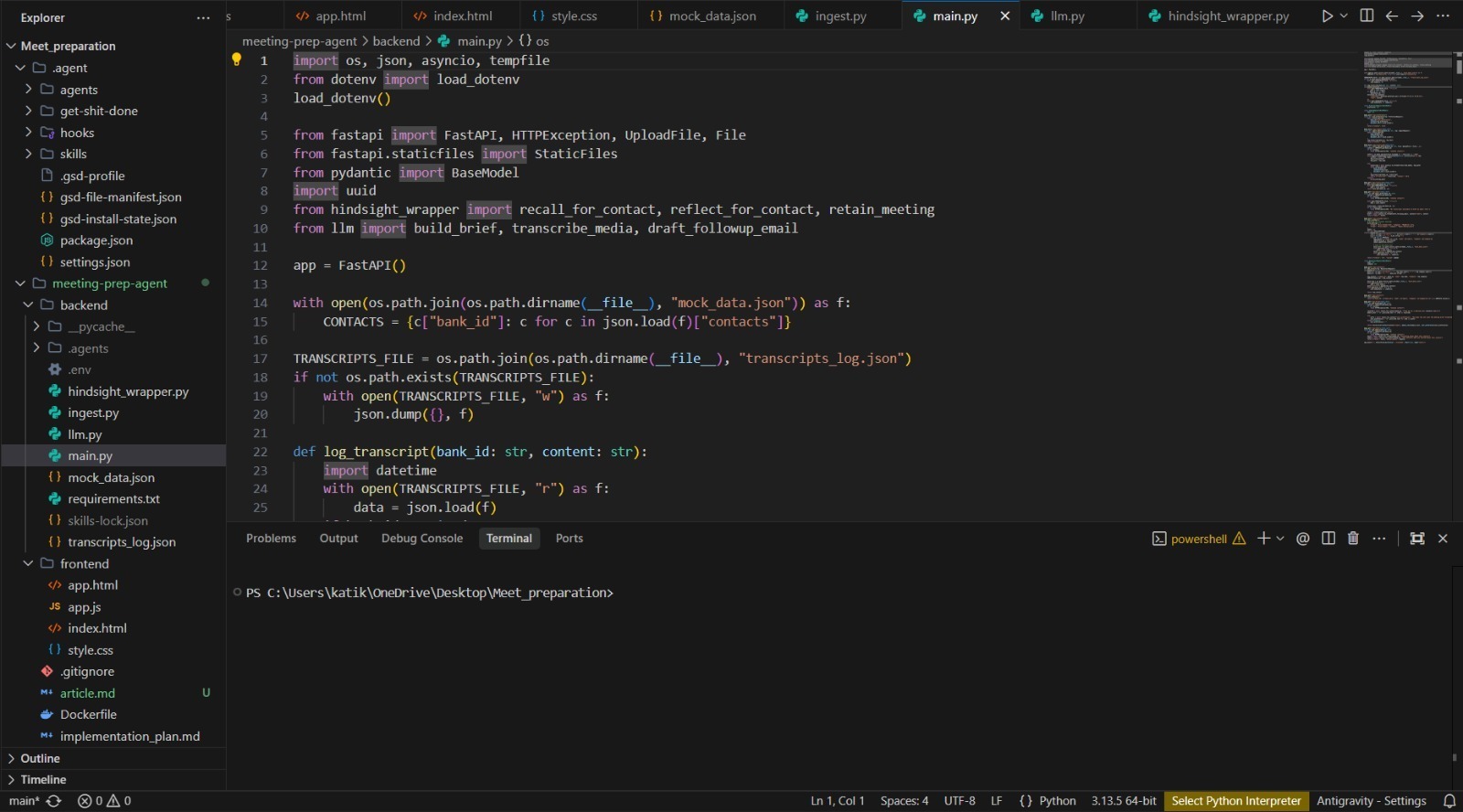
I created hindsight_wrapper.py to act as the boundary between my application and the Hindsight service. The goal was to build two simple interfaces: one for ingesting new meeting notes, and one for recalling the context for a specific contact or "bank_id".
python
import os
import httpx
from typing import List, Dict, Any
class HindsightMemoryManager:
def __init__(self):
self.base_url = os.getenv("HINDSIGHT_BASE_URL", "[https://api.hindsight.vectorize.io](https://api.hindsight.vectorize.io)")
self.api_key = os.getenv("HINDSIGHT_API_KEY")
self.headers = {
"Authorization": f"Bearer {self.api_key}",
"Content-Type": "application/json"
}
async def store_meeting_notes(self, bank_id: str, content: str, metadata: Dict[str, Any]) -> bool:
"""Ingests meeting notes into Hindsight memory."""
payload = {
"entity_id": bank_id,
"observation": content,
"metadata": metadata,
"timestamp": metadata.get("date")
}
async with httpx.AsyncClient() as client:
response = await client.post(
f"{self.base_url}/v1/memory/ingest",
headers=self.headers,
json=payload
)
response.raise_for_status()
return True
The beauty of this approach is that I don't have to think about token limits or embedding models during ingestion. When a meeting ends, a webhook hits my /api/ingest/{bank_id} endpoint, which passes the raw markdown notes directly into this wrapper.
Contextual retrieval and the LLM handoff
Ingestion is only half the battle. The real magic happens right before the next meeting, when the agent needs to generate the brief.
In llm.py, I needed to take the retrieved memory and feed it to Gemini in a way that produced a strict, deterministic output format. I wanted bullet points, unresolved blockers, and a drafted follow-up email—no fluff.
If you spend any time reading the Hindsight documentation, you realize that querying memory isn't just about passing a keyword; it's about asking the memory system to synthesize the state of an entity.
from google import genai
from .hindsight_wrapper import HindsightMemoryManager
async def generate_meeting_brief(bank_id: str, upcoming_agenda: str) -> str:
memory_manager = HindsightMemoryManager()
# Retrieve the historical context from Hindsight
historical_context = await memory_manager.get_context(
entity_id=bank_id,
query="Summarize unresolved action items and key decisions from recent meetings."
)
# Initialize Gemini
client = genai.Client()
system_prompt = """
You are a highly capable executive assistant. Your job is to prepare me for an upcoming meeting.
Use the provided historical context to generate a concise brief.
Format your response with the following sections:
1. Previous Key Decisions
2. Outstanding Blockers
3. Suggested Talking Points for Today
4. Draft Follow-up Email Template
"""
prompt = f"Historical Context:\n{historical_context}\n\nUpcoming Agenda:\n{upcoming_agenda}"
response = client.models.generate_content(
model='gemini-flash-latest',
contents=prompt,
config=genai.types.GenerateContentConfig(
system_instruction=system_prompt,
temperature=0.2,
)
)
return response.text
By keeping the temperature low (0.2), Gemini doesn't hallucinate past events. It strictly relies on the exact context retrieved by Hindsight.
The Results: What it actually looks like
Once the pieces were wired together, the resulting workflow became invisible in the best way possible.
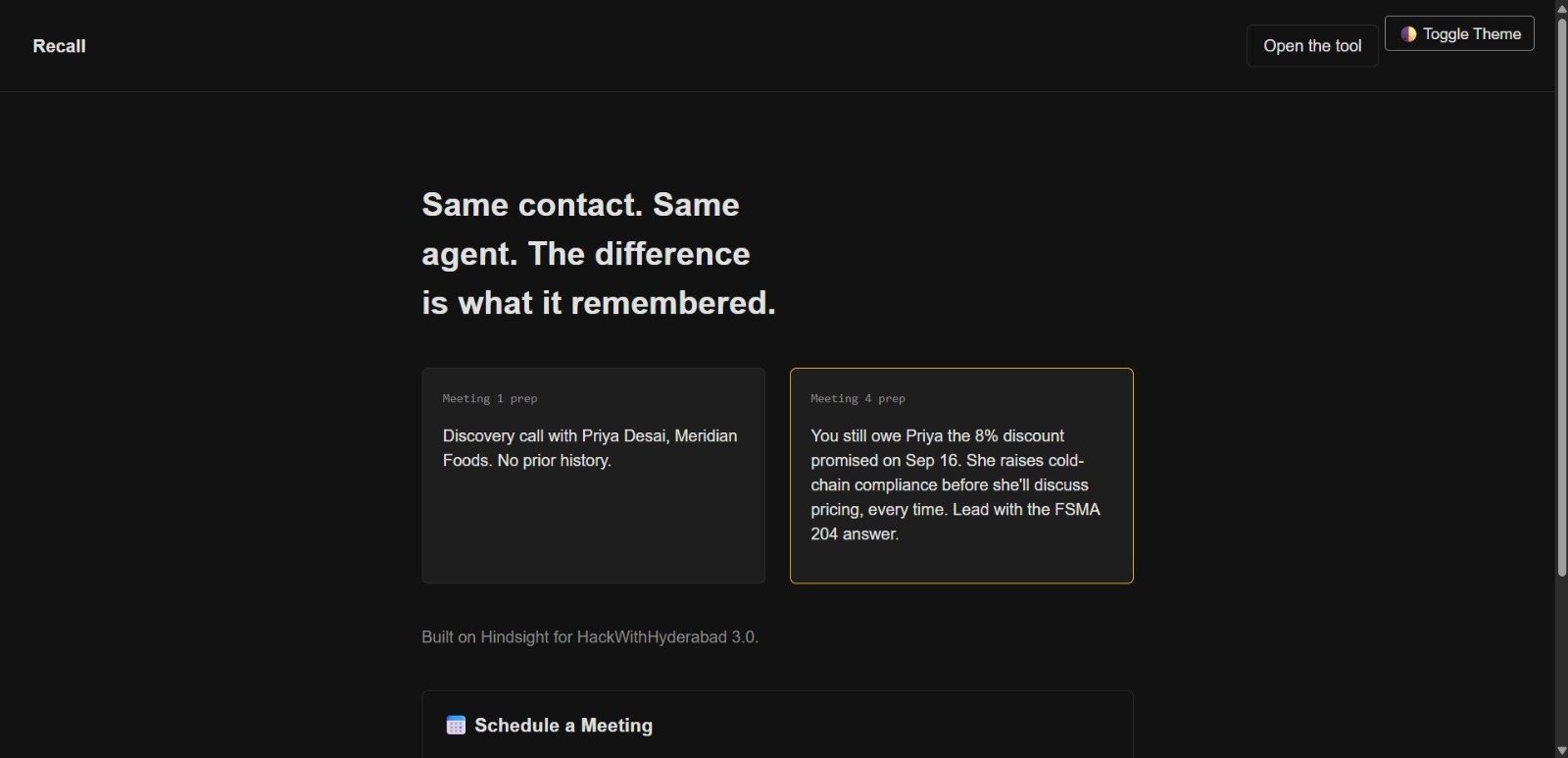
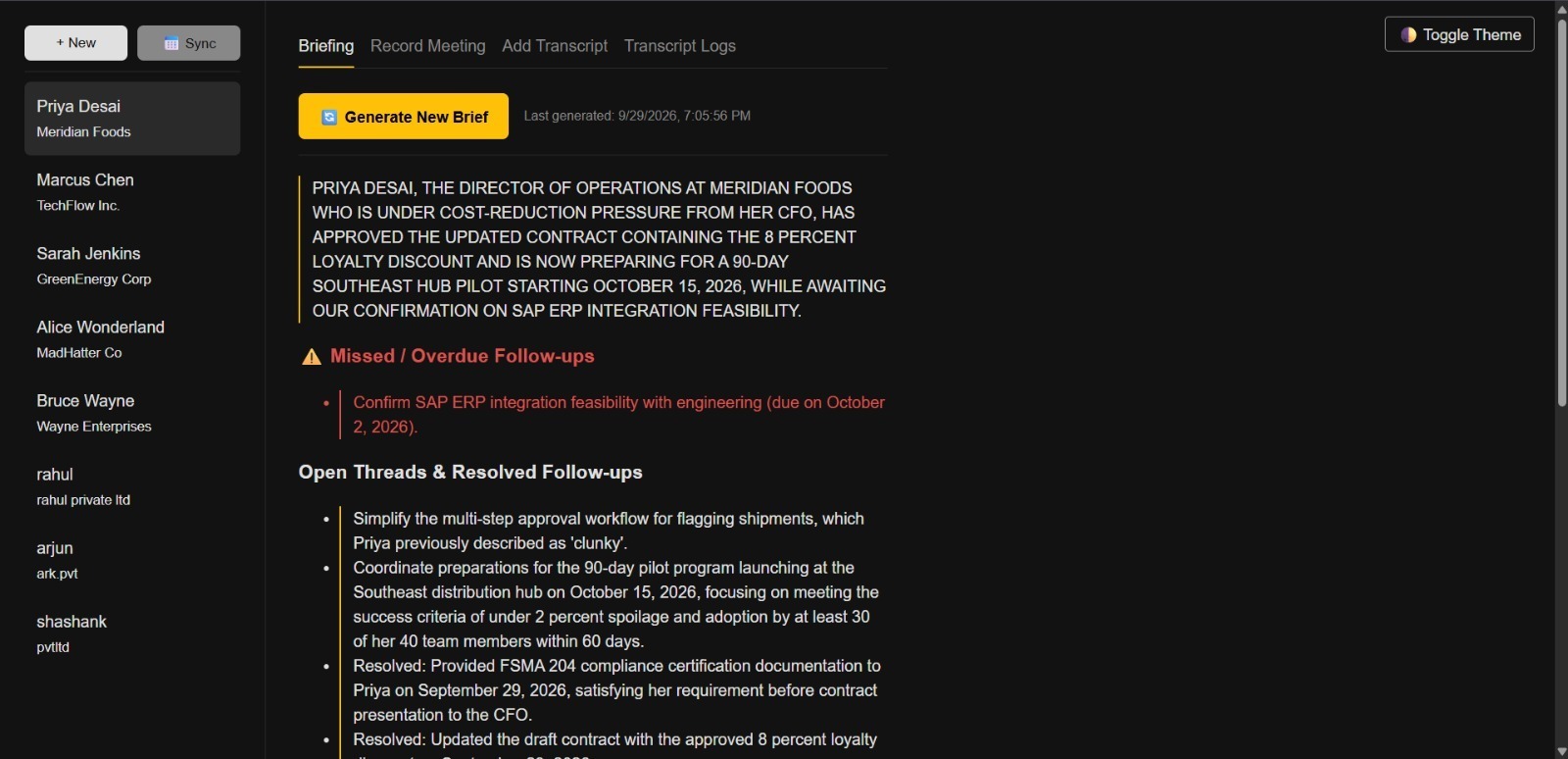
Before a sync with a recurring client, my FastAPI backend triggers the /api/brief/{bank_id} endpoint. Instead of a generic summary, the output is ruthlessly specific because the memory retrieval surfaces temporal constraints. It looks something like this:
Previous Key Decisions:
Decided to migrate auth from Auth0 to Clerk (Meeting on Oct 12).
Agreed to defer the reporting dashboard until Q3.
Outstanding Blockers:
We are still waiting on their ops team to provision the AWS staging environment. (Note: this was promised by Oct 19).
Suggested Talking Points for Today:
Ask for a status update on the AWS staging environment.
Confirm if the Clerk migration is still on track for the Nov 1 deadline.
Draft Follow-up Email Template:
[Generates a contextual email based on the anticipated talking points]
Because the system also looks at missed follow-ups (a feature added in a recent commit), it actively reminds me if I forgot to send the post-meeting notes from the previous week. It acts less like a search engine and more like a state machine for my professional relationships.
Lessons learned building agentic memory
Building this system taught me a few hard lessons about where the AI ecosystem is right now, especially when dealing with personal or sensitive organizational data.
1. Context windows aren't a database replacement.
It is tempting to just dump every single previous meeting transcript into a massive 2-million token context window (which Gemini absolutely supports). Don't do it. It increases latency massively, drives up API costs, and models still suffer from the "lost in the middle" phenomenon where they ignore data buried in the center of a massive prompt. Retrieve only what is relevant.
2. State management is the hardest part of AI.
Stateless LLM calls are easy. Building an agent that remembers that a blocker from three weeks ago is now resolved requires an actual architecture. Offloading this to a dedicated memory service saved this project from becoming a graveyard of complex SQL queries and vector index rebuilding scripts.
3. Decouple ingestion from generation.
Notice that my API has distinct endpoints for /api/ingest/{bank_id} and /api/brief/{bank_id}. Treat memory ingestion as an asynchronous, write-heavy operation. Treat brief generation as a read-heavy, on-demand operation. If your script tries to parse raw notes, generate embeddings, update a database, and call an LLM all in one synchronous function, it will inevitably time out and fail.
4. Keep the frontend dumb.
The app.js and index.html in this repository do almost nothing besides rendering data and passing user preferences back to the server. When building AI tooling, put all the complex orchestration in the backend. You want your memory state and LLM configurations to be centrally managed, not scattered across client-side state.
If you are building autonomous systems and find yourself constantly fighting your database to return the right context, I highly recommend digging into the Hindsight GitHub repo to see how they model memory. Moving from a pure retrieval mindset to a state-based memory mindset is the difference between a fragile toy script and a reliable tool you can actually trust to prep you for your 9:00 AM standup.
The Hindsight GitHub repository:[](https://github.com/vectorize-io/hindsight)
The documentation for Hindsight:[](https://hindsight.vectorize.io/)
The agent memory page on Vectorize:[](https://vectorize.io/what-is-agent-memory)


Top comments (0)