


Setting an Externally Configured Tree Table
ScheduleJS offers a dedicated API for designing custom tree tables using two key components:
schedule-info-column-header-cellschedule-info-column-row-cell
Configuring the Tree Table layout
The tree table layout is purely made with HTML, CSS, and TypeScript using our Angular header cells and row cells components. These components are code wrappers, so you can populate these cells with virtually anything.
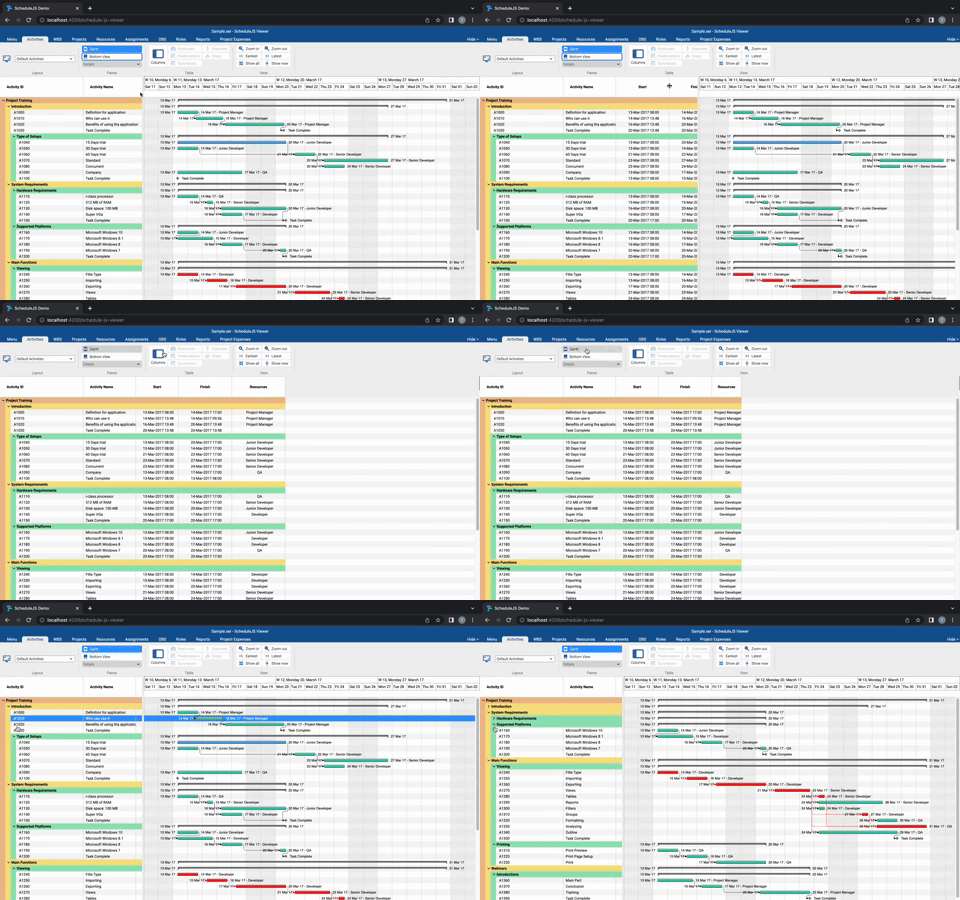
Custom components built with the info column API can feature:
- Pinned columns, using
schedule-info-column-cells-left-pin-wrapper - Communication with the charts using the ScheduleJS internal API
- Listening to and emitting any event
Dynamic table headers
Table headers are resizable by default and can be built to directly interact with the graphics. A few examples of header features can be:
- Additional column information
- Sorting based on column information
- Filtering with user input
A frequently asked question
Question: Is it possible to replace the default tree table with a custom component (CoreListComponent) that works like the FlexGanttFX table (bound to list view with row expansion) but with additional functionalities?
Answer: Yes. Using ScheduleJS 1.4, if you want table rows and vertical scrolling synchronized with the graphics, the recommended solution is to build your tree table component using the tree table API with:
-
schedule-info-column-header-cellto build your header cells templates -
schedule-info-column-row-cellto build your row cells templates


Top comments (0)