

Web scraping allows developers to extract data from websites automatically. Whether you're building a price tracker or an automated news aggregator, extracting HTML elements is a core skill.
In this quick tutorial, you'll learn how to scrape live weather information using Python's requests and BeautifulSoup libraries.
Prerequisites
Before starting, make sure you have Python installed, then install the required libraries via your terminal:
bash
pip install requests beautifulsoup4
import requests
from bs4 import BeautifulSoup
Step 1: Fetch the HTML Page
First, import the required modules and send an HTTP request to fetch the web page HTML:
url = "[https://wttr.in/London](https://wttr.in/London)"
response = requests.get(url)
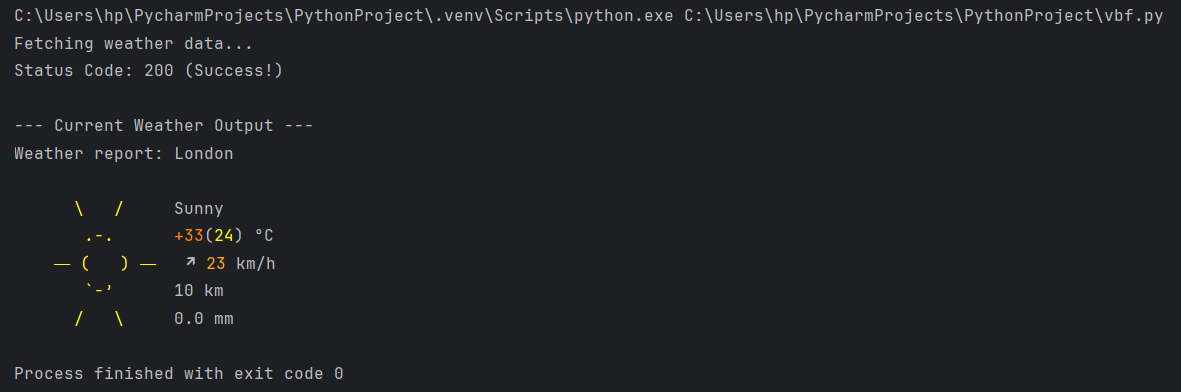
print(f"Status Code: {response.status_code}")
Step 2: Parse and Extract Data
Now, pass the page content into BeautifulSoup to locate and clean up the weather report text:
soup = BeautifulSoup(response.text, 'html.parser')
# Extract plain text content from the output
weather_data = soup.get_text()
# Print the top lines of the report
print("\n--- Current Weather Output ---")
print("\n".join(weather_data.splitlines()[:7]))
### Future Improvements
* **Save to CSV:** Export the scraped weather data into a CSV file for tracking trends over time.
* **Automate via Cron Job:** Schedule the script to run automatically every morning at 8 AM.
* **Send Email Alerts:** Integrate the `smtplib` library to email yourself a daily weather report.
Conclusion
With just a few lines of Python, you've fetched web content and extracted useful data! From here, you can schedule this script to run daily or save the scraped data to a JSON or CSV file.


Top comments (0)