


This is part of my "Build in Public" with Kiro series. I'm an AWS Community Builder, and this is the story of building a tool by using the tool itself, which is either very meta or very efficient, depending on how you look at it.
🏃 TL;DR
KiroGraph is a local code indexing system for Kiro AI IDE. It turns your codebase into a queryable structural using a semantic graph, dramatically reducing AI tool calls and token usage (up to 90%).
Instead of re-reading files with grep/glob, the AI queries a pre-built AST-based graph (plus optional embeddings), making code navigation faster, cheaper, and more scalable.
It supports multiple vector engines (e.g. SQlite, PGlite, Orama Qdrant, Typesense) and is fully local, with an interactive installer and automatic syncing.
 davide-desio-eleva
/
kirograph
davide-desio-eleva
/
kirograph
Semantic code knowledge graph for Kiro: fewer tool calls, instant symbol lookups, 100% local.
KiroGraph
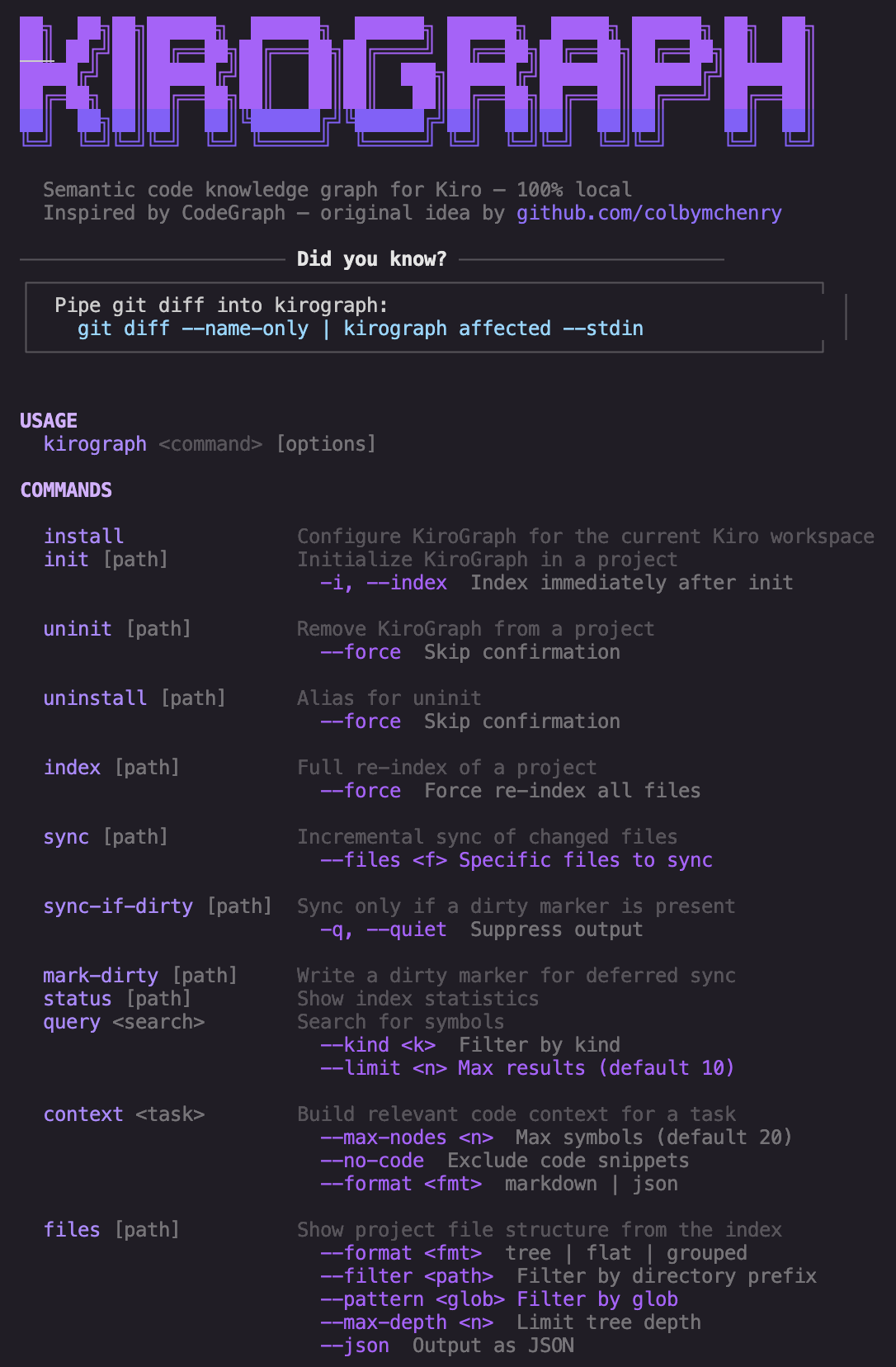
Semantic code knowledge graph for Kiro: fewer tool calls, instant symbol lookups, 100% local.
Inspired by CodeGraph by colbymchenry for Claude Code, rebuilt natively for Kiro's MCP and hooks system.
Full support is for Kiro only. Experimental integrations for other MCP-capable tools (Claude Code, Codex) are available but not fully tested. See Other Tools (Experimental) for details.
Why KiroGraph?
When you ask Kiro to work on a complex task, it explores your codebase using file reads, grep, and glob searches. Every one of those is a tool call, and tool calls consume context and slow things down.
KiroGraph gives Kiro a semantic knowledge graph that's pre-indexed and always up to date. Instead of scanning files to understand your code, Kiro queries the graph instantly: symbol relationships, call graphs, type hierarchies, impact radius, all in a single MCP tool call.
The result is fewer tool calls, less context used…
🔭 How it started
A few weeks ago I came across CodeGraph by Colby McHenry, a semantic code knowledge graph for Claude Code. The idea was brilliant: instead of letting the AI wander through your codebase with grep and file reads, you give it a pre-indexed 100% local graph it can query instantly.
Fewer tool calls, less context burned, faster responses.
I use Kiro, AWS's spec-driven AI IDE, and there was nothing equivalent for it. So I did what any reasonable developer does when they see a good idea: I ported it.

That's how KiroGraph started but the community’s genuine interest motivated me to essentially rebuild CodeGraph from the ground up and significantly expand its functionality.

💸 Why this should matters to us (the token problem)
When you ask an AI agent to work on a complex task, "fix the auth bug", "add rate limiting to the API", "refactor the payment service", the agent needs to understand your codebase before it can do anything useful. The way it typically does that is by reading files, running grep, globbing directories. Every one of those is a tool call.
Tool calls cost tokens. Lots of them. And they're slow.
Aside from cost, we’re currently in a period where reasonable plans for using AI are either being rate-limited or subject to increasingly restrictive limits. The community is actively exploring solutions to optimize requests and responses, reduce token usage, and improve overall efficiency.
The insight behind KiroGraph (and CodeGraph before it) is simple: your codebase doesn't change that often. Between agent runs, you might touch a handful of files.
Why should the agent re-discover the structure from scratch every single time?
KiroGraph pre-indexes everything, functions, methods, classes, interfaces, types, call relationships, import graphs, type hierarchies, into a 100% local SQLite database. When Kiro needs context, it doesn't read files. It queries the graph. One MCP tool call instead of twenty file reads and multiple tool calls.
The impact is real: tasks that once consumed entire context windows simply don’t anymore: saving tokens, improving efficiency, and delivering greater speed.
⚖️ Benchmark
An image is worth a thousand words

Up to a 90%+ reduction in token usage for common read patterns in the KiroGraph codebase. I can confirm similar results across different and larger codebases as well.
These numbers represent the average outcome of identical requests executed with and without KiroGraph, across different semantic engines for comparison.
What this practically means for me is that I used up all my tokens with Kiro on the $20 plan in just 10 days. Now, I’ve gone a full month without even reaching the full allowance.
🏗️ KiroGraph architecture
The tool has two indexing layers.
Structural indexing is always on. tree-sitter parses every source file into an AST and extracts nodes (functions, classes, routes, components, 24 kinds total) and edges (calls, imports, extends, implements, references, and more). Everything lands in kirograph.db. This powers all the graph traversal tools: find callers, trace impact, detect circular deps, find dead code.
Semantic indexing is opt-in. When you enable it, KiroGraph generates 768-dimensional vector embeddings for every embeddable symbol using nomic-ai/nomic-embed-text-v1.5 (~130MB, downloaded once to ~/.kirograph/models/). This powers natural-language search, ask for "auth middleware" and get the relevant functions even if they're named validateJwt or checkPermissions.
The index stays fresh automatically via Kiro hooks.
File saved, mark dirty. Agent stops, sync if dirty.
Batched, efficient, zero overhead during active editing.
The agent knows what to do through a Kiro steering file, which the final KiroGraph adopter can easily adapt to suit their specific needs.
🧠 Is KiroGraph a RAG/GraphRAG?
It’s useful to compare KiroGraph to both a classic RAG system and a GraphRAG approach, because it sits somewhere in between, but also slightly outside both categories.
1) A local RAG works on unstructured text, splitting documents into chunks and retrieving the most relevant pieces via embeddings.
KiroGraph instead indexes code structure, where functions, classes, and relationships come directly from the AST.
This removes chunking entirely and replaces text retrieval with symbol-level navigation over a code graph.
2) GraphRAG builds graphs by extracting entities and relationships from documents, then uses them to improve retrieval quality.
KiroGraph doesn’t infer the graph from text, it derives it deterministically from the codebase structure itself.
As a result, its graph is not an approximation of knowledge, but a direct representation of the system architecture.
The key difference: RAG retrieves text, GraphRAG organizes text, KiroGraph represents code structure.
And embeddings in KiroGraph are optional, not foundational.
The core idea is not better retrieval, but queryable program structure with semantic enrichment on top.

🔍 A lot of semantic engine possibility
Here's where it got interesting.
Once you have embeddings, you need somewhere to put them, and how you store and search them has real consequences at scale.
The original approach is cosine similarity over all vectors in SQLite. That's fine for small to medium projects, but for a large codebase with thousands of indexed symbols, you want approximate nearest-neighbour (ANN) search with a proper index structure.
So I built support for seven engines, each solving a slightly different problem:
cosine (default): the original linear scan over the
vectorstable inkirograph.db. No extra deps. Works great up to a few thousand symbols. If you just want to try semantic search without any setup, this is it.Alex Garcia's sqlite-vec brings ANN search to SQLite via a native extension. Sub-linear query time, stays in the SQLite ecosystem. Best for large codebases that don't want to run a separate process.
Orama does something clever: hybrid search. One query combines full-text relevance and vector similarity, which produces better results than running them separately and merging. Pure JS, no native compilation. If you want the best result quality and no native dependencies, Orama is the choice.
PGlite is PostgreSQL compiled to WASM with the
pgvectorextension. You get exact (not approximate) nearest-neighbour search,ON CONFLICTupserts, HNSW indexing, all the PostgreSQL semantics, in-process, no server. Pure WASM means no native binaries and no compilation. And because it's exact, results are deterministic and reproducible. I particularly like this one.LanceDB stores embeddings in Apache Lance columnar format. Columnar storage is efficient for batch reads and writes, which matters a lot during indexing. Pure JS, no native deps, sub-linear ANN search.
Qdrant is a dedicated vector database, HNSW index, cosine distance, the full feature set. KiroGraph spawns the Qdrant binary as a managed child process via
qdrant-local. The server runs as a persistent background daemon, state tracked in.kirograph/qdrant-server.json. This is the heavy option. You get Qdrant's full query capabilities and a proper production-grade vector store. The trade-off is you're now running a binary.Typesense is a search engine that added HNSW vector search. KiroGraph auto-downloads the binary (~37MB, cached at
~/.kirograph/bin/) and manages it as a background daemon. State tracked in.kirograph/typesense-server.json. Similar to Qdrant in concept, persistent binary daemon, but with Typesense's search-engine heritage. Very excellent for hybrid queries.
🛠️ Adding installer because DevEx always matters
A lot of CLI tools treat configuration as an afterthought. You edit a config file, restart, wonder why nothing worked, read the docs, try again. It's friction. You don't want friction when working within an AI powered IDE like Kiro.
I wanted KiroGraph's setup to be genuinely good and simple.
So the installer is interactive, not just yes/no prompts but arrow-key menus with descriptions for each option. Run it once and you walk away with a fully working setup, no post-install surprises.
kirograph install

Here's every decision the installer walks you through, and why each one matters.
Enable semantic embeddings

The first question is whether to turn on semantic search at all. Structural indexing is always on and costs nothing extra. Semantic indexing is opt-in because it requires a local embedding model (~130MB, downloaded once) and adds time to every index run.
If your team mostly does exact symbol lookups, "go to definition" style queries, structural-only is fast and lightweight. If you want to ask things like "where is rate limiting handled?" or "which functions deal with user authentication?", you need embeddings.
The installer is upfront about this: it tells you what you're signing up for before you say yes.
Embedding model

Once you enable embeddings, the installer asks which HuggingFace model to use. The default is nomic-ai/nomic-embed-text-v1.5, a solid general-purpose model that produces 768-dimensional embeddings and runs well locally via Ollama.
You can enter any HuggingFace model identifier in org/model-name format. If you enter something non-standard, the installer rejects it and explains the expected format. If you enter a non-default model, it reminds you to run ollama pull <model> before indexing.
The reason this is configurable: embedding quality varies by domain. Code-specific models like jinaai/jina-embeddings-v2-base-code may outperform general models on certain queries.
Giving you control here means you're not locked in.
Semantic engine

This is the arrow-key menu. Each option shows a one-line description so you can make an informed choice without reading docs:
? Choose the semantic search engine:
  ❯ cosine      In-process cosine similarity. No extra deps. Best for small/medium projects.
    sqlite-vec  ANN index. Sub-linear search. Best for large codebases. Needs: better-sqlite3, sqlite-vec (native).
    orama       Hybrid search (full-text + vector). Pure JS. Needs: @orama/orama, ...
    pglite      Hybrid search via PostgreSQL + pgvector. Exact results. Pure WASM. Needs: @electric-sql/pglite.
    lancedb     ANN search via LanceDB (Apache Lance columnar format). Pure JS. Needs: @lancedb/lancedb.
    qdrant      ANN search via Qdrant embedded binary (HNSW index, Cosine). Needs: qdrant-local.
    typesense   ANN search via Typesense (auto-downloaded binary, HNSW, Cosine). Needs: typesense.
After you pick one, the installer immediately runs npm install for the required dependencies. No separate step, no forgotten follow-up. If the install fails, it tells you exactly what to run manually.
For engines that spawn a binary (qdrant, typesense), it also asks whether you want a dashboard (a web UI to navigate the vectors).

Extract docstrings

This controls whether KiroGraph reads JSDoc, Python docstrings, and inline comments from your source files and stores them as symbol metadata. Enabled by default.
Docstrings significantly improve semantic search quality. When a function has a good docstring, the embedding captures its intent, not just its name. A function called proc with a docstring "processes incoming webhook payloads and dispatches to handlers" will surface correctly when someone searches for "webhook processing". Without the docstring, the name alone gives the model almost nothing to work with.
The trade-off is slightly longer indexing time. For most projects it's negligible. The installer lets you disable it if you're indexing a very large codebase and want the fastest possible first run.
Track call sites

This controls whether KiroGraph records the exact line and column of every function call when building call graph edges. Enabled by default.
With call sites tracked, you get precise "go to call site" information in addition to "which functions call this symbol". The kirograph_callers and kirograph_callees MCP tools return not just the caller's name and file, but the exact location of the call. This is what makes the call graph actually useful for debugging and impact analysis.
The trade-off is index size: call site data adds rows to the edges table. On codebases with millions of call expressions this can get large. If you only care about the structural shape of the call graph and not the precise locations, you can disable this to keep the database lean.
Indexing

The final prompt asks whether to run the first full index immediately. If you say yes, the installer runs kirograph index, shows you a live progress output (files scanned, symbols extracted, embeddings generated), and reports the final counts.
This is the "zero to working" moment: by the time the installer exits, your graph is built and Kiro can start using it. No deferred setup, no "remember to run this before you start".
Each phase is surfaced in the output so it's always clear what's happening: scanning files, parsing, resolving references, detecting languages and frameworks, generating embeddings. If something is slow, you know exactly where.
The philosophy across all of this is the same: the installer should leave you in a working state and make every choice transparent. If something requires a separate binary or native compilation, you know before you commit to it. If a step can be done for you automatically, it is.
🔁 The feedback loop that accelerated everything
Here's the part I didn't fully anticipate: because I've used KiroGraph to indexes itself, so I could use it in Kiro while building it.
Every time I added a new engine, the Kiro agent could immediately use kirograph_context and kirograph_callers to understand the existing codebase structure. It knew which interfaces to implement, where the integration points were, what the existing patterns looked like, without me having to explain any of it.
This is augmenting spec-driven development with actual graph-powered context. The agent writes specs and code that fits the existing architecture because it can see the architecture. Not by reading files, by querying the graph.
The speed difference and saving in tokens is hard to overstate. Tasks that would have required multiple rounds of "read this file, now read that file, now understand how they connect" collapsed into a single kirograph_context call followed by implementation.
📊 Adding some dashboard
Once you have Qdrant and Typesense running as daemons, my idea was also to have visibility into what's actually in the vector store as both have community open sourced web UIs.
For Qdrant: the Qdrant Web UI is served by Qdrant itself. KiroGraph downloads the dist-qdrant.zip release asset, extracts it with unzip, caches it, and sets the env var before spawning the binary. The dashboard is then available at http://127.0.0.1:<port>/dashboard natively.

For Typesense: bfritscher/typesense-dashboard is a static React app. KiroGraph downloads it from GitHub, caches it at .kirograph/typesense/dashboard/, and serves it locally via a Node HTTP server.

Both are unified under kirograph dashboard start / kirograph dashboard stop, the command reads semanticEngine from config and dispatches to the right implementation.
🧩 Supported languages and frameworks
As per CodeGraph by Colby McHenry, KiroGraph supports different languages and framework (and it easy to add new ones).
| Language | Framework |
|---|---|
| TypeScript | React, Next.js, React Native, Svelte, SvelteKit, Express, Fastify, Koa |
| JavaScript | React, Next.js, React Native, Svelte, SvelteKit, Express, Fastify, Koa |
| TSX / JSX | Generic |
| Python | Django, Flask, FastAPI |
| Go | Generic |
| Rust | Generic |
| Java | Spring, Spring Boot, Spring MVC |
| C | Generic |
| C++ | Generic |
| C# | ASP.NET Core |
| PHP | Laravel |
| Ruby | Rails |
| Swift | SwiftUI, UIKit, Vapor |
| Kotlin | Generic |
| Dart | Generic |
➡️ What's next
A few things on the roadmap:
More engines. The engine abstraction is clean, adding a new one means implementing four methods (initialize, upsert, search, count). Weaviate, Chroma, and Milvus are very interesting candidates. I should evaluate if they fit the ecosystem and what they offer as peculiarity. Maybe a "plugin system" would be a good implementation to let folks implement their preferred semantic engine.
More languages and frameworks. Also here a "plug'n'play" system to add new definition for languages and frameworks could be a good choice.
Embed in a Kiro Power. KiroGraph works with Kiro's hooks and steering, and is basically a CLI tool: a good choice could be to embed it into a configurable Kiro power to reduce the friction for folks who wants just install and vibe.
Smarter sync. Currently, sync re-embeds every changed symbol. I’m considering introducing a content hash per embedding so we can skip unchanged symbols, even when the file has been modified.
Cross-project search. The graph is per-project right now. For monorepos or workspaces with shared libraries, cross-project symbol resolution would be genuinely useful.
Richer graph traversal. kirograph_path finds the shortest path between two symbols. I would love to add something like "explain this path", not just the nodes, but the semantic reason for each edge.
🚀 Just try it
Go to KiroGraph repository, fork it, try it. PR's are welcome.
It’s not yet published on npm, so it should be considered an alpha version. Expect significant changes in the future so do not consider it stable.
davide-desio-eleva
/
kirograph
Semantic code knowledge graph for Kiro: fewer tool calls, instant symbol lookups, 100% local.
KiroGraph
Semantic code knowledge graph for Kiro: fewer tool calls, instant symbol lookups, 100% local.
Inspired by CodeGraph by colbymchenry for Claude Code, rebuilt natively for Kiro's MCP and hooks system.
Full support is for Kiro only. Experimental integrations for other MCP-capable tools (Claude Code, Codex) are available but not fully tested. See Other Tools (Experimental) for details.
Why KiroGraph?
When you ask Kiro to work on a complex task, it explores your codebase using file reads, grep, and glob searches. Every one of those is a tool call, and tool calls consume context and slow things down.
KiroGraph gives Kiro a semantic knowledge graph that's pre-indexed and always up to date. Instead of scanning files to understand your code, Kiro queries the graph instantly: symbol relationships, call graphs, type hierarchies, impact radius, all in a single MCP tool call.
The result is fewer tool calls, less context used…
The installer will walk you through everything. If you're not sure which engine to pick, start with cosine, it works out of the box with no dependencies and you can always switch later. If you're using it on large codebases, pick pglite.
The repo is public. If you build on it, find a bug, or have thoughts on the engine choices, I'd love to hear from you.
A very special thanks to the Stargazers, your support means a lot and truly makes a difference.
🙋 Who am I
I'm D. De Sio and I work as a Head of Software Engineering in Eleva.
As of Feb 2026, I’m an AWS Certified Solution Architect Professional and AWS Certified DevOps Engineer Professional, but also a User Group Leader (in Pavia), an AWS Community Builder and, last but not least, a #serverless enthusiast.

It’s always amusing how AI is convinced developers are basically 80% coffee, 20% code, and somehow still functional.


Top comments (5)
Great article! This is an impressive piece of work. I particularly appreciated the detailed documentation and the choice of keeping the semantic knowledge graph 100% local. It's clear a lot of thought went into the architecture. I’m definitely going to give Kirograph a try very soon.
I was also reflecting on the technical trade-offs of this "local-first" approach. While it's a game-changer for privacy and tactical refactoring (like renaming or extracting constants across the codebase), I wonder how it scales when it comes to high-level architectural changes. Since the system uses a filtered semantic graph to provide context, do you think there's a risk of losing the "big picture" needed for complex design pattern implementations? I'd love to hear if you’ve considered adding some form of hierarchical summarization to help the LLM grasp the overall intent without compromising the local-only soul of the project.
Thanks for sharing this, truly inspiring!
I think this should be used mostly to reduce token usage for reading files and understanding the details or implementations. It should basically cover the expensive action of searching file using the AST engine and embeddings to add value to it.
It's a good point anyway, do you have any suggestion?
In my perspective the best way to say the LLM patterns used or to be used, are still skills, steering and markdown doc which coule be coupled with this approach. But if KiroGraph could handle in any way also the "big picture" would be a big step forward for it.
Also, I'm reflecting on enabling a cloud engine option (s3 vector?) mostly to serve teams working on the same codebase which could then share the same semantic engine, backup indexes or to enable folks which prefer a lightweight local configuration.
Thanks for the insights, Davide! Your point about KiroGraph filling the 'expensive gap' of AST searching is spot on. I’m actually preparing a talk for an event in Florence about 'Smells to Spells' (builder.aws.com/content/3CJ7RbTRAn... ), and your tool is the perfect missing link for what I call Level 3: Architectural Refactoring.
Regarding the 'big picture' and your question for suggestions: I think a Hierarchical Summary Layer could be the bridge. Imagine if KiroGraph, during the indexing phase, didn't just store nodes but also used a local LLM (like a small Llama 3 via Ollama) to generate 'Module Summaries'.
In my framework, Level 3 smells (architectural debt) often cause AI to suffer from 'Algorithmic Over-zealousness': it might implement a complex Strategy Pattern where a simple if would suffice, simply because it lacks the 'Big Picture'. If KiroGraph could store these high-level 'Architectural Nodes' in its SQLite graph, the AI could query them to understand the intent before querying the specific call graphs for implementation.
This keeps KiroGraph 100% local but gives it the 'vision' it needs to avoid over-engineering. I'd love to chat more about how we could map these 'Summary Nodes' in your schema!
Does KiroGraph rely purely on static code analysis, or does it incorporate framework-aware analysis for Spring dependency injection, JPA repositories/proxies, EventListeners, and AOP proxies? Does it leverage any runtime metadata or execution traces when constructing the graph? We are trying to understand how KiroGraph reduces the blind spots typically associated with static analysis in Spring Boot applications.
Hi @vivek_mohanan_527f0ca0ae3, it's purely static analysis. It does not incorporate any Spring dedicated framework as KiroGraph is framework and language agnostic. But it's open source, and you're welcome if you want to fork it or make a PR with something useful for anyone in this landscape.