

Table of Contents
- What I Built
- The Project Slowly Fell Apart
- Revisiting the Repository Felt Weirdly Emotional
- Before vs After
- The Comeback Story
- My Experience with GitHub Copilot
- The Unexpected Psychological Side of Finishing Something
- What This Experience Taught Me About Building
- Final Thoughts
There’s a specific feeling that unfinished projects create.
Not failure.
Not regret.
Something quieter than that.
A strange weight.
The kind that appears every time you open GitHub and see a repository that once meant something to you sitting untouched in your profile.
Mine had been sitting there for 315 days.
For almost a year, I avoided opening it.
Not because I hated the project.
Actually, the opposite was true.
I cared about it enough that seeing it unfinished bothered me.
And maybe that's the strange thing about side projects.
The ones that truly matter never completely disappear from your mind.
The strange thing about unfinished projects is that they never feel fully abandoned.
Even when months pass, some part of your brain keeps revisiting them.
You remember the excitement from the first night.
The ideas.
The sketches.
The confidence.
The version of yourself that genuinely believed you were about to build something amazing.
Then reality arrives.
Deadlines.
Work.
Life.
Burnout.
A difficult bug.
A growing codebase.
One missed day becomes a missed week.
A missed week becomes several months.
And suddenly you have an unfinished repository that feels emotionally heavier than it should.
This is the story of reopening mine after 315 days.
And how finishing it taught me something I wasn't expecting.
What I Built
Tech Stack
The final version of CreatorHub AI was built using:
- Next.js
- React
- Tailwind CSS
- Recharts
- Framer Motion
- GitHub Copilot
These tools helped transform a rough prototype into a more polished and maintainable application.
The project was called CreatorHub AI.
A productivity-focused workspace designed for creators.
The idea was simple.
I wanted a single place where creators could:
- organize content ideas
- track projects
- plan publishing schedules
- manage drafts
- view analytics
- use AI-assisted workflows
At the time, I wasn't trying to build a startup.
I wasn't chasing funding.
I wasn't trying to create the next unicorn company.
I simply wanted to build something I personally wished existed.
Too many browser tabs.
Too many scattered notes.
Too many half-finished ideas living inside random apps.
So I decided to build a cleaner workspace.
One dashboard.
One place.
One workflow.
Looking back, I think many side projects start this way.
Not from ambition.
But from frustration.
The best projects often begin because something annoys you enough that building a solution feels easier than continuing to tolerate the problem.
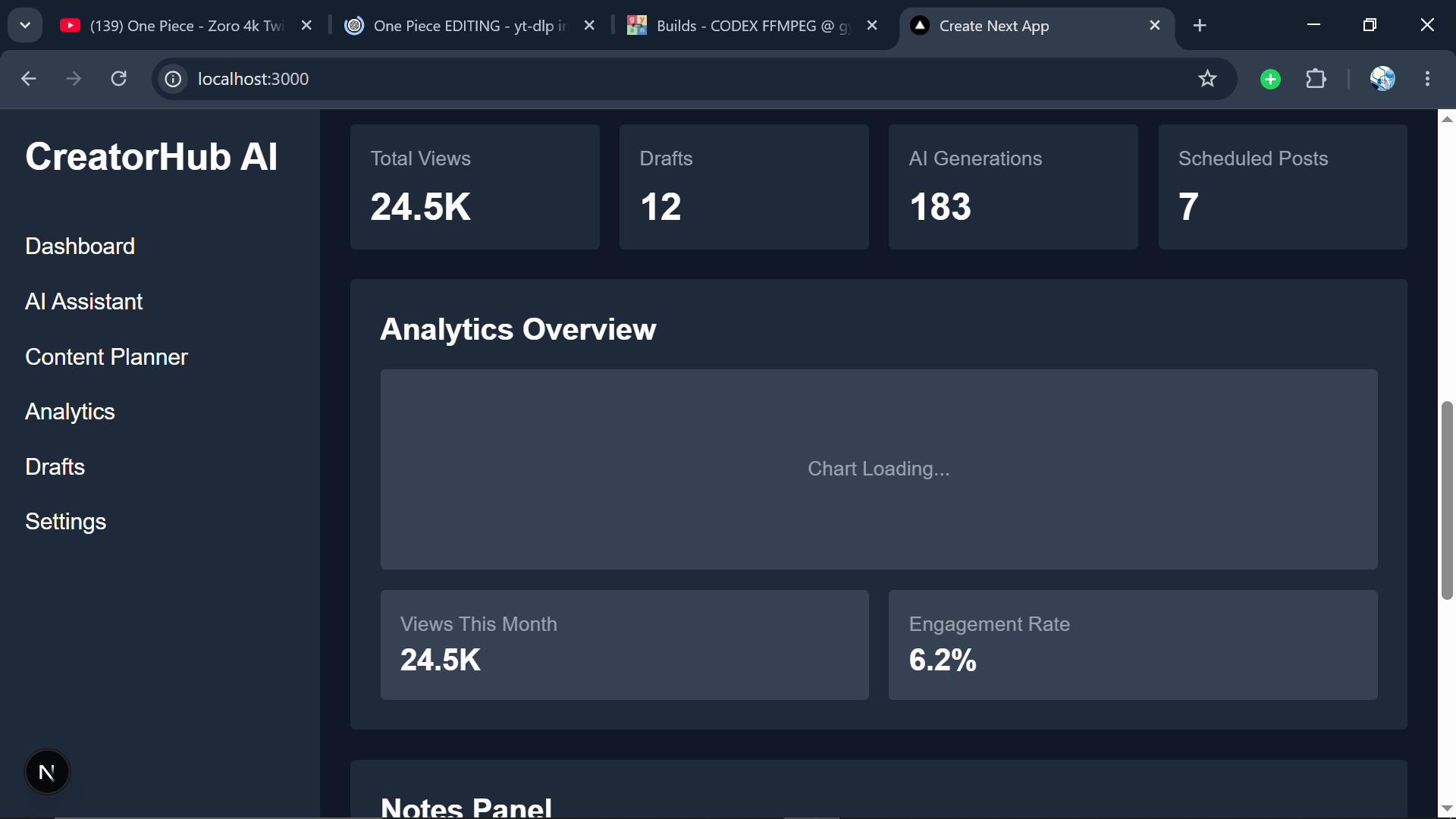
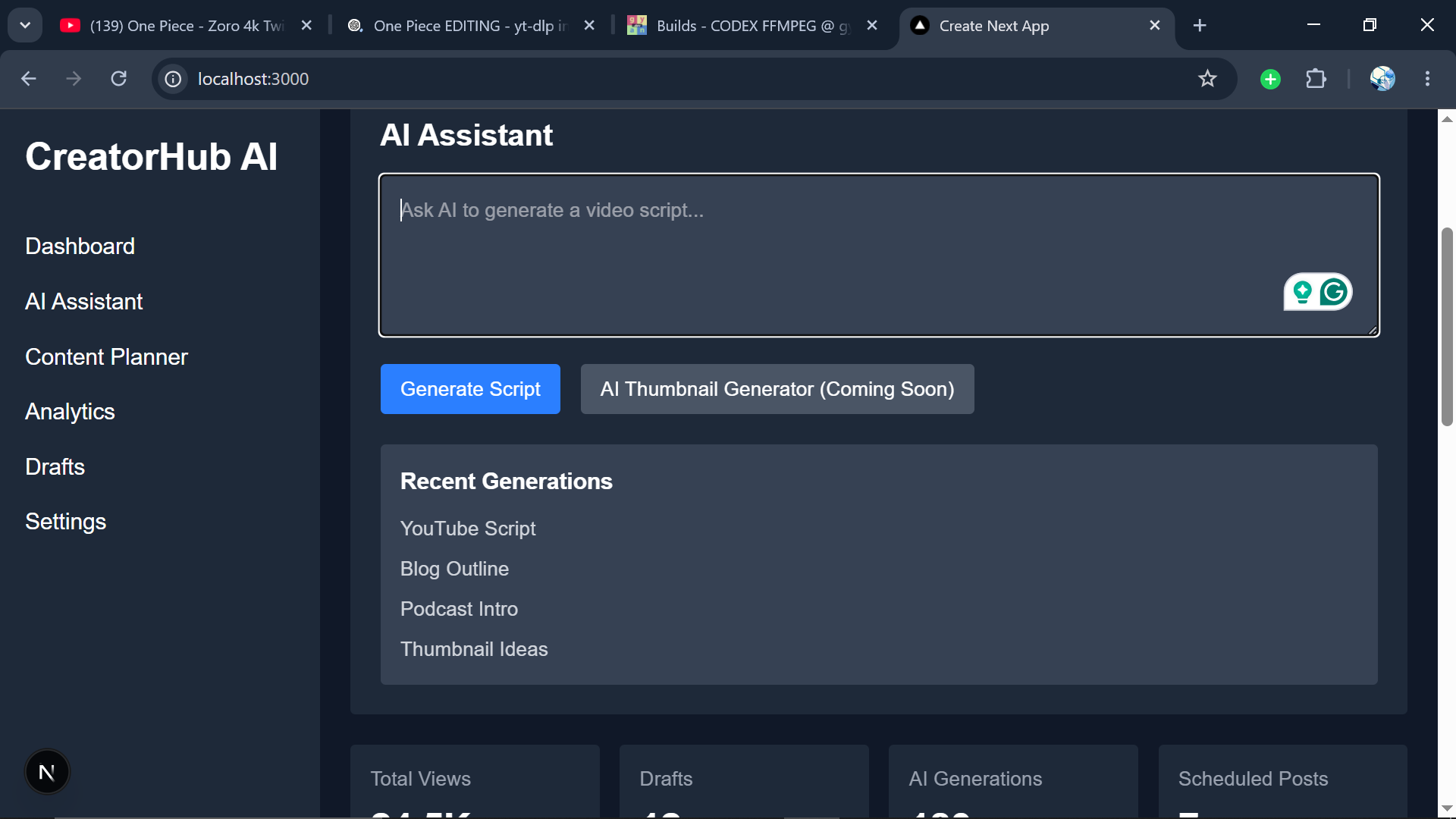
Screenshots

)
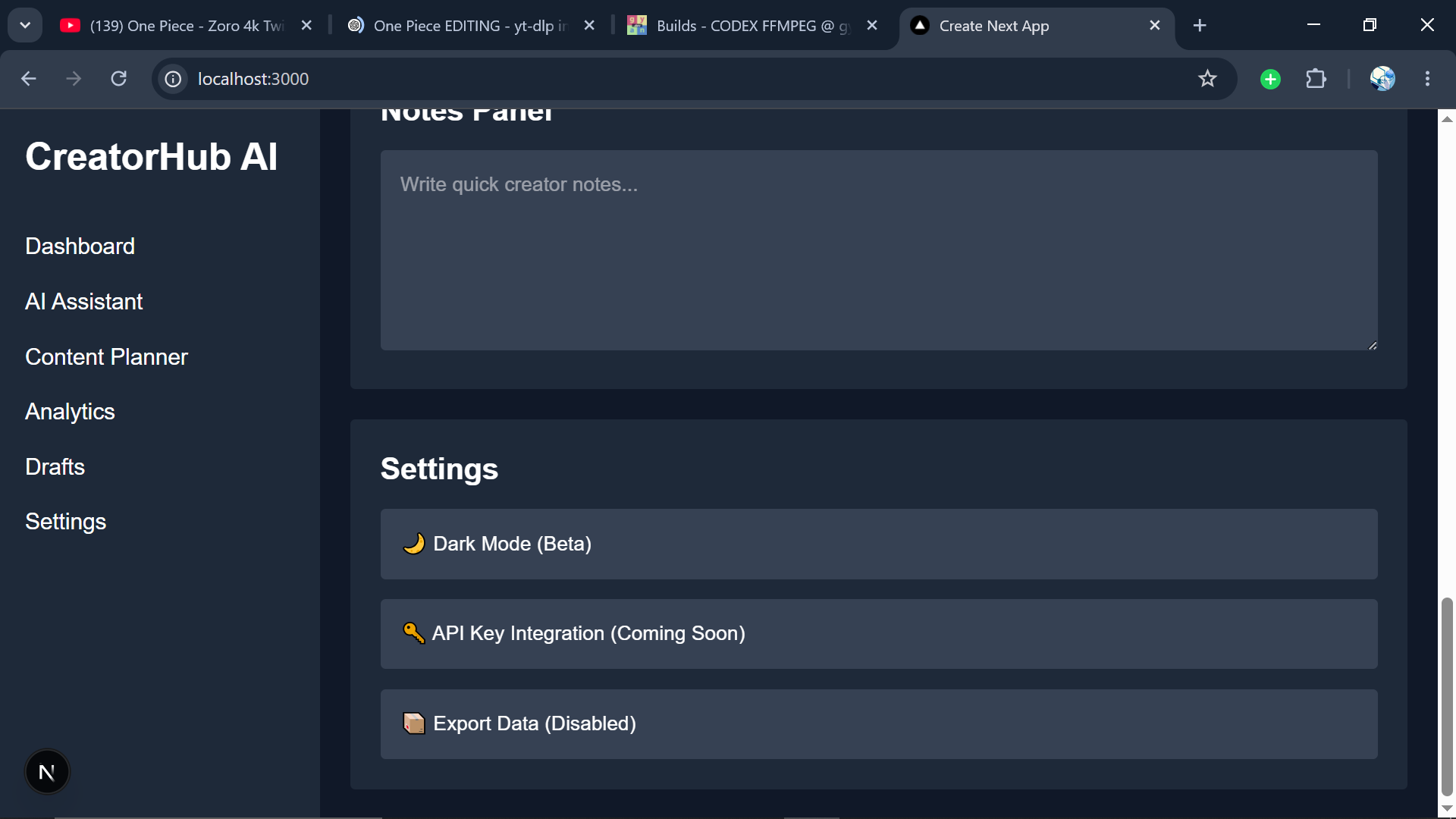
*The earliest concept of CreatorHub AI before development became complicated.*
The Project Slowly Fell Apart
I didn't abandon the project overnight.
That's rarely how it happens.
Most unfinished projects don't end dramatically.
They fade.
Slowly.
Quietly.
One unresolved bug became three.
Three became ten.
A quick feature turned into a messy architectural problem.
The project became harder to understand every time I opened it.
Eventually, I noticed something interesting.
I was spending more time managing complexity than creating value.
Three hours into debugging a broken authentication flow, I remember leaning back in my chair and staring at the screen.
Not angry.
Just tired.
The code technically worked.
But working and maintainable are very different things.
And somewhere along the way, the project had become heavy.
Every new feature felt expensive.
Every small change seemed to create two new problems.
So I stopped opening the repository.
Days became weeks.
Weeks became months.
Then 315 days passed.
Revisiting the Repository Felt Weirdly Emotional
A few weeks ago, I opened the project again.
Honestly?
I almost closed it immediately.
The first few minutes felt uncomfortable.
The code looked unfamiliar.
Some components made no sense.
Some decisions felt questionable.
Some files looked like they had been written by a completely different developer.
And then I realized something.
They had.
The developer who wrote that code was me.
Just an older version.
A less experienced version.
A version still figuring things out.
I wasn't reopening the repository just to fix software. I was revisiting an older version of myself.
That thought stayed with me.
Because software preserves more than functionality.
It preserves thinking.
You can see your habits.
Your confidence.
Your assumptions.
Your shortcuts.
Your growth.
All preserved in code.
And suddenly this wasn't just a software project anymore.
It became a reflection exercise.
Before vs After
Before touching anything, I spent an hour documenting problems.
Not fixing them.
Just observing.
That alone was surprisingly helpful.
Many developers immediately start coding when revisiting old projects.
I think that's a mistake.
Spend time understanding before changing.
The project had accumulated a lot of technical debt.
Before
- inconsistent UI
- duplicated components
- broken responsiveness
- unfinished navigation
- confusing architecture
- unused code
- poor scalability
- incomplete user flows
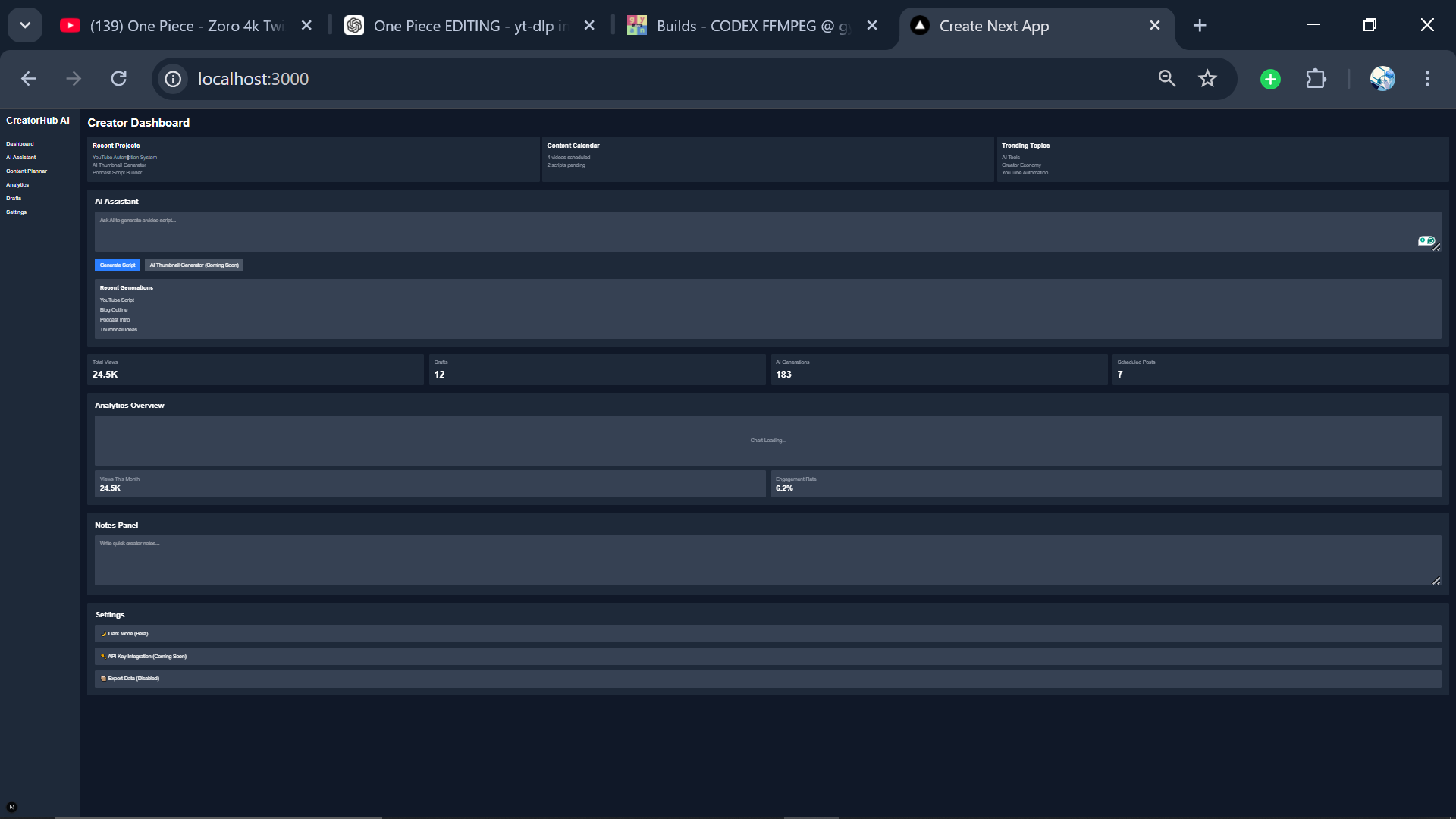
Screenshot
)
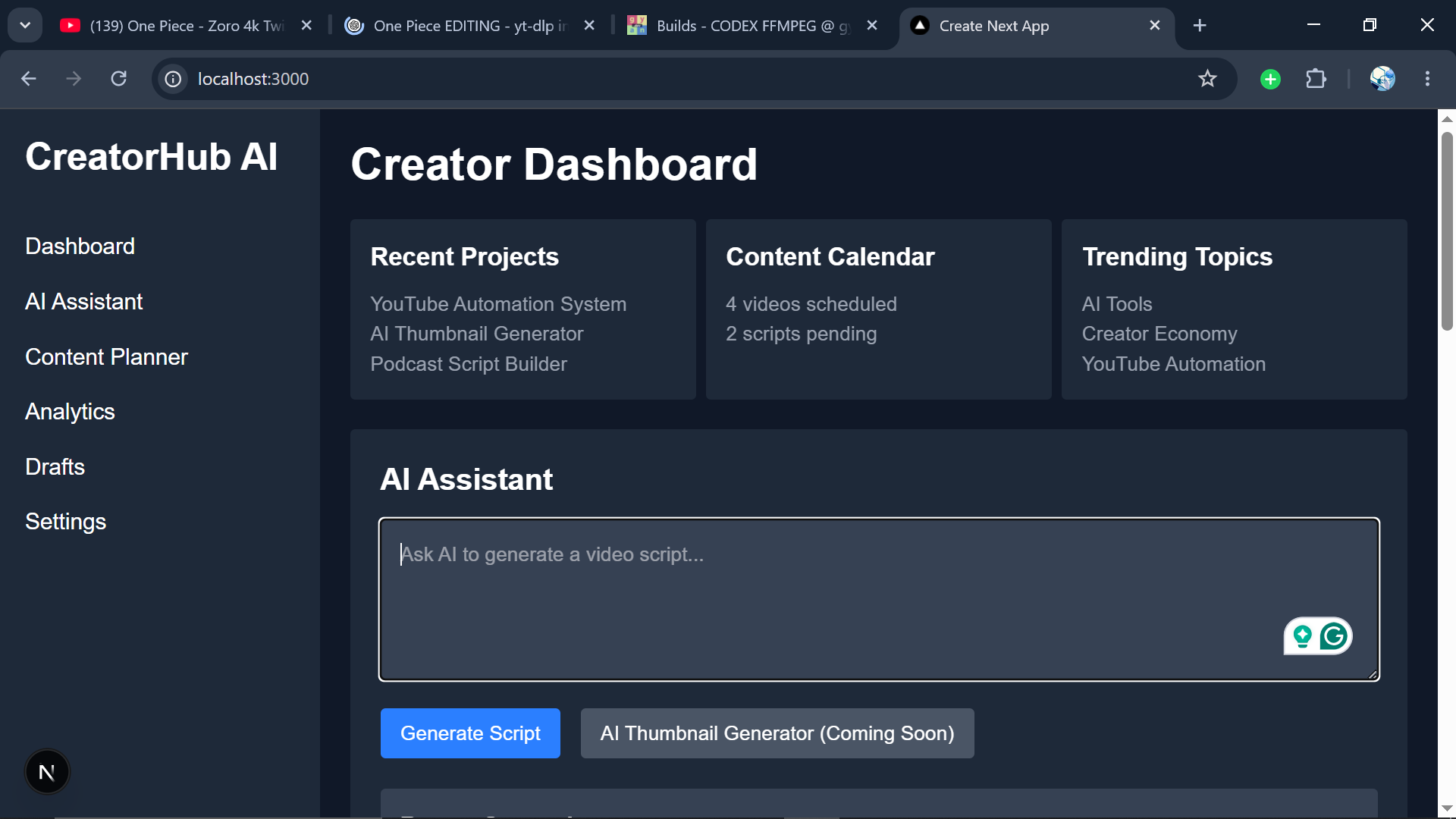
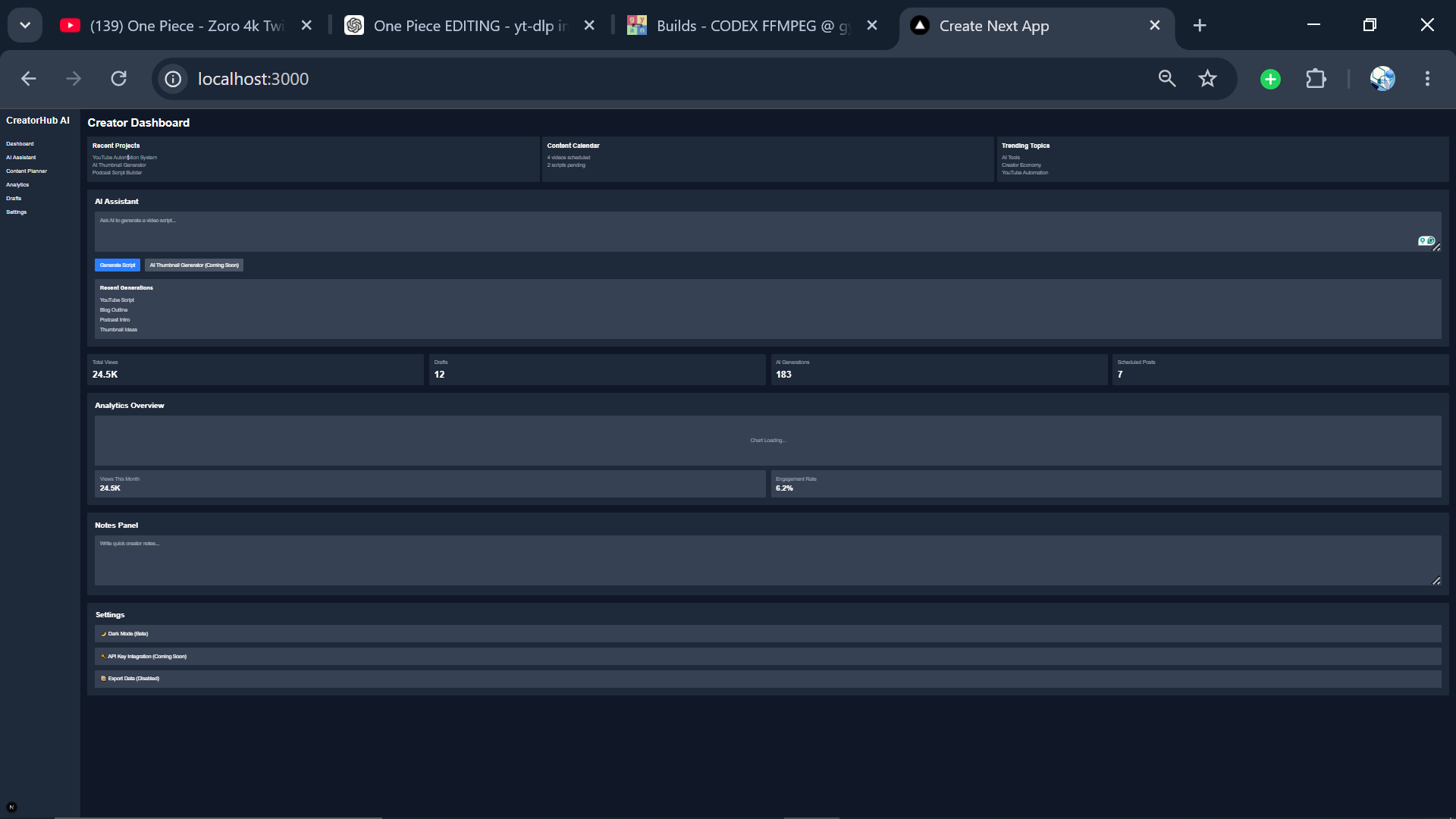
*The original dashboard before the redesign. Functional, but difficult to maintain and scale.*
What surprised me most wasn't how bad the project looked.
It was how obvious the problems seemed after time away.
Distance creates clarity.
Things that once felt reasonable suddenly become easy to identify.
Before vs After Summary
One thing that became obvious during this process was how much the project had changed.
Some improvements were visual.
Others were architectural.
And some were simply the result of revisiting old decisions with fresh perspective and more experience.
Looking at the project side by side made the transformation much easier to appreciate.
| Before | After |
|---|---|
| Single-page dashboard | Multi-page application |
| Limited responsiveness | Mobile-friendly design |
| Unfinished navigation | Complete sidebar navigation |
| Basic analytics section | Dedicated analytics dashboard |
| Scattered content workflow | Structured content planner |
| Rough UI consistency | Polished and modern interface |
| Growing technical debt | Cleaner component structure |
| Abandoned side project | Finished and deployable application |
The visual redesign was probably the most noticeable change.
The interface became cleaner, more structured, and significantly easier to navigate.
But the improvements went beyond appearance.
The application became easier to maintain, easier to extend, and easier to use.
More importantly, it finally felt complete.
Not perfect.
But complete enough to confidently share with other people.
And that was the goal all along.
The biggest transformation wasn't the code. It was the shift from "unfinished potential" to something real that people could actually use.
The Comeback Story
The rebuild wasn't dramatic.
There was no magical weekend transformation.
Most of it looked like this:
- cleaning code
- deleting unnecessary files
- simplifying components
- improving responsiveness
- restructuring folders
- redesigning layouts
- fixing bugs
Not glamorous work.
But meaningful work.
One observation stood out during this process.
Finishing a project isn't usually about intelligence.
It's about endurance.
The hardest part wasn't coding.
The hardest part was continuing.
Showing up.
Returning tomorrow.
And the day after that.
Even when progress felt small.
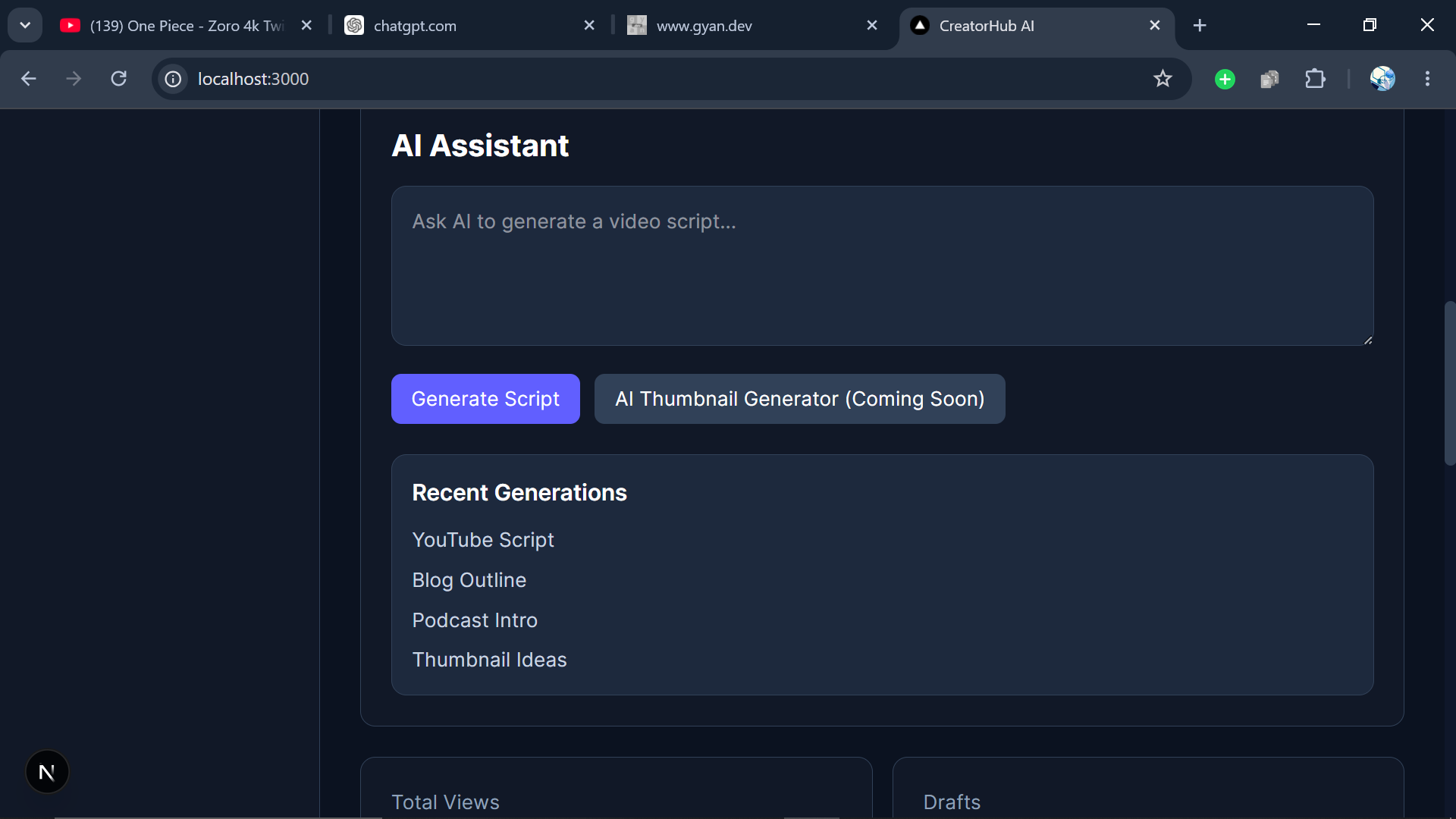
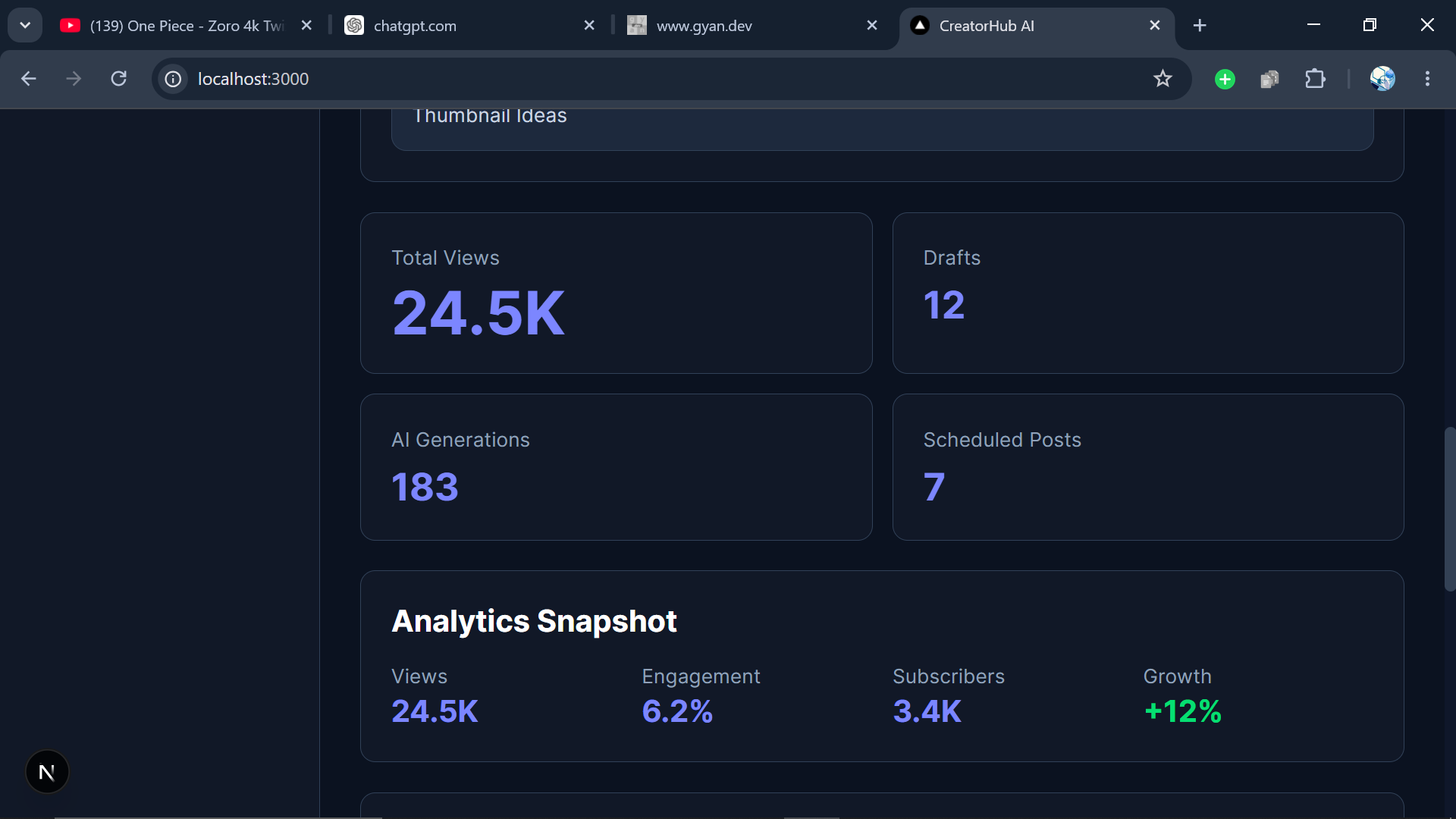
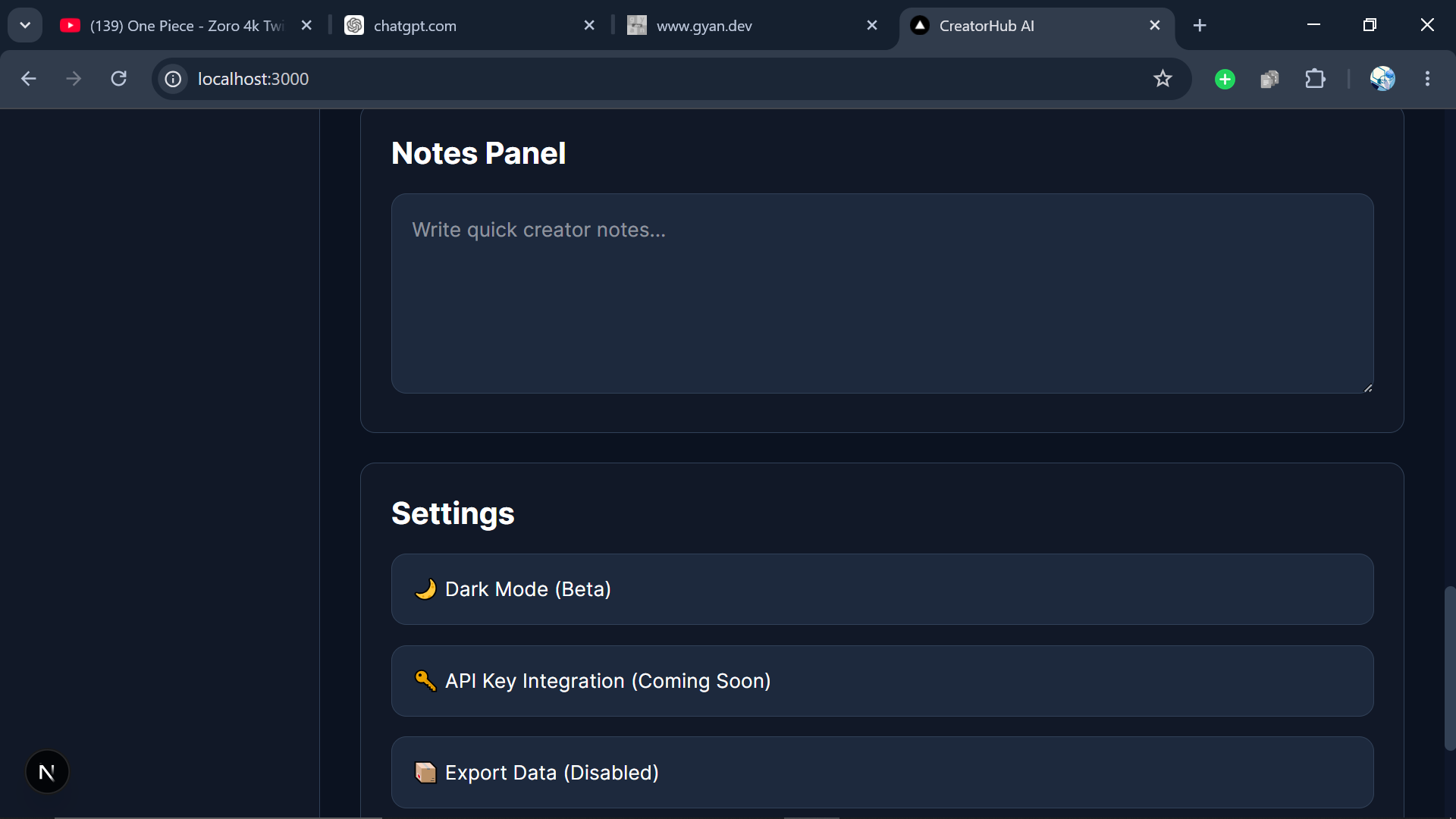
UI Redesign
The original interface felt crowded.
The redesign focused on:
- cleaner spacing
- improved hierarchy
- better navigation
- stronger visual consistency
- improved mobile experience
Screenshot
)
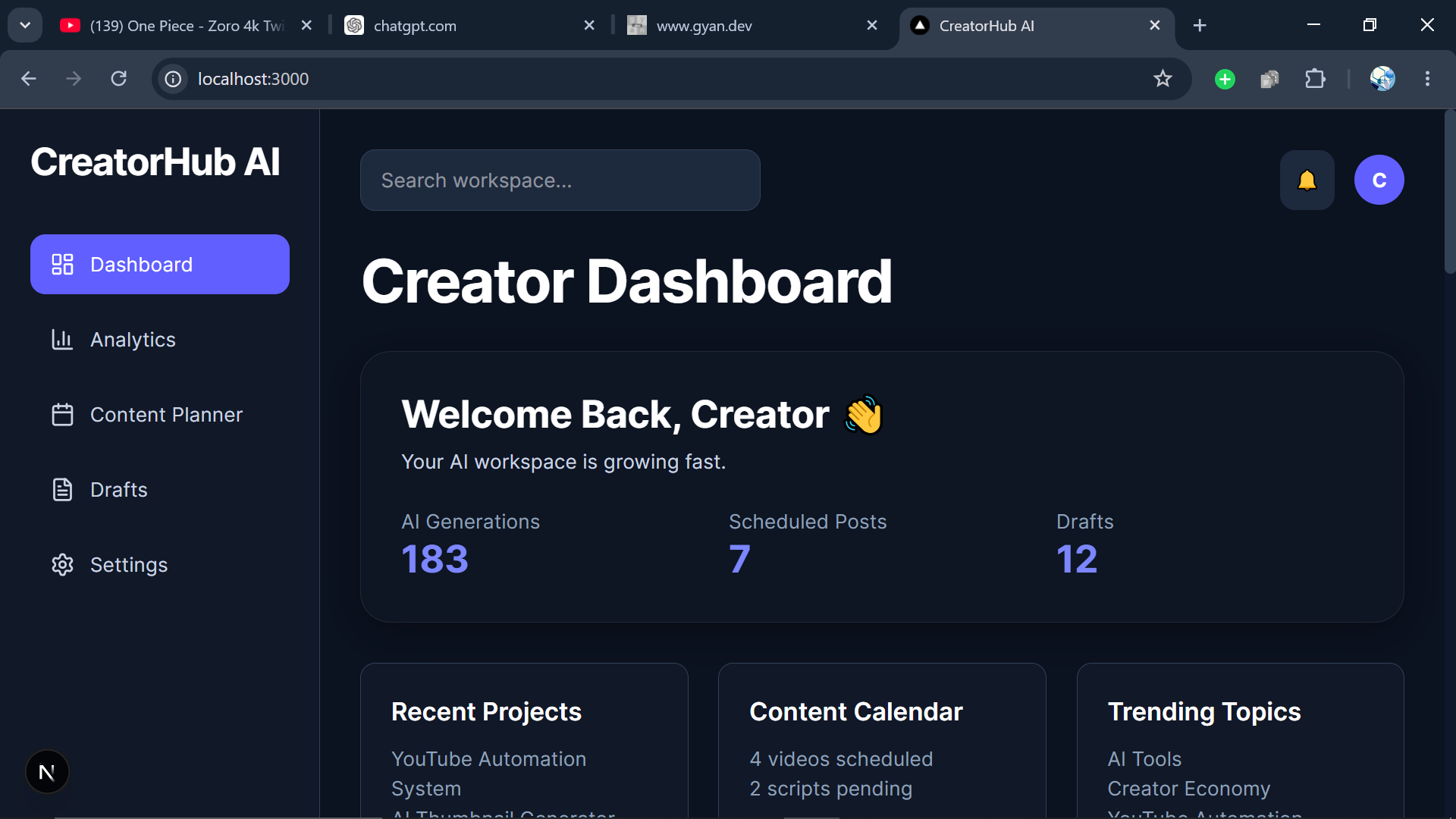
*The redesigned CreatorHub AI dashboard with improved structure, responsiveness, and usability.*
Mobile Responsiveness
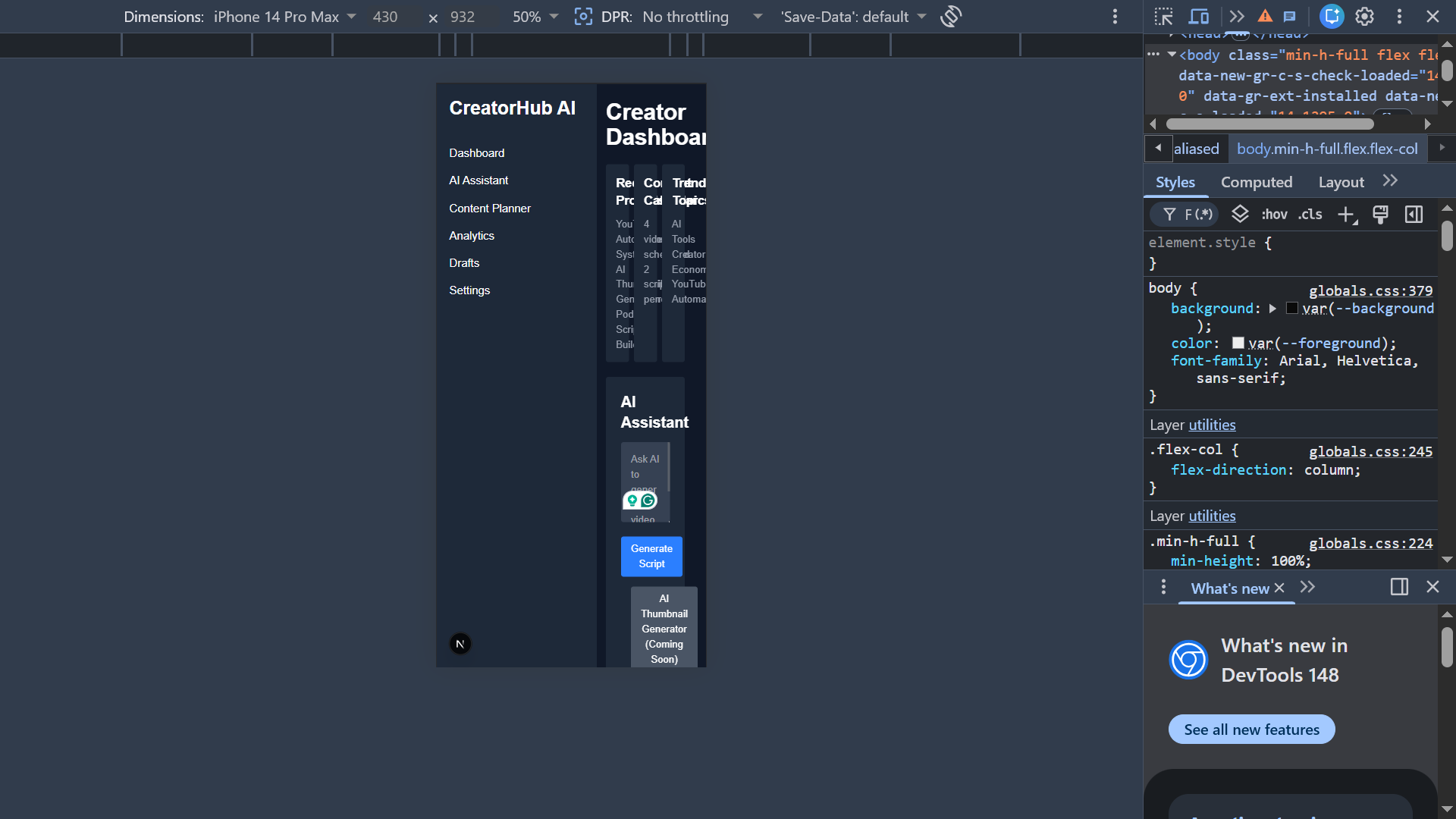
One of the biggest weaknesses of the original project was the mobile experience.
The interface was originally designed with desktop usage in mind, which meant navigation and content organization became difficult on smaller screens.
During the redesign, I focused on creating a smoother mobile experience by improving layouts, optimizing spacing, and implementing a responsive navigation system that worked across different screen sizes.
The goal wasn't just to make the application fit on a phone.
It was to make it genuinely usable.

(https://dev-to-uploads.s3.amazonaws.com/uploads/articles/6l9vd4uzguatklsbdi2x.png)
(https://dev-to-uploads.s3.amazonaws.com/uploads/articles/v84sybflibv9dnsvoe35.png)
(https://dev-to-uploads.s3.amazonaws.com/uploads/articles/2g91pyzsmmzsymroygrm.png)
)
CreatorHub AI running on a mobile device after the responsive redesign.
Analytics Dashboard
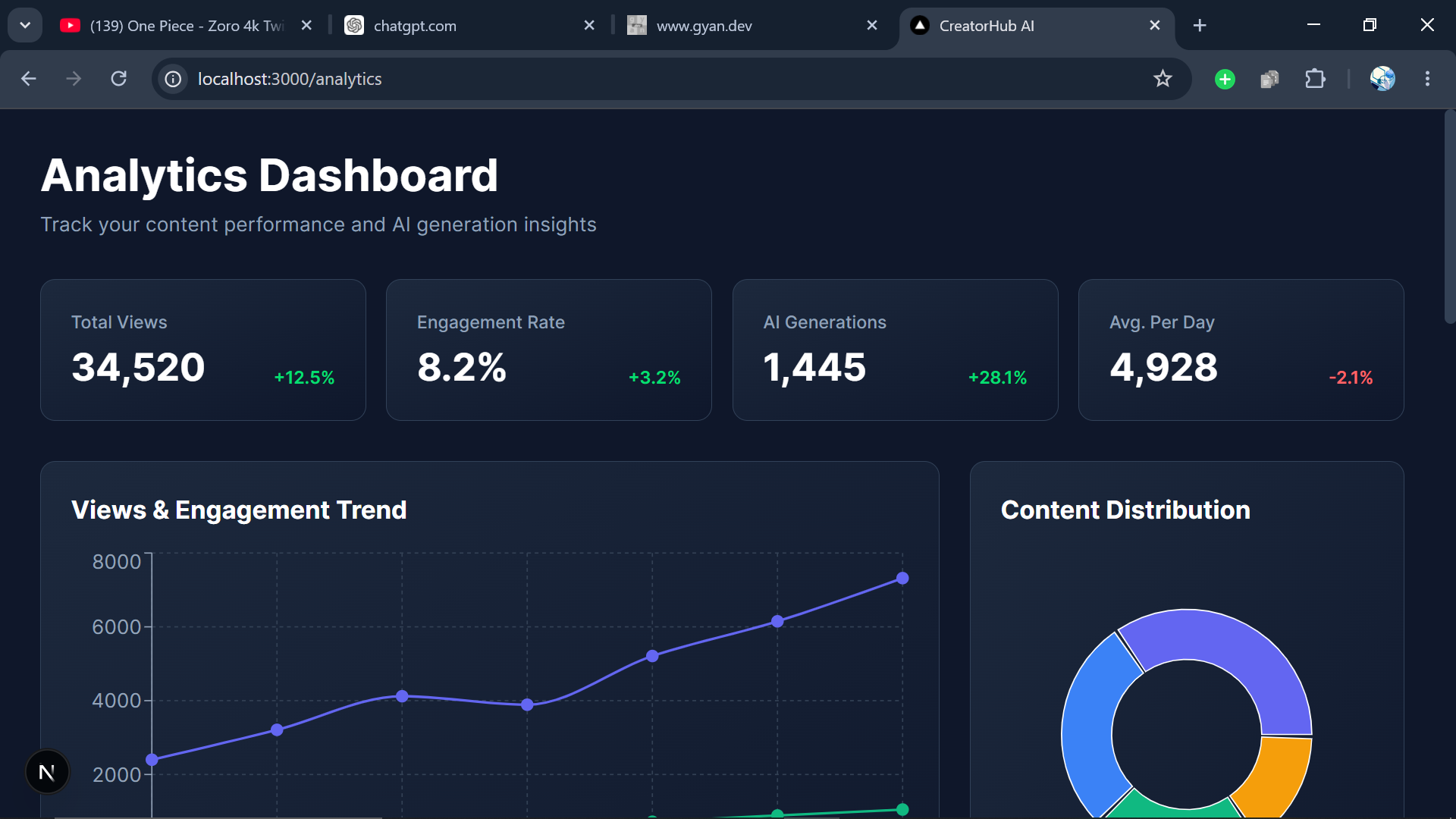
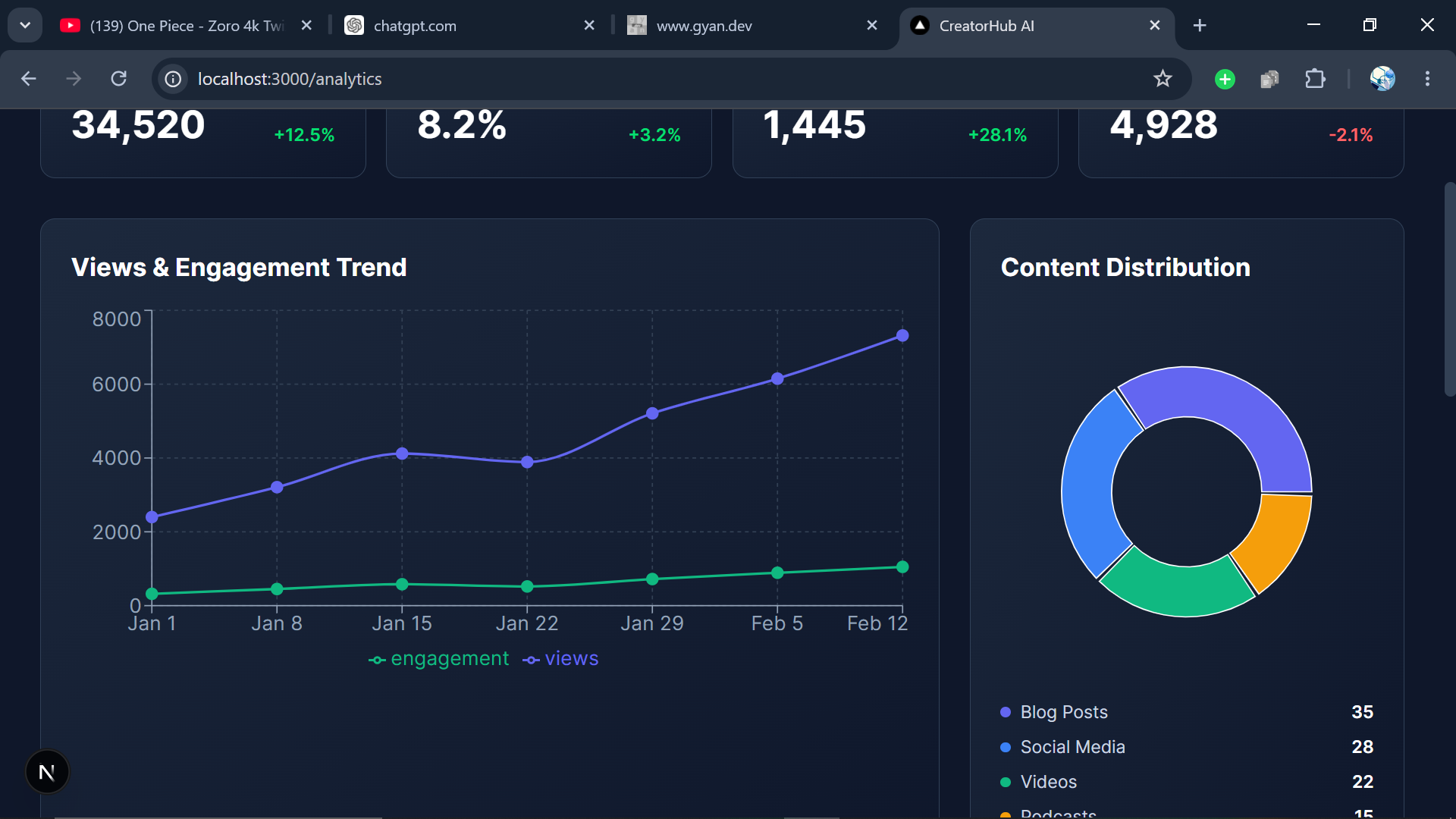
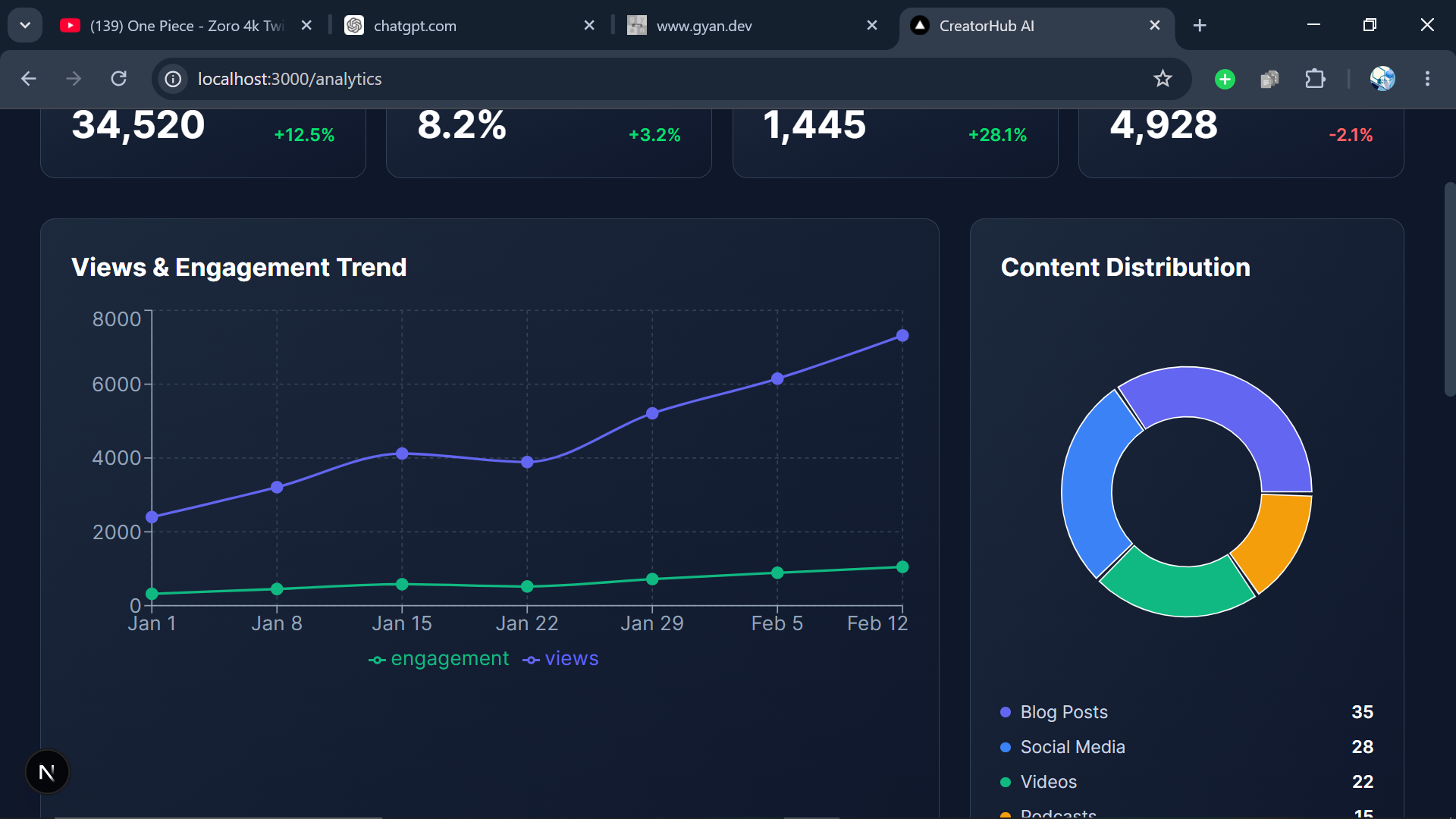
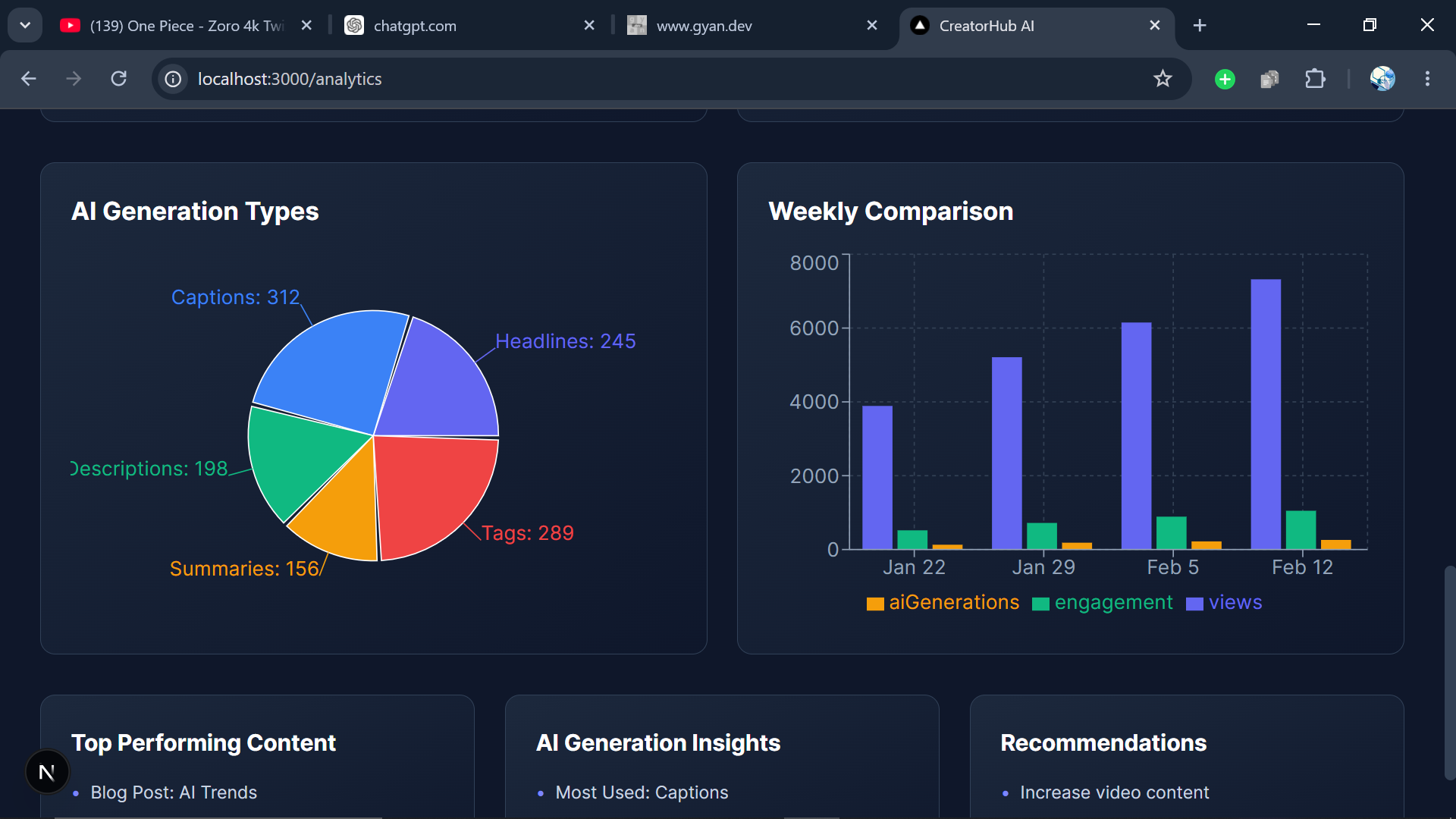
One of my favorite additions was the analytics experience.
Instead of static metrics, I created a dashboard that made performance easier to understand visually.
Screenshot
)
*Analytics became one of the strongest improvements in the final version.*
Content Planner
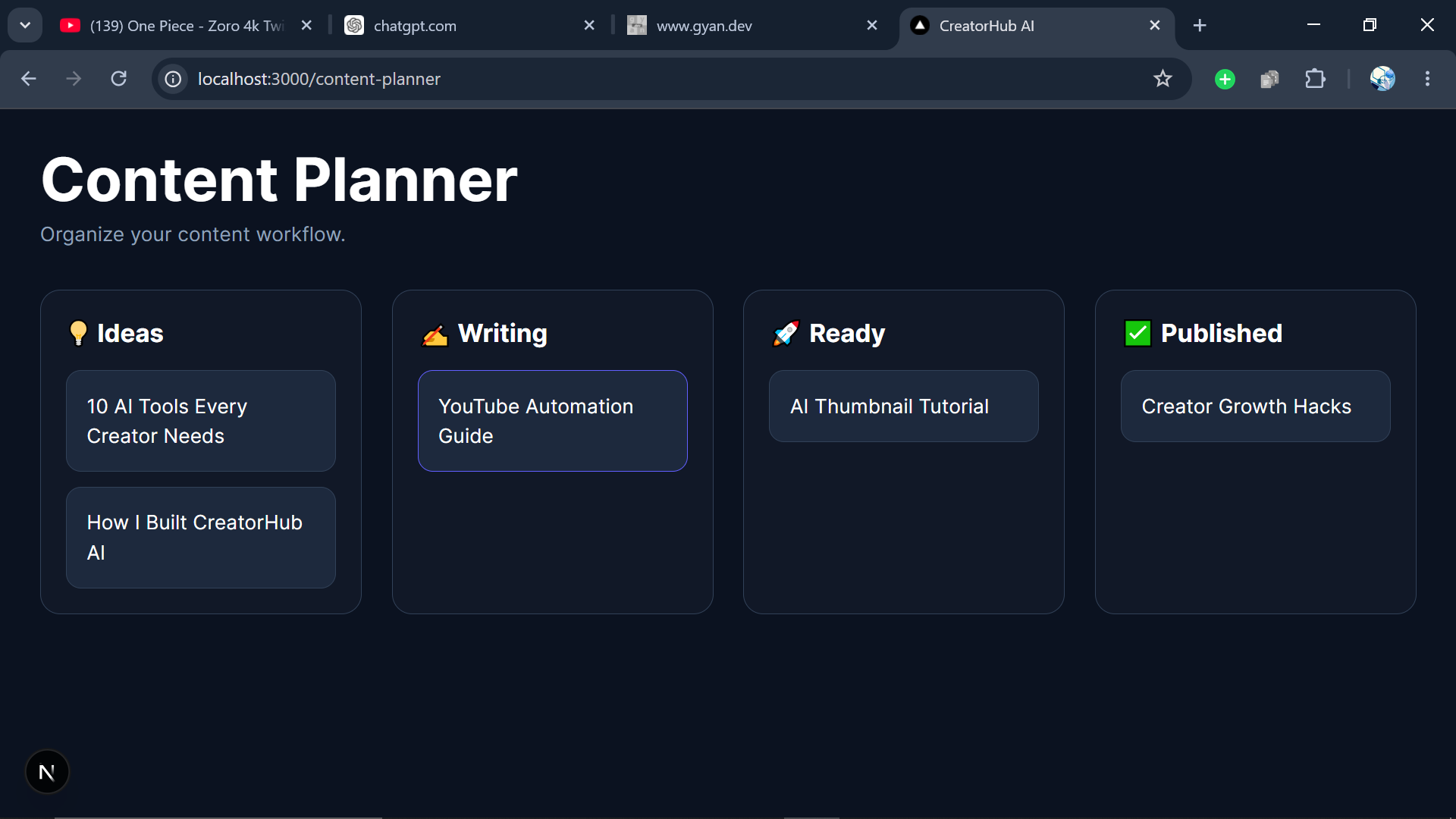
The content planner became a simple but useful workflow tool.
Ideas.
Writing.
Ready.
Published.
Sometimes simplicity wins.
📸 Screenshot Placement
)
*The Kanban-style planner helped organize content workflows more clearly.*
My Experience with GitHub Copilot
I expected GitHub Copilot to save time.
What surprised me was that it reduced friction.
And those are very different things.
Time wasn't the biggest problem.
Momentum was.
When returning to an old project, you're constantly rebuilding context.
You forget why things exist.
You forget architectural decisions.
You forget naming conventions.
Copilot helped bridge some of that gap.
Not by replacing development.
But by reducing repetitive mental effort.
It helped with:
- boilerplate generation
- repetitive UI code
- refactoring suggestions
- utility functions
- validation logic
For example:
const isValidUser = validateUserCredentials(user);

if (isValidUser) {
  // continue
}
Small improvements.
But hundreds of small improvements compound.
And that's where AI tools become genuinely useful.
Not as replacements.
As collaborators.
Links
Live Demo
GitHub Repository
GitHub Copilot in Action
One thing I wanted to document clearly during this revival process was how GitHub Copilot actually fit into my workflow.
A lot of conversations around AI focus on whether it can write code.
What interested me more was whether it could help me maintain momentum.
And throughout this project, it genuinely did.
Instead of staring at a blank file or repeatedly writing boilerplate, I was able to focus more on architecture, design decisions, and user experience.
Copilot became especially useful when:
- restructuring components
- building page layouts
- improving responsiveness
- creating reusable UI elements
- speeding up repetitive code
- refactoring older code
It didn't replace problem-solving.
It reduced friction.
And when you're returning to a project that has been untouched for almost a year, reducing friction matters a lot.
📸 GitHub Copilot Assistance

)
*GitHub Copilot helping generate component structure during the dashboard redesign.*

)
*Using Copilot suggestions while cleaning up and restructuring older code.*

)
*Copilot accelerating UI implementation and repetitive development tasks.*
Looking back, the biggest benefit wasn't speed.
It was momentum.
The easier it became to move forward, the less likely I was to abandon the project again.
The Unexpected Psychological Side of Finishing Something
This was the part I didn't expect.
Shipping the project felt emotional.
Not because it became perfect.
It didn't.
There are still improvements I'd like to make.
But it finally felt complete enough to exist publicly.
And that matters.
Because unfinished projects quietly affect confidence.
Each abandoned repository tells a story.
Sometimes that story becomes:
"Maybe I'm someone who starts things but never finishes them."
I think more developers struggle with this than we admit.
Finishing this project didn't magically solve everything.
But it interrupted that narrative.
And honestly, I needed that.
Every abandoned repository quietly reinforces the idea that maybe you're someone who starts things but never fully finishes them.
What This Experience Taught Me About Building
1. Complexity is often the real enemy
Most projects don't fail because developers lack skill.
They fail because complexity grows faster than clarity.
2. Momentum matters more than motivation
Motivation disappears constantly.
Systems survive longer.
3. Simplicity scales surprisingly well
Many of the features I removed improved the project more than the features I added.
4. AI works best as a collaborator
Not a replacement.
Not a shortcut.
A collaborator.
That distinction matters.
Final Thoughts
Looking back, the most valuable thing I recovered wasn't the project itself.
It was the confidence that comes from returning to something difficult and finishing it anyway.
That lesson will probably outlast the code.
When I reopened this repository after 315 days, I thought I was returning to fix software.
But somewhere during the process, I realized something deeper.
The project wasn't the only unfinished thing.
My relationship with creativity had become unfinished too.
I had slowly started associating incomplete work with failure instead of growth.
Finishing this project changed that.
Not because the application became extraordinary.
Not because GitHub Copilot magically solved development.
Not because the process became easy.
But because I finally experienced something many developers quietly need:
Closure.
I'm genuinely glad I opened that repository again.
Because sometimes growth doesn't come from starting something new.
Sometimes it comes from finally finishing something old.
I'd Love To Hear From You
What's one project you've been meaning to return to but haven't opened in months?
Maybe it's a side project.
Maybe it's a hackathon submission.
Maybe it's a repository you've convinced yourself you'll revisit "someday."
What stopped you from finishing it?
And if you reopened it today, what do you think you'd do differently?
Share your story in the comments. I'd genuinely love to hear about the unfinished projects still waiting for their comeback.


Top comments (3)
I have some unfinished ones, most notably a note taking app that never got beyond the project skeleton and a few ideas. The basic idea was to make linking knowledge in different notebooks easier through providing an easy syntax which would make html pages and links under the covers to have a local-only backend represented in HTML files, with a pretty UI representing the connections between the knowledge. Nowadays maybe with some local AI server making it easier to relate seemingly unrelated things to each other. As a trained computational linguist finding connections between related knowledge is something I'm curious about.
But it won't happen anytime soon. I'm working full time right now, and that leaves me no room for a serious side project. After 8 hours of work I'm mentally done, and I need weekends to recover from working 40 hours during the week. But the wonderful thing about it is, I don't have to wonder what I'll do during my retirement (if I live to see it, it's still some 30 years of). I'll just continue making software, but realizing my own ideas. Without a deadline. Without even the pressure of having to create something useful. Just to explore ideas. Just for me. No AI. No notion of being productive. If I'll have days not working on it at all, that's fine too.
It sounds too wonderful to comprehend to dream of working on something without a deadline, without money, without pressure, without all the planning, without Scrum or any agile methodology. I'll close out my career in the same way it began: Just me, the computer and some cool ideas I want to see in action. And I can write it all by hand. Every. Single. Line. Of. It. :)
As a developer, this resonates deeply. Sometimes the most exciting projects are the ones that never need to ship, make money, or impress anyone. They're built simply because the idea won't leave your head. I hope you eventually get to explore that knowledge-linking app on your own terms.
Thank you. Maybe I will just start exploring it to be honest. It came to me recently that it is kind of foolish to wait for doing something like this for the next 30 years. As long as I do it without putting any pressure on myself, it can be just a creative outlet, and something which isn't work at all really.