


A commit message is a short description of the changes you've made to a file added before committing the changes.
Good commit messages are important not only for others who you may be collaborating on the project but also for you, to keep track of all your commits and knowing exactly what changes where maybe during that particular commit.
Even if you're working on a personal project, I'd recommend that you start getting in the habit of writing good commit messages.
This is the format that I use most of the time (this may change depending on your preference or organization your working for):
type: subject

body (optional)

footer (optional)
1. Type
- feat - a new feature
- fix - a bug fix
- docs - changes in documentation
- style - everything related to styling
- refactor - code changes that neither fixes a bug or adds a feature
- test - everything related to testing
- chore - updating build tasks, package manager configs, etc
2. Subject
This contains a short description of the changes made. It shouldn't be greater than 50 characters, should begin with a capital letter and written in the imperative eg. Add instead of Added or Adds.
3. Body
The body is used to explain what changes you made and why you made them. Not all commits are complex enough that they need a body, especially if you are working on a personal project alone, and as such writing a body is optional.
A blank line between the body and the subject is required and each line should have no more than 72 characters.
4. Footer
The footer is also optional and mainly used when you are using an issue tracker to reference the issue ID.
Example of a good commit message used by Udacity student Udacity Git Commit Message Style Guide
feat: Summarize changes in around 50 characters or less
More detailed explanatory text, if necessary. Wrap it to about 72
characters or so. In some contexts, the first line is treated as the
subject of the commit and the rest of the text as the body. The
blank line separating the summary from the body is critical (unless
you omit the body entirely); various tools likelog,shortlog
andrebasecan get confused if you run the two together.Explain the problem that this commit is solving. Focus on why you
are making this change as opposed to how (the code explains that).
Are there side effects or other unintuitive consequences of this
change? Here's the place to explain to them.Further paragraphs come after blank lines.
Bullet points are okay, too
Typically a hyphen or asterisk is used for the bullet, preceded
by a single space, with blank lines in between, but conventions
vary hereIf you use an issue tracker, put references to them at the bottom,
like this:Resolves: #123
See also: #456, #789
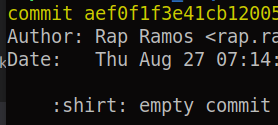
A more practical example:
docs: Fix typo in README.md


Latest comments (70)
You can make your repository commitizen-friendly by using the following tool. github.com/commitizen/cz-cli
You can also read more about commitizen here. conventionalcommits.org/en/v1.0.0/
Great article @chrissie
Hahaha. Thanks Chrissie
How to see emojis on terminal on windows???
Not sure why it didnt work out-of-the-box for me :(
Nice article, and also I would like to add my opinion:
Example
MYPROJ-420 Updated vendor libraries (lodash, robot, d3) for xyz page.Our branches include the ticket nr. A githook then adds the ticket nr to every commit.
Here's the super-concise commit message template that I've been using for years now (I've lost track of which blog post or comment I first picked it up from). I find it to be a helpful reminder, without inundating me with a wall of text every time I go to commit:
Great! I always wanted to improve my commit messages but didn't know what I should do but now you gave me a pattern/standard to follow.
Thank you
It's nice to add that this is just one convention of committing; check gnu.org/prep/standards/html_node/S... for an alternate widely used(especially in GNU projects) commit style. I normally default to that. Here's an example from some guix patch:
And if this not work you can use the random commit message generator.
Enjoy.
paulospx.github.io/some_if_stateme...