

Which software / tool do you use to take screenshots?
You could use the following template:
Name:
[ ] Free
[ ] Paid
[ ] Open source
OS:
[ ] MacOS
[ ] Windows
[ ] Linux
Link:
Comments:
Markdown to copy:
**Name:**
[ ] Free
[ ] Paid
[ ] Open source
**OS:**
[ ] MacOS
[ ] Windows
[ ] Linux
**Link:** [website name](https://website.com)
**Comments:**
Example:
Name: SnagIt
[ ] Free
[x] Paid
[ ] Open source
OS:
[x] MacOS
[x] Windows
[ ] Linux
Link: TechSmith
Comments: Free trial available. Feature rich including video recording
Name: PicPick
[x] Free
[ ] Paid
[ ] Open source
OS:
[ ] MacOS
[x] Windows
[ ] Linux
Link: PicPick website
Comments: Great features, also available as portable version


Latest comments (32)
Name: Jing
[ x] Free
[ x] Paid
[ ] Open source
OS:
[ x] MacOS
[ x] Windows
[ ] Linux
Link: Jing
Comments:
I use Jing since 2007 or 2008. But also I used OS built-in screenshot tool from Windows OS and Mac OS too.
How about "Which software do you use to record animated screenshots?"
Name: Snipping Tool
[x] Free
[ ] Paid
[ ] Open source
OS:
[ ] MacOS
[x] Windows
[ ] Linux
Link: Microsoft Snipping Tool
Comments: It's nothing fancy but free and easy to use.
Name: Greenshot
[X] Free
[ ] Paid
[X] Open source
OS:
[X] MacOS (Paid)
[X] Windows
[ ] Linux
Link: Greenshot
Comments: Simple interface. It comes equipped with tools to highlight the snapshots. What I like the most is that it's damn easy to paste one snapshot into another for comparing and highlighting purposes.
I used Greenshot a while ago and almost forgot it exists. They improved it heavily since I used it the last time, great addition to this list 👍
Name:
[X] Free
[ ] Paid
[ ] Open source
OS:
[X] MacOS
[ ] Windows
[ ] Linux
Comments:
I just use shortcuts on my work Mac. Almost always using Cmd + Shift + 4 to grab sections of my screen.
Name:
[X] Free
[ ] Paid
[ ] Open source
OS:
[ ] MacOS
[X] Windows
[ ] Linux
Comments:
I almost never screenshot outside of games on my Windows machine, and games almost always provide their own screenshot function.
Otherwise I google the keypresses to use Windows' built in functionality and lament that it kinda sucks in comparison to Mac.
Command + shift + 4 on Mac.
Name:
[X] Native
[ ] Free
[ ] Paid
[ ] Open source
OS:
[X] MacOS
[X] Windows
[X] Linux
All of the asked-after OSes have built in snapshot capability: I mostly can't see the point of wasting time fetching other software even if it's free.
Name: screengrab
[ ] Free
[ ] Paid
[x] Open source
OS:
[?] MacOS
[?] Windows
[x] Linux
Link: LXQt website
Comments: Part of LXQt (which is funny, since I use Cinnamon not LXQt). The big reason I use it is because I can script taking screenshots since it can take them directly from the command-line, which is big when I am trying to do something like create a sequence of screenshots for a bug report. It claims to be cross-platform, but I've never tried using it on anything but Linux (I don't use macOS, and on Windows I just use the built-in screenshot functionality).
Name: Screenshot
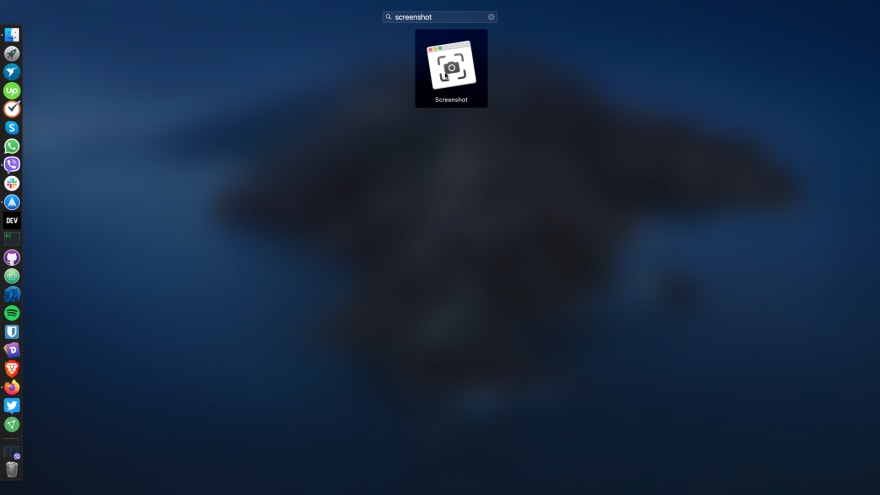
[✅] Free
[ ] Paid
[ ] Open source
OS:
[✅] MacOS
[ ] Windows
[ ] Linux
Link: -
Comments:
Are you using the shortcut keys for screenshot or do you search for the app the entire time? (Honest question)
I use a shortcut key for taking a screenshot 😄
Great ☺️. I absolutely love the new shortcut key they've added in Mojave.
Was it just new in mojave? Sorry im a returning user from a late 90s mac 😄
Yeah :). cmd + shift + 3 / 4 were already there but 5 is relatively new. It's great!
HAHA! I only used cmd + shift + 3. I didnt know about 4 and 5. Thank you! I learned something new again today!
I think you'll absolutely love them!
I certainly will 😄 no more cmd + shift + 3 and cropping! Thank you!
Like the mac and windows defaults, also a underrated built-in one that does a great job 👍
Yeah! I underestimated this when I got my new mac but later found out that it was super helpful! 👍👍👍
Name: Apples default screenshot app
[x] Free
[ ] Paid
[ ] Open source
OS:
[x] MacOS
[ ] Windows
[ ] Linux
Link: How to take a screenshot on your Mac
Comments: Heavily underrated tool IMHO. It can capture the entire screen, a selected portion of it, a window, menus or the Touch Bar. It is even able to capture videos!
I don't have a mac but sounds great and if it can also capture videos, it is far more advanced than the default of windows 👍
Ever since the Mojave update it's been an absolute joy to create screenshots with macOS. Not that it was terrible, but the cmd + shift + 5 shortcut is amazing. You can quickly grab a screenshot of a window, your entire desktop, just a small portion. Want to take a video? You've got the same options for it right there!